

Turn recordings into transcripts and summaries in minutes
Upload audio or video for multilingual transcription, AI notes, and action items
Can you actually use voice input in VS Code? Yes, and there's more than one way to do it.
But the real question to think through first is: do you want to "turn a sentence into a line of code in the editor," or do you want to "turn an entire meeting into searchable, queryable, shareable data"? Both look like speech-to-text, but the right tools are completely different.
If you've been searching for "vocol vscode" recently, you're probably stuck at this crossroads.
Why are people starting to look for voice input in VS Code?
Let's set aside the tools for a moment and talk about what you're doing.
If you just don't want to keep typing—dictating a comment, a commit message, a prompt for AI—there are indeed ready-made solutions in the VS Code ecosystem. Microsoft's official VS Code Speech extension brings speech-to-text and other voice capabilities into the editor; VoiceMode adds natural voice conversation to AI coding assistants like Claude Code, and it's open-source, local-first, and OpenAI-compatible; there's also an extension called VoxPilot that focuses on voice-to-code running entirely on-device.
The community has discussed this too: some people think VS Code's built-in voice input is free and easy to use, but in the Claude Code VS Code extension tab, they can't find a simple way to do voice input. This gap—"works in the editor but not in another tab"—is why many people start looking for alternatives.
Let's also clear up a common confusion: "vocol" in search results actually refers to two completely different things. One is VoCol on GitHub, which is an ontology and vocabulary development environment that uses Git for version control and supports distributed collaboration—nothing to do with voice. The other is the voice input most people are actually looking for. Searching with the wrong keyword can easily send you down a rabbit hole.
However, even if you successfully use voice in VS Code, that only solves the "input" part. Meeting notes, interview transcripts, lecture notes—audio content that easily runs 40 or 50 minutes—aren't realistic to handle in an editor. That requires a different level of tool.
That's why many people end up splitting their needs into two parts: voice input in the editor, and meeting content handled by tools like Tinrec.
Tinrec vs VS Code voice extensions: What's the core experience difference?
Let's be clear about the positioning difference: VS Code voice extensions are essentially "input methods," while Tinrec is a "tool for processing and retaining meeting data." Here are the dimensions where I think the practical differences are most obvious.
Range of input sources
The input source for editor voice is basically your microphone. That's enough for dictation, but meeting audio often comes from participants on the other end of the computer. Tinrec's desktop version directly captures system audio, handling online meetings on Zoom, Google Meet, Microsoft Teams, Webex, etc., without needing to invite an extra meeting bot. It also supports uploading existing audio and video files, and mobile recording. If your source material isn't just "me talking into a microphone," this difference is very direct.
Does it output text, or data you can keep using?
Voice extensions give you text, usually a prompt or a comment. Tinrec gives you organized results: beyond the transcript, there are AI summaries, chapters, key points, action items, and even generated documents, reports, and tables. For meeting content that "disappears once spoken," unstructured text is actually hard to go back to.
Can you ask follow-up questions about the content?
A one-hour meeting can easily produce a transcript of tens of thousands of words. Tinrec supports AI Q&A around meeting content—you can directly ask "What were the conclusions of this meeting?" or "Who's responsible for which item?" without flipping through page by page. This is a layer that pure voice input tools don't have and can't easily add.
Multi-person collaboration and data ownership
For personal voice input, data stays on your own computer. Tinrec's team version provides an independent team space where meeting data belongs to the team, with roles (who can manage the team) and seats (who can record, upload, edit) distinguished. Members without a seat can still view, play, and read team data. This is especially noticeable when someone leaves and handover is needed.
Chinese and multilingual meetings
Tinrec covers Chinese, Traditional Chinese, and multilingual meeting scenarios, supports real-time translation during recording, and allows switching between original text, translation, or bilingual view. Actual performance is affected by recording quality, accents, background noise, overlapping speakers, and technical terminology—it's not recommended to understand it through fixed accuracy numbers.
Tinrec's core features at a glance
Real-time recording to text: Open and record; text is generated simultaneously as you record, so the transcript is ready by the time the meeting ends. Suitable for in-person meetings, interviews, and on-site notes.
Bot-free online meeting recording: The desktop version captures system audio, so you don't need to pull an extra bot into the meeting room. Note that this requires you to actively open Tinrec and start recording—it doesn't automatically join all calendar meetings.
AI summaries, chapters, and action items: Long meetings are broken into structured sections, with key points and action items pulled out separately. After project meetings and client meetings, this part usually saves the most time.
Stop organizing recordings by hand
Upload audio or video and automatically get a transcript, summary, and action items
AI Q&A: Ask questions about single or multiple meetings—great for going back to check "where did we leave off last time" or "who made this decision."
Agent post-processing and multi-format export: Meeting results can be further turned into reports, tables, documents, and exported to Notion, Google Docs, OneNote, Dropbox, etc. for further processing.
Team space and governance: Centrally store team meeting data, with member and seat management, usage analytics, audit logs, audio recycle bin, and team hotwords. The hotwords feature helps with recognition of product terms and industry-specific terminology.
Real-world use cases
Online meetings: Use the desktop version to record Zoom, Meet, Teams, or Webex, and get transcripts, summaries, and action items right after. Compared to relying only on platform built-in transcription, the difference is in the subsequent organization, follow-up questions, and export.
Client interviews and requirements meetings: Client needs, concerns, and commitments are scattered throughout the conversation—easy to miss if you rely on memory. Tinrec turns content into searchable text, making later comparison and delivery much more solid.
Classes and self-study: Record in-person classes directly; for online courses, import video files. Long content is split into chapters, so you don't have to drag from start to finish when reviewing.
Team weekly meetings and handover: New hires can browse historical meeting data; when someone leaves, team resources can be handed over to other active members and won't disappear with the individual account.
Things to watch for when choosing a speech-to-text tool
Are the input sources sufficient?: Does it only handle microphones, or can it also handle system audio, existing audio files, video files? First list the types of material you'll actually encounter.
Is the output something you can use directly?: Just a transcript, or does it have summaries, chapters, action items? For long content like meetings, structure makes a big difference.
Does it keep the original audio?: Text may have errors; being able to listen back to the original audio for verification is reassuring. Tinrec keeps audio files, and the team version also provides a 30-day recycle bin to restore accidentally deleted audio—action items are not covered by the recycle bin.
How are team permissions designed?: Understand clearly that "roles" and "seats" are two different things. Tinrec's team version currently focuses on team-level sharing, using roles to control governance permissions and seats to control usage eligibility—it's not a file-level granular permission system.
Quotas and pricing: Tinrec's team version offers a first eligible trial of 7 days, 1 free seat, and 300 minutes of team shared import quota; team monthly billing is USD 29.80 per paid seat per month, annual billing is USD 199 per paid seat per year (equivalent to about USD 16.58 per month), with each paid seat providing 2,000 minutes of team shared import quota per month. Under an active plan and active seats, real-time recording currently does not deduct by minutes; file and web imports use the team shared quota. Prices and promotions are subject to the official purchase page.
Language support range: Whether participants speak Chinese, mix in English, or speak entirely in English—the handling differs. For this part, it's better to test with your own recordings than to read spec sheets.
Frequently asked questions
Is Tinrec a VS Code extension? No. Tinrec is a standalone AI meeting notes and collaboration tool, used through desktop, web, and mobile—it does not have a VS Code extension. For voice input in VS Code, look for extensions like VS Code Speech or VoiceMode.
What does "vocol" actually mean? The most common search result is VoCol on GitHub, which is a collaborative ontology and vocabulary development environment managed with Git—unrelated to voice input. What most people are actually looking for is a voice input solution for VS Code.
What can Tinrec's free version do? The free version provides basic quota to experience recording, importing, summaries, and transcription. It's suitable for recording one of your own meetings or interviews first to see if the transcription quality and summary results work for you before deciding whether to upgrade.
Which meeting platforms are supported? The desktop version works by capturing system audio and can handle meeting audio played on the computer from Zoom, Google Meet, Microsoft Teams, Webex, etc. This means "can handle the audio," not that there's an official partnership with these platforms.
What's the difference between seats and roles in the team version? Roles determine who can manage the team, members, audits, and team settings; seats determine whether members can record, upload, edit, import, and export. Active members without a seat can still view, play, and read team data.
Can transcription accuracy be guaranteed? It's not recommended to think of it that way. Actual performance is affected by recording quality, noise, accents, overlapping speakers, and technical terminology. A more realistic expectation is: it can significantly reduce the time spent on manual note-taking and organization, and for important content, verify against transcript timestamps and audio playback.
Also note that recording and transcription involve local regulations—obtain participant consent when necessary.
Conclusion: Is Tinrec worth a try?
Back to the crossroads from the beginning.
If all you want is "type less in the editor," extensions like VS Code Speech can already solve that—no need to overthink it.
But if you want to "turn voice content from meetings, interviews, and classes into data you can still find, query, and share later," then Tinrec handles exactly that part: bot-free online meeting recording, transcripts plus summaries and action items, follow-up questions about the content, export to existing workflows, and the team version also manages members, seats, usage, and audits together.
Honestly, no matter how many reviews you read, it's not as good as recording one meeting yourself. I suggest using the free version to record a real meeting first, see what the transcript and summary look like, and then decide if it's worth adding to your daily workflow.
References
- VS Code Speech - Visual Studio Marketplace
- VoiceMode - Voice for Claude Code & AI Coding Assistants
- GitHub - vocol/vocol: An integrated environment to support collaborative ontology / vocabulary development in distributed settings · GitHub
- I Built a Voice-to-Code VS Code Extension That Runs Entirely On-Device - DEV Community
- r/ClaudeCode on Reddit: How is your voice input setup with the VS Code Extension? (Windows)
Turn every recording into actionable outcomes
Get 60 free transcription minutes when you sign in. No credit card required.
Related Reading
You might also like
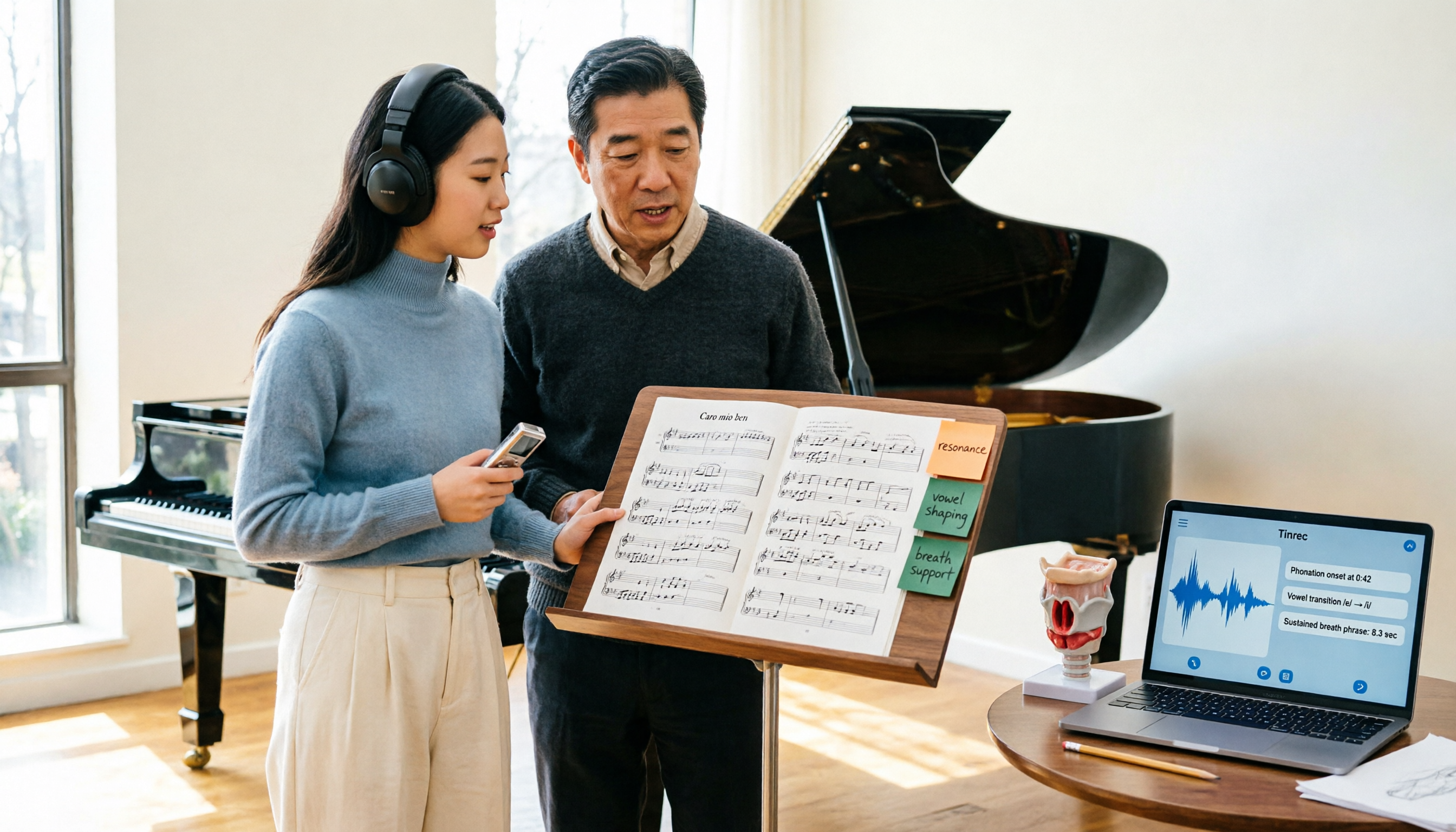
2026 Vocologia Master's Degree Complete Guide: 5 Real-World Learning Scenarios Tested, How to Organize Class Recordings Most Efficiently
Admissions for the 2025-2026 academic year in Vocologia Artistica (vocalogy) master's programs are gradually opening, but the courses are entirely in Italian and span voice medicine and singing pedagogy—handwritten notes alone won't capture it. This article breaks down what the master's covers, who it suits, and tests 5 real learning scenarios, demonstrating how to use Tinrec to turn lectures, clinical discussions, and thesis interviews into searchable, queryable data.

VOCOlinc vs Atuvos: Price Comparison Logic and Why Tinrec Is Better for Meeting Notes
VOCOlinc and Atuvos are Apple Find My-compatible trackers with nearly identical specs, so comparing them is straightforward. But for mid-level managers, the real time drain is post-meeting organization and follow-up. This article explains in 3 minutes how to compare VOCOlinc vs Atuvos, then applies the same 'specs don't equal experience' logic to show how Tinrec turns meetings into searchable, actionable team data.

Vocol vs Tinrec 2026: 5-Dimension Comparison for Chinese Meeting Notes and Team Collaboration
Vocol and Tinrec are both practical tools for Chinese meeting notes, but one focuses on recording organization and the other on team meeting assets. This article compares them across 5 dimensions: capture method, Chinese performance, post-meeting outputs, team governance, and quota billing, to help you decide which suits your team.

2026 AI Voice Collaboration Tools Comparison: Vocol.ai, Tinrec, and Otter.ai Features and Team Collaboration
This article starts with common misconceptions and compares three AI voice collaboration tools: Vocol.ai, Tinrec, and Otter.ai. It explains selection criteria, feature differences, team collaboration, and pricing limitations to help you decide which one suits Chinese meetings and team knowledge retention.

2026 AI Meeting Transcription Tools Cost Comparison: How Does Vocol Pricing Work?
How does Vocol pricing work? The official stance is billing by transcript minutes and file storage, with v-point redemption also available in the market. This article breaks down Vocol's three payment methods, the hidden costs of usage-based pricing, and compares the billing logic and use cases of Tinrec, Otter.ai, Notta, and TurboScribe, plus 4 common budgeting mistakes.

vocal-remover.ai vs LALAL.AI 2026: 5-Factor Comparison — Free & Fast vs. Pro Stem Splitting
Most people searching for a vocal AI remover just want a clean backing track fast. This guide compares vocal-remover.ai and LALAL.AI across 5 practical factors, adds 3 free alternatives and 4 common pitfalls, and ends with scenario-based recommendations so you can decide in 5 minutes.

Vocol vs Google in 2026: Which of These 3 Meeting Transcription Tools Saves the Most Time?
What's the real difference between Vocol and Google's built-in transcription? This article breaks down the comparison across four dimensions: recording methods, post-meeting organization, Chinese recognition, and team data storage and management. It also explains when Tinrec is a better fit for teams in Taiwan, helping you choose the right tool within your budget.

2026 AI Meeting Recorder Comparison: Vocol Toolbar Missing? How to Choose an Intuitive Interface
What to do when the Vocol toolbar disappears? This article first outlines 6 troubleshooting steps you can try yourself, then compares four AI meeting recorder tools—Tinrec, Vocol, Notta, and Otter.ai—across four aspects: interface intuitiveness, input sources, post-meeting output, and team authorization, helping you find a workflow that doesn't require hunting for buttons every meeting.

2026 iPhone App Comparison: VOCOlinc, Apple Home, and Tinrec — Which One Is Right for You?
Starting with the VOCOlinc app on iPhone, we first distinguish between 'controlling devices' and 'processing content,' then explain how Tinrec turns meeting recordings into searchable, queryable, and shareable team data.