

Turn recordings into transcripts and summaries in minutes
Upload audio or video for multilingual transcription, AI notes, and action items
vocal-remover.ai vs LALAL.AI 2026: 5-Factor Comparison — Free & Fast vs. Pro Stem Splitting
Quick takeaway: If you just want a clean backing track, fast, free, and no sign-up, choose vocal-remover.ai. If you need to isolate drums or bass separately, or handle video and multiple formats, choose LALAL.AI. Below we break down the 5 factors.
This comparison is based on publicly available feature descriptions and specs on each tool's official page in 2026, not laboratory measurements. Actual separation results will vary depending on source audio quality, mix complexity, and the amount of harmony and reverb. We recommend testing the same chorus yourself before deciding.
Why does vocal removal fail 8 out of 10 times?
You've probably been there: you want to remove vocals from a song to make a backing track, but the result sounds like it's behind a veil—drums are muddy, bass is gone, the lead vocal is still half there, and the chorus turns into a wall of noise.
The second scenario is even more common: you need clean background music for a video, so you find some random "free vocal remover" site, upload, wait forever, and the MP3 quality is worse than the original. In the end, you quietly go back to the copyrighted track.
The third scenario is for creators: you want to isolate the drum kit for a remix, get a clean bass line for practice, or extract vocals to study singing style or make a sample pack. For these needs, a "one-click two-track" tool will always fall short.
The problem isn't that you don't know how to use them—it's that these tools fall into two camps: the "quick" one-click two-track tools and the "pro" multi-stem separation tools. Pick the wrong camp, and no amount of tweaking will save you.
Before choosing a vocal AI remover, understand these 5 key points
1. How many stems does it separate? Two tracks (vocals + instrumental) and five or six tracks (vocals, drums, bass, guitar, piano) are completely different products. Notably, vocal-remover.ai itself states: when the model tries to separate 4 to 6 stems simultaneously, accuracy is spread thin across each instrument, resulting in more artifacts. So "more stems" doesn't mean "better"—it depends on what you actually need.
2. Is the free tier "really free" or just a "trial"? Some claim to be free but limit each file to 3 minutes; others give you a fixed number of minutes per day. Check the limits first before deciding whether to spend time uploading.
3. What output formats are available? MP3-only versus WAV makes a big difference in a video editing workflow. If you need post-production or further mixing, try to get WAV.
4. What file types are supported? Most tools accept MP3, WAV, FLAC; but if you have MP4 or MOV video files, not every tool supports them—check first.
5. Do you need to sign up or install software? Browser-only operation, no sign-up, and instant preview of both tracks on the page is currently the most time-saving approach. Tools that require you to create an account before hearing results usually cost you an extra five minutes.
vocal-remover.ai: Free, no sign-up, officially claims results in under 10 seconds
One-line positioning: A free online AI vocal remover for songs and videos, no download, no sign-up.
The actual workflow is short: go to the page, select or drag a file → one-click separation → the system produces two tracks (isolated vocals and instrumental with vocals removed) → preview directly in the browser → download WAV or MP3 if satisfied. The official page states processing time under 10 seconds and offers 120 minutes of free processing per day.
Pro 1: Almost zero barrier to entry. No sign-up, no software installation. For people who "just occasionally need a backing track," this frictionless workflow is the most practical. You don't need to evaluate whether to pay—just try it first.
Pro 2: Daily quota is plenty for typical users. For a 4-minute song, 120 minutes is about 30 songs per day. For cover songs, short video soundtracks, or making karaoke versions for a club, this is basically more than you'll ever use.
Pro 3: Direct WAV and MP3 output fits editing workflows. Many people get stuck at "I separated it but the format won't work." Here you can directly download high-quality WAV or MP3, saving a conversion step.
Limitations to be clear about: It only provides two tracks. If you need to isolate drums, bass, or piano separately, it can't do that. Also, if you're working with very complex mixes (lots of harmony, heavy reverb, stacked auto-tune), two-track separation will inevitably leave some artifacts—this is a common issue with all similar tools, not a particular weakness of this one.
Who it's for: People making backing tracks, cover practice, short video soundtracks, who need a clean instrumental quickly and don't want to create an account.
LALAL.AI: The veteran choice with the most complete multi-stem separation and format support
One-line positioning: The broadest online one-stop audio processing service, where vocal removal is just one feature.
It breaks capabilities into modules: Vocal Remover (remove/extract vocals), Stem Splitter (separate vocals, instrumental, drums, bass, guitar, synthesizer, strings, and wind instruments), Voice Cleaner (remove background music, clipping, microphone low-frequency noise), Voice Changer, Voice Cloner.
Format support is a clear strength. Officially listed audio formats include MP3, OGG, WAV, FLAC, AIFF, AAC, M4A; video formats include AVI, MP4, MKV, MOV, M4V. Whether you have audio recordings or video files, it can probably handle them.
Stop organizing recordings by hand
Upload audio or video and automatically get a transcript, summary, and action items
Practical use cases: Remixing, isolating a bass line for practice, cleaning noise from a live recording, or breaking down a teaching song into individual instrument demos. These are things a one-click two-track tool can't do.
How it differs from vocal-remover.ai: More stems, broader format support, more complete modules; but for someone who "just wants one backing track," the features are clearly overkill, and the page has more options, so it takes some time to understand on first use.
Limitations: The boundary between free and paid, available minutes, and per-file length are subject to change by official plans. Please refer to the current announcements on the official website before use; this article does not guarantee them.
Who it's for: Music production, remix creators, teaching analysis, advanced users who need multiple stems and formats.
Besides these two, here are 3 free alternatives
vocalremover.org One of the earliest free online tools to make a name for itself, with an extremely simple workflow: select a song, and the AI directly produces two tracks—a karaoke version without vocals and an isolated acapella version. Suitable for one-off needs where you don't want to study any settings. But functionality stops at two tracks; no multi-stem separation, no other post-processing modules.
Voice.ai Free online vocal removal, supports .mp3, .wav, .flac. After clicking "Convert Full Audio," processing begins. Official claims range from seconds to minutes depending on file size, all done in the browser without downloading software. Low barrier, suitable for beginners; but also lacks multi-stem separation, and detail retention in complex mixes is limited.
remusic.ai Free, no sign-up, can separate vocals, bass, drums, guitar, and piano—five elements. Official emphasis on maintaining separation accuracy in complex environments, automatic noise reduction when isolating vocals, online preview of results, and claims no download limit. For those who "want multiple stems for free," this is the most direct option; however, modularity and post-processing workflow are not as complete as LALAL.AI.
Bonus: After processing vocals, what about those "speaking" recordings?
Let's be clear: all the tools above process singing voices, separating vocals from instruments in songs. But many people actually have a different kind of vocal piling up—meeting recordings, interviews, podcasts, lecture captures. This need isn't about "removing the backing track" but about "turning speech into searchable, organized text."
This kind of work requires a different tool, such as Tinrec. It is not vocal removal software and won't remove backing tracks; it transcribes recordings into text and then organizes them into usable data.
Specifically, it can: transcribe in real-time while recording; on desktop, capture computer system audio directly to record Zoom, Google Meet, Microsoft Teams, and Webex online meetings without inviting an extra meeting bot; upload existing audio or video files for transcription; view live translation and bilingual content during recording; automatically generate summaries, chapters, key points, and action items after meetings; ask questions directly about meeting content (e.g., "Who mentioned the budget in the last meeting?"), and export to common formats or tools like Notion and Google Docs for further use.
For team use, the team version is a separate team space rather than multiple people sharing one personal account: create multiple team spaces, invite members via link, set roles (owner/admin/member), assign and reclaim seats, centrally store meeting data, view team usage trends and member details, manage team hotwords, query and export audit logs, and restore from audio recycle bin. Note that roles and seats are two different things—members without a seat can still view, play, and read team data, but cannot upload, edit, or export.
Pricing: Team monthly is USD 29.80 per paid seat per month; annual is USD 199 per paid seat per year (about USD 16.58/month); first eligible team trial is 7 days, 1 free seat, 300 minutes of shared team import quota; paid seats provide 2,000 minutes of shared team import quota per month. Actual prices and benefits are subject to the official purchase page.
One final reminder: transcription accuracy is affected by recording quality, noise, accents, simultaneous speakers, and technical terminology. Don't expect fixed numbers; always verify important content against the original text and recording.
Pitfall guide: 4 most common mistakes with vocal AI removers
Pitfall 1: Assuming "AI separation" means zero residue. Vocal and instrument frequencies naturally overlap, and with harmony, reverb, and auto-tune, two-track separation will always leave some artifacts. The right approach is to test with a 30-second chorus first, not throw an entire album in at once.
Pitfall 2: Using heavily compressed audio files for separation. Audio ripped from the internet is already compressed, and separation will only make it worse. If you have WAV or FLAC, use it—starting quality determines the upper limit of results.
Pitfall 3: Not checking per-file length and format limits. Free plans often have per-file time limits or format whitelists. Uploading a 40-minute file only to find out you have to wait in queue or it can't be processed wastes your time.
Pitfall 4: Assuming more stems means better results. Separating 5 or 6 stems simultaneously spreads the model's accuracy thin, resulting in more artifacts. If you just want one backing track, use a tool specialized for two tracks—results are usually cleaner.
Extra reminder: Copyright. The isolated vocals and instrumental still come from someone else's recording. Before public playback, uploading to platforms, or commercial use, confirm licensing. Don't assume "removing vocals makes it okay."
Conclusion: Which one should you choose?
- Just want a clean backing track, fast, free, no sign-up → vocal-remover.ai (120 minutes daily quota, direct WAV/MP3 download)
- Need remix, isolate drums or bass, handle video and special formats → LALAL.AI (multi-stem separation, broadest format support)
- One-off need, don't want to study any settings → vocalremover.org (select a song, get two tracks)
- Want multiple stems for free, with automatic noise reduction → remusic.ai
- Need to process meeting, interview, podcast "speaking" recordings → Tinrec (transcription, summaries, action items, AI Q&A, team version for centralized management)
The most time-saving approach is to take the same 30-second chorus, run it through two or three tools, and compare with headphones: does the vocal track have residual instruments? Does the instrumental track have distortion? Free quotas are for exactly this—listen first, then decide whether to invest in more advanced tools.
References
Turn every recording into actionable outcomes
Get 60 free transcription minutes when you sign in. No credit card required.
Related Reading
You might also like
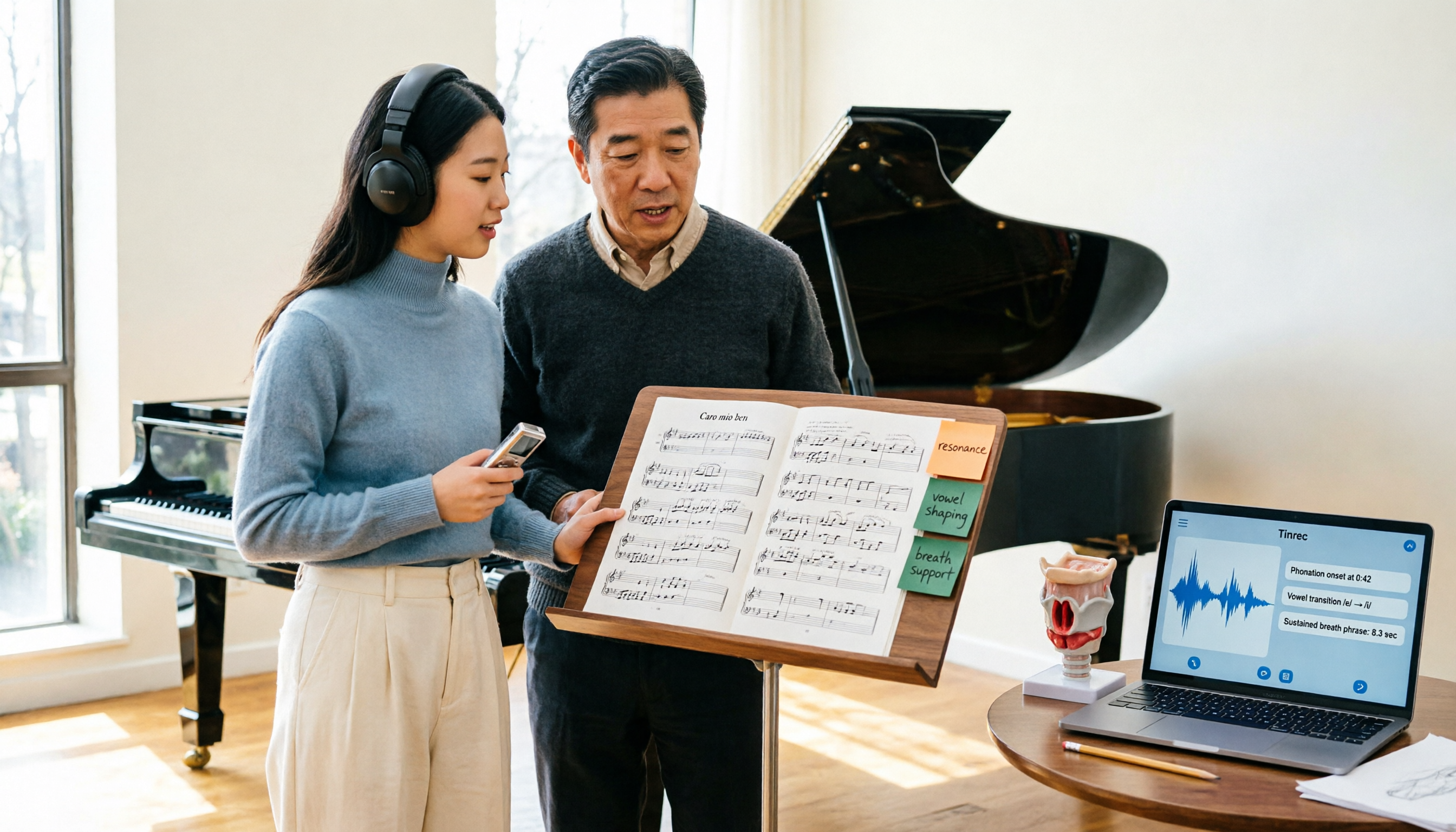
2026 Vocologia Master's Degree Complete Guide: 5 Real-World Learning Scenarios Tested, How to Organize Class Recordings Most Efficiently
Admissions for the 2025-2026 academic year in Vocologia Artistica (vocalogy) master's programs are gradually opening, but the courses are entirely in Italian and span voice medicine and singing pedagogy—handwritten notes alone won't capture it. This article breaks down what the master's covers, who it suits, and tests 5 real learning scenarios, demonstrating how to use Tinrec to turn lectures, clinical discussions, and thesis interviews into searchable, queryable data.

VOCOlinc vs Atuvos: Price Comparison Logic and Why Tinrec Is Better for Meeting Notes
VOCOlinc and Atuvos are Apple Find My-compatible trackers with nearly identical specs, so comparing them is straightforward. But for mid-level managers, the real time drain is post-meeting organization and follow-up. This article explains in 3 minutes how to compare VOCOlinc vs Atuvos, then applies the same 'specs don't equal experience' logic to show how Tinrec turns meetings into searchable, actionable team data.

Vocol vs Tinrec 2026: 5-Dimension Comparison for Chinese Meeting Notes and Team Collaboration
Vocol and Tinrec are both practical tools for Chinese meeting notes, but one focuses on recording organization and the other on team meeting assets. This article compares them across 5 dimensions: capture method, Chinese performance, post-meeting outputs, team governance, and quota billing, to help you decide which suits your team.

2026 AI Voice Collaboration Tools Comparison: Vocol.ai, Tinrec, and Otter.ai Features and Team Collaboration
This article starts with common misconceptions and compares three AI voice collaboration tools: Vocol.ai, Tinrec, and Otter.ai. It explains selection criteria, feature differences, team collaboration, and pricing limitations to help you decide which one suits Chinese meetings and team knowledge retention.

2026 AI Meeting Transcription Tools Cost Comparison: How Does Vocol Pricing Work?
How does Vocol pricing work? The official stance is billing by transcript minutes and file storage, with v-point redemption also available in the market. This article breaks down Vocol's three payment methods, the hidden costs of usage-based pricing, and compares the billing logic and use cases of Tinrec, Otter.ai, Notta, and TurboScribe, plus 4 common budgeting mistakes.

4 VS Code Voice Tools Compared in 2026: How to Choose Between Tinrec and Editor Extensions
If you want voice input in VS Code, VS Code Speech, VoiceMode, and VoxPilot each take different approaches. But for long-form audio like meetings and interviews, you need a different kind of tool. This article first clarifies the two meanings of "vocol," then compares Tinrec with editor voice extensions in terms of input sources, post-meeting organization, AI Q&A, and team collaboration.

Vocol vs Google in 2026: Which of These 3 Meeting Transcription Tools Saves the Most Time?
What's the real difference between Vocol and Google's built-in transcription? This article breaks down the comparison across four dimensions: recording methods, post-meeting organization, Chinese recognition, and team data storage and management. It also explains when Tinrec is a better fit for teams in Taiwan, helping you choose the right tool within your budget.

2026 AI Meeting Recorder Comparison: Vocol Toolbar Missing? How to Choose an Intuitive Interface
What to do when the Vocol toolbar disappears? This article first outlines 6 troubleshooting steps you can try yourself, then compares four AI meeting recorder tools—Tinrec, Vocol, Notta, and Otter.ai—across four aspects: interface intuitiveness, input sources, post-meeting output, and team authorization, helping you find a workflow that doesn't require hunting for buttons every meeting.

2026 iPhone App Comparison: VOCOlinc, Apple Home, and Tinrec — Which One Is Right for You?
Starting with the VOCOlinc app on iPhone, we first distinguish between 'controlling devices' and 'processing content,' then explain how Tinrec turns meeting recordings into searchable, queryable, and shareable team data.