

Turn recordings into transcripts and summaries in minutes
Upload audio or video for multilingual transcription, AI notes, and action items
2026 Client Meeting Notes: 3 Common Mistakes Freelancers Make and How to Fix Them
Many freelancers finish their first client meeting thinking, 'We're clear on everything,' and move on. Three days later, the client says, 'I remember it differently,' and you scroll through messages but can't find a single line that matches.
Meeting notes aren't just corporate paperwork. For freelancers, they're the basis for quotes, the boundary of scope, and the lowest-cost way to protect yourself.
Over the years of freelancing, I've seen and made a few common mistakes. This article lays out those pitfalls and then discusses a more reasonable approach.
What Can Client Meeting Notes Actually Do for You?
Scenario 1: Turn verbal requests into written consensus
A client talks for ten minutes on the phone about what they need, and you understand 70%. You write it up and send it back. The client replies, 'That's mostly right, but adjust point two.' Only then are you truly on the same page.
Scenario 2: A basis for quotes and scope of work
Source material notes that common disputes in freelance work revolve around 'scope of work' and 'how to price out-of-scope work.' If these were discussed in the meeting and written in the notes, later discussions become much easier.
Scenario 3: Save yourself the time of recalling repeatedly
A month later, when you need to write a final report or review why a decision was made, having notes means you don't have to reconstruct from memory.
Three Common Mistakes—How Many Have You Made?
Mistake 1: Treating meeting notes as a verbatim transcript
Transcripts are long, and no one reads them again. What's truly useful are decisions, action items, and exceptions.
Mistake 2: Writing notes from memory after the meeting
The longer the gap between the meeting and sending out notes, the more distortion. Ideally, send them the same day, or by the next morning at the latest.
Mistake 3: Only writing 'discussed XX' without 'who does what and when'
Notes without owners and deadlines are as good as no notes.
Four Core Elements of Usable Client Meeting Notes
1. Conclusions, not process
It doesn't matter how many options were discussed; what matters is which one was chosen and why.
2. Action items: who, what, when
List them as 'Owner — Task — Deadline' and have both sides claim their items. This is the most easily overlooked section and the one you should keep most.
3. Scope and exceptions
What's included, what's not, and how out-of-scope work is priced. Writing it clearly isn't a sign of distrust—it makes things easier for both parties later.
4. Next steps and next meeting time
Let the other party know what will happen next and confirm what to discuss next time.
My Practical Approach: Before, During, and After the Meeting
Before: Three-line agenda
When sending the meeting invite, include a three-line agenda telling them the three things you'll discuss. You'll find meetings often get shorter.
During: Only note decisions, numbers, and proper nouns
Quotes, timelines, specs, names—these must be written down. For other discussions, just listen.
Here I use a tool. Take Tinrec, for example: it transcribes speech to text in real time during the meeting. I listen and check the screen for key numbers without having to look down and type furiously.
After: Send a confirmation within 24 hours
Organize the summary and action items, email them to the client, and ask for confirmation. This email becomes your temporary consensus document.
Stop organizing recordings by hand
Upload audio or video and automatically get a transcript, summary, and action items
After the meeting, tools like Tinrec organize the transcript into a structured summary—meeting topic, conclusions, and action items listed separately. I usually just adjust the tone to something the client understands and add fees and timelines.
Three Meeting Scenarios with Different Note-Taking Focus
Initial consultation/proposal meeting
Focus on the needs outline and budget range. The notes should clearly state 'what the client cares about most right now'—that's the starting point for your next proposal.
Progress meeting during a project
Focus on decision changes. When what was said last week differs from this week, the notes are your reference.
Scope change meeting
This type needs the most documentation. What changed, how much it affects the timeline, how fees are adjusted—write it item by item and send it back for confirmation.
If you prefer a conversational way to look back at information, Tinrec's AI chat query comes in handy—just ask 'What did the client say about the budget?' and it will find the relevant passage from the transcript without you having to scroll through a timeline.
Four Things to Consider When Choosing a Meeting Notes Tool
1. Recognition performance for Chinese and mixed Chinese-English
Freelancer client meetings often mix Chinese and English, along with company names and product codes. Test with your own real recordings, not just official descriptions.
2. Does it transcribe in real time?
Transcribing after recording versus real-time transcription makes a big difference. Real-time transcription lets you confirm during the meeting that you haven't missed key points. Tinrec falls into this category.
3. Can summaries be structured?
Some tools give you a big block of condensed text that you still have to break down yourself. Better ones list conclusions, action items, and owners separately.
4. Can you search back?
The real value of meeting notes is 'still findable two months later.' Tools that let you query the transcript directly with questions are far more practical than plain text files.
FAQ
Q: Should I always record client meetings?
It's best to ask first. In practice, most clients don't mind, but you must inform them and get consent—that's basic respect.
Q: Who should write the meeting notes?
Freelancers are usually the ones who propose notes. Sending notes proactively also subtly builds the impression that 'this person is organized.'
Q: How long should the notes be?
One page or less is best. Three to five conclusions, three to five action items, plus scope description is usually enough.
Q: What if the client doesn't reply to confirm?
Add a line in the email: 'If there are no further comments, I will proceed based on these notes,' giving them a clear deadline to respond.
Q: Is it necessary for a one-time short-term collaboration?
Even more so. Source material also mentions that short-term collaborations can use a simple memo or email to align expectations—low cost but noticeable effect.
Q: Can I send the transcript generated by the tool directly to the client?
Not recommended. Transcripts contain verbal fillers and recognition errors. Always edit them into a summary version before sending.
Conclusion
Client meeting notes aren't a formality—they're how freelancers turn 'verbal promises' into 'actionable consensus.' The mistake usually isn't the tool; it's the mindset—thinking that because it was clearly stated, there's no need to write it down.
If you're still relying on handwritten notes and memory, start with one real client meeting: use Tinrec to record the meeting, transcribe it, and organize the summary and action items. Experience what it's like to 'not have to recall after the meeting.' After one or two tries, you'll know which note-taking method best suits your freelance rhythm.
References
- Skills and traits needed for freelance work, and common freelance job types - 職游
- Business Weekly - Six months after quitting, a freelancer's true feelings: looking forward to meetings - 商業周刊
- Free meeting minutes template (Word, Google Docs, PDF) | HiNoter Blog
- How to become a freelancer? Here's a business model canvas and positioning checklist for freelancing
- What is a freelancer? Which professions are most suitable for freelancing? - Digital Nomad
Turn every recording into actionable outcomes
Get 60 free transcription minutes when you sign in. No credit card required.
Related Reading
You might also like

6 Meeting Minutes Tools Compared for 2026: From MoM Abbreviation to AI-Generated Summaries
Meeting minutes are abbreviated as MoM (Minutes of Meeting), but 'minutes' here doesn't mean time. This article first breaks down common abbreviations and terms like take the minutes, minutes taker, resolution, and action items, then compares six meeting minutes solutions—Tinrec, Otter.ai, Notta, Granola, TurboScribe, and PLAUD—from the decision-making perspective of whether to organize minutes yourself or let a tool do it, helping you choose the right workflow for your meeting style.

2026 Voice-to-Transcript Tools Compared: NotebookLM vs. Tinrec — Which Saves More Time?
No more manual typing for meeting transcripts. This hands-on comparison of NotebookLM, Tinrec, EchoScript, and Otter.ai covers Chinese transcription, post-meeting organization, online meeting audio capture, and team collaboration, plus 4 key buying factors and common pitfalls to help you pick the one that truly saves time.

2026 Comparison of 4 Meeting Minutes Tools: Which Saves the Most Time After Using a Template?
Most people looking for meeting minutes templates get stuck not on the format, but on filling them out after the meeting. Starting from a 12-field meeting minutes template skeleton, this article explains 5 key points to consider before choosing a tool, and compares Tinrec, Notta, Otter.ai, and Granola in terms of efficiency, limitations, and suitable users for filling out templates.

2026 Comparison of 5 iPhone Recording-to-Meeting-Notes Tools: Is the Free Version Enough?
What's the most time-saving way to turn iPhone recordings into meeting notes? This article starts with common misconceptions and compares 5 approaches: built-in Voice Memos, Notes app, third-party transcription apps, meeting bot tools, and Tinrec desktop bot-free recording. It uses Tinrec to demonstrate the complete workflow from recording, transcription, AI summary to to-dos and team collaboration, with buying tips and FAQs.
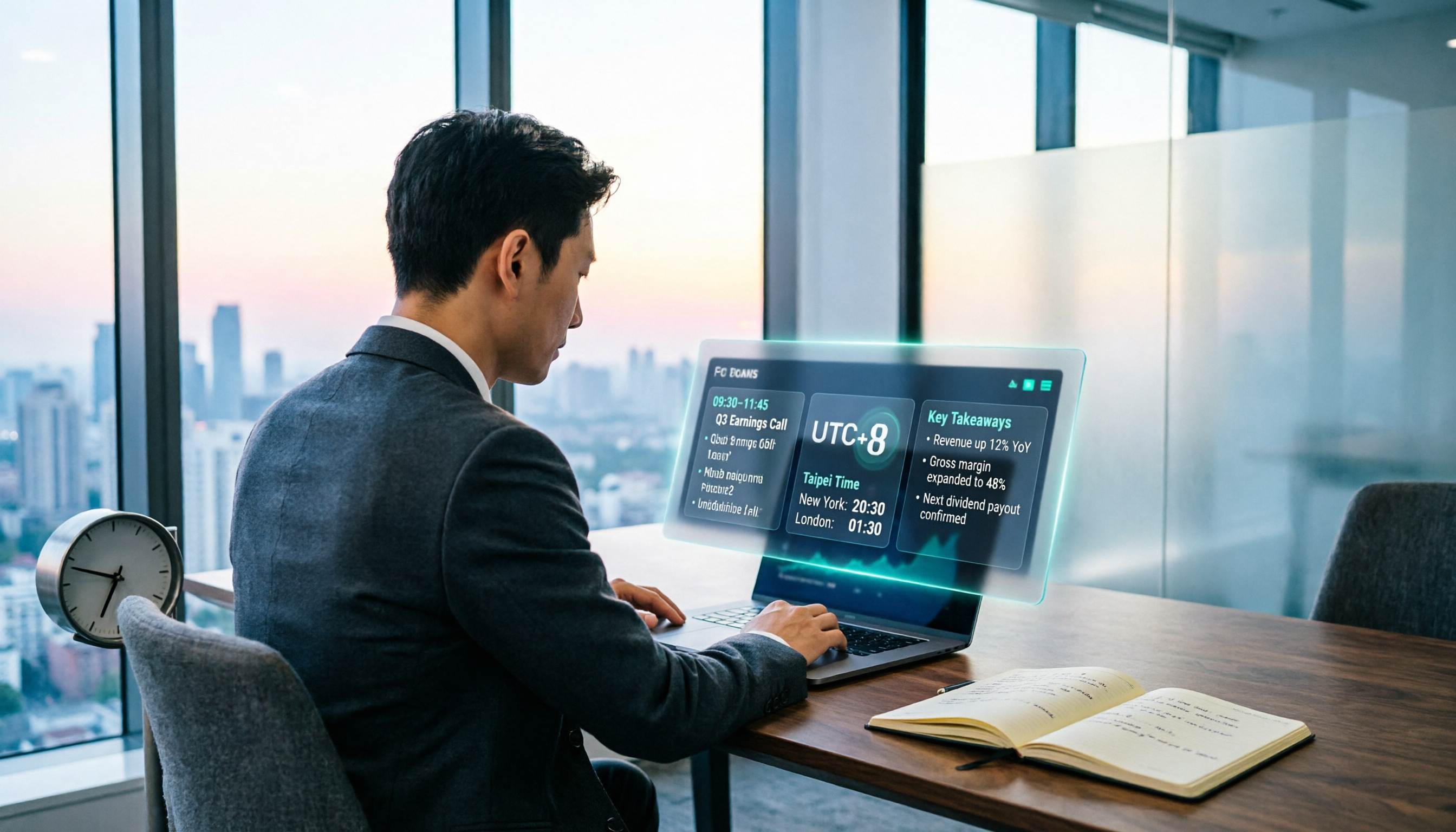
When Are the 2026 Fed Meeting Minutes Released? 5 Steps to Understand Time Conversion and Key Takeaways
When exactly are FOMC meeting minutes released? How do you convert to Taiwan time? This article breaks down the release pattern of Fed meeting minutes in 5 steps, the difference between daylight saving and standard time, and how to quickly grasp the key points after release. It also tests using an AI meeting notes tool to organize press conferences and financial content, saving you from staying up late reading the original text word by word.

How to Record iPhone Meetings in 2026: Auto-Generate Transcripts & Action Items
Recording a meeting on iPhone seems easy, but the real time sink is post-meeting organization. This guide starts with the decision point: do you just want audio, or do you need something usable? It breaks down 4 key selection criteria, compares Tinrec with PLAUD, Notta, and Otter.ai, and covers 4 common pitfalls to help you choose the right solution within your budget.

What Does 'Meeting Minutes' Mean? 4 Meeting Note Tools Tested in 2026 — This One Handles Chinese Best
'Meeting minutes' doesn't mean 'a few minutes' — it refers to the official written record of a meeting. This article first explains the correct meaning of 'minutes,' common collocations, and the fields a proper set of meeting minutes should include. It then tests and compares four tools — Tinrec, Otter.ai, Notta, and Granola — on Chinese transcription, recording retention, post-meeting organization, and team collaboration, helping you pick the one you'll actually keep using.

6 Speech-to-Text Tools Compared for 2026: Free Tiers, Chinese Recognition, and AI Summaries
How to choose a speech-to-text tool in 2026? Starting from three common misconceptions, this guide breaks down five key buying factors—free tier limits, Traditional Chinese recognition, AI summaries, and offline privacy—then compares six options including Whisper, MacWhisper, Google Live Transcribe, Otter.ai, Notta, and Yating Transcription, covering their best use cases and limitations.

2026 Comparison of 4 Audio Transcription Apps: Which Saves Reporters the Most Time?
Interview recordings often run an hour, and re-listening plus typing takes the most time. This article compiles actual data on four audio-to-transcript tools—Yating Transcription, Atter App, Easemate.AI, and NotebookLM—comparing multilingual recognition, real-time transcription, AI summaries, and data security to help reporters and anyone organizing interviews quickly choose the right tool.