

Turn recordings into transcripts and summaries in minutes
Upload audio or video for multilingual transcription, AI notes, and action items
You finish the meeting and realize no one remembers the conclusions
The online meeting ends, and your manager asks in the group chat, "Who's handling that budget item?" The thread goes silent for ten minutes.
Someone jotted down two lines during the meeting; someone else didn't even leave those two lines. In the end, everyone pieces things together from memory — and the versions don't match.
Another common scenario: a foreign manager says "Can you take minutes?" before the meeting ends. You freeze for a second, thinking he's asking whether he can take a few minutes of your time. The next day you're asked, "Did you send the minutes?"
This article will first clarify what 'meeting minutes' means, then discuss what tools to use when actually taking meeting minutes so you don't end up working until midnight.
What does 'meeting minutes' mean? Understand the word before talking tools
'Meeting minutes' in Chinese means '會議紀錄' (meeting record) — it has nothing to do with 'minutes' as a unit of time.
Here, 'minutes' is a plural noun referring to the official written record of a meeting. Say 'minutes' on its own, and native speakers know you mean meeting minutes. So when a colleague says "I'll write up the minutes," they mean they'll organize the meeting record, not write down some number of minutes.
Here are a few phrases you must know:
- take minutes or keep minutes: to take meeting minutes
- minutes taker or note taker: the person responsible for taking notes (don't say 'recorder' — a recorder is a recording device or a recording engineer)
- approval of previous meeting minutes: confirming the previous meeting's minutes
- Can you take minutes?: Please take the meeting minutes
A standard set of meeting minutes usually includes these fields: date, scheduled and actual start time, location, note taker, attendees, absentees, discussion topics, resolutions passed, next meeting time, and confirmation of previous minutes.
Note that meeting minutes are not a verbatim transcript. They are condensed key points and resolutions, not every sentence typed out word for word. Discussion-type meetings especially require distinguishing main opinions from secondary ones, and clearly writing down follow-up action items.
And this is exactly where the most time goes: a 60-minute meeting often takes another 60 minutes to turn into presentable minutes.
Before choosing a meeting minutes tool, understand these 4 key points
First, can it understand Chinese and mixed Chinese-English? Meetings in Taiwan are rarely pure Chinese or pure English — they're usually sentences like "這個 campaign 的 CPA 要先壓下來" (we need to bring down this campaign's CPA first). Tools that only handle a single language will make lots of errors here.
Second, how does the meeting audio get into the tool? There are roughly three approaches: a meeting bot joins the meeting, a desktop app captures the computer's system audio directly, or you upload a recording afterward. Bots appear on the participant list, which isn't convenient for some client meetings; uploading files is after-the-fact remediation and doesn't help you during the meeting.
Third, what can you do after it's transcribed? A tool that only gives you a transcript is essentially handing the organizing work right back to you. Whether it can automatically generate summaries, extract action items, and let you ask questions directly makes a big difference.
Fourth, who ultimately holds the data? If meeting minutes are stored in personal accounts, when colleagues leave, change computers, or switch tools, that data scatters. Team-level data ownership matters far more than whether a single transcription is cheap.
Tinrec — the one that best fits the actual meeting workflow after testing
Tinrec is an AI meeting notes and collaboration tool for individuals and teams, supporting iOS, Android, desktop, and web. It doesn't just turn audio into text — it organizes meetings into searchable, summarizable, queryable, and exportable data.
No bot needed for online meetings. The desktop version directly captures computer system audio. When handling Zoom, Google Meet, Microsoft Teams, or Webex meetings, no extra bot needs to hang on the participant list. For client meetings, this matters more than you'd think.
Transcribes while recording; ask directly afterward. Open Tinrec during the meeting, and the transcript grows in sync. After the meeting ends, the AI summary, chapters, key points, and action items are already organized — who's responsible for what and what's next, without flipping through everything yourself.
Even better is the AI Q&A: after recording, you can directly ask "Who mentioned the budget in the last meeting?" or "What were the client's concerns about the delivery timeline?" It answers based on the meeting content rather than dumping a bunch of keyword search results on you.
Output plugs directly into your workflow. Transcripts, summaries, action items, and mind maps can all be exported, and carried into Notion, Google Docs, OneNote, or Dropbox to keep using. When you need formal documents, you can also use Agent post-processing to generate reports, tables, and meeting summaries.
Stop organizing recordings by hand
Upload audio or video and automatically get a transcript, summary, and action items
The team version keeps data in the team's hands. The team version isn't multiple people sharing one account — it's an independent team space. Meeting data belongs to the team; new members can view historical meetings; admins can manage roles and seats, view usage trends and member rankings, and query and export audit logs.
Here you need to distinguish 'roles' from 'seats': roles determine who can manage the team, members, and settings; seats determine whether a member can record, upload, edit, import, and export. Members without seats can still view, play, and read team data.
The team version currently offers a 7-day trial for first-time eligible users, 1 free seat, and 300 minutes of team shared import quota; monthly billing is USD 29.80 per paid seat per month, annual billing is USD 199 per paid seat per year (roughly USD 16.58 per month), with each paid seat providing 2,000 minutes of team shared import quota per month. Under an active team plan and active seats, real-time recording is currently not deducted by minutes. Actual prices and benefits are subject to the official purchase page.
Where we need to be honest. Tinrec doesn't promise a fixed accuracy rate; actual performance is affected by recording quality, ambient noise, accents, people talking over each other, and technical terminology. For important content, we recommend cross-checking against transcript timestamps and the recording. The personal free version offers a basic quota, suitable for trying it out first; for heavy use or long-term data accumulation, consider the weekly card, Pro, or annual card. Also, the team version currently focuses on team-level sharing rather than fine-grained file-level permission control.
Besides Tinrec, what other options are there?
Otter.ai A mature choice for English business meetings. The Basic free version offers 300 minutes per month; Pro annual billing works out to about USD 8.49 per user per month with 1,200 minutes per month. If your meetings are almost entirely in English, it's still a good deal. But Chinese meetings and mixed Chinese-English recognition aren't its strong suit, and it currently doesn't have Tinrec's management structure of team seats and audit logs.
Notta Good at multilingual transcription and translation. The free version offers 120 minutes per month with a 3-minute limit per session; Pro annual billing works out to about USD 8.17 per month with 1,800 minutes per month. Suitable for people who mainly do file transcription. However, its free quota is divided quite finely, and if you need bot-free recording of online meetings, data accumulation into a team space, and member seat management, Tinrec's team structure is more complete.
Granola A bot-free AI meeting notes tool that emphasizes 'your handwritten notes + AI enhancement.' Basic is free; Business is USD 14 per user per month. It can read real-time transcripts but doesn't support uploading pre-recorded audio files and doesn't save meeting audio. If you need to keep recordings, listen back to verify later, or process existing audio/video files, this is something it can't do but Tinrec can.
Pitfall guide: the 4 most common mistakes when organizing meeting minutes
Pitfall 1: Writing meeting minutes as a verbatim transcript. A transcript is raw material; meeting minutes are the finished product. What you really need to keep are resolutions, points of disagreement, and action items — not every bit of small talk. Rather than spending two hours typing, let the tool produce the transcript and spend your time judging what content should be kept.
Pitfall 2: Keeping only text and deleting the recording. Text will always have mishearings, especially names, product codes, and amounts. Keeping the recording lets you go back and verify when there's a dispute. When choosing a tool, first confirm whether it keeps audio files — many people only discover this afterward.
Pitfall 3: Action items with no owner and no deadline. Writing 'discuss after the meeting' in the minutes is as good as not writing it. Every action item needs at least a person and a time, otherwise the next meeting will still be discussing the same thing.
Pitfall 4: Managing team meeting data with personal accounts. You won't feel it early on, but when someone leaves or a project is handed over, it becomes a disaster. Meeting data should belong to the team, so that when members change, it can be handed over to other active members rather than disappearing with a personal account.
Conclusion: Which one should you actually use?
To answer the opening question in one sentence: meeting minutes are the meeting record, not minutes of time. Once you understand this word, what really needs solving is 'how to produce usable minutes in less time.'
- Need transcripts + summaries for Chinese and mixed Chinese-English meetings → Tinrec
- Don't want a bot hanging around in client meetings → Tinrec desktop bot-free recording
- Want to directly ask 'What was the conclusion?' after recording → Tinrec's AI Q&A
- Need to keep recordings and listen back to verify later → Tinrec (Granola doesn't save meeting audio)
- Meeting data should belong to the team, with member and seat management → Tinrec team version
- Meetings are almost entirely in English, budget first → Otter.ai
- Mainly converting existing files into text and subtitles → tools like Notta or TurboScribe
If you have two or three meetings every week, we suggest starting with the free version and running through the process with one real meeting: record, look at the transcript, read the summary, and check whether the action items are captured accurately. After one run, you'll know that with meeting minutes, what you really need to save is organizing time, not tool money.
References
- [Business English Meetings] How to Say Meeting Minutes in English? A Detailed Analysis of Related Terms and Note-Taking Techniques | Lado Enterprise English Training
- When a Foreign Manager Says 'Can you take minutes?' to You, Don't Think He Wants to Grab Minutes | World Citizens Cultural Center | Wind Life - Storm Media
- Minutes in Chinese Is Not 'Minutes'! How to Use English Meeting Vocabulary
- Super Practical Guide: How to Write English Meeting Minutes | CommonWealth Magazine
- What's the Difference Between Meeting Minutes and a Memo? | ESI Guanghan Siwei X Mind Map Queen - Learn More
Turn every recording into actionable outcomes
Get 60 free transcription minutes when you sign in. No credit card required.
Related Reading
You might also like

6 Meeting Minutes Tools Compared for 2026: From MoM Abbreviation to AI-Generated Summaries
Meeting minutes are abbreviated as MoM (Minutes of Meeting), but 'minutes' here doesn't mean time. This article first breaks down common abbreviations and terms like take the minutes, minutes taker, resolution, and action items, then compares six meeting minutes solutions—Tinrec, Otter.ai, Notta, Granola, TurboScribe, and PLAUD—from the decision-making perspective of whether to organize minutes yourself or let a tool do it, helping you choose the right workflow for your meeting style.

2026 Voice-to-Transcript Tools Compared: NotebookLM vs. Tinrec — Which Saves More Time?
No more manual typing for meeting transcripts. This hands-on comparison of NotebookLM, Tinrec, EchoScript, and Otter.ai covers Chinese transcription, post-meeting organization, online meeting audio capture, and team collaboration, plus 4 key buying factors and common pitfalls to help you pick the one that truly saves time.

2026 Comparison of 4 Meeting Minutes Tools: Which Saves the Most Time After Using a Template?
Most people looking for meeting minutes templates get stuck not on the format, but on filling them out after the meeting. Starting from a 12-field meeting minutes template skeleton, this article explains 5 key points to consider before choosing a tool, and compares Tinrec, Notta, Otter.ai, and Granola in terms of efficiency, limitations, and suitable users for filling out templates.

2026 Comparison of 5 iPhone Recording-to-Meeting-Notes Tools: Is the Free Version Enough?
What's the most time-saving way to turn iPhone recordings into meeting notes? This article starts with common misconceptions and compares 5 approaches: built-in Voice Memos, Notes app, third-party transcription apps, meeting bot tools, and Tinrec desktop bot-free recording. It uses Tinrec to demonstrate the complete workflow from recording, transcription, AI summary to to-dos and team collaboration, with buying tips and FAQs.
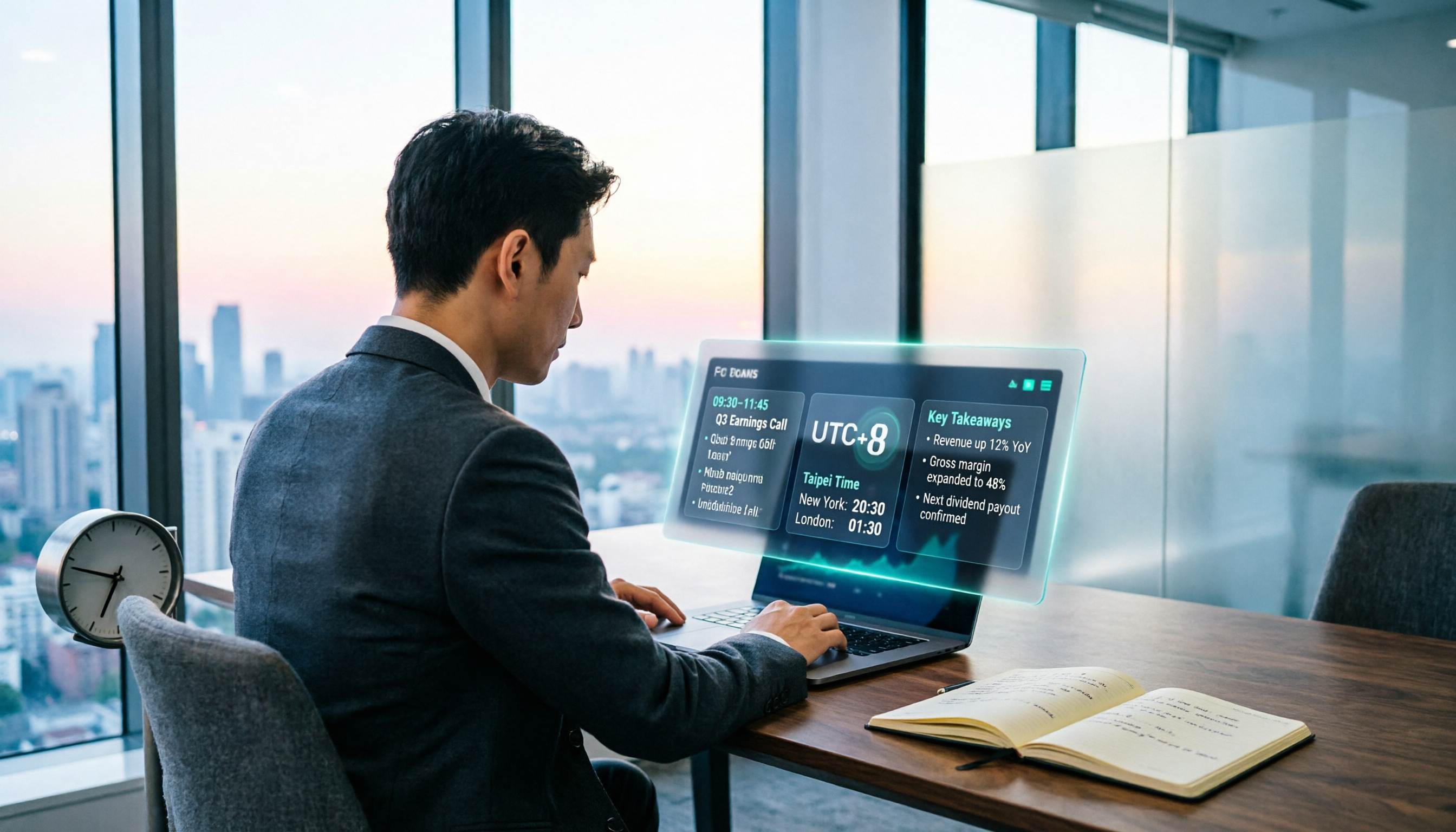
When Are the 2026 Fed Meeting Minutes Released? 5 Steps to Understand Time Conversion and Key Takeaways
When exactly are FOMC meeting minutes released? How do you convert to Taiwan time? This article breaks down the release pattern of Fed meeting minutes in 5 steps, the difference between daylight saving and standard time, and how to quickly grasp the key points after release. It also tests using an AI meeting notes tool to organize press conferences and financial content, saving you from staying up late reading the original text word by word.

How to Record iPhone Meetings in 2026: Auto-Generate Transcripts & Action Items
Recording a meeting on iPhone seems easy, but the real time sink is post-meeting organization. This guide starts with the decision point: do you just want audio, or do you need something usable? It breaks down 4 key selection criteria, compares Tinrec with PLAUD, Notta, and Otter.ai, and covers 4 common pitfalls to help you choose the right solution within your budget.

6 Speech-to-Text Tools Compared for 2026: Free Tiers, Chinese Recognition, and AI Summaries
How to choose a speech-to-text tool in 2026? Starting from three common misconceptions, this guide breaks down five key buying factors—free tier limits, Traditional Chinese recognition, AI summaries, and offline privacy—then compares six options including Whisper, MacWhisper, Google Live Transcribe, Otter.ai, Notta, and Yating Transcription, covering their best use cases and limitations.

2026 Client Meeting Notes: 3 Common Mistakes Freelancers Make and How to Fix Them
For freelancers, the biggest fear isn't a lack of projects—it's the 'he said, she said' after a client meeting. This article tackles three common mistakes, explains what to include (and exclude) in client meeting notes, shares a before-during-after approach, and uses Tinrec as an example to show how to turn voice into trackable decisions and action items. It wraps up with key considerations for choosing a tool and answers to FAQs.

2026 Comparison of 4 Audio Transcription Apps: Which Saves Reporters the Most Time?
Interview recordings often run an hour, and re-listening plus typing takes the most time. This article compiles actual data on four audio-to-transcript tools—Yating Transcription, Atter App, Easemate.AI, and NotebookLM—comparing multilingual recognition, real-time transcription, AI summaries, and data security to help reporters and anyone organizing interviews quickly choose the right tool.