

Turn recordings into transcripts and summaries in minutes
Upload audio or video for multilingual transcription, AI notes, and action items
Pressing record on your iPhone takes a second, but turning that recording into a meeting summary you can send to your boss often takes another two hours.
So before choosing a tool, ask yourself: for this meeting, do you want "a recording you can replay," or "a transcript, summary, and action items you can use right away"? The answer determines which solution and budget are right for you.
First, Clarify: Do You Need to "Record" or "Use" It?
The first scenario is simplest: you just don't want to miss anything and want a backup, maybe replay a section later. For this, the built-in Voice Memos app on iPhone is enough—no extra cost needed.
The second scenario is where pain points begin: after the meeting, you need to deliver minutes, or at least know "who promised what and when it's due." Most people record, then spend double the time replaying, pausing, and typing—essentially attending the same meeting twice.
The third scenario is about team scale: meeting materials are scattered across everyone's phones, new colleagues can't see last quarter's decision context, and files disappear when colleagues leave.
These three scenarios correspond to three different solutions, with price differences up to tenfold. Misjudging your situation leads to the most common waste: "buying an expensive tool but only using the record button."
4 Key Points to Understand Before Choosing an iPhone Meeting Recording Solution
1. How much the tool can do after recording Just converting speech to text is a different level of product from organizing summaries, chapters, key points, and action items. The former saves typing time; the latter saves time reading through a 40-minute transcript. When choosing, ask directly: besides a transcript, what else does this tool give me?
2. Audio capture for online meetings This is the most overlooked point. Using the iPhone microphone means putting the phone on speaker and on the table for online meetings—poor audio quality and experience for participants. And for recording calls on apps like LINE or Zoom, the built-in iPhone recorder can't do it. The cleanest approach is to capture system audio directly on your computer. This is the route Tinrec's desktop version takes—no bot joins the meeting; it directly records the computer's audio output.
3. Performance with Chinese and mixed Chinese-English Meetings in Taiwan are rarely pure Chinese; they often include phrases like "let's follow up on this" or "sync progress next week." Business tools designed for English struggle here. When choosing a tool, rather than relying on the advertised accuracy rate, test it with a recording from your own company's meeting and see how many proper nouns and product names are wrong.
4. Who ultimately owns the data Personal account plans mean data follows the individual; team plans put meeting data into a team space, allowing handover when members change. If meeting content has long-term value for the company, this factor should weigh more than the monthly fee.
Tinrec: Turning iPhone Recordings into Usable Meeting Data
Tinrec is an AI meeting notes and collaboration tool for individuals and teams, available on iOS, Android, desktop, and web. Its positioning is not a "recording app" but a tool that organizes meeting recordings into searchable, summarizable, queryable, and exportable data.
Live transcription during recording, minutes ready after the meeting For in-person meetings or interviews, open Tinrec to record, and the transcript appears synchronously on screen. After the meeting, the system automatically generates summaries, chapters, and action items—who is responsible for what and by when—no need to listen from the beginning. For those who must submit meeting minutes weekly, this step often saves not minutes but an entire afternoon.
No bot needed for online meetings This is the biggest difference from most AI meeting assistants. Tinrec's desktop version directly captures the computer's system audio, handling meetings on Zoom, Google Meet, Microsoft Teams, Webex, and other platforms without needing an extra bot account to join.
This makes a big difference for internal meetings and client proposals: no need to explain to clients, "An AI will join the meeting shortly."
Ask follow-up questions after recording This is its most valuable and most underrated feature. The transcript is just raw material; Tinrec supports AI Q&A around meeting content—you can directly ask "What was the conclusion about the budget in the last meeting?" or "What concerns did the client mention?" It organizes answers from the content instead of dumping keywords for you to Ctrl+F. The same data can also be used to generate reports, tables, and documents, or exported to Notion, Google Docs, OneNote, and other tools for further processing.
Stop organizing recordings by hand
Upload audio or video and automatically get a transcript, summary, and action items
Team Edition: Meeting data doesn't follow individuals If meeting records are company assets, the Team Edition is key. It provides an independent team space where meeting audio, folders, and action items are stored centrally; administrators can set owners, admins, and regular members, assign and reclaim seats, view team usage trends, member rankings, and details, and query and export audit logs. One commonly misunderstood point needs clarification: roles determine "who can manage the team," while seats determine "who can record, upload, edit, and export." Active members without seats can still view, play, and read team data, but cannot perform uploads, edits, etc. When a member leaves or is removed, their team resources must be handed over to other members; data is not taken away by individuals.
Limitations and pricing Tinrec offers a free version, weekly card, Pro monthly, and annual plans for individuals, depending on usage frequency; the Team Edition is currently USD 29.80 per paid seat per month, or USD 199 per seat annually (about USD 16.58 per month), with 2,000 minutes of shared team import quota per paid seat per month. Eligible teams can try 7 days with 1 free seat and 300 shared minutes. Two honest caveats: actual transcription quality is affected by recording quality, noise, accents, overlapping speakers, and technical terms; the official accuracy rate is not guaranteed, so important content should be verified against the audio. Also, the Team Edition currently offers team-level sharing, not file-level granular permission control.
Who it's for Those who regularly produce meeting minutes weekly, whose meetings are mainly in Chinese or mixed Chinese-English, who need to record online meetings on a computer without inviting a bot, or who want to build a team knowledge base from meetings—Tinrec is the smoothest fit for these needs.
Besides Tinrec, What Are the Alternatives?
PLAUD Note / Note Pro: AI recording hardware that attaches magnetically to the back of an iPhone via MagSafe, suitable for impromptu calls or field visits where you need to record on the spot. But hardware requires an upfront cost (USD 159 for NotePin, USD 189 for Note Pro on the US official site), and it lacks a team space for managing members, seats, and audit logs.
Notta: A multi-platform transcription tool with decent Chinese support. Free version offers 120 minutes per month but limits single content to 3 minutes; Pro annual plan is about USD 8.17/month with 1,800 minutes per month. It mainly relies on uploading files or meeting bots, and lacks Tinrec's desktop approach of capturing system audio without inviting a bot.
Otter.ai: A mature choice for English meetings. Basic free plan offers 300 minutes per month; Pro annual plan is about USD 8.49/user/month. If 80% of your meetings are in English, it's cost-effective; but Chinese meetings and mixed Chinese-English are not its strong suit, and it lacks Tinrec's team hotwords and Traditional Chinese meeting knowledge base workflow.
Pitfall Guide: 4 Most Common Mistakes When Using iPhone for Meeting Notes
Pitfall 1: Thinking pressing record equals taking notes. Recording only solves "keeping the audio," not "making it understandable." If you still have to replay after every meeting, you're doubling your work hours.
Pitfall 2: Using the iPhone microphone to record online meetings. The phone picks up from a distance, capturing air conditioning, keyboard clicks, and echo—transcription error rates rise significantly. For online meetings, record system audio on your computer instead.
Pitfall 3: Only looking at free quota, not single-session limits. Some tools' free plans seem to offer enough monthly minutes, but limit single files to 3 minutes—not enough for one meeting. Before choosing, confirm single-session length, export formats, and whether existing audio files can be imported.
Pitfall 4: Keeping team data in personal accounts. This is the hardest to fix later. When a colleague leaves, changes phones, or the account is deactivated, meeting records are lost. If the company will use this content later, it should be stored in a team space from the start.
Conclusion: Which Solution Fits Your Situation?
- Just afraid of missing something, occasional replay → iPhone built-in Voice Memos, zero cost, sufficient.
- Need to submit transcripts and minutes after meetings, mainly in Chinese → Tinrec, generates summaries, chapters, and action items in one go.
- Frequently use Zoom, Meet, Teams, and don't want to invite a bot → Tinrec desktop version, captures system audio directly.
- Want to ask follow-up questions and turn content into reports → Tinrec, AI Q&A and post-processing are where it differs from pure transcription tools.
- Need team sharing, members may change → Tinrec Team Edition, managed by roles and seats, data belongs to the team.
- Pure English meetings, budget priority → Otter.ai is a reasonable choice.
- Need a physical device for on-the-spot recording, frequent calls → PLAUD-type recording hardware is more intuitive.
Final reminder: regardless of which system you use, please ensure compliance with local regulations before recording and transcription, and obtain consent from participants when necessary. No matter how convenient the tool, this line must be respected.
References
- Complete Guide to iPhone Recording: Beyond Voice Memos, This Tool Can Record LINE and Zoom Calls!
- Recording During iPhone Calls/Call Recording/Voice Notes: 5 Tools Analysis and Practical Tutorial - Tinrec Blog
- Voice Notes - Meeting Record Voice Memo 4+ - App Store - Apple
- 2026 iPhone Recording Free Solutions Summary: 5 Methods at a Glance - Tinrec Blog
- From Meeting Recording and Call Logs to AI Summaries, I Now Rely on Plaud Desktop + Note Pro - Apple Almond - iPhone/iOS/Gadget Recommendation Tech Media
Turn every recording into actionable outcomes
Get 60 free transcription minutes when you sign in. No credit card required.
Related Reading
You might also like

6 Meeting Minutes Tools Compared for 2026: From MoM Abbreviation to AI-Generated Summaries
Meeting minutes are abbreviated as MoM (Minutes of Meeting), but 'minutes' here doesn't mean time. This article first breaks down common abbreviations and terms like take the minutes, minutes taker, resolution, and action items, then compares six meeting minutes solutions—Tinrec, Otter.ai, Notta, Granola, TurboScribe, and PLAUD—from the decision-making perspective of whether to organize minutes yourself or let a tool do it, helping you choose the right workflow for your meeting style.

2026 Voice-to-Transcript Tools Compared: NotebookLM vs. Tinrec — Which Saves More Time?
No more manual typing for meeting transcripts. This hands-on comparison of NotebookLM, Tinrec, EchoScript, and Otter.ai covers Chinese transcription, post-meeting organization, online meeting audio capture, and team collaboration, plus 4 key buying factors and common pitfalls to help you pick the one that truly saves time.

2026 Comparison of 4 Meeting Minutes Tools: Which Saves the Most Time After Using a Template?
Most people looking for meeting minutes templates get stuck not on the format, but on filling them out after the meeting. Starting from a 12-field meeting minutes template skeleton, this article explains 5 key points to consider before choosing a tool, and compares Tinrec, Notta, Otter.ai, and Granola in terms of efficiency, limitations, and suitable users for filling out templates.

2026 Comparison of 5 iPhone Recording-to-Meeting-Notes Tools: Is the Free Version Enough?
What's the most time-saving way to turn iPhone recordings into meeting notes? This article starts with common misconceptions and compares 5 approaches: built-in Voice Memos, Notes app, third-party transcription apps, meeting bot tools, and Tinrec desktop bot-free recording. It uses Tinrec to demonstrate the complete workflow from recording, transcription, AI summary to to-dos and team collaboration, with buying tips and FAQs.
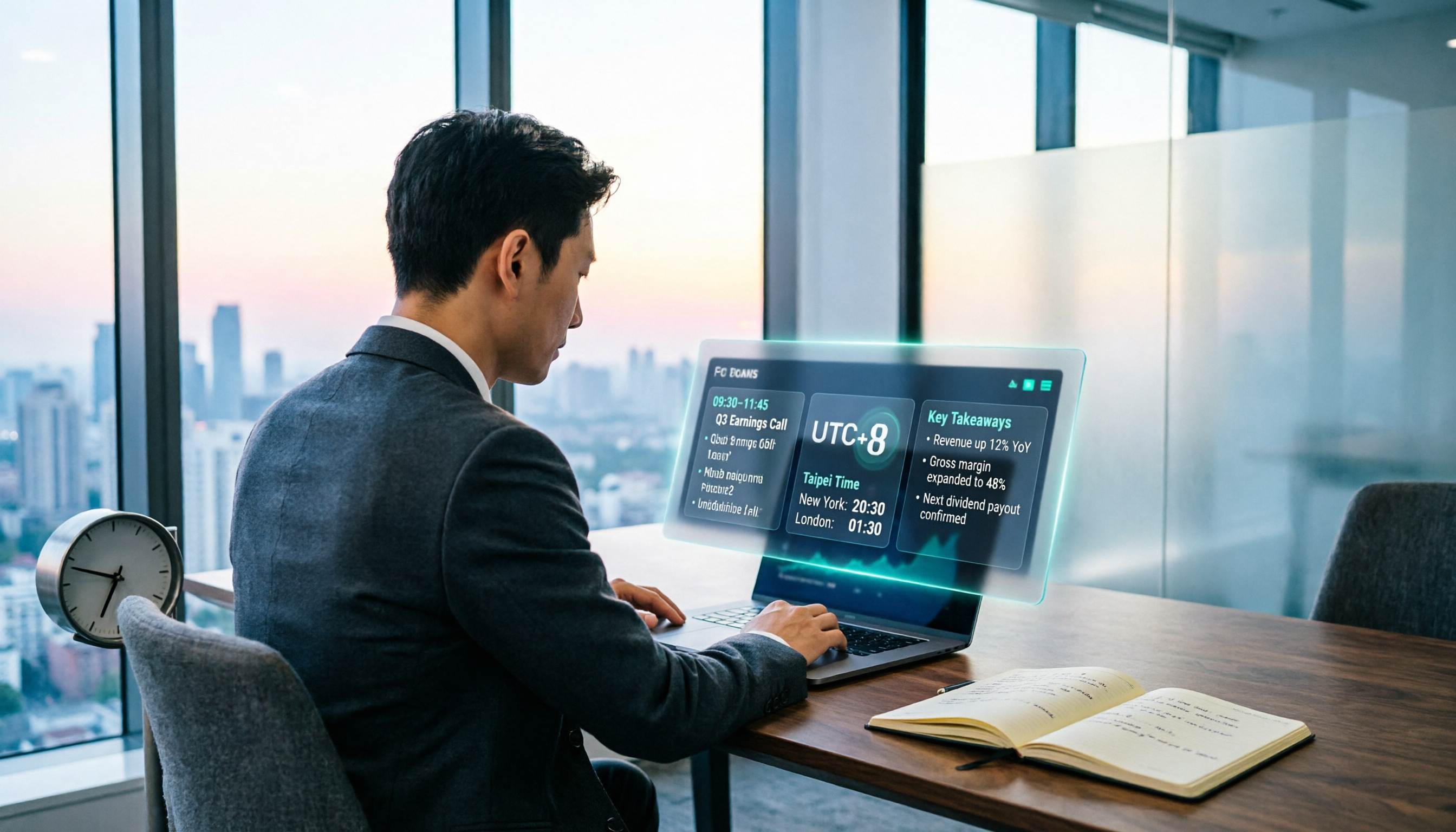
When Are the 2026 Fed Meeting Minutes Released? 5 Steps to Understand Time Conversion and Key Takeaways
When exactly are FOMC meeting minutes released? How do you convert to Taiwan time? This article breaks down the release pattern of Fed meeting minutes in 5 steps, the difference between daylight saving and standard time, and how to quickly grasp the key points after release. It also tests using an AI meeting notes tool to organize press conferences and financial content, saving you from staying up late reading the original text word by word.

What Does 'Meeting Minutes' Mean? 4 Meeting Note Tools Tested in 2026 — This One Handles Chinese Best
'Meeting minutes' doesn't mean 'a few minutes' — it refers to the official written record of a meeting. This article first explains the correct meaning of 'minutes,' common collocations, and the fields a proper set of meeting minutes should include. It then tests and compares four tools — Tinrec, Otter.ai, Notta, and Granola — on Chinese transcription, recording retention, post-meeting organization, and team collaboration, helping you pick the one you'll actually keep using.

6 Speech-to-Text Tools Compared for 2026: Free Tiers, Chinese Recognition, and AI Summaries
How to choose a speech-to-text tool in 2026? Starting from three common misconceptions, this guide breaks down five key buying factors—free tier limits, Traditional Chinese recognition, AI summaries, and offline privacy—then compares six options including Whisper, MacWhisper, Google Live Transcribe, Otter.ai, Notta, and Yating Transcription, covering their best use cases and limitations.

2026 Client Meeting Notes: 3 Common Mistakes Freelancers Make and How to Fix Them
For freelancers, the biggest fear isn't a lack of projects—it's the 'he said, she said' after a client meeting. This article tackles three common mistakes, explains what to include (and exclude) in client meeting notes, shares a before-during-after approach, and uses Tinrec as an example to show how to turn voice into trackable decisions and action items. It wraps up with key considerations for choosing a tool and answers to FAQs.

2026 Comparison of 4 Audio Transcription Apps: Which Saves Reporters the Most Time?
Interview recordings often run an hour, and re-listening plus typing takes the most time. This article compiles actual data on four audio-to-transcript tools—Yating Transcription, Atter App, Easemate.AI, and NotebookLM—comparing multilingual recognition, real-time transcription, AI summaries, and data security to help reporters and anyone organizing interviews quickly choose the right tool.