

Turn recordings into transcripts and summaries in minutes
Upload audio or video for multilingual transcription, AI notes, and action items
In an era where efficiency is paramount, the need for speech-to-text has evolved from a simple typing aid to an essential productivity tool for work and study. Whether it's a marathon meeting, an insightful lecture, or an important interview transcription, relying on manual typing is not only time-consuming but also risks missing critical information. So, what are the must-try free tools in 2026? And why does TinRec stand out among the crowd? This article will break it all down for you.
2026 Free Speech-to-Text Tools: Current Landscape
The market is flooded with so-called "free" voice-to-text tools, which generally fall into two categories:
- Basic dictation tools – like Google Docs voice typing or built-in phone dictation. These are completely free but usually require real-time input and can't handle pre-recorded audio. They also have limited punctuation recognition, making them unsuitable for formal meeting minutes.
- Professional AI transcription services – such as Otter.ai or Yating. These offer higher accuracy and speaker diarization, but many "free" tiers impose strict time limits (e.g., just 30–60 minutes per month) or lack export features, leaving users frustrated when they need it most.
The core pain point for users is clear: finding a tool that is free, accurate, handles long audio files, and automatically generates summaries.

Why You Need a Professional AI Speech-to-Text Tool
Basic "voice-to-text" is no longer enough. With the explosion of AI technology, a great audio tool should deliver the following core capabilities:
- Upload and transcribe MP3/audio files – not just real-time recording, but also work with existing recordings from voice recorders or phones.
- High-accuracy multilingual recognition – optimized for mixed Chinese (Traditional/Simplified) and English contexts.
- AI-powered summarization – the key differentiator between a "tool" and a "game-changer." AI automatically extracts meeting highlights and action items from thousands of words.
Stop organizing recordings by hand
Upload audio or video and automatically get a transcript, summary, and action items
TinRec: The All-in-One AI Voice Productivity Tool
Among the many options, TinRec has emerged as a top recommendation, thanks to its powerful AI engine and user-friendly experience. It doesn't just solve the basic transcription need – it offers deep solutions for business and learning scenarios with a generous free tier.
1. Core Features: Call Recording Transcription & MP3 Upload
TinRec supports multiple recording scenarios. You can record directly via the app or web version, or upload existing MP3, M4A, and other audio formats to the platform. The system quickly converts audio into highly accurate transcripts. A standout feature is its call recording transcription – perfect for phone meetings or interviews, eliminating the need for extra recording equipment.
2. AI Meeting Summaries & Minutes
This might be TinRec's most powerful feature. While traditional tools just give you a wall of text, TinRec's AI meeting summary automatically analyzes content and generates structured meeting minutes. It accurately captures key discussion points, decisions, and action items, so you're 80% done with notes the moment the meeting ends.
3. Intuitive Editing & Management
TinRec's interface is clean and simple. Generated transcripts support inline editing with a synchronized timeline. You can listen and correct side by side, and bookmark important sections for future reference. For more tips and updates, check out their official blog.
Real-World Use Cases: How TinRec Solves Your Problems
Business meetings & remote collaboration: After a two-hour cross-department meeting, no one wants to write the minutes. Just record with TinRec and upload – within minutes you get a summary-packed meeting minutes document ready to share with attendees, boosting team productivity.
Journalist interviews & content creation: Dreading the hour-long interview recording? TinRec's MP3 transcription turns it into a draft fast, letting you focus on polishing and extracting insights.
Student lectures & academic research: Professor talks too fast to take notes? TinRec captures every word, then uses AI summarization to help you review key points for exams and papers.
Conclusion: Embrace the AI Productivity Revolution Today
If you're tired of the endless loop of replaying, pausing, and typing, it's time to embrace AI. TinRec, with its accurate transcription and powerful AI summarization, offers a competitive choice for users working in English and other languages.
Don't waste precious time on mechanical transcribing. Head over to TinRec's website (https://tinrec.com/) and try it for free. Experience the speed of TinRec and unlock your productivity!
Turn every recording into actionable outcomes
Get 60 free transcription minutes when you sign in. No credit card required.
Related Reading
You might also like

2026 Product Meeting Notes Tools: 4 Tested + AI Action Item Auto-Organization
How to choose a meeting notes tool? This article addresses three common misconceptions, outlines 4 key selection criteria, and compares Tinrec, Otter.ai, Granola, and Notta on meeting recording methods, post-meeting organization capabilities, and pricing limits. It also includes a pitfalls guide and selection recommendations to help you find a solution that truly saves organization time.

6 Audio-to-Transcript Tools Tested and Compared for 2026: Which Saves the Most Time for Chinese Recognition and Post-Meeting Organization?
A review of 6 tools that generate transcripts from imported audio files, covering Tinrec's AI summaries, action items, AI Q&A, and team spaces, as well as the free and paid plans of Notta, cSubtitle, MyEdit, TurboScribe, and Yating Transcript. It also explains recording quality, export formats, and licensing issues to consider before importing.

2026 Comparison of 4 Audio/Video Transcription Tools: Which Saves the Most Time for Chinese Meeting Minutes?
Still typing transcripts after meetings? This article uses 5 key buying criteria to compare Tinrec, Notta, Otter.ai, and PLAUD Note in a hands-on test. From recording methods, post-meeting output, Chinese language experience, to team seat management, we cover it all, plus 4 common pitfalls to avoid.

5 WAV to Text Tools Tested for 2026: Which Saves the Most Time on Chinese Transcripts and Meeting Follow-Ups?
Have a WAV recording but dread listening to it from start to finish? This article examines real-world scenarios to explain what WAV-to-text can do, its core capabilities, and practical applications. Using Tinrec as an example, it covers a complete workflow for bot-free meeting recording, AI summaries, action item extraction, and team knowledge retention, plus 6 buying considerations and FAQs to help you decide which solution saves the most time.
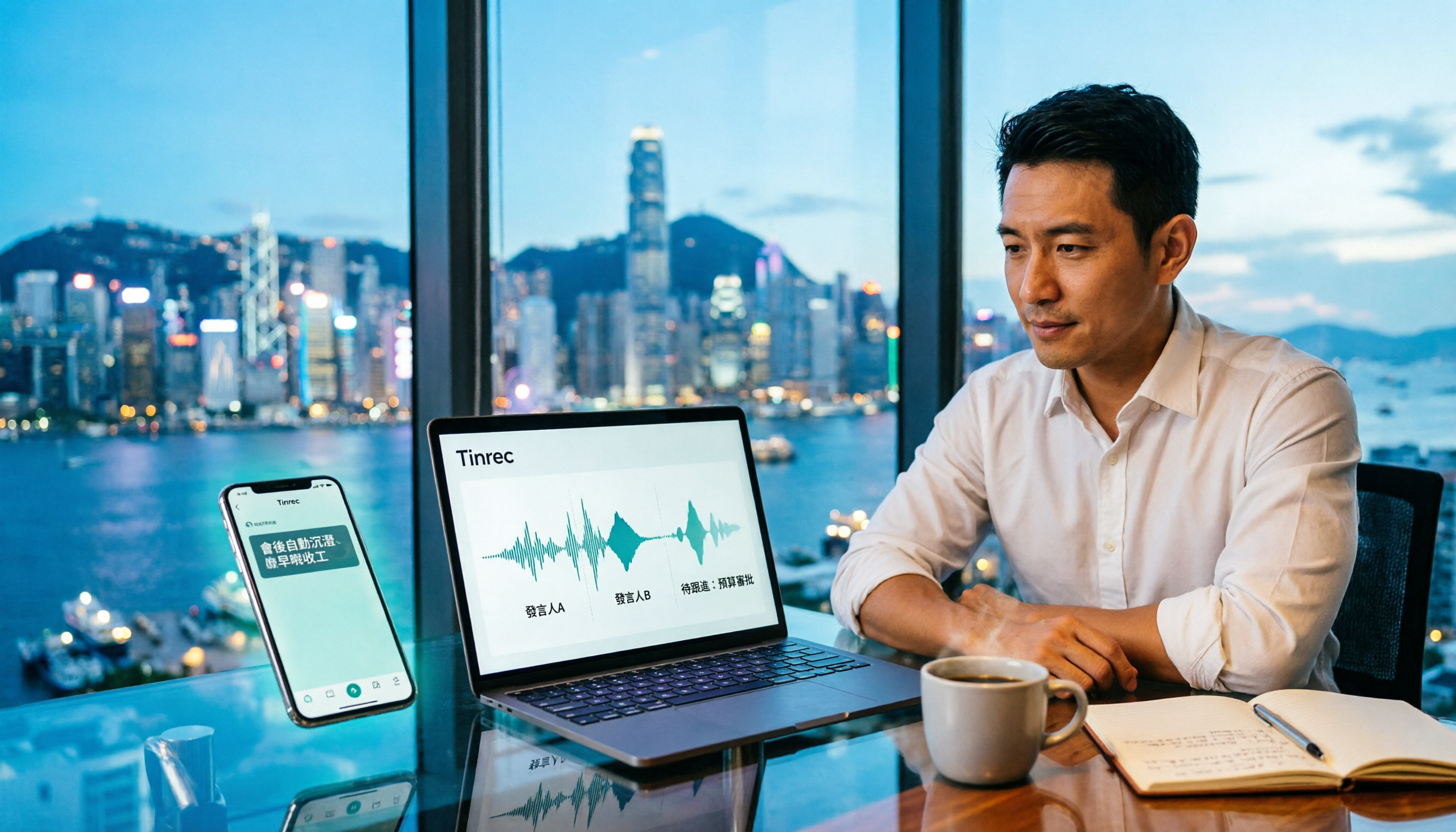
Tinrec Meeting Notes Guide 2026: No-Bot Recording vs Otter.ai
For Hong Kong office workers, post-meeting cleanup is the worst part: the meeting ends at 3 PM, but you're still at the office at 8 PM listening to recordings and typing. This article compares Tinrec and Otter.ai across five dimensions to test the workflow of turning recordings into meeting notes, breaking down Cantonese recognition, no-bot recording, post-meeting AI organization, team data retention, and pricing, helping you choose the right tool and leave work earlier.

4 AI Meeting Note Tools Tested in 2026: Which One Saves the Most Time on Auto-Organizing Transcripts?
The pain of meeting notes isn't slow typing—it's time-consuming organization. This article addresses common misconceptions, tests 4 AI meeting note tools, breaks down key buying factors, Tinrec's bot-free recording and AI Q&A workflow, team plan seats and data ownership, plus a pitfalls guide and selection advice.

2026 Teams Meeting Transcription Comparison: 4 Methods Tested — Is Avoiding a Meeting Bot Really Easier?
Teams built-in transcription requires both the organizer and each user to enable the policy, and live captions are not saved—so many people only discover after the meeting that there is no transcript at all. This article reviews four ways to transcribe Teams meeting recordings, from Teams built-in, Otter.ai, and Notta to Tinrec, comparing bot-free desktop recording, AI Q&A, action item extraction, and team seat management, with a pitfalls guide and scenario-based recommendations.

4 Video-to-Transcript Tools Tested and Compared in 2026: 3 Pitfalls to Understand Before Importing Video
Importing a video to generate a transcript looks simple, but the real bottlenecks are usually format support, time codes, and how usage limits are calculated. This article starts with common misconceptions, outlines 4 key points for choosing a tool, then shares a hands-on test of Tinrec from video import to AI summaries, action items, and team knowledge retention, and compares TurboScribe, Notta, and Granola for use cases and pitfalls to avoid.

How to Transcribe Classroom Recordings in 2026: A Complete 5-Step Guide
When it comes to transcribing classroom recordings, most people only ask which tool is the most accurate. But what really determines whether you'll be overwhelmed all semester is the audio source, the classroom language, and the total number of hours. This article uses university and graduate school classroom scenarios to compare Tinrec and Otter.ai across 5 dimensions, and provides a 5-step process you can follow directly, along with purchasing advice.