
Turn recordings into transcripts and summaries in minutes
Upload audio or video for multilingual transcription, AI notes, and action items
What Is Google Meet? First, Understand the Meeting Tool You Use Every Day
Google Meet is a video conferencing service launched by Google, part of the Google Workspace ecosystem, and the successor to Google Hangouts. It was officially launched in March 2017, initially invite-only, and later fully opened to everyone.
Its growth during the pandemic was astonishing. According to Wikipedia, between January and April 2020, Google Meet usage grew 30 times, with 100 million people using it for meetings every day.
It supports web, mobile, tablet, and smart displays, and integrates with Gmail, Google Calendar, Docs, and Slides. Joining a meeting is simple: someone sends you a meeting link, you click it, and you're in—no extra registration required.
A free personal Google account can start a meeting. The participant limit depends on the plan; according to Business Insider, regular meetings can accommodate 2 to 100 people, and Enterprise-level plans can support up to 1,000 simultaneous participants.
In terms of features, Google Meet offers screen sharing, meeting chat, live captions, translated captions, noise cancellation, background blur, and meeting recording, with meeting content transmitted encrypted via the cloud. Some Google Workspace plans also include Gemini assistance, which can automatically organize notes and translate conversations.
Simply put, Google Meet handles the "meeting" part quite thoroughly. But what happens after the meeting ends?
Pain Point: The Meeting Is Over, but the Notes Are Still Blank
Last week's project meeting lasted 50 minutes. Afterward, your manager asks: "What date did the client mention earlier?" You only remember someone said it, but you can't recall who or what exactly.
Another scenario is cross-language meetings. The other party presents in English, you respond in Chinese, with product terminology mixed in. Google Meet's live captions help you understand in the moment, but once the meeting ends and captions are turned off, that content is gone with the wind.
And the most troublesome: meeting notes are scattered everywhere. Some write in Google Docs, some jot in phone memos, some only keep it in their heads. Three months later, when you need to find a decision, you have to scroll through messages from the beginning.
Google Meet solves "connection," but the four tasks of "recording, organizing, searching, and tracking" still require another tool. This article helps you pick that tool.
Before Choosing a Google Meet Note-Taking Tool, Understand These 4 Key Points
First, how transcription enters the meeting. Most tools on the market use a "meeting bot" model, sending an account into the meeting room as a participant. This approach can cause recognition issues in external meetings—when clients see an unfamiliar account join, they'll have questions. Another approach is to use a desktop app to directly capture the computer's system audio, so no extra participant appears in the meeting room.
Second, is a transcript enough? A transcript is raw material, not a finished product. What really takes time is turning a 50-minute transcript into summaries, chapters, and action items. If a tool only gives you text, you still have to read through it yourself.
Third, recognition performance for Chinese and mixed Chinese-English. This is a key differentiator for Taiwanese users. Pure English meetings work smoothly with English tools, but our meetings often mix Chinese, English, and Japanese, with lots of product terminology and abbreviations.
Fourth, who ultimately owns the data. For personal use, it's not a big issue, but for teams: when a member leaves, do the meetings they recorded still exist? Who can view, edit, and use them?
Tinrec — Our Top Choice After Testing
Tinrec is an AI meeting note-taking and collaboration tool for individuals and teams, supporting iOS, Android, web, and desktop. It doesn't just convert audio to text; it turns meetings into searchable, queryable data you can continue working with.
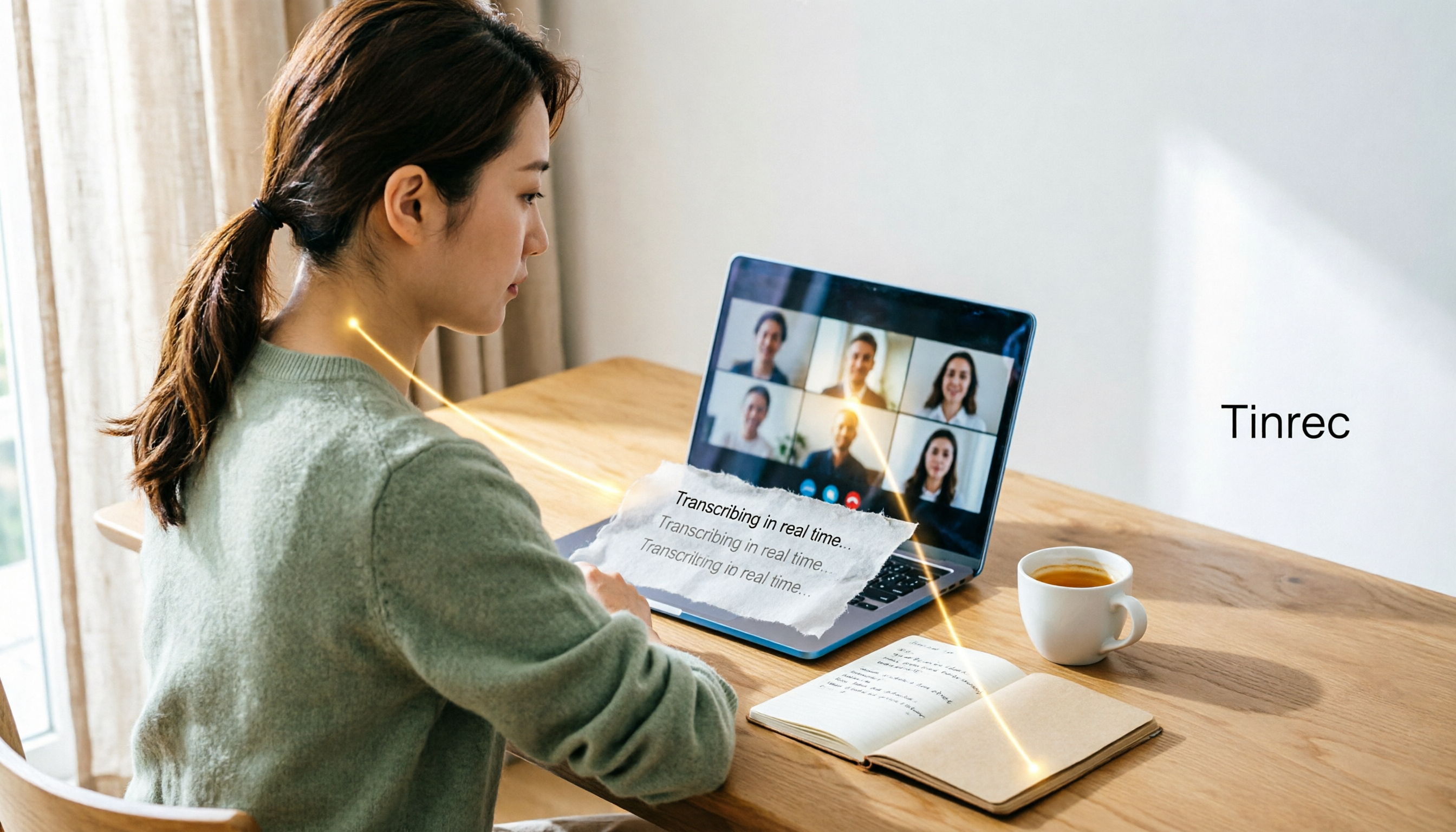
No need to invite a bot into the meeting. This is the most direct difference from most AI meeting assistants. Tinrec's desktop version directly captures the computer's system audio, handling meetings played on the computer via Zoom, Google Meet, Microsoft Teams, and Webex, without adding an unfamiliar account to the participant list. You just open Tinrec and start recording, and the transcript is generated simultaneously.
Note that this doesn't mean "automatically joining all meetings on your calendar." It requires you to actively start recording, but no extra participants are needed during the process.
The meeting ends, and organization is mostly done too. After recording, Tinrec automatically generates summaries, chapters, key points, and action items. Who is responsible for what and what's next are listed directly. For those who have three or four meetings a week, the time saved here is the most tangible.
You can continue asking questions after recording. This is where it gets interesting. You can directly ask questions about the meeting content, such as "What was the final conclusion on the budget in last week's meeting?" or "What were the three concerns raised by the client?" It answers based on semantics, rather than dumping a bunch of keyword search results for you to sift through. Historical meetings are not limited to a single session; you can search across meetings.
Output to your existing workflow. Transcripts, summaries, and action items can be exported to common formats and brought into Notion, Google Docs, OneNote, or Dropbox for further processing. It can also generate reports, tables, and meeting minutes based on meeting content, suitable for those who need to deliver something after the meeting.
Stop organizing recordings by hand
Upload audio or video and automatically get a transcript, summary, and action items
Chinese and multilingual meetings. Tinrec covers Chinese, Traditional Chinese, and multilingual scenarios, supports real-time translation during recording, and allows viewing in original, translated, or bilingual side-by-side formats. Mixed Chinese-English technical discussions are also within its scope. Actual performance will be affected by recording quality, ambient noise, accents, multiple people speaking at once, and technical terminology—it won't be a fixed number.
The team version turns meetings into team assets. In the personal version, data belongs to the individual account; the team version provides an independent team space where meeting data belongs to the team. Members can join via a link, and administrators can set owners, admins, and regular members, and assign or revoke seats. The team version also offers team hotwords, usage analytics, audit logs, and an audio recycle bin.
Here's a commonly misunderstood point: roles and seats are two different things. Roles determine who can manage the team and members; seats determine who can record, upload, edit, and import/export. Active members without a seat can still view, play, and read team data, but cannot perform resource-consuming operations. Additionally, when a member leaves the team, team resources are not taken away and need to be handed over to other active members.
The team version pricing is currently internally configured at USD 29.80 per paid seat per month, or USD 199 per paid seat per year (approximately USD 16.58 per month). Each paid seat provides 2,000 minutes of team shared import quota per month; real-time recording under an active team plan is currently not deducted by minutes, while file and web imports use the team shared quota. Eligible teams can enjoy a 7-day trial, 1 free seat, and 300 minutes of shared import quota for the first time. Actual prices and promotions are subject to the official purchase page.
Limitations should also be clear. The free version provides basic quota to experience recording, import, summaries, and transcription; heavy use requires payment. If you mainly batch-process large volumes of long audio files, it's not the strongest choice for that. Also, AI organization may occasionally miss or misinterpret details; for important numbers and commitments, it's recommended to cross-check with transcript timestamps and recording playback.
Who is it for? People who frequently meet on Google Meet, Zoom, and Teams, need Chinese transcripts and post-meeting organization, and want meeting data to stay with the team rather than scattered across personal devices.
Besides Tinrec, What Other Options Are There?
Google Meet built-in transcription and Gemini notes. The easiest option because it's right in the meeting, no extra tools needed. Some Google Workspace plans offer meeting transcription and Gemini-assisted notes, and records can be viewed in Google Docs afterward. The limitation is that it's tied to the Google ecosystem and specific plans, with relatively limited cross-platform meeting aggregation, querying, and multi-format export. If your company already uses a high-tier Google Workspace plan and all meetings are on Meet, you can start here. But if you need unified management across Zoom and Teams, or want to directly ask questions about meeting content and turn data into a team knowledge base, an independent tool like Tinrec is more suitable.
Otter.ai. A mature English AI meeting assistant covering mainstream meeting platforms, with speaker identification and AI Q&A. Currently, the Basic free version offers 300 minutes per month, and Pro annual billing is about USD 8.49 per user per month, including 1,200 minutes of in-app recording and 10 file imports per month. If your meetings are almost entirely in English, its value for money is indeed good. However, Chinese and mixed Chinese-English organization is not its strong suit, and team data retention and seat governance are not its focus.
Notta. A direct competitor with significant overlap with Tinrec, offering multi-platform transcription, file import, translation, and team plans. Currently, Free offers 120 minutes per month with a maximum of 3 minutes per content; Pro annual billing is about USD 8.17 per month with 1,800 minutes per month; Business annual billing is about USD 16.67 per seat per month. Its transcription and translation performance is stable, but online meetings still require processing via a bot or file upload, lacking Tinrec's desktop system audio capture method that doesn't add participants. Post-meeting AI querying and team governance capabilities like audit and recycle bin are also not its focus.
Pitfall Guide: The 4 Most Common Mistakes When Choosing a Meeting Note-Taking Tool
Pitfall 1: Assuming a transcript equals meeting notes. A 50-minute meeting produces roughly tens of thousands of words in a transcript; no one will read it again. What you need are summaries, chapters, and action items; the transcript is just the underlying draft for cross-checking. When choosing a tool, first look at what finished product it gives you after the meeting, not just transcription accuracy.
Pitfall 2: Ignoring the social cost of meeting bots. For internal meetings, it doesn't matter, but for clients and external partners, an unfamiliar account suddenly joining the meeting room requires explanation. If you frequently hold external meetings, prioritize tools that capture system audio without adding participants.
Pitfall 3: Only looking at monthly price without calculating seats and quota. The most common pitfall in team procurement. Ask three things clearly: Is the quota calculated per person or shared across the team? Can members without seats view data? Who owns the data after a member leaves? If these three questions aren't clear, you may find things different from expectations after purchase.
Pitfall 4: Treating AI summaries as 100% accurate. AI can miss things, misinterpret, and treat jokes as decisions. A safer approach is to treat summaries as a "quick review index" and, when it involves amounts, dates, or commitments, click back to the corresponding transcript timestamp to confirm once.
Conclusion: After the Google Meet Ends, Which One Should You Actually Use?
Google Meet has already connected you with participants; the remaining question is how to retain the meeting.
If you switch between Google Meet, Zoom, and Teams every day, need Chinese transcripts, and don't want an extra bot in the meeting room—Tinrec is currently the closest choice to this need, with desktop system audio capture, automatic summaries and action items after meetings, and the ability to directly ask questions about meeting content.
If your meetings are almost entirely in English and your team is used to English tools, Otter.ai's free 300 minutes and mature ecosystem are very cost-effective.
If your company has fully adopted a high-tier Google Workspace plan and all meetings are on Meet, built-in transcription is the easiest starting point.
If you only occasionally handle file transcription and subtitles, Notta's plan tiers are also clear.
If meeting data needs to stay with the team, be transferable, and show who used how much quota—that's what the team version handles. Tinrec's team space manages roles, seats, usage, and audits separately, so data doesn't disappear when members change.
It's recommended to start with a free trial. Pick a Google Meet meeting you were going to have anyway, record it, and see if its summaries and action items can be used directly. If they work, consider paying; if not, you've only spent the time of one meeting.
References
Turn every recording into actionable outcomes
Get 60 free transcription minutes when you sign in. No credit card required.
Related Reading
You might also like

What Is Google Meet in 2026: Core Features Explained + How to Organize Meeting Notes
Google Meet is Google's video conferencing service, formerly Hangouts Meet, merged with Duo in 2022. This article explains from a mid-level manager's practical perspective what Google Meet is, who uses it, free vs. paid differences, privacy rules, and demonstrates how to use Tinrec to turn Meet meeting content into transcripts, summaries, and action items, so you don't have to rely on memory after the meeting.

Google Meet vs Tinrec in 2026: 5-Dimension Comparison — Which Is More Cost-Effective for Meetings?
Google Meet pricing actually has three answers: free at $0, Workspace paid plans starting around US$6.30 to US$7, and the hidden cost of upgrading to Standard for recording and AI notes. This article walks you through 5 steps to convert monthly fees into annual per-person expenses, using the Tinrec team plan as a second reference point to help you clearly explain why you chose a particular plan in meetings.

3 Google Meet Note-Taking Tools Tested for 2026: How to Record Online Classes and Group Discussions Most Efficiently
What is Google Meet used for? Starting from real student scenarios, this article first clarifies Google Meet's purpose and what it doesn't solve, then tests and compares 3 note-taking tools, summarizing key buying factors, pitfalls to avoid, and budget-friendly recommendations for students.

Google Meet vs Tinrec: 2 Meeting Note Methods Compared (2026)
Google Meet is Google's video conferencing service launched in 2017. You can hold meetings in a browser, and free accounts generally support 100 participants for 60 minutes. This article first explains what Google Meet is, then compares its built-in transcription with Tinrec across five dimensions: recording method, post-meeting output, input sources, team data management, and cost, to help you decide which meeting note method suits you better.

3 Google Meet Call Recording Tools Compared for 2026: From Audio to Transcripts
Google Meet's free version has a 60-minute and 100-participant limit, but the platform offers little help with post-call documentation. This article addresses real pain points, comparing manual note-taking, built-in transcription, and desktop AI tools, using Tinrec as an example to explain bot-free recording, real-time transcripts, AI summaries, and team spaces.

How to Buy Google Meet Premium in 2026: 3 Upgrade Paths & Post-Meeting Workflow
Google Meet doesn't have a standalone Premium subscription—advanced features are tied to Google Workspace or Google One plans. This guide breaks down three practical upgrade paths across five dimensions, what to confirm before purchasing, and how to turn meeting content into usable data after the meeting. It also compares Google's native solutions with Tinrec for post-meeting organization, cross-platform recording, and team knowledge retention.

What Is Google Meet in 2026? 3 Meeting Note Tools Tested: Which Saves the Most Time
What Google Meet is and how free vs. paid versions differ, explained clearly. Then, starting from real pain points in meeting notes, compare Tinrec, Otter.ai, Notta, and Granola on Chinese transcription, bot-free recording, and post-meeting organization to help you decide who should handle your meeting notes.

Where Are Google Meet Recordings Saved in 2026? 5 Steps to Find and Organize Your Meeting Notes
Google Meet recordings aren't in your Google Drive. This guide walks you through 5 steps to locate recordings via the host's account, the Meet Recordings folder, Gmail notifications, and Calendar events. Plus, we cover 3 key factors for choosing a meeting organization tool, our top pick after testing, and a guide to avoid common pitfalls.
Google Meet Microphone Not Working in 2026: 8-Step Troubleshooting Guide + Never Miss Meeting Notes
When your Google Meet microphone isn't working, it's usually a permissions or device selection issue—not a broken mic. This guide walks through 8 troubleshooting steps, from the mute button in the meeting and browser address bar permissions to Meet audio settings, system privacy permissions, background apps, and hardware connections. It also covers the 4 most common misdiagnoses and how to avoid them, and explains how to use Tinrec desktop to capture meeting notes without a meeting bot.