

Turn recordings into transcripts and summaries in minutes
Upload audio or video for multilingual transcription, AI notes, and action items
Many people misunderstand Google Meet as "just Google's version of video software—once the meeting ends, it's over."
That's not quite right. Google Meet saves transcripts, and some plans can automatically generate meeting notes.
But here's the catch: you get a transcript that's thousands of words long, and you still have to read through it from start to finish to find out who agreed to what and who needs to do what next. Having a record doesn't mean having conclusions.
In this article, I'll first explain exactly what Google Meet is, then compare its built-in recording method with Tinrec, and finally give you a decision guide you can follow directly.
What Is Google Meet? Understanding Its Positioning First
Google Meet is a video conferencing service launched by Google in March 2017. Its predecessor was the enterprise version of Hangouts.
Its biggest feature is "no software installation required." Open meet.google.com in a browser to start or join a meeting. It supports phones, tablets, computers, and smart devices.
Within the Google ecosystem, its position is clear: it integrates with Gmail, Google Calendar, Docs, Sheets, and Slides. Meetings can be initiated directly from an email or a calendar event without pasting a link separately.
Data transmission is encrypted by default, and Google also provides advanced encryption, anti-abuse mechanisms, and privacy controls.
Free accounts generally have a limit of 100 participants and 60 minutes. During the pandemic, Google temporarily removed the 60-minute limit (extended until March 2021), then restored the original rules; when first launched, the limit was 30 participants.
It's worth noting that Google officially shut down Hangouts in November 2022 and merged Duo into Meet. The Meet app on your phone now is the former Duo.
Google Meet vs Tinrec | Quick Overview
One sentence to distinguish them: Google Meet solves "how to hold a meeting," while Tinrec solves "what to do after the meeting."
| Item | Google Meet | Tinrec |
|---|---|---|
| Positioning | Google's video conferencing platform | AI meeting notes and team collaboration tool |
| Core action | Video calls, online meetings | Record, transcribe, organize, archive |
| Recording scope | Google Meet meetings | Meet, Zoom, Teams, Webex, in-person meetings, audio/video files |
| Free threshold | Requires a Google account | Free version available to try |
| Team capabilities | Tied to Google Workspace ecosystem | Independent team spaces, roles, seats, usage, and audit |
Next, I'll compare them across five dimensions: how meetings are recorded, what you get after the meeting, input sources, Chinese and multilingual support, and how team data is managed.
Dimension 1 | How Are Meetings Recorded?
Google Meet's approach is to enable transcription during the meeting and optionally record video separately. Whether it's available and whether it takes effect depends on your account plan and the meeting host's settings—it's not enabled by default for every meeting.
Tinrec takes a different path: the desktop version directly captures your computer's system audio. No bot participant joins the meeting, and you don't need to get host approval first. Just open Tinrec and start recording—Zoom, Meet, Teams, and Webex all use the same process.
Note that Tinrec is not a bot that "automatically joins all calendar meetings"—you need to initiate recording yourself.
→ This dimension: If you only meet on Google Meet, the built-in Meet transcription is the easiest; but if your meetings span platforms, Tinrec's versatility clearly wins.
Dimension 2 | What Do You Have After the Meeting Ends?
Google Meet leaves you with a transcript, plus Gemini-related automatic notes, translation, and highlights. Everything stays in the Google ecosystem, but you have to go in and read it yourself, and judge which parts are decisions.
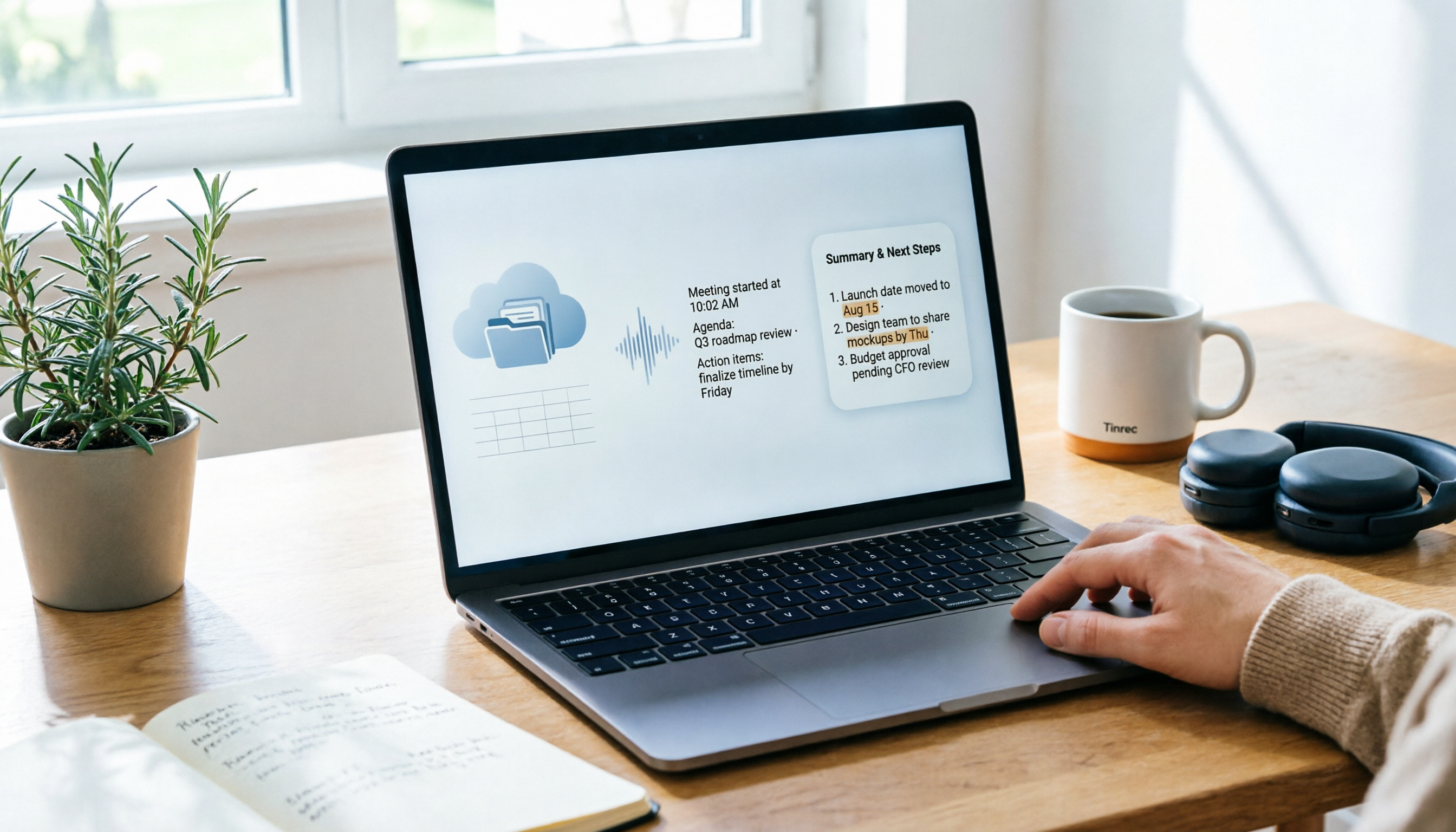
Tinrec focuses on the workflow after transcription: beyond the transcript, it directly generates AI summaries, chapters, key points, and action items. You can also use AI Q&A to follow up on a specific meeting, or even ask it to produce reports, tables, and documents, then export to Notion, Google Docs, OneNote, or Dropbox for further processing.
Honestly, the difference between the two isn't "whether there's text" but "whether the text is directly usable."
→ This dimension: Tinrec wins, with the gap in the completeness of post-meeting outputs.
Dimension 3 | How Broad Are the Meetings and Materials It Can Handle?
Google Meet only handles meetings on its own platform. It can't help with in-person interviews, phone calls, MP3s sent by clients, or old MP4 course recordings.
Tinrec's input sources are more varied: live recording (suitable for in-person meetings and interviews), computer meeting recording, audio and video file uploads, phone recordings, and some public web links can also be parsed.
For people who often have "half meetings online, half in conference rooms," this difference will be very noticeable.
→ This dimension: Tinrec wins.
Stop organizing recordings by hand
Upload audio or video and automatically get a transcript, summary, and action items
Dimension 4 | Performance in Chinese and Multilingual Meetings
Google Meet's transcription supports multiple languages, and Gemini can also provide translation and highlights during meetings. Actual experience depends on your plan and account settings.
Tinrec goes deeper here: it can handle Chinese, Traditional Chinese, and mixed Chinese-English meetings. During recording, you can switch between original text, translation, or bilingual view. The team version also lets you maintain "hot words"—pre-building internal product names, project codes, and industry terms to reduce recognition errors.
A reminder: no tool should promise a fixed accuracy rate. Audio quality, background noise, accents, and multiple people speaking at once all directly affect results.
→ This dimension: Each has its strengths, but if you hold mixed Chinese-English meetings, Tinrec's bilingual view and hot word design will be much more convenient.
Dimension 5 | How Is Team Data Archived?
Google Meet meeting data stays in Google Workspace, with sharing based on Drive and Calendar permissions. This is its advantage—provided your entire company is already in the Google ecosystem.
Tinrec's team version is an independent team space, which is completely different from "multiple people sharing a personal account":
- Create multiple team spaces and invite members via link
- Distinguish between owner, admin, and regular member
- Roles govern management (who can manage members, audit, team settings); seats govern usage (whether one can record, upload, edit, export)
- Audio, Folder, and TODO are all saved under the team
- Provides usage trends, member rankings, audit logs, audio recycle bin (30-day retention), and team hot words
- When a member leaves or is removed, resources can be transferred to other active members, so data doesn't leave with the person
Members without seats can still view, play, and read team data, but cannot upload, edit, or export.
Pricing (subject to the official purchase page): Team monthly plan USD 29.80 per paid seat per month; annual plan USD 199 per paid seat per year, equivalent to about USD 16.58 per month. Eligible teams get a 7-day trial, 1 free seat, and 300 minutes of shared team import quota for the first time; each paid seat provides 2,000 minutes of shared import quota per month. Under an active plan and active seat, live recording is currently not deducted by minutes.
→ This dimension: When you need to turn meetings into team assets, Tinrec wins; but if your company already fully uses Google Workspace, Meet plus Drive integration is still hard to replace.
What Unique Advantages Does Each Have?
Tinrec's advantages
Cross-platform recording without a meeting bot. Open the desktop app and record, regardless of which software the other party uses.
Complete post-meeting outputs. Summaries, chapters, action items, AI Q&A, mind maps, document generation, and third-party exports—all the way to deliverable results.
Solid team governance. Roles, seats, usage, audit, and recycle bin are managed separately, suitable for departments with procurement and management needs.
Focused on Chinese and bilingual experience. Mixed Chinese-English, real-time translation, and team hot words are areas it has particularly refined.
Google Meet's advantages
Zero installation barrier. Open in a browser and use—most friendly to external clients, no one gets stuck on "let me download something first."
Deep ecosystem integration. Meetings start from Gmail or Calendar, and after the meeting you go directly to Docs, Sheets, and Slides—almost no switching cost for teams already using Google Workspace.
Conclusion: Which Should You Choose?
• Only meet on Google Meet, and your company already uses Google Workspace → Use Meet's built-in recording, easiest
• Meetings scattered across Meet, Zoom, Teams, plus in-person interviews and client calls → Tinrec
• You want more than a transcript—summaries, action items, and meeting data you can keep querying → Tinrec
• Need to turn meetings into team assets, and manage members, seats, and usage → Tinrec Team version
• Just occasional video calls with friends and family → Google Meet is completely sufficient
In one sentence: Google Meet solves "how to hold a meeting," while Tinrec solves "what to do after the meeting." For most office workers who need to turn meeting content into work results, the real time sink turns out to be the latter half.
FAQ
Q1: Can Google Meet transcripts be exported directly?
Content generated in meetings stays in the Google ecosystem. Whether it can be copied, exported, or otherwise organized depends on your account plan and feature availability. It's recommended to hold a test meeting on your own account to confirm.
Q2: Does Tinrec need to join meetings as a bot?
No. The desktop version directly captures your computer's system audio, so no extra account appears in the participant list.
Q3: Can Tinrec record Google Meet meetings?
Yes. Record the meeting audio playing on your computer via the desktop version. This is processing audio played on the platform and does not imply an official partnership with Google.
Q4: Is the free version enough? How should I choose a plan?
For occasional recording organization, start with the free version to test the waters; for short-term intensive meetings or interviews, consider a weekly pass; for steady weekly needs, the Pro monthly plan is more reasonable; for long-term archiving of recording data, the annual plan is more cost-effective.
Q5: What's the difference between "roles" and "seats" in the team version?
Roles determine governance permissions—who can manage members, audit, and team settings. Seats determine usage eligibility—whether one can record, upload, edit, and export. Active members without seats can still view, play, and read team data.
Q6: Do I need to inform participants before recording?
Yes. Recording and transcription involve local regulations. It's recommended to obtain participant consent in advance and clearly inform them at the start of the meeting.
Q7: Can these tools completely replace manual note-taking?
It's not recommended to expect that. AI may miss or misunderstand details. A safer approach is to let it handle organization work, and verify important decisions against the transcript timestamps and recording.
The above is my own hands-on summary. If you happen to have a meeting recording on hand, try running it through the free version first to see if the summary matches what you had in mind—that's more accurate than any spec sheet.
References
Turn every recording into actionable outcomes
Get 60 free transcription minutes when you sign in. No credit card required.
Related Reading
You might also like

Where to Find Google Meet on Android in 2026: 5-Step Guide
Can't find Google Meet on your Android phone? This guide walks you through 5 steps to locate Google Meet, join meetings quickly from Gmail and Calendar, and after the meeting use Tinrec to turn speech into transcripts, summaries, and action items.

Google Meet Chat Location in 2026: 3 Steps to Find It on Desktop and Mobile
Can't find the Google Meet chat during a meeting? This practical guide walks you through the chat locations on desktop, mobile, and after the meeting, plus fixes for when the icon disappears and how to keep the discussion for later.

Google Meet Link Guide 2026: Find Your Link and Auto-Organize Meeting Notes
Can't find a Google Meet link? It's usually not missing—you're just looking in the wrong place. This guide shows you how to quickly locate meeting links from three entry points: Calendar, Gmail, and meet.google.com. It also explains how, once you've found the link, you can use Tinrec to automatically turn meeting content into transcripts, summaries, and action items.

Google Meet Recording Guide 2026: Where to Find Recordings, Why They're Missing, and How to Organize Meeting Notes
Can't find your Google Meet recording after a meeting? This guide explains where recordings are saved by default and why you might not find them, then shows how Tinrec can turn meeting audio into transcripts, summaries, and action items—no more digging through Drive.
Where Are Google Meet Recordings Stored in 2026? 5-Step Guide
Can't find your Google Meet recording after the meeting? The problem usually isn't whether you recorded it—it's that you're looking in the wrong place. This 5-step guide explains whose cloud the recording is saved to, how to quickly retrieve it from Drive and Calendar, how to download a backup, and finally how to turn the recording into a searchable transcript and meeting notes.

What Is Google Meet in 2026: Core Features Explained + How to Organize Meeting Notes
Google Meet is Google's video conferencing service, formerly Hangouts Meet, merged with Duo in 2022. This article explains from a mid-level manager's practical perspective what Google Meet is, who uses it, free vs. paid differences, privacy rules, and demonstrates how to use Tinrec to turn Meet meeting content into transcripts, summaries, and action items, so you don't have to rely on memory after the meeting.

Google Meet vs Tinrec in 2026: 5-Dimension Comparison — Which Is More Cost-Effective for Meetings?
Google Meet pricing actually has three answers: free at $0, Workspace paid plans starting around US$6.30 to US$7, and the hidden cost of upgrading to Standard for recording and AI notes. This article walks you through 5 steps to convert monthly fees into annual per-person expenses, using the Tinrec team plan as a second reference point to help you clearly explain why you chose a particular plan in meetings.

3 Google Meet Note-Taking Tools Tested for 2026: How to Record Online Classes and Group Discussions Most Efficiently
What is Google Meet used for? Starting from real student scenarios, this article first clarifies Google Meet's purpose and what it doesn't solve, then tests and compares 3 note-taking tools, summarizing key buying factors, pitfalls to avoid, and budget-friendly recommendations for students.

3 Google Meet Call Recording Tools Compared for 2026: From Audio to Transcripts
Google Meet's free version has a 60-minute and 100-participant limit, but the platform offers little help with post-call documentation. This article addresses real pain points, comparing manual note-taking, built-in transcription, and desktop AI tools, using Tinrec as an example to explain bot-free recording, real-time transcripts, AI summaries, and team spaces.