

Turn recordings into transcripts and summaries in minutes
Upload audio or video for multilingual transcription, AI notes, and action items
Can a free version really be used for work? First, distinguish 3 types of "free"
Type "free audio to text" into a search bar and you'll find almost every tool claims to be free. But free varies widely, and choosing wrong costs you: getting stuck mid-transcription, paying to export, or discovering your quota is used up in next week's meeting.
The only question that matters: do you want to "try it once" or "keep using it for weekly meetings"? Free offerings generally fall into three types—time-limited trials (a set period or a few dozen minutes, then stop), daily credit models (check in daily for credits, quota fluctuates), and versions with an ongoing basic quota (small but available every month).
This article uses Tinrec as an example to explain what free quotas can actually handle, what you need after transcription, and when to upgrade.
What can free audio-to-text do for you?
Scenario 1: After a meeting, no need to re-listen to the recording
In the past, after a one-hour meeting, organizing notes often meant another one to two hours of re-listening. With Tinrec, for example, the transcript is already there when the meeting ends, along with a summary, chapters, and action items—who's responsible for what and when it's due, all in a list. What you really save isn't typing time; it's re-listening time.
Scenario 2: Interviews and client communication—capture the words first
The worst part of a client interview isn't missing the recording; it's having the recording but not finding that one sentence. Tinrec's transcript is searchable, and you can use AI Q&A to directly ask "where did the client mention the budget" or "what were their concerns about the delivery date" without scrolling from start to finish.
Scenario 3: Note-taking for classes, lectures, and online courses
Online courses often run two or three hours; you can either take notes or listen, not both. With Tinrec's file transcription, import the course audio, get the full text first, then use summaries and chapters to jump to sections for review—turning a video into a book you can flip through.
Scenario 4: Subtitles or scripts for video/audio content
For video creators and podcasters, the most time-consuming part is typing out spoken content. Tinrec converts audio and video files into transcripts, then exports to common formats, making editing, subtitling, and article writing much faster.
What core capabilities does free audio-to-text offer?
Real-time audio-to-text: Transcribes as you record, not after. Tinrec's real-time transcription suits in-person meetings and on-site interviews—you can watch the text and confirm key points on the spot.
Bot-free online meeting recording: Tinrec's desktop version captures system audio directly to handle Zoom, Google Meet, Microsoft Teams, Webex, and other meetings without adding an extra bot to the room. To be clear: this is not "automatically joining all calendar meetings"; the user actively starts recording.
Audio/video file transcription: Upload already-recorded MP3s, meeting archives, or course videos for transcription. This path doesn't use real-time recording behavior, ideal for organizing accumulated old files.
AI summaries, chapters, and action items: Transcripts are just the first step. Tinrec breaks long meetings into chapters, extracts key points and action items, and generates mind maps to help you see relationships between topics.
AI Q&A and export: After transcription, ask questions directly about the content, with answers based on the original text. Organized results can be exported to Notion, Google Docs, OneNote, Dropbox, and other tools, and further generate reports, tables, and documents.
Multilingual and real-time translation: Supports Chinese, mixed Chinese-English, and multilingual meetings; for cross-language meetings, choose original, translated, or bilingual view. Actual accuracy depends on recording quality, ambient noise, accents, overlapping speech, and technical terminology—no tool should promise a fixed accuracy rate.
Practical scenarios: a workflow you can copy
Weekly team meeting: Press record on the desktop app before the meeting; the transcript generates in sync. Afterward, check the summary for conclusions, open the action-item list to confirm owners, and export the transcript or summary to team documents. No re-listening needed.
Stop organizing recordings by hand
Upload audio or video and automatically get a transcript, summary, and action items
Client requirements interview: Record with your phone or desktop during the interview; afterward, use AI Q&A to extract "requirements, objections, commitments" one by one, then organize into a visit record. When the client asks about the same thing three months later, you can find the exact words.
Classes and lectures: Import course audio into Tinrec, transcribe fully, then review by jumping through chapters. For reports, copy key paragraphs and rewrite—much faster than re-listening.
Content production: After recording video or podcast, upload for transcription; the transcript doubles as subtitle script and article draft. Tinrec supports multiple export formats, connecting to editing software or blog backends.
5 things to check when choosing a free audio-to-text tool
1. Is free a "trial" or "ongoing use": Check whether it's time-limited, usage-limited, or a fixed monthly basic quota. Tinrec's free version offers a basic quota for experiencing recording, import, transcription, and summaries—good for running a few of your own meetings before deciding.
2. Chinese and mixed Chinese-English recognition performance: Spec sheets won't tell you this. The best way is to test with your own recording—especially one with product names, people's names, and technical terms. Tinrec also offers a team hotword feature to maintain common terminology and improve recognition of specialized vocabulary.
3. Does it offer organization after transcription: Tools with only transcripts still require you to read an hour of text. Tinrec puts summaries, chapters, action items, and Q&A on the same page, completing both "transcription" and "organization" at once.
4. Are audio files retained and can you cross-check: AI summaries may miss details, so original recordings and timelines must be kept. Tinrec retains audio files; for important numbers and commitments, cross-check the original text. In the team version, deleted audio files go to the recycle bin and are currently retained for 30 days, recoverable before permanent deletion.
5. Personal or team use: If meeting data needs to be shared with colleagues, check permission design. Tinrec's team version is a separate team space, not multiple people sharing one account: roles determine who can manage the team, seats determine who can record, upload, edit, and export. Active members without a seat can still view, play, and read team data. The team version's first eligible trial is 7 days, 1 free seat, 300 minutes of team shared import quota; monthly USD 29.80 per paid seat per month, annual USD 199 per paid seat per year, paid seats provide 2,000 minutes of team shared import quota per month, and real-time recording is currently not deducted by minutes under an active plan and seat. Prices and benefits are subject to the official purchase page.
FAQ
Can the free version be used indefinitely? Yes, Tinrec's free version offers a basic quota and is "continuously available" rather than a one-time trial. When the quota runs out, wait for the next period or evaluate upgrading based on usage frequency.
Is the free quota enough to organize a meeting? Short meetings and single interviews are usually fine; if you have three or more meetings per week or need to process long course videos, consider a paid plan. Test with your own recordings first to judge whether the quota fits.
Do online meetings need a bot in the room? No. Tinrec's desktop version captures system audio without an extra participant. Note that the user must actively start recording, and this should not be understood as official partnership with Zoom, Teams, or other platforms.
Does it only produce transcripts? No. Tinrec also generates summaries, chapters, key points, action items, and mind maps, and supports AI Q&A, real-time translation, and multi-format export, plus further report, table, and document generation.
What languages are supported? Covers Chinese, Traditional Chinese, and multilingual meeting scenarios, with support for mixed Chinese-English content and real-time translation. Actual results depend on recording quality, noise, accents, and terminology density.
What to note before recording? Follow local regulations and obtain participant consent when needed. AI can greatly reduce manual note-taking costs, but important information should still be cross-checked with transcripts and recordings.
Conclusion
Free audio-to-text tools aren't unusable; you just need to see which kind of "free" it is: time-limited trials let you experience features, ongoing basic quotas let you build habits. Rather than comparing who gives more, compare who can help you organize after transcription—transcripts, summaries, action items, Q&A, export, team knowledge retention—that's what you'll actually use daily.
A reasonable approach: run one of your own meetings first. Record once with Tinrec's free version, see if the Chinese recognition, summary structure, and action-item extraction fit your work habits, then decide whether to move to a weekly card, Pro, or team version.
References
Turn every recording into actionable outcomes
Get 60 free transcription minutes when you sign in. No credit card required.
Related Reading
You might also like

2026 Comparison of 4 Speech-to-Text Apps: Which One Actually Saves You Time After Transcription?
2026 speech-to-text app comparison: Tinrec, Otter.ai, Notta, and Granola evaluated on transcription performance, post-meeting output, meeting recording methods, and team collaboration, with key buying factors, common pitfalls, and scenario-based recommendations.

2026 Best 4 Audio-to-Text Tools Tested: Free Minutes Don't Mean Enough
From free quota calculations, online meeting recording methods, post-meeting organization, and team data ownership, we tested and compared Tinrec, Granola, TurboScribe, and PLAUD Note to help you find the audio-to-text tool that truly saves time.

4 Best Speech-to-Text Apps in 2026: Which Free Version Actually Works?
What are the real limits of free speech-to-text apps? We tested 4 tools (Tinrec, Otter.ai, Notta, Granola) across five dimensions: free quota, Chinese and mixed Chinese-English recognition, online meeting recording, post-meeting summaries and AI Q&A, and team data retention. Find the one that truly saves you time within your budget.

2026 Comparison of 4 Audio-to-Text Tools: Free Tiers, AI Summaries, and Team Collaboration
Audio-to-text tools are more than just free quotas. This article addresses common misconceptions, outlines 4 key selection criteria, and compares Tinrec, MyEdit, cSubtitle, and Canva in terms of transcription quality, post-meeting organization, and team collaboration. It also includes a pitfalls guide and scenario-based recommendations to help you choose the tool that truly saves time.

4 Audio-to-Text Apps Tested for 2026: Which Free Tier Is Actually Enough?
There are plenty of free audio-to-text apps, but most are just free trials. This article compares Tinrec, Notta, Otter.ai, and TurboScribe across five dimensions: free quota, per-file limits, meeting capture method, post-meeting organization, and team data ownership. It also lists four common pitfalls to help you decide which free plan is truly sufficient.

5 Best Speech-to-Text Apps in 2026: Top Picks from Dcard and Free Tiers Compared
We've rounded up 5 speech-to-text apps that are popular on Dcard and PTT, comparing free tiers, Chinese recognition, post-meeting summaries, and team collaboration. We also highlight the three most common pitfalls when choosing an app, so you can find the tool that truly fits your use case.

2026 Audio-to-Text AI Showdown: Tinrec vs Notta — 5 Key Dimensions Compared, Which Saves More Time?
How do you choose an audio-to-text AI tool? This article uses a mid-level manager's real workflow to compare Tinrec and Notta across online meeting recording, file import, post-meeting outputs, Chinese terminology, team governance, and quota costs. It honestly discusses each tool's limitations and best-fit scenarios.

Tinrec Review 2026: Cantonese Transcription & Notta Alternative Guide
How to choose a recording-to-text tool? This guide focuses on Tinrec, comparing it with Notta across three key criteria: online meeting capture, post-transcription workflow, and team data ownership. It breaks down real use cases and buying considerations to help you pick the right transcription tool in 2026.
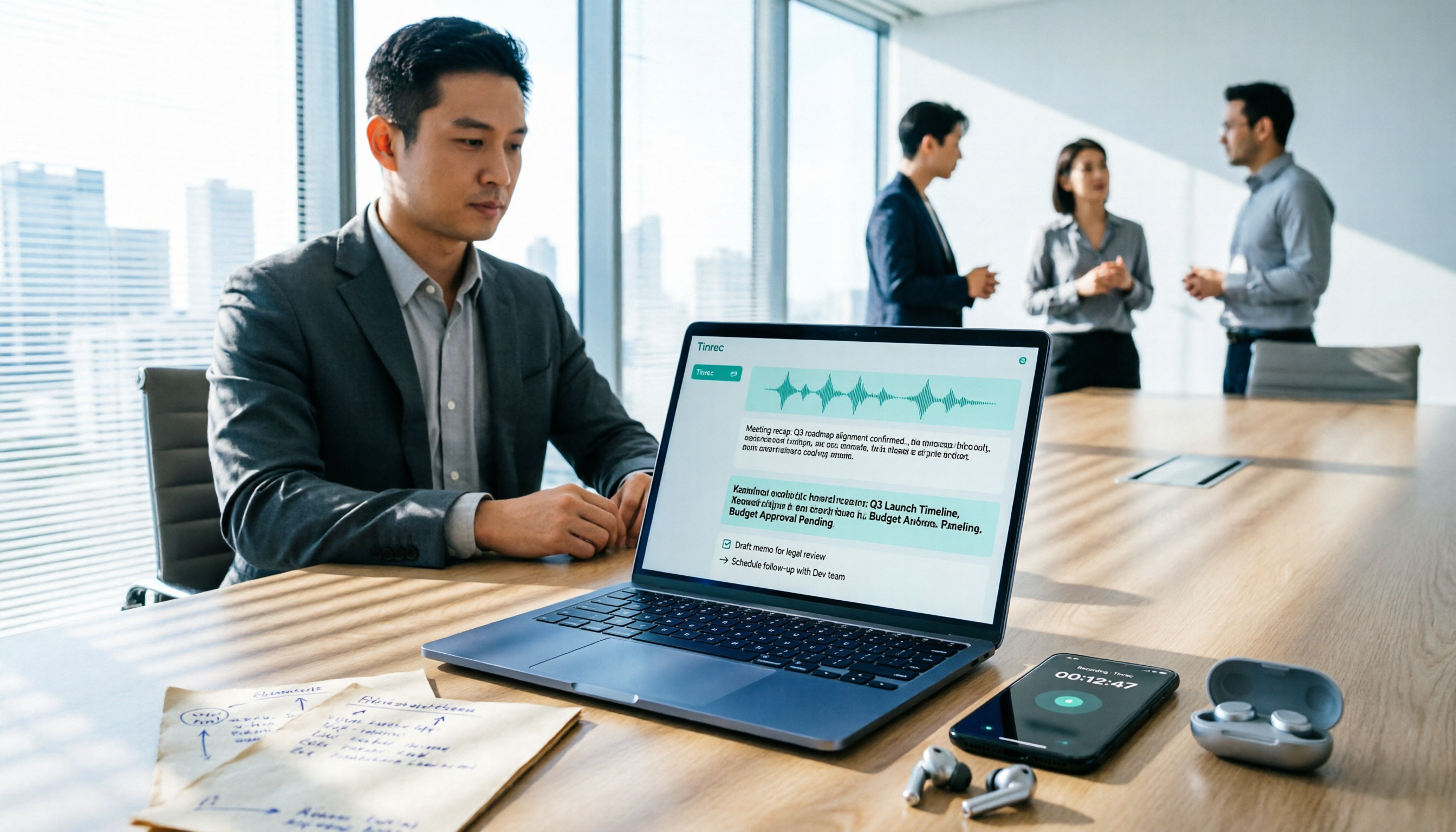
Best Free Audio-to-Text Tools in 2026: 5 Tested, This One Has the Most Generous Free Tier
Meeting recording still sitting there and a transcript due tomorrow? This article covers the 5 key factors for choosing a free audio-to-text tool in 2026—from free tier limits and Chinese recognition to post-meeting organization and team collaboration—and demonstrates the complete workflow from recording, transcription, summarization, and action items to AI Q&A using Tinrec.