

Turn recordings into transcripts and summaries in minutes
Upload audio or video for multilingual transcription, AI notes, and action items
How to Automate Meeting Notes in 2026: Bot-Free Recording, Auto Summaries, and Action Items
The meeting is just the beginning—answer these two questions first
In 2026, meeting note automation is no longer a yes-or-no question about using AI—it's a multiple-choice question. The real focus is just two things: where your meeting audio comes from and where the notes ultimately go. Get these wrong, and even the best tool will just create another file nobody opens.
Scenario one: After an online meeting, everyone copies and pastes their own highlights. Two days later, someone asks 'who said they'd handle that budget?' and the room goes silent. Scenario two: You record an 80-minute client interview, spend an afternoon re-listening, and only capture three usable quotes. Scenario three: You buy a tool, transcripts appear, but data is scattered across personal accounts—when a colleague leaves, it all goes with them.
The common thread isn't 'typing is tiring'—it's that meeting content never becomes a checkable, trackable process. Choose the right tool, and you can connect recording, transcript, decisions, and action items. Choose wrong, and you've just swapped Word for another Word.
4 key points to understand before choosing a meeting note automation tool
1. How audio gets in determines whether you can use it. Online meetings are the biggest dividing line: one approach is to send a 'meeting bot' that joins as a participant—great for full automation, but it adds a stranger to the attendee list, which can be awkward with clients. The other is a desktop app that captures system audio directly; you press record, and no extra participants appear. If your meetings often involve external clients, the second approach has much lower psychological friction.
2. Transcripts are an intermediate product, not the final output. A useful meeting record must answer four things: what was decided, who will do it, when it's due, and where the original basis is. So look at what happens after transcription—does it offer auto summaries, chapter segmentation, action item extraction, and the ability to ask follow-up questions about the content?
3. Where the data ultimately goes. Meeting notes that live only on personal devices lose value as people come and go. Ask: can it export to existing workflows (documents, notes, cloud drives), and is there a team-level space where new members can access historical meetings?
4. Team governance isn't just for big companies. As soon as more than three people share access, you'll face questions like 'who can upload, who can only view, who's using the quota.' This is typically handled through roles (who can manage) and seats (who can record, upload, edit), not verbal agreements.
Tinrec—Turning meetings into searchable, collaborative team data
Tinrec is an AI meeting notes and collaboration tool for individuals and teams, available on desktop, web, and mobile. It's positioned not as a 'speech-to-text tool' but as a way to make meetings searchable, collaborative, and actionable.
Bot-free recording is its most direct differentiator. The desktop version captures system audio to handle online meetings on Zoom, Google Meet, Microsoft Teams, Webex, and others—no bot needs to be invited. For those talking to clients, this matters more than any spec sheet number. Note that it works by you actively opening Tinrec and starting a recording, not by automatically joining all calendar meetings in the background.
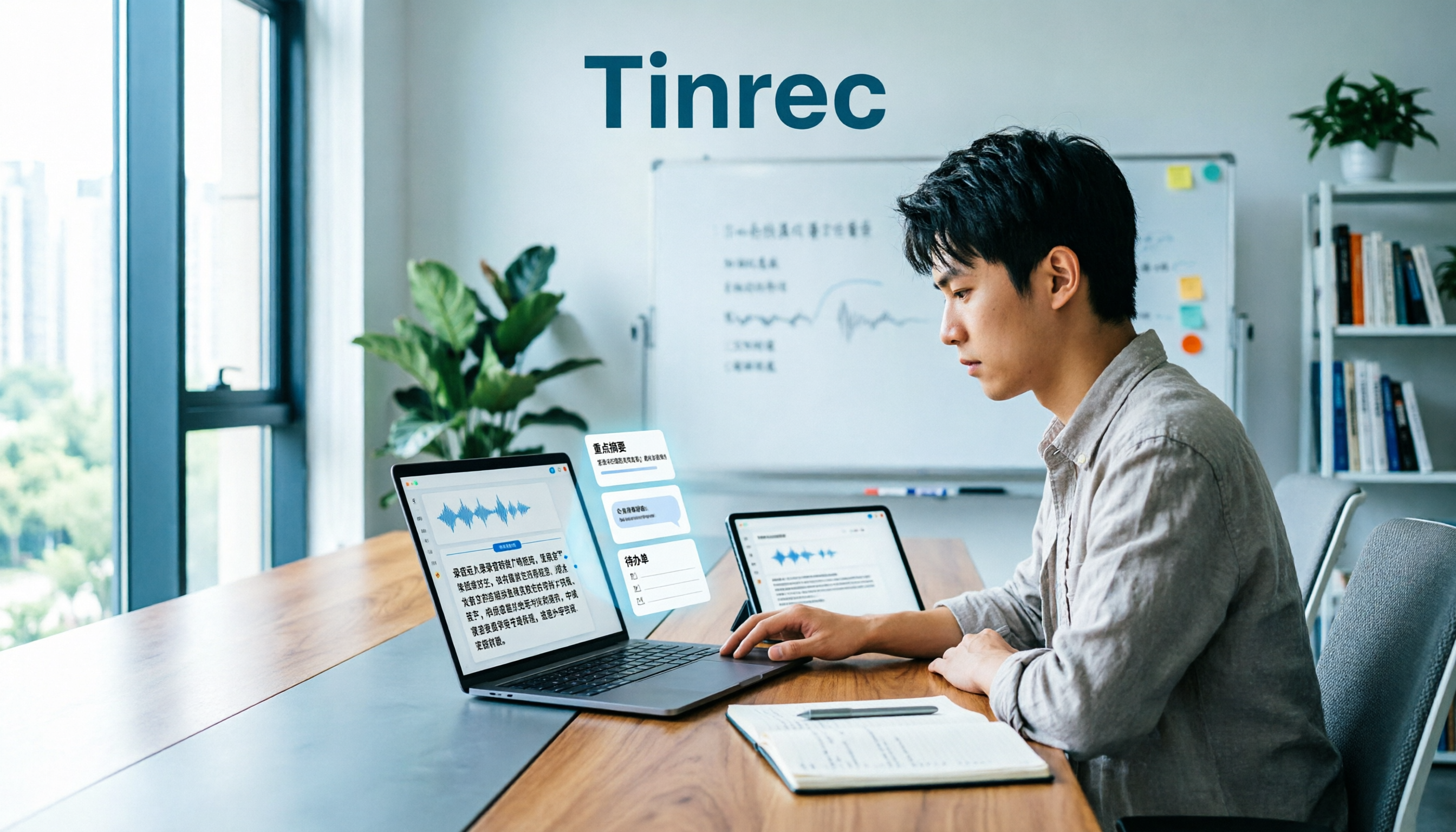
The part after transcription is where its real value lies. After a meeting, Tinrec produces a transcript, AI summary, chapters, and highlights, and extracts action items from the discussion. For cross-language needs, it offers real-time translation, viewable in original, translated, or bilingual mode. The most practical feature in multi-person meetings is AI Q&A: you can directly ask 'who mentioned the budget last meeting?' or 'what were the client's concerns about the timeline?' and it answers based on meeting semantics, rather than dumping a list of keywords for you to dig through. Competitors in the same price range mostly stop at 'summary + search.'
Output options determine whether it gets buried. Beyond common file formats, it can export to Notion, Google Docs, OneNote, Dropbox, and other tools, or further use an Agent for post-processing to generate reports, tables, and meeting minutes—directly becoming deliverable work products.
The team version is where it differs most from the personal version. The team version is a separate team space, not multiple people sharing one account: you can create multiple teams, invite members via link, set owners/admins/regular members, and allocate or revoke seats. Meeting data belongs to the team; when a member leaves, resources can be handed over to other active members, so nothing disappears with them. Admins can also see usage trends, member rankings, and details, query and export audit logs, and team audio has a 30-day recovery period after being moved to trash. Team hotwords improve recognition of technical terms.
Stop organizing recordings by hand
Upload audio or video and automatically get a transcript, summary, and action items
On pricing and benefits: the team version offers a 7-day trial for first-time eligible users, 1 free seat, and 300 minutes of shared team import quota; paid plans are USD 29.80 per seat per month, or USD 199 per seat per year (about USD 16.58/month), with each paid seat providing 2,000 minutes of shared team import quota per month. Under an active team plan, real-time recording currently does not deduct minutes; file and web imports consume shared team quota. The personal version offers a free tier, weekly pass, Pro monthly, and Pro annual—choose based on usage frequency.
Limitations should also be clear. The free quota isn't enough for heavy users; transcription quality is affected by recording environment, accents, overlapping speakers, and technical terms—don't expect a fixed accuracy rate; the team version currently shares at the team level, with all active members able to read team data, and does not offer file-level granular permissions; also, members without a seat can only view, play, and read—they cannot upload or edit.
Who it's for: Those whose meetings are mainly in Chinese or mixed Chinese-English, who don't want an extra bot in online meetings, who need someone to actually follow up on action items after the meeting, and who want data to stay with the team rather than on personal hard drives.
What are the alternatives to Tinrec?
Granola: Also takes a bot-free approach, using desktop system audio plus microphone for real-time transcription, then combining AI content with your handwritten notes—leaning toward 'meeting notes that understand you better.' Pricing: free tier, Business at USD 14/user/month, Enterprise at USD 35/user/month. It supports transcript viewing, copying, and search, but does not support uploading pre-recorded audio files and does not save meeting audio. So if you want to go back three months later to check the tone of a certain remark, or organize existing interview recordings, it can't help—whereas retaining audio and file import are Tinrec's basics.
Notta: Solid multilingual transcription and file processing—the closest competitor to Tinrec. Free tier: 120 minutes/month, 3 minutes per item; Pro annual works out to about USD 8.17/month with 1,800 minutes/month; Business annual is about USD 16.67/seat/month, including unlimited transcription, role permissions, and usage reports. Its strengths are existing files and cross-language processing; if your main scenario is bot-free recording of online meetings, post-meeting AI Q&A, and team data retention, Tinrec's workflow is more complete.
PLAUD Note/NotePin: You're buying hardware and a portable recording experience. NotePin is USD 159 on the US official site, Note Pro USD 189; membership: Starter 300 minutes/month, Pro USD 99.99/year (1,200 minutes/month), Unlimited USD 239.99/year. Suitable for phone calls, interviews, and field recording; but hardware costs extra, and system audio handling for online meetings and team data governance aren't its strong suits—Tinrec solves both with software.
Pitfall guide: 4 most common mistakes in meeting note automation
Pitfall 1: Thinking you can just throw recordings at AI. Automation starts with stable input, not prompts. First confirm the meeting platform can legally export audio or captions, and inform participants of the purpose and retention before recording; for client or confidential projects, decide whether to record per company policy. If this step isn't done well, everything else is wasted.
Pitfall 2: Looking only at summary length, not whether it can answer questions. Nobody reads a 30-page summary. The criterion should be: can it answer 'what was decided, who will do it, when it's due, and where's the basis' within 30 seconds? Tools with chapters, action items, and Q&A capability are far more practical than tools with pretty summaries.
Pitfall 3: Letting automation create duplicate tasks. If the workflow reruns, design a unique key (e.g., meeting ID plus task number) and update existing tasks instead of adding new ones. Otherwise, the more stable the automation, the faster duplicate data accumulates.
Pitfall 4: Treating AI as the decision-maker. AI is good for transcription, classification, and initial extraction; confirming decisions, adding implicit context, and adjusting priorities still require humans. The two most practical checkpoints are: before writing to the official system, have the host confirm decisions and owners; and before the next meeting, compile and review outstanding items.
Conclusion: Which one should you choose?
In one sentence: If you want usable Chinese meeting notes right after the meeting, with data staying with the team, Tinrec is currently the most hassle-free choice.
By scenario:
- Online meetings without an extra bot, plus Chinese transcripts and summaries → Tinrec (desktop captures system audio)
- Want to ask 'who mentioned the budget last time?' right after recording → Tinrec (AI Q&A based on meeting semantics)
- Need to retain audio and organize existing interview files → Tinrec (supports file import and audio retention; Granola has neither)
- Three or more people sharing meeting data, need seat and usage management → Tinrec team version (roles, seats, usage, audit, 30-day audio trash)
- Only English meetings, and team already subscribed to another tool → stick with existing solution, no need to buy another
- Need phone recording and portable audio capture → hardware like PLAUD still has its place
Practical advice: start with a small-scale validation, not a company-wide rollout. Use the personal free tier or the team version's 7-day trial (1 free seat, 300 minutes shared import quota), pick a regular weekly meeting, and run the full flow—record → transcript → summary and action items → human review—to confirm Chinese recognition and action item quality meet your threshold before expanding to other meetings. That way, the numbers on the procurement request have a basis.
Final reminder: recording and transcription involve personal data and trade secrets. Before adoption, confirm compliance with local regulations and company policy, and obtain participant consent when needed.
References
Turn every recording into actionable outcomes
Get 60 free transcription minutes when you sign in. No credit card required.
Related Reading
You might also like

3 AI Meeting Summary Methods Tested: Which One Actually Saves Post-Meeting Time?
After a meeting, the most time-consuming part isn't the meeting itself—it's piecing together scattered discussions into a shareable record. This article examines three key criteria: how meetings are recorded, Chinese accuracy, and whether summaries are directly usable. It walks through Tinrec's workflow and outlines 5 key considerations and FAQs for choosing an AI meeting summary tool.

2026 Medical Meeting Notes Tools Buying Guide: 4 Tested Picks & Recommendations
Tired of never finishing notes from morning rounds, case conferences, or multidisciplinary team meetings? This guide tests 4 tools in real meeting scenarios—covering Chinese and specialty terminology recognition, audio retention, online meeting recording, and team data ownership—to explain who Tinrec, Notta, Granola, and Otter.ai each suit best, plus the 4 most common pitfalls in medical meeting documentation.

Best Meeting Summary Tools in 2026: We Tested 4, and This One Saves the Most Time with Auto-Generation
Two-hour meeting, then two more hours organizing notes? This article starts with the most common inefficient practices and breaks down 4 key buying criteria for automatic meeting summary tools. We tested Tinrec, Otter.ai, Granola, and Notta, comparing their differences in bot-free recording, Chinese transcription, action item extraction, and team collaboration—so you can choose the right one at once.

2026 Comparison of 4 Transcription Tools: Why Tinrec Saves More Time Than Notta
Transcription takes too long—often not because typing is slow, but because the workflow isn't organized. This article starts with common inefficient practices and compares Tinrec and Notta in meeting capture, Chinese transcription, post-meeting organization, and team collaboration. It also summarizes Tinrec's core features, real-world scenarios, and buying advice.

2026 Comparison of 4 Customer Interview Transcription Tools: Which One Saves You Post-Meeting Cleanup Time?
After a customer interview ends, the real work begins: turning a 10,000+ word transcript into needs, objections, and action items. This article tests 4 tools in 2026, covering transcription, summarization, AI Q&A, team collaboration, and pricing, and explains where Tinrec fits in Chinese-language interviews and post-meeting workflows.

2026 Comparison of 5 Interview Recording-to-Text Tools for Journalists: Which Saves More Time on Chinese Recognition and Post-Interview Organization?
Turning interview recordings into text isn't just about uploading a file to a free website. Starting from the real pitfalls journalists encounter, this article outlines 5 key purchasing considerations and uses Tinrec to demonstrate how to integrate recording, transcription, summarization, AI follow-up questions, and export into one workflow, including differences between the free and team versions, pricing, and limitations.

2026 Comparison of 4 Medical Meeting Transcription Tools: Which Saves the Most Time on Chinese Transcripts and Post-Meeting Action Items?
Medical meeting documentation goes beyond converting audio to text—it must handle Chinese and specialized terminology, online and offline meetings, post-meeting summaries and action items, and team collaboration. This article compares the features and public pricing of Tinrec, Otter.ai, Notta, and Granola, outlines selection criteria and pitfalls to avoid, and helps you find a meeting documentation workflow suited for medical teams.
Tinrec vs Notta 2026: 5-Dimension Comparison — Which Is Better for Classroom Audio Transcription in Chinese Learning?
Classroom audio transcription isn't just about turning speech into text — the real value is being able to quickly grasp key points, ask questions, and generate action items after class. This article compares Tinrec and Notta across 5 dimensions and outlines practical workflows and buying considerations.

4 Transcription Tools Tested: Which AI Saves the Most Time in 2026?
A 90-minute interview recording can take three to four hours to transcribe manually. This article shares my hands-on experience with four transcription tools—Tinrec, Notta, Granola, and TurboScribe—covering Chinese recognition, live recording and file import, post-meeting summary Q&A, team collaboration, and pricing. It helps you decide which one truly saves time and whether the free tier is sufficient.