

Turn recordings into transcripts and summaries in minutes
Upload audio or video for multilingual transcription, AI notes, and action items
2026 Medical Meeting Notes Tools Buying Guide: 4 Tested Picks & Recommendations
When it comes to organizing medical meeting notes, the first question isn't "which tool has the most free minutes."
It's not "which one transcribes most accurately" either.
It's: who will ultimately receive these notes, how long must they be kept, and can you look back and verify if something goes wrong?
Morning rounds, case conferences, multidisciplinary team meetings in hospitals are all the same—notes aren't written for yourself.
I ran four tools through a real test cycle, and here's exactly where they differ.
Medical Meeting Notes Are Hard to Organize—But Typing Was Never the Hard Part
Morning rounds start at 7:40 and end at 8:20. Five physicians take turns speaking, interrupting each other along the way. You listen and type simultaneously, and end up with fragments like "blood pressure" and "follow up."
Specialty terminology is even trickier. National health insurance reimbursement items, global budget allocation, the Joint Meeting on Drug Reimbursement Items and Payment Standards—general transcription tools almost always get these wrong.
Then there's the format. Take the meeting minutes form from Kaohsiung Municipal Kai-Syuan Psychiatric Hospital: you need to check whether it's a morning meeting or medical team discussion, date and time, chairperson, attendees—not a single field can be missed. AI won't check the boxes for you, but the transcript and summary can help you fill in the "discussion content" section.
Finally, handover. Residents rotate, attending physicians change—whose laptop is last year's discussed treatment plan sitting on? This is the most overlooked part.
If all four hit home, it means the problem isn't your typing speed—it's that the tool you chose only does half the job.
Before Choosing a Medical Meeting Notes Tool, Understand These 4 Key Points
1. Chinese and specialty terminology recognition Don't just look at official accuracy numbers. Check whether it has something like "hotwords" that let you add your department's terminology. Hospital vocabulary and general business meetings are completely different worlds.
2. Whether audio files are retained Few people ask this, but it's critical. Some tools only keep transcripts and don't save audio—when you need to verify who said what afterward, you're relying on memory.
3. How meetings get into the tool Online meetings can use meeting bots, desktop recording, or post-meeting file upload—the experience varies greatly. Especially when you don't want a stranger's account suddenly appearing in the participant list.
4. Who ultimately uses the notes If it's just for you, a personal plan suffices. If the whole team needs to view historical records, you need team spaces, member and seat management—not a shared account everyone logs into.
Tinrec — Our Top Pick After Testing
Tinrec is an AI meeting notes and collaboration tool for individuals and teams, supporting iOS, Android, desktop, and web.
The most common online meeting scenario: the host opens a room in Teams, and you want to record on the side. Tinrec's desktop version captures system audio directly—no need to pull a bot into the meeting room. Works the same for Zoom, Google Meet, Microsoft Teams, and Webex. Honestly, this is very practical for internal hospital meetings—a "recording bot" appearing in the participant list easily invites unnecessary questions.
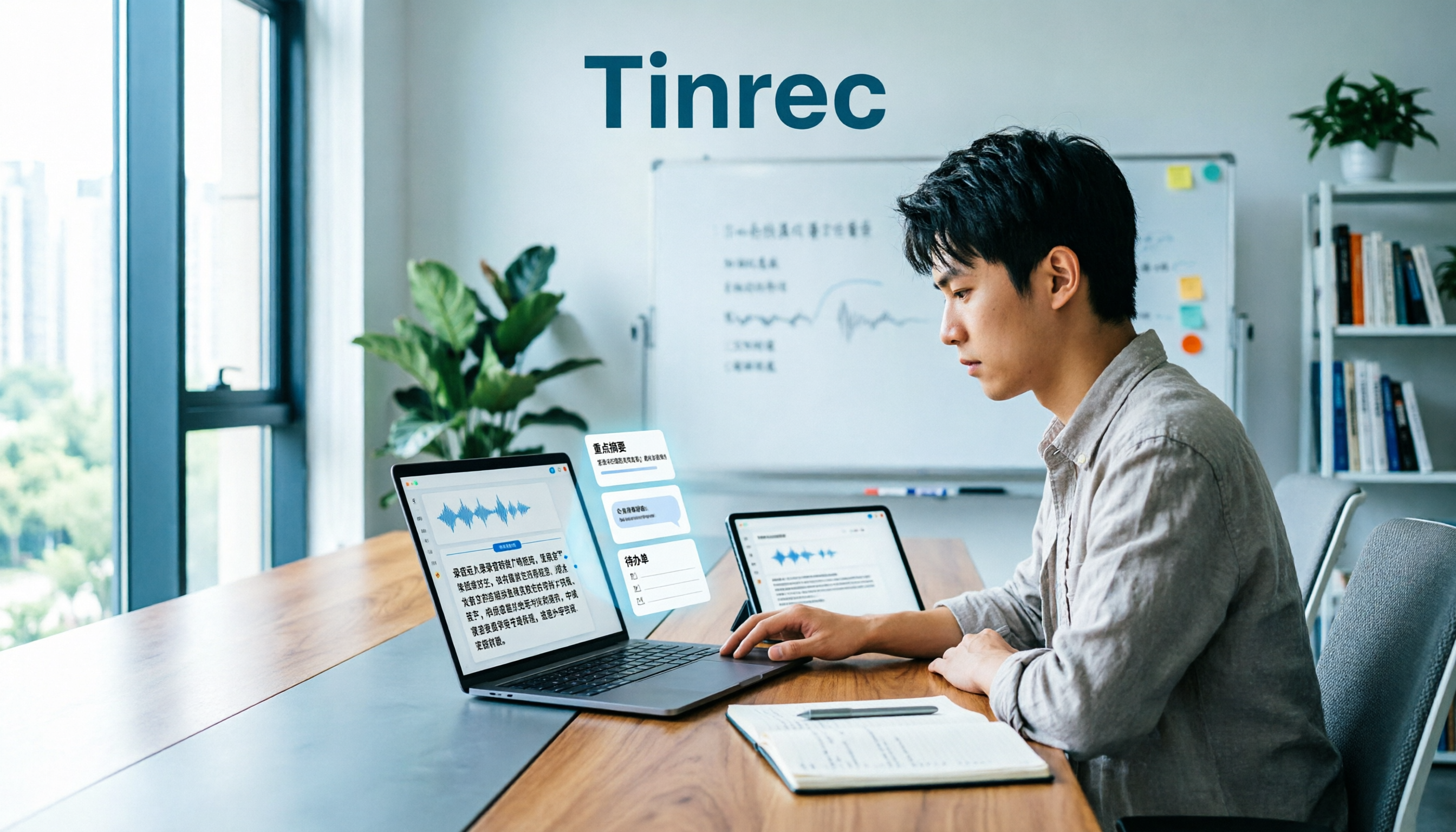
When the meeting ends, the transcript is already there, and it automatically generates summaries, chapters, and action items. My test method: I took a roughly 20-minute simulated morning rounds recording (office environment, air conditioning noise, three people taking turns, interspersed with drug names and lab tests) and threw it in to wait for results. Content capture was fairly complete, and the action items column clearly extracted from sentences like "who needs to do what"—not forced.
Next, hotwords. You can add department-specific terminology to team hotword maintenance, so the same terms won't go off track next time—a rare but much-needed feature in medical settings. There's also AI Q&A—who mentioned following up on a certain test in the last meeting? Just ask, and it returns a passage with timestamps—no need to Ctrl+F through a 40-minute transcript yourself.
I didn't calculate any error rate. For one, officials don't recommend using a single number as a guarantee; for another, medical recordings have too many variables: accents, air conditioning noise, multiple people talking over each other, specialty abbreviations—each affects results. My judgment method is simple: after transcription, how much do I still need to manually edit before I dare hand over the notes? After adding hotwords, my editing this round was minimal.
Stop organizing recordings by hand
Upload audio or video and automatically get a transcript, summary, and action items
Three things I found genuinely worthwhile:
- Bot-free online meeting recording, works on phone and computer—no need to learn a new system when called to support another department.
- Beyond the transcript, there are summaries, chapters, action items, AI Q&A, and multi-format export—can drop directly into Notion or Google Docs for further editing.
- Team version is a separate space with members, roles, and seats managed separately—if someone leaves, data can be handed over to others and won't disappear with them.
Limitations to note:
- Free version has only basic quota; heavy use requires payment. Team version currently offers a 7-day trial, 1 free seat, and 300 minutes shared import quota; after payment, each seat gets 2,000 minutes shared import quota per month, at USD 29.80/seat monthly or USD 199/seat annually (roughly USD 16.58/month). Real-time recording currently doesn't deduct minutes under valid plans and active seats.
- Team version is team-level sharing, not file-level permissions. "Only certain people can see this file" isn't currently possible—governance relies on role and seat management.
- Medical compliance must be verified yourself. Recordings involving patient personal data must still follow hospital regulations and legal requirements.
If you need Chinese meetings, don't want to add a bot to meetings, want summaries and action items right after recording, and need notes to stay with the team rather than a personal account—this is currently the most suitable option.
Besides Tinrec, What Other Options Are There?
Notta: Multi-platform transcription, file import, and translation all available. Free version offers 120 minutes/month with a 3-minute single-session limit; Pro annual billing works out to about USD 8.17/month with 1,800 minutes/month. Highest overlap with Tinrec. But its online meeting recording mainly relies on meeting bots or uploads—direct desktop system audio capture isn't its focus; team governance (seats, usage, audit logs) also isn't as detailed as Tinrec's.
Granola: Bot-free AI meeting notes, Basic free, Business USD 14/user/month. Takes a "you take notes + AI enhances" approach—very lightweight. But two things to note: it doesn't support uploading pre-recorded audio files, and it doesn't save meeting audio. For medical meetings where you need to verify a specific statement afterward, these two points will directly block you. Chinese meetings aren't its strong suit either.
Otter.ai: A veteran choice for English meetings. Basic free at 300 minutes/month; Pro annual billing works out to about USD 8.49/user/month, including 1,200 minutes of recording and 10 file imports. Great value if the entire meeting is in English and the team operates in an English environment. But Chinese, mixed Chinese-English, and Taiwan hospital terminology are its weak points.
Pitfall Guide: The 4 Most Common Mistakes in Medical Meeting Notes
Pitfall 1: Assuming a transcript equals meeting notes. A transcript is raw material, not a finished product. What you actually deliver is the summary plus action items. Using only transcription without post-processing means using only one-third of the tool's capability.
Pitfall 2: Treating recording consent and personal data as trivial. If patient information is mentioned in a meeting, you should inform and obtain consent before recording, and confirm hospital regulations permit it. No tool can replace this. Also, don't casually upload meeting audio to unknown cloud services.
Pitfall 3: Looking only at minutes, not data ownership. Personal account free quotas are easy to compare, but for teams the questions are: will records still exist after a member leaves? Who has permission to edit? Who monitors usage? These matter far more than "minutes per month" during procurement.
Pitfall 4: Assuming the tool automatically joins all meetings. The mainstream approach is still user-initiated recording. When you see claims like "automatically records all your meetings," first understand how it actually works—don't buy it only to find you need to set up each meeting individually.
Conclusion: Which One Should You Choose?
- Chinese meetings, don't want to add a bot → Tinrec (desktop captures system audio directly)
- Want summaries, chapters, action items right after recording → Tinrec (post-transcription organization is its strength)
- Notes need to stay with the team, people come and go → Tinrec Team version (spaces, roles, seats, usage, audit)
- Need to retain audio for later verification → Tinrec, Notta (Granola doesn't save audio)
- All-English meetings, tight budget → Otter.ai
If you just want to test the waters first, Tinrec Team version offers a 7-day trial, 1 free seat, and 300 minutes shared import quota. Take a real morning rounds recording, throw it in, and see how much you need to edit before you dare hand it over—that's more accurate than any review.
References
- Public Rights: Compilation of NHI Decision Meeting Minutes Online Links | Taiwan Healthcare Reform Foundation
- Meeting Minutes – Taiwan Medical Association
- Ministry of Health and Welfare Central Health Insurance Administration, NHI – NHI Business Reports – Meeting Agendas and Minutes
- Meeting Transcript Audio Files – November 2022 – Ministry of Health and Welfare Central Health Insurance Administration, NHI – NHI Services – NHI Drugs and Special Materials and Medical Services – NHI Special Materials – Special Materials Regulations and Standards – Joint Meeting on Drug Reimbursement Items and Payment Standards – Joint Meeting on Drug Reimbursement Items and Payment Standards Agendas, Minutes and Related Materials – Meeting Minutes – 2022
- Kaohsiung Municipal Kai-Syuan Psychiatric Hospital Meeting Minutes □Morning Meeting □Hospital-wide Academic Lecture □Medical Team Discussion □EBM Discussion □Case Discussion □Attending Physician Teaching □Resident Teaching
Turn every recording into actionable outcomes
Get 60 free transcription minutes when you sign in. No credit card required.
Related Reading
You might also like

3 AI Meeting Summary Methods Tested: Which One Actually Saves Post-Meeting Time?
After a meeting, the most time-consuming part isn't the meeting itself—it's piecing together scattered discussions into a shareable record. This article examines three key criteria: how meetings are recorded, Chinese accuracy, and whether summaries are directly usable. It walks through Tinrec's workflow and outlines 5 key considerations and FAQs for choosing an AI meeting summary tool.

How to Automate Meeting Notes in 2026: Bot-Free Recording, Auto Summaries, and Action Items
Meeting note automation isn't about who has the longest summary—it's about helping teams quickly answer 'what was decided, who will do it, when it's due, and where's the evidence.' This guide uses 4 key buying criteria, hands-on testing of a top tool, 3 alternatives, and 4 pitfalls to help you choose the best automation path.

Best Meeting Summary Tools in 2026: We Tested 4, and This One Saves the Most Time with Auto-Generation
Two-hour meeting, then two more hours organizing notes? This article starts with the most common inefficient practices and breaks down 4 key buying criteria for automatic meeting summary tools. We tested Tinrec, Otter.ai, Granola, and Notta, comparing their differences in bot-free recording, Chinese transcription, action item extraction, and team collaboration—so you can choose the right one at once.

2026 Comparison of 4 Transcription Tools: Why Tinrec Saves More Time Than Notta
Transcription takes too long—often not because typing is slow, but because the workflow isn't organized. This article starts with common inefficient practices and compares Tinrec and Notta in meeting capture, Chinese transcription, post-meeting organization, and team collaboration. It also summarizes Tinrec's core features, real-world scenarios, and buying advice.

2026 Comparison of 4 Customer Interview Transcription Tools: Which One Saves You Post-Meeting Cleanup Time?
After a customer interview ends, the real work begins: turning a 10,000+ word transcript into needs, objections, and action items. This article tests 4 tools in 2026, covering transcription, summarization, AI Q&A, team collaboration, and pricing, and explains where Tinrec fits in Chinese-language interviews and post-meeting workflows.

2026 Comparison of 5 Interview Recording-to-Text Tools for Journalists: Which Saves More Time on Chinese Recognition and Post-Interview Organization?
Turning interview recordings into text isn't just about uploading a file to a free website. Starting from the real pitfalls journalists encounter, this article outlines 5 key purchasing considerations and uses Tinrec to demonstrate how to integrate recording, transcription, summarization, AI follow-up questions, and export into one workflow, including differences between the free and team versions, pricing, and limitations.

2026 Comparison of 4 Medical Meeting Transcription Tools: Which Saves the Most Time on Chinese Transcripts and Post-Meeting Action Items?
Medical meeting documentation goes beyond converting audio to text—it must handle Chinese and specialized terminology, online and offline meetings, post-meeting summaries and action items, and team collaboration. This article compares the features and public pricing of Tinrec, Otter.ai, Notta, and Granola, outlines selection criteria and pitfalls to avoid, and helps you find a meeting documentation workflow suited for medical teams.
Tinrec vs Notta 2026: 5-Dimension Comparison — Which Is Better for Classroom Audio Transcription in Chinese Learning?
Classroom audio transcription isn't just about turning speech into text — the real value is being able to quickly grasp key points, ask questions, and generate action items after class. This article compares Tinrec and Notta across 5 dimensions and outlines practical workflows and buying considerations.

4 Transcription Tools Tested: Which AI Saves the Most Time in 2026?
A 90-minute interview recording can take three to four hours to transcribe manually. This article shares my hands-on experience with four transcription tools—Tinrec, Notta, Granola, and TurboScribe—covering Chinese recognition, live recording and file import, post-meeting summary Q&A, team collaboration, and pricing. It helps you decide which one truly saves time and whether the free tier is sufficient.