
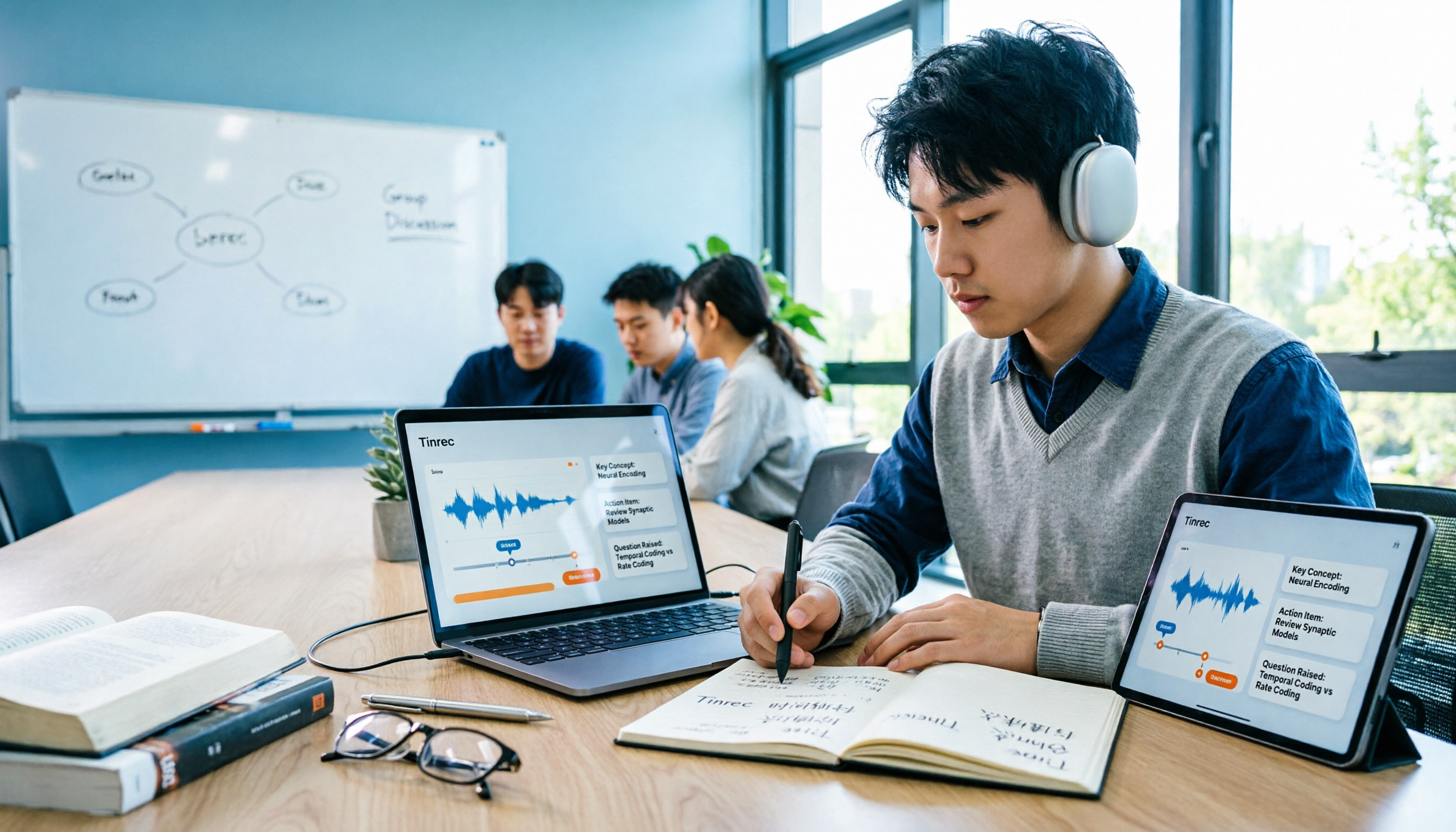
Turn recordings into transcripts and summaries in minutes
Upload audio or video for multilingual transcription, AI notes, and action items
MyEdit vs Tinrec in 2026: A 5-Dimension Comparison — Great for Photo Editing, But It Won't Save Your Class Notes
The night before the final report, I stared at a 2-hour-47-minute audio file
Last semester I took a 3-credit course. The professor spoke at roughly double speed and flipped through slides faster than he talked. I thought I was being smart: no problem, I'll record everything. I pressed record on my phone and kept listening with peace of mind (actually, I was scrolling on my phone).
When it came time to work on the final project, I opened that 2-hour-47-minute audio file—I started listening from minute one, and gave up at minute 20. Because I had no idea which minute the part I needed was in.
Group discussions were another disaster. Five of us met online for 40 minutes, everyone talked enthusiastically, and after the meeting someone dropped in the group chat: "So what's our conclusion?" "Who was going to do the survey?" Nobody could remember.
Later I figured out that these two things are actually the same problem: we think "having a recording" equals "having data." But a record that isn't organized, can't be searched, and can't be queried is pretty much the same as not having one—it just takes up 300 MB on your phone.
If you're dealing with this right now, this article is for you.
Before choosing a tool, understand these 5 key points
1. Is the free quota "daily" or "monthly"?
Many online tools use a "daily credits" system—unused credits reset to zero. Another type is a "monthly quota"—if you use it up mid-month, you wait until next month. Which is better for students depends on your usage pattern: if you cram before exams and use it intensively over two or three weeks, a monthly quota may be enough; if you use a little every day, a daily system is more flexible. Figure out which type you are first, or you'll be stuck in constant "not enough quota" anxiety.
2. Do you need to install software, and will switching devices break things?
You record class on your phone, organize in your dorm on a laptop, and work on group reports on another computer. If a tool is tied to a single device, you'll spend a lot of time transferring files. Being usable on phone, computer, and browser should be a basic requirement now.
3. Can the output be submitted directly as a report?
This is the most overlooked point. Some tools give you a beautiful transcript, but when it's time to submit a report you still have to retype an outline yourself. You need to ask: Does it provide summaries? Chapters? Does it extract "who needs to do what"? Can it export directly to your usual note-taking app?
4. Does it understand Chinese and mixed Chinese-English?
That's the reality of our classes: the professor speaks Chinese, technical terms are all in English, and there are a couple of Taiwanese phrases mixed in. In this case, "supports Chinese" is not enough—you need to look at how it handles mixed Chinese-English and technical terms, and whether you can add your own terminology.
5. Who ultimately owns the group project data?
Graduation projects usually last a full year, and interview recordings and discussion notes pile up. If all of this is stored in one person's personal account and they leave the group, go on exchange, or graduate, your data is cut off. That's why you need to distinguish between "personal tools" and "team spaces" from the start.
Tinrec (秒聽錄音) — the one I used for a whole semester
First, positioning: Tinrec is an AI meeting notes and collaboration tool for individuals and teams. It supports real-time recording, desktop recording of online meetings without a bot, audio/video file import, and real-time translation. It automatically generates summaries, chapters, action items, and mind maps, and can answer AI questions about the content. It also exports to Notion, Google Docs, and other tools for further use.
Classes and lectures: Now I turn on real-time speech-to-text in class, and the transcript appears as I record. After class I don't need to re-listen to the whole thing—I just read the text, and if there's something I don't understand, I jump back to that 30-second segment. This one habit saved me enough re-listening time last semester to take another course.
Online group discussions: Our group meets on Google Meet. Tinrec's desktop version captures the computer's system audio directly—no need to pull a bot into the meeting. That's very practical for students, because meetings opened with school accounts often restrict external participants. But note: you still have to start recording in Tinrec yourself; it's not the kind of thing that automatically joins all your meetings.
Ask it right after the meeting: This is the feature I can't go back from. After our last discussion, I asked directly inside the app: "Who is responsible for the survey in this meeting? What's the deadline?" It didn't give me a bunch of keyword search results—it answered directly. Among the tools I've used, few at the same price point have this feature.
Export: I already use Notion for notes, so I just bring the results over after recording, saving a copy-paste step.
Hands-on impression: I recorded 15 minutes of class from the back of the room with my phone. There was air conditioning noise and people flipping through handouts. The transcript was mostly readable; names and English technical terms needed manual correction, and technical terms could be added to the team glossary first. I won't tell you "98% accuracy," because that depends on how noisy your classroom is and how fast the professor talks—the most accurate way is to try it yourself with a real recording.
Stop organizing recordings by hand
Upload audio or video and automatically get a transcript, summary, and action items
Three advantages I see:
- Usable right after recording. Summaries, chapters, and action items are generated directly—no need to spend double the time re-listening.
- No bot needed for online meetings. The desktop version captures system audio, which is especially useful when school or company account permissions are restricted.
- Data is portable. You can export to commonly used tools, and for year-long project data there's a team space for centralized management.
Limitations I have to be honest about:
- The free version provides a basic quota, suitable for trying it out. If you record every class, you'll need to evaluate the weekly card (good for final exam crunch weeks) or the Pro monthly or annual card; the annual card has a lower monthly equivalent.
- Performance drops in noisy environments, when multiple people talk over each other, or with heavy accents. For important content, go back to the transcript timestamp and check against the recording.
- It doesn't automatically join all meetings—you have to start recording yourself.
- Remember to inform classmates and the professor before recording, and get consent when necessary.
Who it's for: Students and project groups who need to turn classes, lectures, online discussions, and even internship interview practice into searchable data.
Besides Tinrec, what other options are there?
MyEdit (CyberLink): An online editing platform from a Taiwanese company. No installation needed—it opens in a browser and integrates image editing, AI image generation, and audio editing in one interface: background removal, object removal, image enhancement, audio trimming, vocal removal, and more. It offers daily free credits and a Chinese interface. So "Is MyEdit good?" For photo editing and audio editing, it's indeed handy—making club promotional images, report covers, turning photos into cartoons, and making karaoke vocal removals are all quick. But it won't turn your class recordings into searchable transcripts, summaries, and action items, and it doesn't have AI Q&A to ask follow-up questions like "How many pages did the professor say the report should be?" One handles visual and audio assets, the other handles meeting and course content—that's the fundamental split.
Notta: A multilingual transcription tool. The free version offers 120 minutes per month, but each single item is capped at 3 minutes. Three minutes is basically unusable for a 50-minute class; it's more suitable for subtitling short videos. For complete online meeting records, Tinrec's desktop bot-free recording and team space are more suitable.
Otter.ai: The long-standing favorite for English meetings. The free version offers 300 minutes per month—a generous quota. If you only record English classes and only need English transcripts, it's actually more cost-effective than Tinrec—this is one of the few cases in this article where I'd recommend something else. But it doesn't focus on Chinese or mixed Chinese-English, so our kind of "Chinese-taught + English technical terms" classes tend to get messy when thrown in; Tinrec, on the other hand, has Chinese support, bilingual real-time translation, and team glossary to fill the gaps.
Pitfall guide: the 4 most common mistakes students make when choosing tools
Pitfall 1: Mistaking "many features" for "I will use them." Online tools easily attract you with a bunch of features, but what really determines whether you'll stay is usually just two or three. Take stock of what you actually did last semester: How many images did you edit? How many recordings did you organize? If organizing recordings is something you do every week, that's where your budget should go.
Pitfall 2: Counting only the subscription fee, not the time cost of re-listening. A 2-hour-47-minute recording takes 2 hours and 47 minutes to re-listen to once. Over 18 weeks in a semester, if you record a 3-credit class every week, that's over 50 hours—more than your final exam prep time. Compared with time, the cost of the tool is usually not the most expensive item.
Pitfall 3: Ignoring whether data is portable. When choosing a tool, first check whether it can export to common formats and whether it can go into Notion or Google Docs. Some platforms make data easy to get in but hard to get out—you'll feel the pain when you graduate and want to organize it into a portfolio.
Pitfall 4: Sharing a group project with "one person's account." Data in a personal account belongs to the individual. If group members leave, go on exchange, or graduate, the data is cut off. If a project needs to accumulate a year of interviews and discussions, use a plan with a team space that can manage members and seats, so the data belongs to the team rather than one person.
Conclusion: So which one should you choose?
To sum it up in one line: MyEdit is a very handy utility knife; Tinrec is a notebook that grows by itself. Buy whichever one matches your pain point.
- Club promotional images, report covers, vocal removal for karaoke → MyEdit (daily free credits are probably enough for everyday use)
- Turning classes, lectures, and internship interview practice into searchable text → Tinrec
- Online group discussions (Meet, Teams, Zoom) without pulling a bot into the meeting → Tinrec desktop version
- Want to ask directly after recording "What was the conclusion, who needs to do what" → Tinrec (AI Q&A)
- Graduation project that needs to accumulate a year of data together → Tinrec team plan. You can try 7 days, 1 free seat, 300 minutes of shared import quota; paid seats are USD 29.80/seat/month, annual payment USD 199/seat/year, about USD 16.58/month, each paid seat gets 2,000 minutes of shared import quota per month, and real-time recording is currently not deducted by minutes under valid plans and seats. Whether a four-person group should buy—try it for a round first and then calculate; don't pay from the start.
- Only recording English classes and only needing English transcripts → Otter.ai
One last old saying: run the free version for a month first and see your actual usage before deciding. Students have limited budgets—spending money on the one thing you'll really reuse every week is more worth it than anything. And remember to inform classmates and the professor before recording, and get consent.
References
- Is MyEdit good? A deep dive into an AI image editing tool and its P-image background removal magic - UpToGo
- Is CyberLink MyEdit good? A deep review from P-image to AI drawing and video generation - 金融財子
- MyEdit introduction, features, pricing, pros and cons review | TheAI Academy
- Testing three major AI image generation tools | MyEdit/Jimeng AI/Canva — which helps you leave work earlier? [AI Office Series] | ezone
- Is MyEdit good? - 浩躍國際
Turn every recording into actionable outcomes
Get 60 free transcription minutes when you sign in. No credit card required.
Related Reading
You might also like

5 Best M4A to Text Tools in 2026: Which One Turns Recordings into Usable Meeting Notes?
M4A to text tools aren't just about speed—they need to produce output you can actually use. We tested Tinrec, Notta, TurboScribe, UniScribe, and VEED on Chinese recognition, post-meeting organization, audio retention, and free tier limits, plus 4 common pitfalls to help you choose the one that truly saves time.

Google Lens vs LINE in 2026: 4-Dimension Comparison — Which Is Better for Photo-to-Text?
Starting from common misconceptions, this comparison of Google Lens and LINE covers their photo-to-text workflows, translation, use cases, and limitations, and explains the difference between meeting audio transcription and photo OCR.

5 Best Free Speech-to-Text Apps in 2026: Free Tiers, Signup Limits, and Real-World Use
We tested Otter.ai, Notta, TurboScribe, Granola, and Tinrec on free minutes, per-file limits, signup and installation requirements, and post-meeting organization. Includes a 10-person team lead's actual selection order and upgrade criteria.

2026 Comparison of 4 Chinese Audio Summary Tools: Which Saves the Most Time?
How to choose a Chinese audio summary tool? This article tests and compares Tinrec, Notta, Otter, and Granola across three scenarios: online meetings, offline interviews, and existing recordings. It covers Chinese transcription, summarization, to-dos, AI Q&A, team collaboration, and pricing to help you find the right summary tool for Chinese meetings.

2026 Comparison of 4 Meeting Software: Free Tiers and Post-Meeting Organization—Which Is Most Sufficient?
How to choose meeting software? This article examines free tiers, meeting audio capture methods, Chinese transcription, and post-meeting organization, comparing Tinrec, Otter.ai, Notta, and Google Meet. It also outlines the limitations of personal and team plans to help professionals and small teams find suitable meeting software.

2026 Tinrec AI Meeting Notes Review: Chinese Transcripts + Auto To-Dos
Which AI meeting notes tool is best? This guide starts with common buying mistakes and compares Tinrec with Otter.ai, Notta, and others on Chinese recognition, bot-free recording, post-meeting summaries, action item extraction, team collaboration, and free tiers to help US professionals find the right AI meeting notes tool.

Tinrec vs Notta 2026: 5-Dimension Comparison — Which Is Better for Chinese Meeting Notes and Team Knowledge?
Which real-time meeting transcription app should you choose? This article compares Tinrec and Notta across 5 dimensions: audio capture, post-meeting organization, Chinese language experience, team governance, and pricing/quotas. It also covers use cases for Otter.ai and TurboScribe to help you find the tool that truly saves time on transcripts.
2026 Vlog Video Editing & Voice-to-Text Tools Compared: Which Saves the Most Time on Voiceover to Subtitles?
Filming your Vlog is done, but adding voiceover and subtitles takes forever? This article breaks down three workflows—voice to text to subtitles—and compares Tinrec, Jianying, CapCut, and Subanana on Chinese transcription, AI summaries, subtitle drafts, and editing integration to help you choose the right tool and avoid late nights.

How to Do Audio-to-Text Transcription in 2026: 5 Steps from Recording to Team Transcript
Meeting recordings sit unprocessed, and interviews need to be replayed three times to find that one key sentence—the real challenge with audio-to-text isn't transcription itself, but what you do with the output. This article breaks down the complete workflow in 5 steps: recording, transcription, summarization, follow-up questions, and export. It also compares Tinrec, Notta, Otter.ai, and TurboScribe to help you choose the right tool for your needs, including free tiers and paid pricing.