
Turn recordings into transcripts and summaries in minutes
Upload audio or video for multilingual transcription, AI notes, and action items
Facing piles of meeting recordings, have you ever experienced the pain of "one hour of recording, three hours of typing"? Especially in Hong Kong and Taiwan workplaces, the Cantonese-and-English code-mixing often causes standard voice input methods to fail, making post-editing time-consuming.
This article goes beyond a simple tool list, evaluating 6 mainstream speech-to-text solutions from a practical standpoint. We compare recognition accuracy, AI summarization capabilities, cross-platform convenience, and pricing to help you find the best productivity assistant.
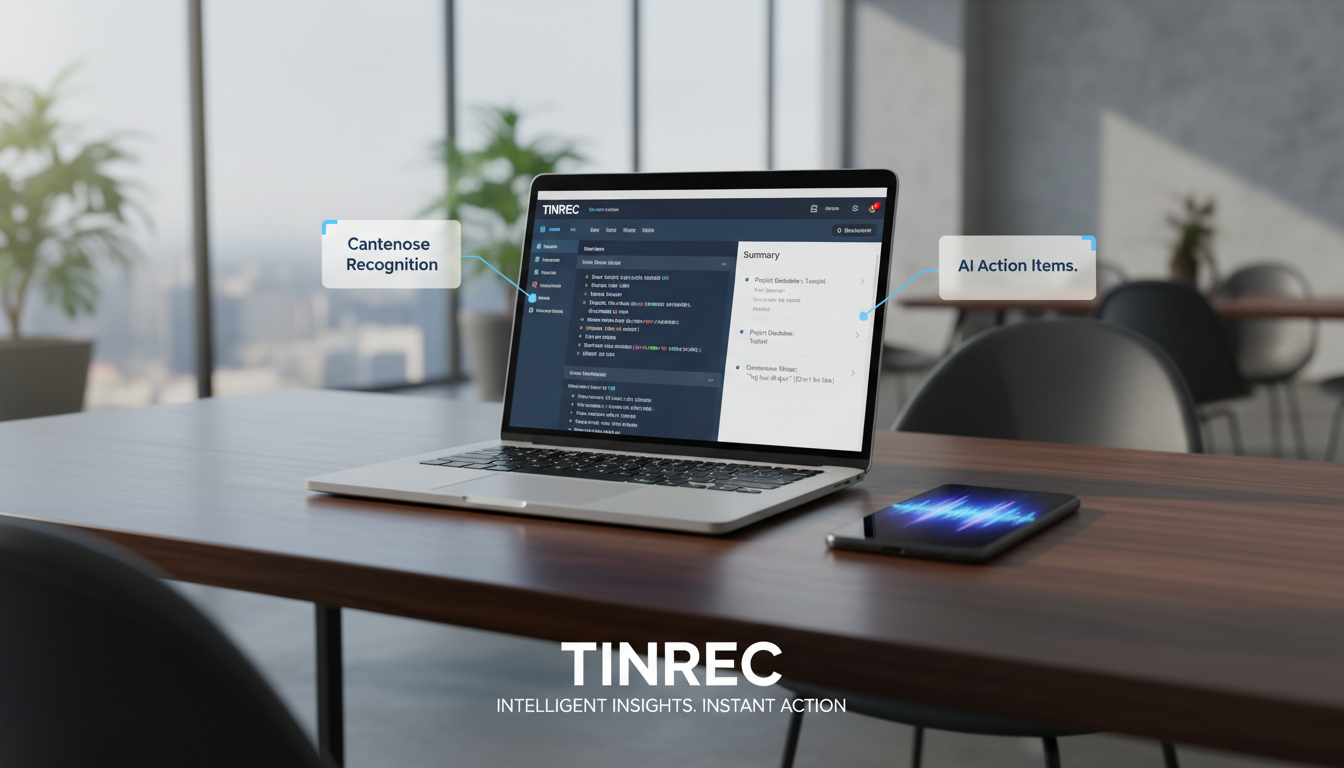
Quick Purchase Recommendations:
- If you need professional recording hardware: consider iFLYTEK or Plaud Note.
- If you mainly handle English-only meetings: Otter.ai is a reliable choice.
- If you value software flexibility, multilingual support, and AI meeting minutes (with action items): Tinrec and Monica are cost-effective software solutions.
Why Do You Need a Dedicated Cantonese Speech-to-Text Tool?
Traditional manual transcription or built-in mobile input methods struggle with hours-long meeting recordings. Key pain points include:
- Dialect and accent recognition difficulty: Cantonese's nine tones and colloquial slang (like "搞掂" / get it done, "開會" / meeting) are often misrecognized.
- Chinese-English mixed scenarios: Workplace communication often includes phrases like "Send an email to the client to check," and monolingual models produce garbled text.
- Lack of structured output: A plain "verbatim transcript" is just a long stream of text, making it hard to grasp key points without action items.
Therefore, choosing a tool with AI semantic understanding and multilingual recognition is key to boosting productivity.
2025 Top 6 Cantonese Speech-to-Text Tools Review
Based on market popularity and features, here are six notable tools:
1. iFLYTEK
- Strengths: Strong hardware, extremely high Chinese (Mandarin/Cantonese) recognition.
- Best for: Professionals in law, medical, etc., who require high accuracy.
- Cons: Hardware price is high (~HK$2,900), ecosystem is relatively closed.
2. Tinrec
- Strengths: Focuses on "Record → Understand → Act" workflow. Besides accurate Cantonese recognition, it automatically generates meeting minutes and to-do lists, and supports AI dialog queries (ask questions directly about recordings). Cross-platform sync across iOS, Android, and web.
- Best for: Students, office workers, and project managers who need quick meeting conclusions.
- Pricing: Free plan offers 100 minutes/month; Pro ~US$8.25/month.

3. Plaud Note
- Strengths: Combines physical recording card with app, supports GPT-5 and other models, can record phone calls.
- Best for: Journalists and salespeople who frequently have business calls or on-site interviews.
- Note: Requires hardware purchase (~HK$1,199), and transcription service has usage limits.
4. Otter.ai
- Strengths: The king of English meeting notes, with automatic speaker labeling and real-time collaboration.
- Limitations: Very limited Cantonese support. If your meetings are mainly in Cantonese, skip this or use only for English-only sessions.
5. Monica
- Strengths: Powerful browser extension, supports real-time in-page recording and multimodal AI processing.
- Best for: Content creators who work in the browser.
6. OpenAI Whisper
- Strengths: Open-source model, extremely high recognition accuracy, completely free (if self-hosted).
- Barrier: No graphical interface; requires programming background to deploy. Suitable for engineers or developers.
Stop organizing recordings by hand
Upload audio or video and automatically get a transcript, summary, and action items
Comprehensive Comparison: Tool Features and Pricing
For a quick overview, here's a comparison of key dimensions:
| Dimension | Tinrec | iFLYTEK | Plaud Note | Otter.ai | Monica |
|---|---|---|---|---|---|
| Cantonese Support | 🟢 Excellent (incl. code-mixing) | 🟢 Excellent | 🟢 Good | 🔴 Unsupported | 🟢 Good |
| Primary Form | Software (App/Web) | Hardware recorder + Software | Hardware card + App | Software (App/Web) | Browser Extension |
| Core Advantage | AI summaries, action item extraction, conversational queries | High recognition accuracy, offline recording | Call recording, portable hardware | Strong English, team collaboration | Convenient web integration |
| Multi-Platform Sync | iOS, Android, Web | Varies by model | iOS, Android | iOS, Android, Web | Browser, App |
| Pricing / Barrier | Free 100 min/month Pro: $8.25/month |
Hardware ~HK$2,900 | Hardware ~HK$1,199 | Free 300 min/month Pro: HK$65/month |
Free 30 min/day Pro: HK$65/month |
| Video to Text | Supported (YouTube/Podcast) | Not supported | Not supported | Upload file required | Supported |
Deep Dive: AI Applications from Recording to Action
Many users focus only on "transcription accuracy," but the real efficiency difference lies in what you do after transcription. Take Tinrec as an example: it aims to solve "information overload":
AI Smart Summaries & Decisions: Traditional tools give you a 10,000-word verbatim transcript that you still have to read. Tinrec automatically analyzes context, extracts "meeting conclusions" and "action items," telling you what to do next.

Chat with Recordings: This is a key differentiator from traditional recorders. If you forget "What was the budget for that project?", you don't need to scrub through the audio; just ask Tinrec's AI dialog query and it answers based on the recording, with timestamps.

Multi-Source Content Integration: Besides live recording, learners often need to organize YouTube tutorials or podcasts. Tinrec supports direct link input for transcription and summarization, something hardware recorders cannot do.
Hands-on Tutorial: How to Efficiently Create Cantonese Meeting Notes
Using Tinrec as an example, here's how to process a 60-minute mixed-language meeting in 5 minutes.
Step 1: Start Recording or Import a File
- Live Meeting: Open the app or web version, click "Record & Transcribe in Real Time." The system automatically identifies speakers.
- Existing File: If you have recordings from Teams/Meet, upload via "Audio File to Text" (supports mp3, wav, m4a, etc.).
Step 2: Select Recognition Language
- In settings, choose "Chinese (Cantonese)." If the meeting has many English terms, Tinrec's multilingual model automatically assists.
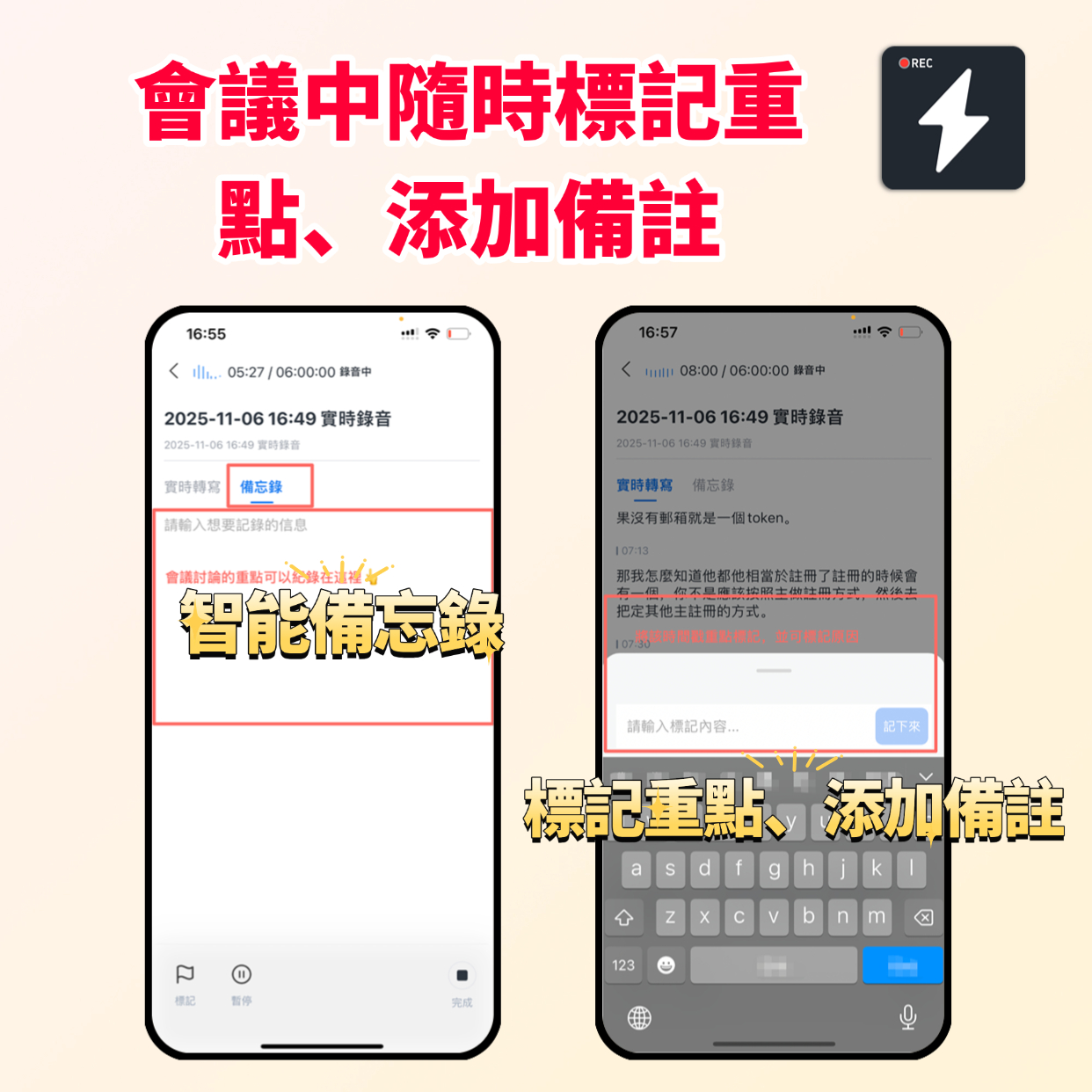
Step 3: Mark Highlights in Real Time
- During recording, if you hear an important decision, tap the "Flag" or "Highlight" button for quick navigation later.
Step 4: Generate AI Minutes and Export
- After recording, click "AI Analysis." The system produces three parts:
- Full verbatim transcript (with timestamps).
- Structured summary (background, discussion points, conclusions).
- Action list (who is responsible for what and deadlines).
- Finally, export as Word, PDF, or Markdown and send to attendees.
FAQ
Q1: Can't the iPhone's built-in Voice Memos transcribe? iPhone's Voice Memos has transcription, but it's unstable for long recordings and lacks speaker differentiation and AI summaries. Professional tools like Tinrec offer a more complete meeting management experience.
Q2: How well do these tools handle Cantonese with Chinese-English code-mixing? iFLYTEK and Tinrec perform best because they train models on modern workplace speech. Otter can barely handle Chinese content.
Q3: Are there limitations with free plans? Most tools offer free quotas. For example, Tinrec provides 100 free transcription minutes per month, enough for occasional meetings. Subscription plans are more flexible than buying hardware outright.
Q4: How is privacy and security of recordings ensured? Check the privacy policy of each tool. Reputable services (e.g., Plaud, Tinrec) use encrypted transmission and do not train public models on user data. Avoid unknown free online converters.
Q5: Can I transcribe recordings from Zoom or Google Meet? Yes. You can use the desktop version of Tinrec to record system audio, or upload the meeting's video/audio file directly to Tinrec for transcription.
Q6: What about taking notes from YouTube videos or podcasts? For such needs, use tools that support "link parsing." Tinrec's Podcast/Online Video to Text feature lets you paste a URL to generate transcripts and summaries, saving the hassle of downloading files.
Turn every recording into actionable outcomes
Get 60 free transcription minutes when you sign in. No credit card required.
Related Reading
You might also like

2026 Top 5 Real-Time AI Meeting Notes Compared: Tinrec vs Notta vs Plaud — Which One Should You Choose?
The real pain point of meeting notes isn't whether they can be transcribed, but how to use them after transcription. This article starts with common misconceptions, outlines the positioning of 5 highly discussed real-time AI meeting note tools, and focuses on the differences between Tinrec, Notta, and Plaud. It compares meeting capture methods, post-meeting outputs, audio retention, team governance, and pricing plans to help you decide which one fits your meeting scenario.

2026 AI Meeting Notes Guide: Tinrec's Bot-Free Recording & Auto-Generated To-Dos
How do you choose an AI meeting notes tool? This article examines Chinese recognition, recording methods, post-meeting organization, and team data ownership, comparing Tinrec, Notta, Otter.ai, and Granola, plus four common pitfalls to help you find a solution that truly saves time after meetings.

5 Best Meeting Notes Apps of 2026: Which Free Version Is Actually Enough?
Still spending an hour after every meeting writing up notes? This comparison puts five common meeting notes app approaches side by side—covering Chinese recognition, how meetings are captured, post-meeting organization, team permissions, and pricing—and explains how Tinrec handles recording, transcription, summaries, action items, and AI Q&A within its free tier.

2026 Meeting Recording Tools: Bot-Free Recording + AI Action Item Management
A mid-level manager who attends 15 meetings a week shares hands-on insights: starting from the decision point of whether to let a meeting bot join, this article breaks down 4 key factors for choosing a meeting recording tool, and explains the real-world experience, limitations, and use cases of Tinrec's desktop bot-free recording, AI summary and action items, Q&A, and team plan roles and seat management.

Tinrec vs Otter.ai: Which AI Transcription Tool Is Right for You in 2026?
Choosing an AI transcription tool isn't just about speed—it's about language support, meeting capture methods, post-meeting organization, and team data governance. This comparison of Tinrec and Otter.ai breaks down key dimensions to help you decide which tool fits your meeting needs.

What Is Real-Time Transcription in 2026: Definition, 4 Key Factors, and Tool Comparison
What is real-time transcription and how does it differ from transcribing recordings? This article explains the definition and how it works in plain language, outlines 4 key factors to consider, and compares Google Live Transcribe, Yating, Notta, and Tinrec in Chinese meetings, post-meeting organization, and team collaboration, with scenario-based recommendations.

4 Meeting Transcription Tools Tested: Which AI Saves the Most Time on Chinese Transcripts and Summaries?
After a meeting, do you spend another two hours organizing the audio recording? This article compares four meeting transcription tools—Tinrec, Notta, Otter.ai, and Granola—on Chinese transcription, AI summaries and action items, bot-free recording, team collaboration, and pricing to help you find the most time-saving solution.

3 iPhone Audio-to-Text Apps Tested in 2026: How Long Can You Record and Which Saves the Most Time After Meetings?
How long can an iPhone actually record? This article first breaks down the storage, battery, and file interruption risks of the built-in Voice Memos app, then compares 3 audio-to-text tools from a student's perspective—covering free quotas, single-recording limits, post-meeting organization, and AI Q&A capabilities—to help you decide whether the built-in recorder is enough or if you need an AI recording assistant that delivers key points right after recording.

Google Live Transcribe vs Tinrec in 2026: 5-Dimension Comparison — Which Is Better for Meeting Notes?
Google Live Transcribe & Sound Notifications is an Android accessibility tool known for being free, providing real-time transcripts, and sending environmental sound alerts. Tinrec focuses on meeting notes and team collaboration. This article compares them across 5 dimensions—transcription and organization, online meeting recording, AI Q&A, audio file import, and team management—to help you decide which one to use for meeting notes.