

Turn recordings into transcripts and summaries in minutes
Upload audio or video for multilingual transcription, AI notes, and action items
Why You Need a Google Meet Alternative?
Previously, our team used Google Meet for meetings—free, no installation, and convenient.
But after meetings, we had to rely on memory for notes. Painful, right?
Recently browsing Reddit, I saw tons of people discussing Google Meet alternatives, and realized they're not just looking for meeting tools.
They care more about turning discussions into documents, tasks, even a database after the meeting.
So I spent two afternoons testing several options and compiled this list.
No fluff—just which ones are worth trying and which you can skip.

Tinrec — The Most Complete Meeting Recording and Organization Assistant
Honestly, Tinrec isn't a meeting tool; it won't replace Google Meet's video features.
But if you need meeting content turned into text, summaries, and tasks, it's the most comprehensive solution I've tested.
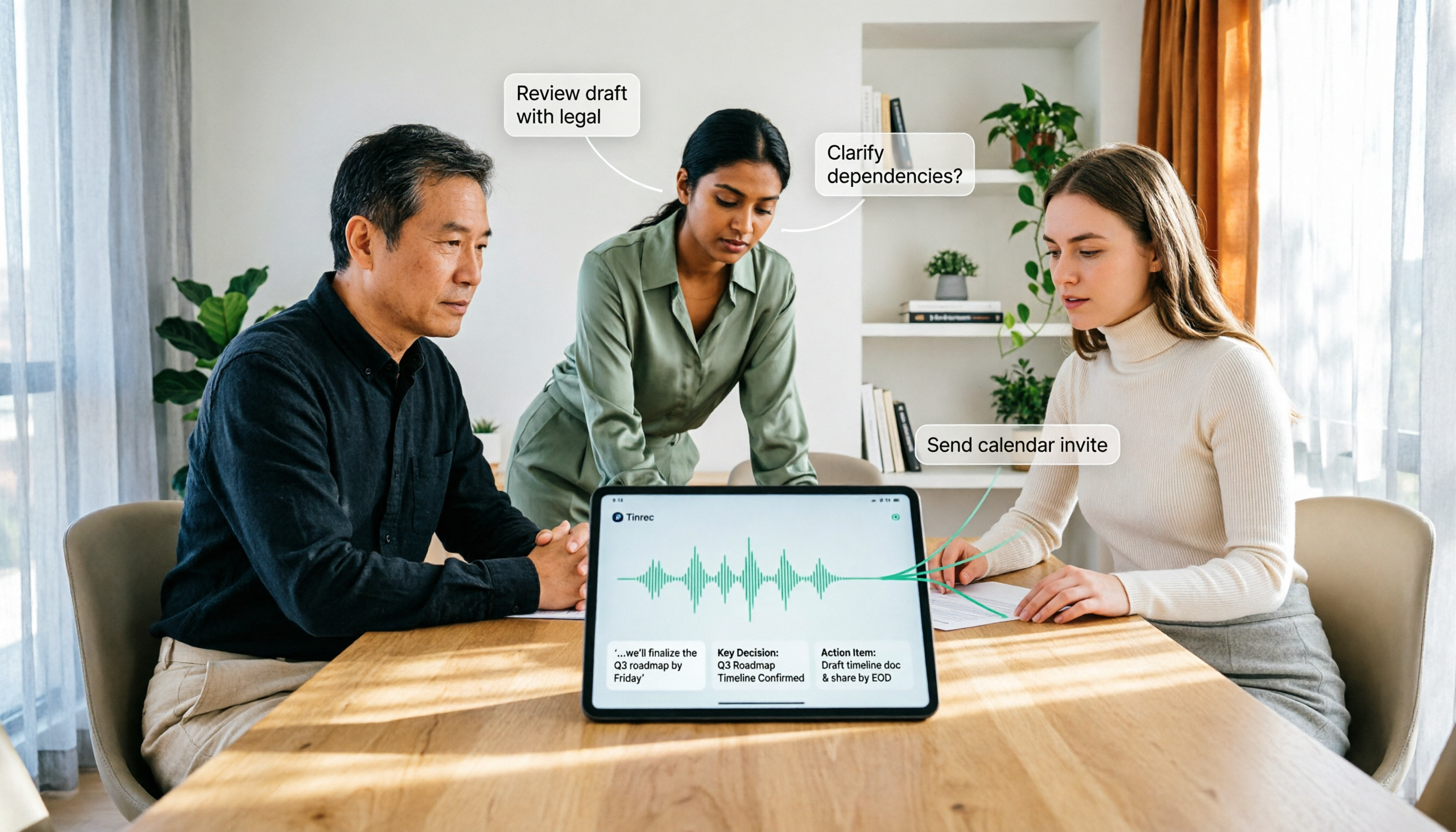
Our team now does: hold meetings as usual on Google Meet, but record with Tinrec simultaneously, then get transcripts and AI summaries right after.
Its core strengths are practical:
- Handles all audio/video, not just meetings: Upload audio files, paste YouTube links, even TikTok public videos—transcribes them all. This beats tools limited to meeting notes.
- Chat with your content: Ask AI "What was the budget ceiling discussed?" or "Who suggested that idea?" and it pulls answers from the recording without re-listening.
- Auto chapters and tasks: Long meetings get broken into key sections, action items listed, making task assignment easy.
- Multiple export formats: Export as full transcript, Word, plain text, subtitles, even mind maps—great for team reviews.
Pricing: Free plan for basic transcription; weekly card for intensive meeting periods; Pro monthly for regular use; annual card offers best monthly rate.
Best for:
Small teams, freelancers, anyone needing meetings turned into notes and action lists.
If you always spend 30 minutes post-meeting organizing notes, Tinrec is worth a try.

Zoom — Veteran Video Conferencing, High Stability
Zoom needs no introduction—one of the most stable video tools globally.
Compared to Google Meet, it offers finer meeting controls like breakout rooms, polls, and whiteboard built-in.
But post-meeting notes are weak—you need additional solutions.
Stop organizing recordings by hand
Upload audio or video and automatically get a transcript, summary, and action items
Free plan has 40-minute limit; paid Pro is about $15/month, Business plans cost more.
Best for teams needing high stability and international meetings, but you'll need extra tools for automated minutes.
Microsoft Teams — Best for Office Integration
Teams' advantage is integration with Word and OneNote—meeting notes can be saved directly to team channels.
Live transcription is supported but Chinese accuracy is mediocre; multi-speaker can get messy.
Free plan has many features; paid plans usually come with Microsoft 365 subscription, around $12.50–$25 per user/month.
If your company already uses Office, Teams is logical, but buying it just for meeting notes might be overkill.
Jitsi Meet — Open Source, Free, No Time Limit
A popular open-source option on Reddit, completely free with no meeting time cap.
No registration needed to start meetings—privacy fans will love it, and you can self-host.
But features are basic: no built-in transcription, occasional screen share lag.
Best for occasional meetings, privacy-conscious, or individuals/small teams wanting to spend nothing—but post-meeting organization is on you.
Cisco Webex — Enterprise Security, Higher Barrier
Webex excels in security and large meetings, widely used by global enterprises.
Has real-time translation but requires payment; free plan has 50-minute limit.
Paid plans start around $13.50/user/month—heavy for small teams.
Best for companies with high security requirements, but post-meeting notes still need another tool.
So Many Options, How to Choose?
Here are scenario recommendations, skip the spec sheets:
- Want complete meeting notes + auto-organization → Tinrec (only one that handles recording to tasks and Q&A, plus other audio/video)
- Just need stable meetings, manual notes → Zoom (strong meeting features, but manual post-work)
- Company uses Office 365, don't want extra apps → Teams (convenient integration, decent transcription)
- Want free, no eavesdropping fears → Jitsi Meet (free open-source, but no recording features)
- Enterprise security priority → Webex (but budget extra for meeting note solutions)
Honestly, most people don't lack a meeting tool—they lack a way to quickly turn meeting content into useful documents afterwards.
So I suggest making Tinrec your central hub for organization, and pick a meeting tool you like—that combo saves the most effort.
3 Things to Know Before Using Meeting Alternatives
Post-meeting notes matter more than the meeting itself: None of the tools I tested turn recordings into searchable, queryable databases like Tinrec does. Don't just pick a meeting tool; consider the full workflow.
Free plans usually have limits: Zoom 40 min, Webex 50 min, Teams free lacks transcription. Tinrec free has transcription quotas, but its paid plans are flexible—a weekly card can cover intensive meeting periods.
Cross-platform organization is the trend: Meeting content comes not only from Google Meet but also consultant recordings, online courses, YouTube videos. Choose a tool that unifies all sources (like Tinrec) so you don't juggle multiple apps and files.
Summary
After this test, Google Meet alternatives aren't just Zoom or Teams.
What truly saves time for teams is a tool that automatically turns meeting content into data after the meeting.
Tinrec isn't a video software, but paired with your existing meeting platform, it's the most worthwhile investment.
I recommend starting with the free plan to feel the joy of getting summaries and tasks right after a meeting—chances are you'll never go back.
Turn every recording into actionable outcomes
Get 60 free transcription minutes when you sign in. No credit card required.
Related Reading
You might also like
How to Use AI Agent Multi-Turn Conversations in 2026: 5 Steps to Build an Automated Meeting Workflow
Many people treat AI Agent multi-turn conversations as asking the same question multiple times, which only repeats the same blind spots and doubles costs. This article breaks down what multi-turn conversations should really have: memory, tool invocation, and stopping conditions, and uses Tinrec to demonstrate how to turn a meeting from recording, transcription, summarization to post-meeting follow-up into a truly deliverable workflow.

2026 Guide: AI Post-Meeting Processing — Auto Summaries + Action Item Extraction, Team Knowledge Retention
Post-meeting processing isn't just converting recordings into transcripts. This article addresses common misconceptions, outlines 5 key selection criteria, shares hands-on testing of Tinrec and team plan details, briefly reviews Granola and Notta, and provides a pitfall-avoidance guide and scenario-based recommendations to help you choose the right tool.

2026 AI Meeting Follow-Through Comparison: Which Tool Actually Tracks Action Items to Completion?
Meeting notes look great, but nothing gets done? This article breaks down the three most common pitfalls and the closed-loop workflow of capture, correction, assignment, tracking, and review. It compares Tinrec, Notta, Granola, and Otter.ai on bot-free recording, post-meeting Q&A, and team governance, with real pricing and tips to avoid common mistakes.

2026 AI Meeting Notes Comparison: Which Tool Extracts Action Items Best?
Action items scattered after meetings? This hands-on comparison of Tinrec, Otter.ai, Notta, and Granola evaluates automatic action item extraction from four angles: Chinese-language meetings, bot-free recording, post-meeting follow-up, and team collaboration—helping you decide which fits your meeting workflow.

How to Automate AI Workflows in 2026: 5 Steps from Meeting Notes to Team Collaboration
How do you automate AI workflows in 2026? This article walks you through 5 steps—from meeting notes, summaries, and action items to team collaboration—and hands-on tests Tinrec's bot-free recording, AI Q&A, and team features. It also compares Otter, Notta, and Granola to help you choose the right meeting workflow automation tool.

4 Meeting Minutes Automation Software Compared for 2026: From Transcripts to Summaries to Action Items
Starting from the most common pitfalls of meeting minutes automation, this comparison of Tinrec, Otter.ai, Notta, and Granola covers meeting capture, post-meeting output, Chinese language experience, and team governance to help mid-level managers choose a tool that truly reduces post-meeting cleanup time.

2026 AI Meeting SOP Tools Buying Guide: 2 Hands-On Tests and Recommendations
Starting from common pitfalls in building an AI meeting SOP, this guide explains how to turn meeting recordings, transcripts, summaries, action items, and team knowledge bases into a repeatable workflow. It compares Tinrec and Notta to help you choose the right tool.

7 AI Meeting Workflow Tools Tested and Compared for 2026: Which Free Version Is Actually Enough?
Still putting off meeting notes until after the meeting? This article starts with the most common misconception and breaks down a three-stage AI meeting workflow—before, during, and after the meeting. It also tests and compares 7 options: Tinrec, Otter, Fireflies, Notta, Granola, TurboScribe, and built-in platform transcription. Free quotas and paid prices are listed honestly to help you decide which fits your meeting style best.

2026 Comparison of 5 Meeting Notes Automation Tools: Tinrec vs. Notta — Which Should You Choose?
Starting from the pain point of still organizing meeting notes before leaving work on Friday, this comparison examines the differences between Tinrec and Notta in meeting capture, post-meeting organization, Chinese and multilingual support, team collaboration, and pricing, helping you decide which meeting notes automation tool is better suited for teams in Taiwan.