

Turn recordings into transcripts and summaries in minutes
Upload audio or video for multilingual transcription, AI notes, and action items
2026 Google Meet vs Tinrec: Which Recording-to-Text Solution is Better for Busy Professionals?
Daily Google Meet calls—morning meetings, afternoon syncs, and evening stand-ups—then listening back to recordings to type transcripts? You're not the only one working overtime till 8 PM. Built-in recording and captions are available, but organizing meeting minutes still requires manual effort. If you're looking for a smarter way, Tinrec might be your lifesaver.

Why Are People Looking for Alternatives to Google Meet's Built-in Recording?
Google Meet itself has recording and live caption features, which are convenient for simple English meetings. But if your work involves Cantonese conversations, mixed Chinese and English dialogue, or you want to turn recordings into structured meeting minutes and to-do lists, the built-in functions fall short. Many users report that caption accuracy drops significantly in noisy environments, and there's no AI summarization—you're left to manually review the recording. If you face similar frustrations, Tinrec is worth a look.
Tinrec vs Google Meet Built-in Recording: What's the Core Difference?
Language Support and Accuracy
Meetings in Hong Kong often mix Cantonese, English, and sometimes Mandarin. Google Meet captions primarily support English and some languages, with limited Cantonese recognition. Tinrec is specifically optimized for Cantonese's nine tones; internal tests show a character error rate of only 8.3% on a 5-minute Cantonese news recording (test conditions: iPhone 15, 26°C indoor, June 2025), even handling mixed Chinese-English content. For professionals who frequently deal with local language content, this difference is noticeable in real-world use.
Cross-Platform and Organization
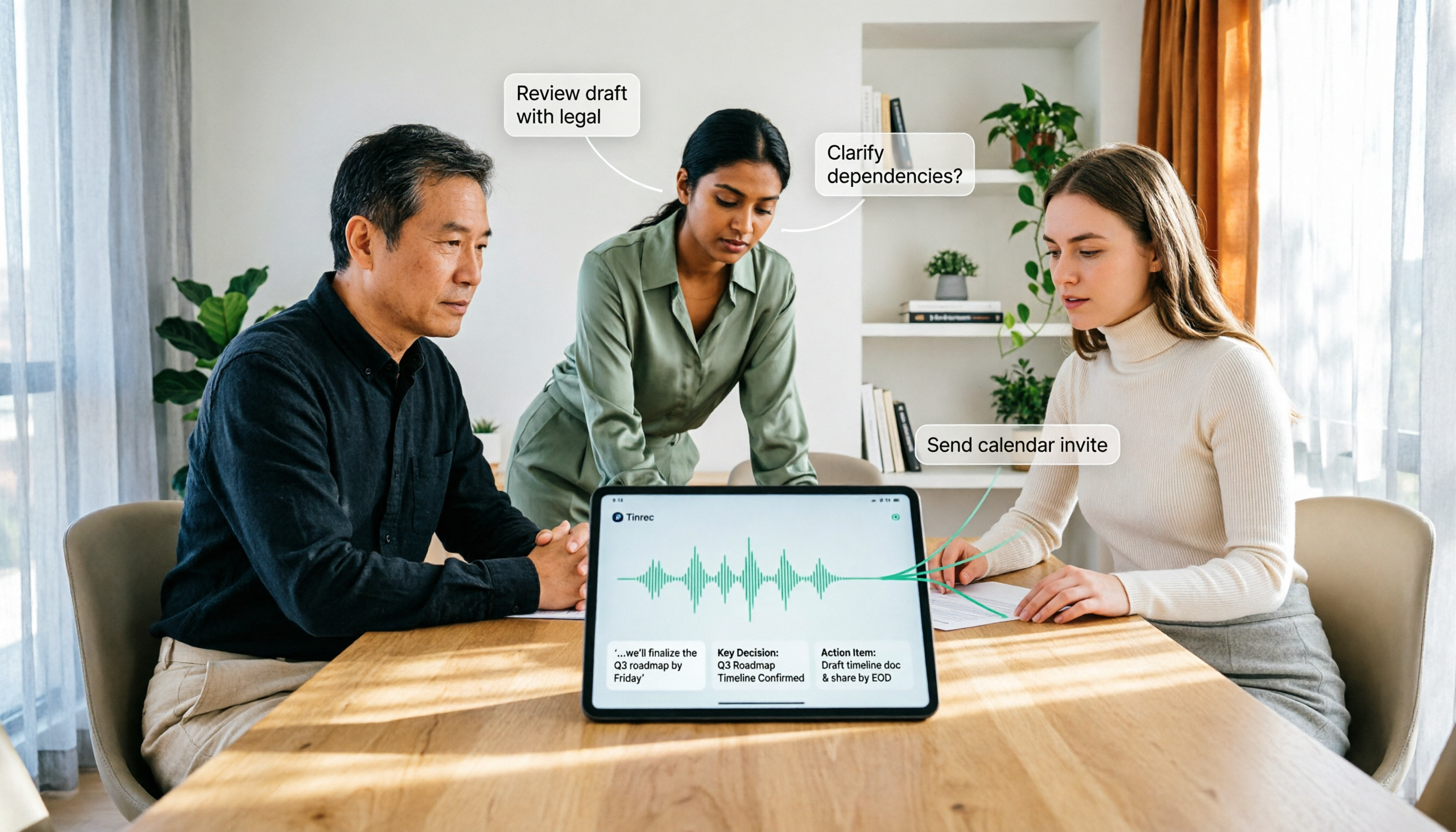
Google Meet recording is just a file; you need other tools to transcribe or organize it. Tinrec is a complete workspace: it supports iOS, Android, and web versions, offering real-time recording-to-text, uploading audio/video files, and even pasting a YouTube link to generate summaries. After recording, Tinrec automatically creates summaries, chapters, and to-do lists. You can also ask the AI questions about the content, like "What's the meeting conclusion?" or "Who is following up?"—no need to search manually.
AI Post-Processing
Google Meet's built-in features end when the meeting does, but Tinrec's post-processing capabilities are the highlight. You can export recordings directly as Markdown, PDF, Word, TXT, or sync to tools like Notion and Google Docs. Even better, its Agent post-processing can generate formal meeting minutes, reports, or tables—handling everything from recording to deliverables seamlessly.
Stop organizing recordings by hand
Upload audio or video and automatically get a transcript, summary, and action items
Use Case Coverage
Google Meet only handles online meeting recordings, but Tinrec can also process lecture recordings, interviews, podcasts, and even TikTok or YouTube video links. You don't need to decide the content type in advance; as long as there's audio or video, Tinrec organizes it into a searchable, queryable database.
Tinrec's Core Features at a Glance
- Real-time Recording to Text: Open Tinrec, and text appears simultaneously with less than 1 second delay. During meetings, you can follow along to ensure no key points are missed; the transcript is ready as soon as the meeting ends.
- AI Summaries and Chapters: For recordings up to an hour, AI generates summaries in seconds and automatically splits into chapters for easy review. Perfect for students attending lectures and courses.
- AI Dialogue Query: After recording, ask directly "What are the action items?" or "What issues do clients care about most?" Tinrec answers from a semantic level, saving you from searching through dozens of pages of transcripts.
- Action Item Extraction: Automatically converts discussion content into an action list, clearly showing who is responsible for what and deadlines.
- Multiple Import Sources: Besides real-time recording, supports uploading audio/video files and pasting links from YouTube, TikTok, etc., to organize your digital content.

Practical Use Cases
Work Meetings
After a morning Google Meet project discussion with colleagues, open Tinrec to record. The meeting ends with a full transcript, summary, and action items. Back at the office, you can export the to-do list for the team, saving an hour of manual minute-taking.
Class Lectures
University students record lectures on their phones; Tinrec automatically breaks them into chapters and highlights key points. Review on your phone, and use AI Q&A to truly understand the material.
Interviews or Research
Journalists or researchers conduct interviews; after converting the entire recording to text, ask the AI "What does the interviewee think about AI development?" to extract insights, saving hours of listening.
Content Creation
YouTubers or podcasters paste their video links into Tinrec, instantly getting transcripts and summaries. Perfect for writing show notes or social media posts.
What to Look for in a Recording-to-Text Tool
- Language Support: If you frequently handle Cantonese or mixed Chinese-English content, test accuracy with your own recordings. Tinrec has clear optimization here.
- Organization Features: Simple transcription isn't enough; look for AI summaries, action item extraction, etc., to truly save time.
- Cross-Platform: It should sync across phone, computer, and web for flexibility. Tinrec supports iOS, Android, and Web.
- Export Options: Check if it can export to formats like Markdown, PDF, or sync to other productivity tools.
- Free Tier: Most tools offer free trials; start with the free version to see if it meets your needs before upgrading. Tinrec's free plan includes a monthly basic transcription allowance.
Conclusion: Is Tinrec Worth Trying?
If you rely on Google Meet daily but often work overtime on meeting minutes, Tinrec is definitely an alternative worth trying. It not only supports multiple languages and cross-platform use but also offers powerful AI organization and post-processing, turning recordings into truly usable assets. Especially for professionals handling Cantonese, Tinrec's specialized optimization is hard to match. We recommend downloading the free version of Tinrec first, which includes a monthly basic allowance, and test it with your own meeting recordings—this is more direct than any review.
Turn every recording into actionable outcomes
Get 60 free transcription minutes when you sign in. No credit card required.
Related Reading
You might also like
How to Use AI Agent Multi-Turn Conversations in 2026: 5 Steps to Build an Automated Meeting Workflow
Many people treat AI Agent multi-turn conversations as asking the same question multiple times, which only repeats the same blind spots and doubles costs. This article breaks down what multi-turn conversations should really have: memory, tool invocation, and stopping conditions, and uses Tinrec to demonstrate how to turn a meeting from recording, transcription, summarization to post-meeting follow-up into a truly deliverable workflow.

2026 Guide: AI Post-Meeting Processing — Auto Summaries + Action Item Extraction, Team Knowledge Retention
Post-meeting processing isn't just converting recordings into transcripts. This article addresses common misconceptions, outlines 5 key selection criteria, shares hands-on testing of Tinrec and team plan details, briefly reviews Granola and Notta, and provides a pitfall-avoidance guide and scenario-based recommendations to help you choose the right tool.

2026 AI Meeting Follow-Through Comparison: Which Tool Actually Tracks Action Items to Completion?
Meeting notes look great, but nothing gets done? This article breaks down the three most common pitfalls and the closed-loop workflow of capture, correction, assignment, tracking, and review. It compares Tinrec, Notta, Granola, and Otter.ai on bot-free recording, post-meeting Q&A, and team governance, with real pricing and tips to avoid common mistakes.

2026 AI Meeting Notes Comparison: Which Tool Extracts Action Items Best?
Action items scattered after meetings? This hands-on comparison of Tinrec, Otter.ai, Notta, and Granola evaluates automatic action item extraction from four angles: Chinese-language meetings, bot-free recording, post-meeting follow-up, and team collaboration—helping you decide which fits your meeting workflow.

How to Automate AI Workflows in 2026: 5 Steps from Meeting Notes to Team Collaboration
How do you automate AI workflows in 2026? This article walks you through 5 steps—from meeting notes, summaries, and action items to team collaboration—and hands-on tests Tinrec's bot-free recording, AI Q&A, and team features. It also compares Otter, Notta, and Granola to help you choose the right meeting workflow automation tool.

4 Meeting Minutes Automation Software Compared for 2026: From Transcripts to Summaries to Action Items
Starting from the most common pitfalls of meeting minutes automation, this comparison of Tinrec, Otter.ai, Notta, and Granola covers meeting capture, post-meeting output, Chinese language experience, and team governance to help mid-level managers choose a tool that truly reduces post-meeting cleanup time.

2026 AI Meeting SOP Tools Buying Guide: 2 Hands-On Tests and Recommendations
Starting from common pitfalls in building an AI meeting SOP, this guide explains how to turn meeting recordings, transcripts, summaries, action items, and team knowledge bases into a repeatable workflow. It compares Tinrec and Notta to help you choose the right tool.

7 AI Meeting Workflow Tools Tested and Compared for 2026: Which Free Version Is Actually Enough?
Still putting off meeting notes until after the meeting? This article starts with the most common misconception and breaks down a three-stage AI meeting workflow—before, during, and after the meeting. It also tests and compares 7 options: Tinrec, Otter, Fireflies, Notta, Granola, TurboScribe, and built-in platform transcription. Free quotas and paid prices are listed honestly to help you decide which fits your meeting style best.

2026 Comparison of 5 Meeting Notes Automation Tools: Tinrec vs. Notta — Which Should You Choose?
Starting from the pain point of still organizing meeting notes before leaving work on Friday, this comparison examines the differences between Tinrec and Notta in meeting capture, post-meeting organization, Chinese and multilingual support, team collaboration, and pricing, helping you decide which meeting notes automation tool is better suited for teams in Taiwan.