

Turn recordings into transcripts and summaries in minutes
Upload audio or video for multilingual transcription, AI notes, and action items
Why You Need a Google Meet Recording Tool
Google Meet is a free and easy-to-use video conferencing service, but the free version doesn't include built-in recording. If you want to keep meeting content for records, you'll need a third-party tool.
Beyond recording, many people want automatic transcription, summaries, and even to-do lists to save manual effort. This article covers 5 tools that work with Google Meet for recording and transcription, from free to paid options, to help you find the right choice.

Option 1: Tinrec (Instant Recording) – The Most Complete AI Recording and Audio/Video Assistant
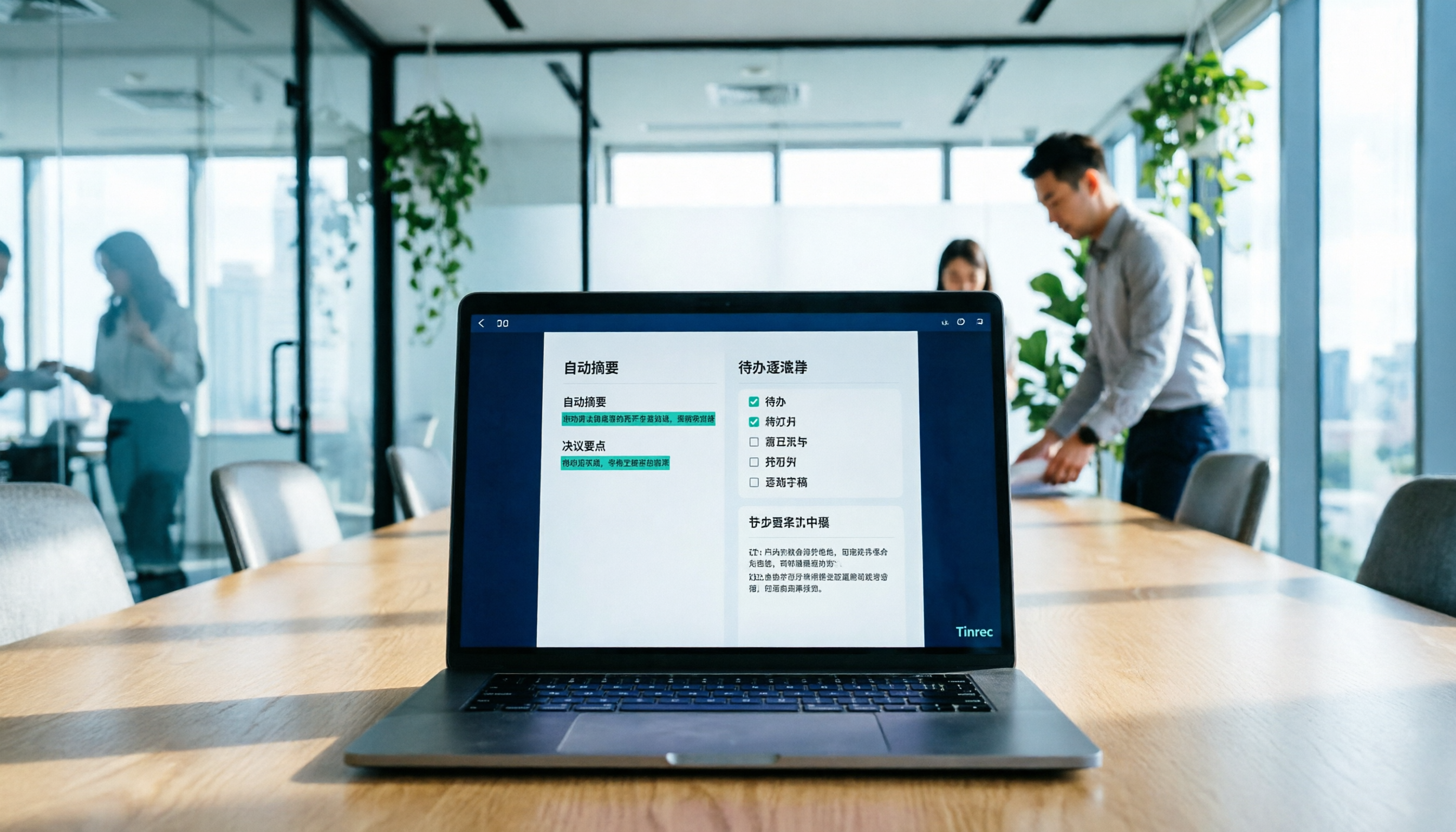
Tinrec is an AI tool that integrates real-time recording, file transcription, and online video analysis, especially suitable for turning Google Meet content into organized data. You can open the desktop version, select "Record" to capture system audio, and the discussion will be transcribed in real time. After the meeting, it automatically generates summaries, chapters, and to-do items.
The best part is that it doesn't just give you a transcript—you can also use the AI Q&A feature to query past meetings like a database, for example, "What was the budget number discussed last time?" It supports Windows, Mac, iOS, Android, and web, so cross-device use is seamless.
The free plan offers basic transcription credits, suitable for light use. For longer recording time and more features, you can choose the Pro monthly or annual plan, ideal for office workers or students with multiple meetings per week.
Option 2: Otter.ai – A Well-Known AI Meeting Notes Tool
Otter.ai is a veteran meeting note service that can automatically join Google Meet, Zoom, and other meetings, providing real-time transcription with speaker labels. The free plan offers 300 minutes of transcription per month, enough for most light users. Its strengths are English recognition and team collaboration features, making it suitable for those who meet with international colleagues. The paid Pro plan costs $8.33/month and offers longer transcription time.
Stop organizing recordings by hand
Upload audio or video and automatically get a transcript, summary, and action items
Option 3: Notta – Multi-Platform Transcription and Translation Tool
Notta supports web, app, and browser extensions, allowing you to capture Google Meet audio and transcribe it. The free plan gives 120 minutes per month, suitable for occasional meeting notes. It also offers real-time translation, useful for multilingual transcription needs. The Pro plan is around $8.17/month with 1800 minutes per month, ideal for frequent users.

Option 4: Fireflies.ai – Automated Meeting Notes and CRM Integration
Fireflies.ai automatically joins Google Meet to record and transcribe, then sends a summary to your email and syncs highlights to tools like Slack and Notion. The free plan offers unlimited transcription minutes but limited storage. It excels in CRM integration for sales teams, making it suitable for users who want automatic archiving of meeting notes. The Business plan is $19/month with more complete features.
Option 5: Tactiq – A Lightweight Real-Time Transcription Extension for Google Meet
Tactiq is a Chrome extension that displays live captions in the Google Meet sidebar and saves transcripts. The free plan provides 10 transcriptions per month, perfect for very light needs. It's simple to use, no additional software required, and suitable for users who just want quick text without extra organization features.
With So Many Options, How Do You Choose?
- For the most complete AI organization (transcription + summary + to-do + AI Q&A) → Tinrec. It not only records but turns meeting content into a reusable knowledge base, and supports Windows and Mac. Just record directly on your computer for Google Meet.
- For accurate English recognition and team collaboration → Otter.ai. Its English transcription quality is excellent, and team sharing is convenient.
- For frequent multilingual translation, especially Chinese/Japanese/Korean → Notta. Real-time translation is very useful.
- For automated meeting workflows and internal system integration → Fireflies.ai, suitable for sales or project teams.
- For occasional quick notes without installing any software → Tactiq, a browser extension you can use instantly.
If your main use case is Google Meet meetings and you want automatic summaries and to-dos after recording, plus the ability to query past content, Tinrec is the most integrated choice.
3 Things to Know Before Using Google Meet Recording Tools
- Audio quality determines transcription accuracy: Use a headset microphone or ensure a quiet environment and stable internet. Tinrec works well with clear audio sources.
- Free plans have limits: Tinrec's free plan offers basic credits—try it to see if it meets your needs. Other tools like Otter (300 min/month), Notta (120 min/month) require upgrades when exceeded.
- Be mindful of recording permissions and privacy: Inform participants before recording to avoid disputes. Tinrec saves data in your account and offers export options.
Summary
While Google Meet is great, it lacks free recording and transcription. These 5 tools fill that gap. If you want a one-stop solution from recording to organizing and reusing, Tinrec is the most worth trying. Start with the free plan to experience it, then decide if you want to upgrade.
Turn every recording into actionable outcomes
Get 60 free transcription minutes when you sign in. No credit card required.
Related Reading
You might also like

2026 Meeting Efficiency Agents Compared: Tinrec vs. Notta — Which Turns Meetings into Action?
Meeting efficiency agents are about more than transcription accuracy. This comparison of Tinrec and Notta covers how online meetings are captured, post-meeting outputs, AI follow-up questions, team data governance, and pricing structure to help you decide which workflow fits your work style.

2026 AI Agent Excel Tools Tested: Which One Actually Saves Time on Post-Meeting Spreadsheets?
AI agents that generate Excel files sound amazing, but in practice you often get spreadsheets that look polished and are full of wrong numbers. Drawing on my own trial and error, this article breaks down the three most common pitfalls of AI-generated Excel and explains why the key isn't generation—it's what data you feed the AI. It also shows how Tinrec turns meeting recordings into structured input that can then produce action-item trackers, requirements summaries, and project status sheets.

2026 AI Meeting Notes Tools Compared: Context Understanding and Retention
AI Agents often fail not because of the model, but because of the context you feed them. This article starts with common misconceptions and reviews 6 solutions that can capture meeting content, structure it, and make it queryable, comparing their positioning, pricing, and ideal users.

4 AI Agent Word Generation Tools Tested: Which Turns Meeting Content into Deliverable Documents? (2026)
People searching for 'AI Agent generate Word' fall into two camps: those who want content generated from scratch, and those who need to turn a finished meeting into a document they can hand off. This article compares four approaches—Tinrec, OfficeCLI, Kimi Agent, and ChatGPT/Gemini export—based on real workflows, and outlines selection criteria, common mistakes, and recommendations.
How to Use AI to Generate Meeting Minutes in Word (2026): No-Bot Recording + Auto Summaries & Action Items
After a meeting ends, the transcript, decisions, and action items are often still stuck in the recording. This guide tackles real pain points, explaining how to choose and use AI tools to generate meeting minutes in Word in 2026. It compares Tinrec, Otter.ai, Granola, and Notta to help you pick the right one, and includes a copy-paste prompt for organizing meeting minutes.

4 AI Agent Auto-Delivery Tools Tested in 2026: Which One Turns Meetings into Reports?
After a meeting ends, transcripts, minutes, and action items still need to be filled in manually. This article approaches the topic from the perspective of 'post-meeting delivery' and tests four tools: Tinrec, Otter.ai, Notta, and Granola. It summarizes 4 key purchasing criteria, 3 common pitfalls, and explains which tool fits which work scenario.

2026 Complete Guide to AI Meeting Notes: Master Key Points and Action Items Without Listening to Playbacks
Recording audio but never having time to listen back is a reality for most people in meetings and classes. This guide, from student and team collaboration scenarios, explains how AI meeting notes turn recordings into searchable, queryable, and actionable data, and outlines 5 key points to consider when choosing a tool.

2026 AI Work Assistant Comparison: 4 Tools from Meeting Notes to Team Collaboration
How to choose an AI work assistant in 2026? This article compares Tinrec, Otter.ai, Notta, and Granola across four dimensions—meeting transcription, post-meeting organization, AI Q&A, and team collaboration—and outlines selection criteria and common pitfalls to help you find the right AI work assistant.

2026 Comparison of 5 AI Meeting Notes Tools: From Free to Team Collaboration
Looking for an AI Agent to automatically organize meetings? This article compares common meeting-notes solutions using 5 evaluation criteria and explains how Tinrec can turn meetings into searchable, trackable data—from bot-free recording, transcripts, summaries, and action items to AI Q&A and team spaces—and covers how to choose between the free and team versions.