

Turn recordings into transcripts and summaries in minutes
Upload audio or video for multilingual transcription, AI notes, and action items
Why Do You Need a Meeting To-Do Tool?
Many people assume meeting action items get missed because they "can't type fast enough."
But more often, the real issue is this: you recorded the entire meeting, but afterward you have to spend time listening again just to pull out the action items scattered throughout the conversation one by one.
Free tools can handle the first round of organization for you—turning audio into transcripts, generating summaries, and extracting action items.
This guide covers 6 meeting to-do tools with free plans, from AI meeting assistants to pure to-do lists, so you can start with the free version and try them out.
Tinrec | The Most Complete AI Meeting Notes and Action Item Assistant
Tinrec is an AI meeting notes and collaboration tool for individuals and teams. Its purpose isn't just converting audio to text—it helps you turn meetings into searchable, collaborative, actionable data.
Key Highlights:
- Bot-free online meeting recording: The desktop version captures your computer's system audio directly, handling Zoom, Google Meet, Microsoft Teams, Webex, and other meetings without inviting an extra meeting bot. Just open the desktop app and start recording to transcribe in real time.
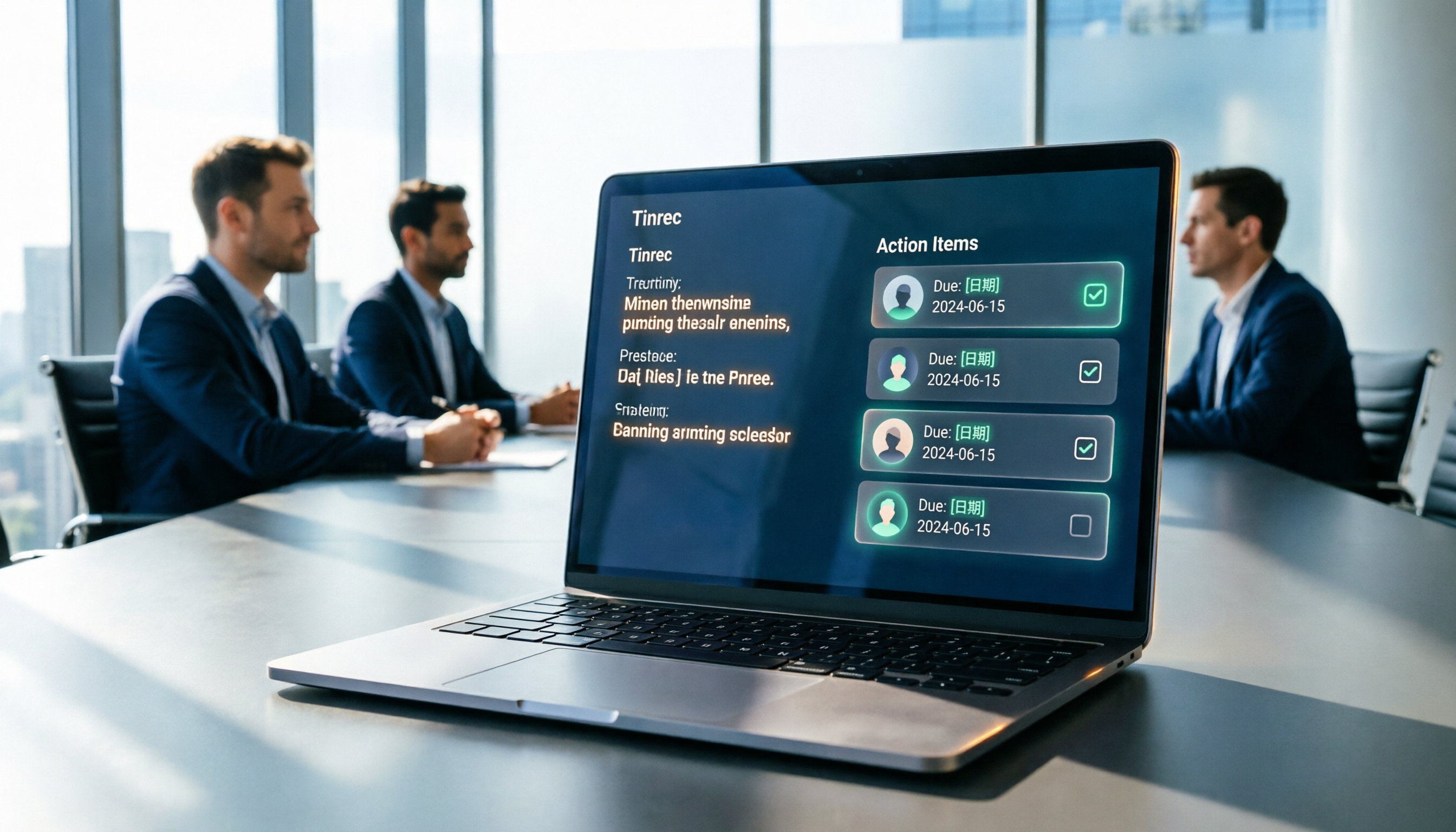
- From transcript to action items: After the meeting, it automatically generates summaries, chapters, key points, and action items. Action items aren't just a list—you can use AI Q&A to keep asking questions about the meeting content and confirm owners or deadlines.
- Multi-format export and post-processing: Supports export to Notion, Google Docs, OneNote, Dropbox, and other tools; Agent post-processing can further generate reports, tables, and documents from meeting content.
- Team knowledge base: The team plan provides independent spaces where meeting data belongs to the team, plus member management, roles, seats, usage analytics, audit logs, and an audio recycle bin.
**Pricing:** The personal plan includes a free version (basic quota for recording, import, summaries, and transcription), a weekly pass, a Pro monthly plan, and a Pro annual plan. The team plan offers a 7-day trial for first-time eligible users, 1 free seat, and 300 minutes of shared team import quota; team monthly is USD 29.80 per paid seat per month, annual is USD 199 per paid seat per year (about USD 16.58 per month), with 2,000 minutes of shared team import quota per seat per month.
**Best for:** Users who need to automatically organize action items from Chinese-language meetings and want to build meeting data into a team asset.
Otter.ai | A Mature AI Assistant for English Business Meetings
Otter is a mature AI meeting assistant covering Zoom, Microsoft Teams, and Google Meet, with real-time transcription, speaker identification, AI Chat, and team management. If your team mainly holds English meetings, its meeting bot and workflow ecosystem will feel more natural. The free Basic plan offers 300 minutes per month; Pro annual works out to USD 8.49 per user per month, including 1,200 minutes of in-app recording and 10 file imports per month; Business pricing depends on official promotions. Best for teams that primarily hold English business meetings and want to stick with a mature meeting bot workflow.
Fireflies.ai | Meeting Automation and Sales Analytics
Fireflies excels at meeting automation, meeting bots, AI summaries, AskFred, and extensive integrations. Team analytics are especially helpful for sales and customer success teams. Free plan is USD 0; Pro is USD 10 per seat per month; Business is USD 19 per seat per month; Enterprise is USD 39 per seat per month. Note that "unlimited transcription" is still subject to storage, file upload rates, and AI Credit rules. Best for teams that want bot-based automatic recording and need a sales analytics perspective.
Notta | Multilingual Transcription and Meeting Notes
Notta covers multi-platform transcription, meeting notes, file import, and translation, with significant overlap with Tinrec. The free plan offers 120 minutes per month, with a maximum of 3 minutes per recording; Pro annual works out to USD 8.17 per month with 1,800 minutes per month; Business annual works out to USD 16.67 per seat per month, offering unlimited transcription, role permissions, and usage reports. Best for users who need multilingual file transcription and want basic team permissions.
Granola | Bot-free AI Meeting Notes
Granola transcribes meetings in real time through your desktop device's system audio and microphone, and combines them with your handwritten notes to generate meeting content—also a "bot-free" approach. It supports transcript viewing, copying, and searching, but does not support uploading pre-recorded audio files and does not save meeting audio. Basic is free; Business is USD 14 per user per month; Enterprise is USD 35 per user per month. Best for individual users who mainly hold English meetings and prefer taking notes during the meeting.
Stop organizing recordings by hand
Upload audio or video and automatically get a transcript, summary, and action items
Microsoft To Do | A Completely Free To-Do List
If you don't need automatic transcription and just want a free place to centralize meeting action items, Microsoft To Do is a completely free, fully featured to-do list tool. It has limited integration with the Microsoft ecosystem: setting a due date in To Do does not automatically sync to Outlook Calendar—you need to manually drag tasks to the calendar. Best for people already using Microsoft tools who are willing to manually organize meeting action items. Google ecosystem users can also use the free Google Tasks with Gmail and Calendar.
With So Many Options, How Should You Choose?
- Want to automatically extract meeting action items and need a Chinese-language meeting experience → Tinrec (covers Chinese, Traditional Chinese, and multilingual meeting scenarios, and can generate summaries, chapters, and action items)
- Don't want an extra bot in your meetings → Tinrec or Granola (both offer bot-free desktop recording; Tinrec also keeps recordings, supports file import, and provides team spaces)
- Need to take transcripts to Notion or Google Docs for further work → Tinrec (supports multi-format export and Agent post-processing)
- Want your team to share meeting data and manage members and seats → Tinrec team plan (team spaces, roles, seats, usage analytics, and audit logs)
- Mainly English business meetings and want a mature meeting bot workflow → Otter.ai or Fireflies.ai
- Just need a free list to manually organize action items → Microsoft To Do or Google Tasks
- Just want to quickly convert long audio files to text → Notta (free 120 minutes per month)
3 Things to Know Before Using a Meeting To-Do Tool
1. Free quotas are usually measured in "minutes"—check your meeting length first. Notta's free plan offers 120 minutes per month with a maximum of 3 minutes per recording; Otter's free plan offers 300 minutes per month. Tinrec's free plan provides a basic quota, suitable for trying out a meeting or two. Before choosing a tool, estimate how many hours of meetings you have per month.
2. Action items are a helper, not a guarantee. AI will organize action items from the discussion, but it may miss commitments that weren't explicitly stated. A better approach is to use a tool like Tinrec to generate a draft of action items first, then quickly verify against the transcript timestamps after the meeting before assigning them to the team.
3. Pay attention to consent for recording and transcription. In most regions, recording requires consent from participants, and teams should confirm company policies first. Tinrec's team plan provides roles, seats, and audit logs to help teams manage usage permissions and activity records.
Summary
Meeting action items get missed not because people aren't paying attention during the meeting, but because there's no process afterward for "turning conversation into action."
If you want to start for free, Tinrec's free plan lets you try recording, import, summaries, and transcription first, then choose a weekly pass or Pro based on your usage frequency; when you need team collaboration, the team plan centralizes meeting data so action items no longer scatter across individual notes.
Other tools each have their own best-fit scenarios. Start with the type of meeting you hold most often and your budget, and just pick the one that feels right.
FAQ
Q1: Can free meeting to-do tools really extract action items automatically? Most AI meeting tools will organize summaries and action items from transcripts, but the degree of automation varies. Tinrec generates summaries, chapters, key points, and action items after the meeting; however, AI may still miss commitments that weren't explicitly stated, so important items should be verified against the transcript and recording.
Q2: What are the limitations of Tinrec's free plan? Tinrec's free plan provides a basic quota to try recording, import, summaries, and transcription. If your meeting volume is higher, consider a weekly pass, Pro monthly, or annual plan; for team use, there's a 7-day trial with 1 free seat and 300 minutes of shared team import quota.
Q3: Can I record online meetings without a meeting bot? Yes. Tinrec's desktop version captures your computer's system audio directly, handling Zoom, Google Meet, Microsoft Teams, Webex, and other meetings without inviting a bot. However, you should get participants' consent before recording.
Q4: Will team plan meeting data disappear when a member leaves? It won't be taken away by the individual. Team resources belong to the team; when a member leaves, is removed, or loses their seat, their team resources can be transferred to other active members. The team plan also has an audio recycle bin, so audio can be restored before permanent deletion.
Q5: I just need a to-do list and don't want AI transcription—are there free options? Yes. Microsoft To Do is completely free, and Google Tasks can also be used with Gmail and Calendar. They don't automatically transcribe meetings, but they're good for manually centralizing meeting action items.
Q6: Which tool is better for Chinese-language meetings? Tinrec covers Chinese, Traditional Chinese, and multilingual meeting scenarios, and supports real-time translation and team hotwords, making it suitable for Chinese-dominant meetings. Actual performance will be affected by audio quality, accents, noise, and overlapping speakers.
References
- 2026 Free Online Meeting Software and Video Conferencing Recommendations: Comparing Teams, Zoom, and Google Meet | Tasker Article Column
- Top 5 Recommended Online Meeting Software to Greatly Improve Remote Work Meeting Efficiency | On-line to Know
- Free Video Conferencing and Online Meetings | Cisco Webex
- How to Choose Online Meeting Software? Master 5 Tools' Features, Pricing, and Use Cases at Once! - ALEN
- Never Miss Anything Important Again! Review and Comparison of 7 Popular To-Do Apps (Todoist/Any.do/...)
Turn every recording into actionable outcomes
Get 60 free transcription minutes when you sign in. No credit card required.
Related Reading
You might also like

How to Automatically Extract Meeting Action Items in 2026: AI Summaries + To-Dos in One Go
After a meeting, action items are scattered in the conversation and no one follows up? This article compiles 6 solutions that can automatically extract meeting action items, from Tinrec's bot-free recording, AI summaries, and action item extraction, to the positioning and pricing of Otter.ai, Fireflies.ai, Notta, Granola, and TurboScribe. It also uses scenario comparisons to tell you which one to choose for different budgets and needs.
2026 Meeting Notes Tools Buying Guide: 6 Tested Picks and Action Item Tracking Tips
When meetings end and nothing gets done, the problem is usually the lack of an owner-plus-deadline table. This guide shares hands-on reviews, pricing, and use cases for 6 meeting notes and transcription tools, and compares which ones automatically extract action items and owners, so you can choose the right tool in one go.

2026 AI Meeting To-Do Tools Compared: Tinrec, Notta, and Fireflies — Which One Actually Follows Through?
A hands-on comparison of Tinrec and Notta across six dimensions: meeting capture, post-meeting outputs, historical data queries, team governance, Chinese and mixed-language support, and pricing. Also covers where Fireflies.ai fits among meeting automation tools, helping you decide which AI meeting to-do tool truly turns meetings into action.

The Complete Guide to Customer Meeting Follow-Up Emails in 2026: From Meeting Notes to Follow-Up Letter
Struggling to write a follow-up email after a customer meeting? This article breaks down the complete workflow from meeting notes, summaries, and action items to sending the follow-up email, and compares Tinrec and PLAUD Note in post-meeting organization and team tracking to help you choose the right approach.

How to Organize Meeting Action Items in 2026: A Complete 5-Step Guide
After a meeting ends, action items often get scattered across notes, chat threads, and memory, making it hard to track progress the following week. This guide breaks down a 5-step process for organizing meeting action items and compares Tinrec and Otter.ai within the same workflow, covering everything from capturing tasks and tracing context to handling Chinese-language meetings, exporting to your workflow, and team handoffs.

4 AI Meeting Notes Tools Tested for 2026: Which One Captures Action Items Best?
After a meeting, does everyone forget what to do next? This article focuses on action item capture, outlining 4 key criteria for choosing a meeting notes tool. It compares Tinrec, Otter.ai, Notta, and Granola, and highlights 4 common pitfalls to help you find the tool that turns decisions into action.

Best Meeting Action Item Extraction Tools in 2026: Auto-Organize To-Dos, Owners, and Deadlines
The hardest part of a meeting isn't the meeting itself—it's when action items never get written down. This guide covers 6 tools that automatically extract meeting to-dos, owners, and deadlines, including Tinrec, Otter.ai, Fireflies.ai, Granola, Notta, and TurboScribe. We list free and paid plan pricing honestly to help you pick the right one for Chinese-language meetings, team collaboration, or pure file transcription needs.

2026 Meeting Action Plan Tools: Bot-Free Recording to To-Dos + AI Q&A Summarization
Recording meetings without following up on action items is a common pain point for many teams. This guide reviews 6 meeting action plan tools for 2026—Tinrec, Otter, Fireflies, Notta, Granola, and TurboScribe—covering their positioning, pricing, and ideal users, and shows how to use AI Q&A and to-do extraction to turn meeting notes into actionable checklists.

Meeting Minutes vs. Action Items in 2026: 5 Key Differences You Need to Know
After a meeting, you have two deliverables: meeting minutes and an action item list. But many people still mix them up—minutes stuffed with action items, or action lists with no context. This article breaks down the fundamental differences between meeting minutes and action items across 5 dimensions, with real-world scenarios, pitfalls to avoid, and a hands-on test of how Tinrec's instant recording can generate both minutes and action items from a single recording.