

Turn recordings into transcripts and summaries in minutes
Upload audio or video for multilingual transcription, AI notes, and action items
Tinrec vs Otter.ai in 2026: 5-Dimension Comparison — How to Choose Team Meeting Notes Software
The Meeting Is Just the Beginning — What You Need Isn't a Better Memory, It's a Searchable Record
It's 4 PM on a Friday. The cross-departmental coordination meeting just ended, and you're packing up your laptop. Your boss walks over and asks, "What was the final decision on that budget thing from last time?"
You open the recording on your phone. Fast-forward, rewind, fast-forward again. Three minutes pass. Three colleagues are still waiting in the conference room for your answer. In that moment, it hits you: the problem isn't whether you attended the meeting — it's that you can't find what was said.
I lead a team of 10 and have about 15 meetings a week. "After the meeting" used to be when my real work began — organizing decisions, following up on action items, turning verbal instructions into written text. The most common situation: I'd assign something to a colleague, ask about progress two days later, and they'd say, "When did you tell me that?" It's not that I didn't say it — it's that there was no shared record anyone could look up.
This article isn't about teaching you how to take better notes. It's about this: choosing the right team meeting notes software can eliminate 80% of that work. Below are my team's hands-on experiences with several tools, including why I ultimately stuck with Tinrec and how it differs from Otter.ai.
Before Choosing Team Meeting Notes Software, Understand These 5 Key Points
First, how meetings are recorded. Some tools use a "meeting bot" that joins your Zoom or Teams meeting as a participant. This can be awkward in external client meetings — an unfamiliar name appears on screen, and the client asks, "Who's that?" Another approach captures your computer's system audio directly without adding any participants. For internal meetings, either works. For external meetings, the difference becomes obvious.
Second, whether it can handle Chinese meetings. Meetings in Taiwan are rarely pure Chinese — they're usually mixed with English, like "We need to review the budget for this campaign." English-oriented tools tend to break down on these sentences, and technical terms get mistranslated. Also, if your team has internal jargon, whether you can add custom vocabulary makes a big difference over time.
Third, what you get after the meeting. A transcript alone means you still have to read through it yourself. What truly saves time: automatic summaries, chapter segmentation, action items, and the ability to ask questions directly about the meeting content. Questions like "Who mentioned the budget last week?" can't be answered with keyword search — you need semantic understanding.
Fourth, cross-platform and device support. You can't possibly have meetings on just one device. Today you record an in-person interview on your phone, tomorrow you join an online meeting on your desktop, the day after you need to organize a recording someone sent you — if the tool is locked to a single platform, your data ends up scattered across three places.
Fifth, how team management actually works. This is what many managers overlook on their first purchase. Multiple people "sharing one account" and a true team workspace are two different things. You need to manage who's a member, who has usage rights, how much of the team quota is used, and whether data leaves with someone when they resign.
These five points are also the basis for my choice between Tinrec and Otter.ai.
Tinrec — Our Team's Top Choice After Hands-On Testing
Tinrec is an AI meeting notes and collaboration tool for individuals and teams, available on iOS, Android, desktop, and web. It's not just a recording-to-text tool — it turns meeting recordings into searchable, summarizable, queryable, exportable data that ultimately lives in a team workspace.
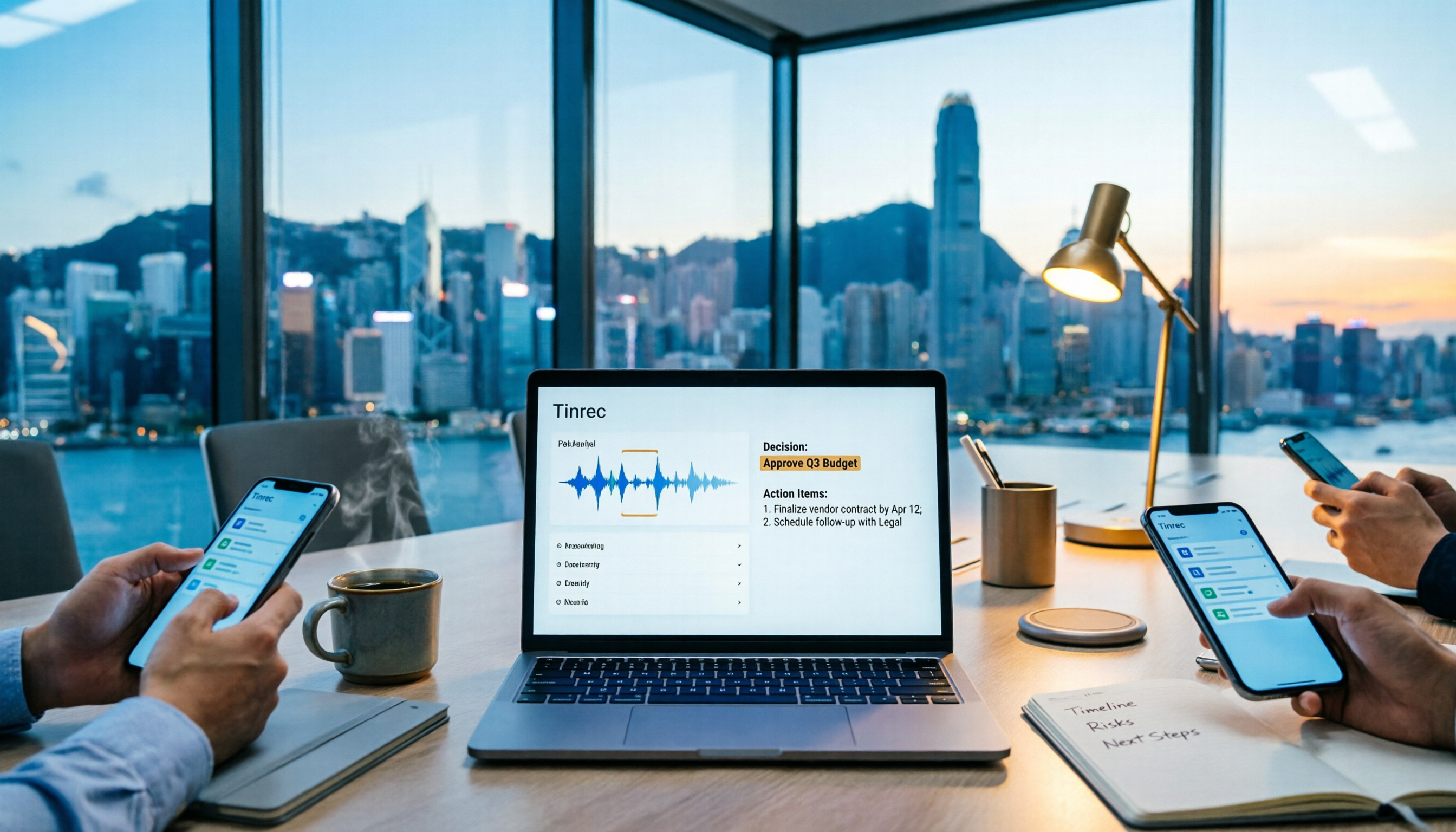
Record online meetings without a meeting bot. Most of our team meetings run on Google Meet and Teams. Tinrec's desktop app captures your computer's system audio directly, without adding any meeting participants or inviting a bot into the room. This matters for external client meetings — the screen stays clean, and clients don't ask questions. The transcript appears in real time during the meeting, and I usually scan it to confirm key points are captured.
When the meeting ends, AI has already organized what needs organizing. Beyond the transcript, it automatically generates summaries, chapters, and action items. The action items section is what I check most — who's responsible for what, when it's due, all turned into a list. This used to be something I typed by hand in the conference room at 8 PM.
You can ask it questions directly after recording. This is where I think it differs most from similar tools. After recording a meeting, you can ask Tinrec: "What was the conclusion about the budget in this meeting?" It answers based on semantic understanding, rather than throwing a list of keyword search results at you. The scenario where my boss asks me about the last meeting's conclusion — now it takes about ten seconds to answer. Tinrec also supports real-time translation, with options for original text, translated text, or bilingual side-by-side. Our meetings with overseas colleagues use bilingual transcripts.
Stop organizing recordings by hand
Upload audio or video and automatically get a transcript, summary, and action items
The team version brings data from individuals back to the team. This was the key reason we upgraded from the personal version. The team version is a separate team workspace, not everyone sharing one account: you can create and switch between multiple teams, invite members via link, set roles as owner/admin/member, and assign, revoke, or transfer seats. Meeting data belongs to the team — new colleagues can see past meeting records; when a member leaves, data doesn't disappear with their personal account, and resources can be handed over to other active members.
On pricing and benefits: the team version offers a 7-day trial for first-time eligible users, 1 free seat, and 300 minutes of shared team import quota; after that, monthly billing is USD 29.80 per paid seat per month, and annual billing is USD 199 per paid seat per year, roughly USD 16.58 per month. Each paid seat provides 2,000 minutes of shared team import quota per month, while real-time recording under an active team plan and active seat is currently not deducted by the minute — files and web imports use the shared team quota. Actual prices and promotions are subject to the official purchase page.
A few advantages I find genuinely practical:
- Bot-free recording — no uninvited guest in external meetings. This is the most immediately noticeable difference for us.
- Complete post-meeting output. Summaries, chapters, action items, mind maps, exportable to Notion, Google Docs, and other tools — meeting data flows directly into existing workflows.
- Clear team governance. Roles manage governance, seats manage usage rights, and member relationships determine whether you belong to the team — once these three concepts are separated, I realized how hard the old "everyone shares one account" approach was to manage.
Limitations to be clear about: First, it's not a calendar-based automatic meeting bot — you need to actively open the desktop app to start recording, and it won't automatically join every meeting on your calendar. Second, the team version offers team-level shared visibility, not file-level granular permissions — all active members can read team data; if you need "only three people can see this document" specifications, the current mechanism isn't designed that way.
Who it's for: If your meetings are mainly in Chinese or mixed Chinese-English, you need to record external client meetings without a bot joining, you want to find key points directly through Q&A after meetings, and you want this data to be team-owned rather than tied to individual accounts — Tinrec currently best fits this need.
Besides Tinrec, What Other Options Are There?
Otter.ai: A mature choice for English business meetings. Free Basic plan includes 300 minutes per month; Pro annual billing is about USD 8.49 per user per month, including 1,200 minutes of in-app recording and 10 file imports per month. Its English meeting intelligence is strong, but Chinese and mixed Chinese-English meetings aren't its home turf. Also, Tinrec can import existing audio and video files for secondary organization, which is very practical for situations like "organizing last week's recording for a colleague."
Notta: Multilingual support is its signature, and it integrates with Zoom and Google Meet. Free version includes 120 minutes per month, but each session is limited to 3 minutes — this limit quickly becomes a problem in actual meetings; Pro annual billing is about USD 8.17 per month, with 1,800 minutes per month. It leans toward file transcription and subtitle translation, while Tinrec adds team workspaces, seat management, and the ability to ask questions directly about meeting content.
Granola: A bot-free AI meeting notes tool. Basic is free; Business is USD 14 per person per month. Its feature is combining your own handwritten notes with AI enhancement. Note that it doesn't support uploading pre-recorded audio files and doesn't save meeting audio — meaning after the meeting, you only have text, no audio to refer back to. Tinrec, besides retaining audio, also offers file import, real-time translation, and team data management.
Pitfall Guide: The 3 Most Common Mistakes When Choosing Team Meeting Notes Software
Pitfall 1: Thinking "having a transcript" equals "having meeting notes." A transcript is raw material, not a finished product. A 60-minute meeting transcript is roughly 10,000 words — you can't reread it every time. What truly saves time is summaries, chapters, action items, and the ability to ask questions directly — if a tool only gives you a transcript, you've only saved typing time, not organizing time. When choosing a tool, first look at what it gives you after the meeting.
Pitfall 2: Letting the whole team share one personal account. This barely works for teams under five, but once someone resigns, someone needs different permissions, or someone needs to track team usage, it collapses immediately. And all data hangs under one person's account — when that person leaves, the meeting records go with them. Before buying a team plan, confirm it has a separate team workspace, distinction between members and seats, usage analytics, and activity logs.
Pitfall 3: Ignoring recording compliance and consent. Everyone knows this in theory, but it's easy to overlook. Cross-border meetings and client calls — different regions have different notification requirements for recording. In practice, my approach is: at the start of the meeting, say directly, "I'll be recording this meeting with a tool for easier post-meeting organization," and confirm no one objects. This takes ten seconds but saves a lot of trouble later.
Conclusion: Which One Should You Choose?
Need Chinese or mixed Chinese-English meeting notes → Tinrec. This is its home turf, and Otter.ai's experience gap is most obvious here.
Want to ask "What was the conclusion last time?" right after a meeting → Tinrec. The combination of transcript plus AI Q&A is far faster than manual Ctrl+F, and it's the main reason I keep it.
External client meetings where a bot can't join → Tinrec. The desktop app captures system audio, so no unfamiliar name appears in the meeting room.
Need to manage meeting data for a team of 5+ → Tinrec team version. Team workspace, seats, usage, and audit are handled separately, and data ownership stays clear when members change.
Mainly English meetings and need to keep costs down → Otter.ai. This is the only scenario in this article I think is worth directing to a competitor — its English meeting maturity is genuinely there.
My own advice: if you just want to confirm whether this type of tool is useful, Tinrec's personal version has a free quota to try; if you want to move to a team, the team version has a 7-day trial with 1 free seat — run it through one of your real weekly meetings, see how accurately it captures summaries and action items, then decide whether to buy seats. Validate first, pay later — don't reverse that order.
References
Turn every recording into actionable outcomes
Get 60 free transcription minutes when you sign in. No credit card required.
Related Reading
You might also like

What Is a Meeting AI Agent and Which One Is Best? 5 Tested in 2026 for Chinese Meetings and Team Knowledge Retention
A meeting AI agent is not just a faster typewriter. This article starts with common misconceptions, breaks down the three layers of meeting AI agents, and uses Tinrec as an example to explain bot-free meeting recording, AI Q&A, action item extraction, and team knowledge retention. It concludes with 5 key points to consider when choosing a tool.

How to Choose Meeting Collaboration Tools in 2026: 5 Steps to Tell Them Apart from Project Management Tools
Meeting collaboration tools vs. project management tools—which one actually fits your team? This article compares Tinrec and Asana across 5 dimensions, covering meeting notes, AI summaries, task tracking, team knowledge retention, and pricing, so you can pick the right tool based on your pain points.

Tinrec vs Notta 2026: 5-Dimension Comparison for Meeting Action Plan Software
After the meeting, who takes action? This article compares Tinrec and Notta across 5 dimensions—automatic to-do extraction, Chinese meeting experience, bot-free online meeting recording, and team data governance—to help you decide which is better for turning meetings into actionable plans.
Tinrec vs PLAUD Note 2026: 6-Dimension Comparison for Project Meeting Minutes
Get a ready-to-copy project meeting minutes template, then compare Tinrec and PLAUD Note across 6 dimensions: recording capture, online meeting support, minutes generation, AI Q&A, team collaboration, and pricing structure. Decide between software and hardware for your project meetings.
![[Guide] Tinrec 2026: Turn Meeting Recordings into To-Dos — Auto-Generate Minutes + Action Items](https://record-img.tos-accelerate.volces.com/images/2026/09/25/1790343296286884955.png)
[Guide] Tinrec 2026: Turn Meeting Recordings into To-Dos — Auto-Generate Minutes + Action Items
Tired of spending an hour writing to-dos after every meeting? This guide breaks down the right workflow for turning meeting recordings into action items, using Tinrec as an example — from recording, transcript, and AI summary all the way to to-do lists, AI Q&A, export, and team sharing. Includes 5 key buying considerations and FAQs.

How to Automate Meeting Action Items in 2026: AI Summaries + Task Assignment Made Easy
The meeting is just the beginning. This practical guide from a mid-level manager's perspective reviews 6 tools that automatically turn meeting recordings into summaries, action items, and assignees—including Tinrec, Otter, Fireflies, Notta, Granola, and TurboScribe—covering their positioning, pricing, and best use cases, plus how to organize action items so they actually get tracked.

2026 Team Meeting Transcription Tools Comparison: Tinrec vs Otter.ai
From the decision-making perspective of 'how to choose a meeting transcription tool,' this hands-on comparison examines Tinrec and Otter.ai across bot-free recording, Chinese meeting experience, post-meeting organization, team governance, and pricing to help you determine which is better suited for your team.

How to Build a Meeting Knowledge Base in 2026: 5 Steps and Tool Test
Starting from the pain point of meeting recordings scattered everywhere, I share my 5 steps to build a meeting knowledge base, using Tinrec as the core tool, comparing Otter, Granola, Notta, and explaining how to turn recordings into searchable, collaborative, actionable team data.

Which User Interview Research Report Tool Is Best? 2026 Hands-On Test of 3 Tools—This One Saves the Most Time for Chinese Interviews
How do you choose a user interview research report tool? This article compares Tinrec, Notta, Otter.ai, and Granola across five dimensions: Chinese recognition, audio file import, AI follow-up questions, team collaboration, and export. It also provides a pitfalls guide and scenario-based selection advice.