

Turn recordings into transcripts and summaries in minutes
Upload audio or video for multilingual transcription, AI notes, and action items
The pain point of Chinese meetings is often not 'can't record'
A two-hour meeting, followed by one or two hours of organizing notes—this is the daily routine for many office workers.
The real trouble is language. Meetings in Taiwan often mix Chinese and English: slides in English, discussions in Chinese, and occasionally someone switches to Taiwanese or Cantonese.
If you use a meeting tool built for English, the transcript often turns into a string of barely understandable text.
Add to that post-meeting needs—who is responsible for what, what number was mentioned last time, how to share the notes with colleagues—these are not solved by simply 'turning voice into text'.
So the real question is: you need more than a transcript; you need a workflow from recording to organizing to team collaboration.
Before choosing an AI meeting tool, understand these 5 key points
1. Chinese performance is not just about a Chinese interface
Many tools have a Chinese interface, but their recognition engine is optimized for English. Chinese has no spaces between words, and mixed Chinese-English adds another layer of challenge for the model. When choosing a tool, test it with a recording of your own meeting, rather than just looking at how many languages the official website claims.
2. How the meeting is 'recorded'
There are two common approaches: one is to send a meeting bot to join the online meeting; the other is to capture system audio directly from your computer. The former is convenient but adds an extra participant to the meeting list; the latter doesn't disturb anyone but requires you to actively open a desktop tool.
3. What is produced after the meeting
A tool that only provides a transcript leaves all the organizing work to you. The key to saving time is whether it can automatically generate summaries, chapters, action items, and even let you ask questions about the meeting content.
4. Where the data ultimately resides
Personal meeting notes in a personal account are fine; but if department weekly meetings or client interviews are only stored in one colleague's account, the data is lost when they leave. This is also the biggest difference between team and personal versions.
5. Pricing depends on how you use it
Free quotas, monthly, and annual payments each suit different usage patterns. First confirm your meeting frequency, then decide whether to pay.
Tinrec—the top choice for Chinese meetings and post-meeting organization
Tinrec is an AI meeting notes and collaboration tool for individuals and teams, supporting iOS, Android, desktop, and web, and can handle Chinese, Traditional Chinese, and multilingual meetings.
What is most discussed about it is that 'meetings don't need a bot'. The desktop version directly captures the computer's system audio, so when handling online meetings on Zoom, Google Meet, Microsoft Teams, Webex, etc., no extra bot joins the list. This is actually quite important for external client meetings—participants won't see an unfamiliar AI account in the meeting room.
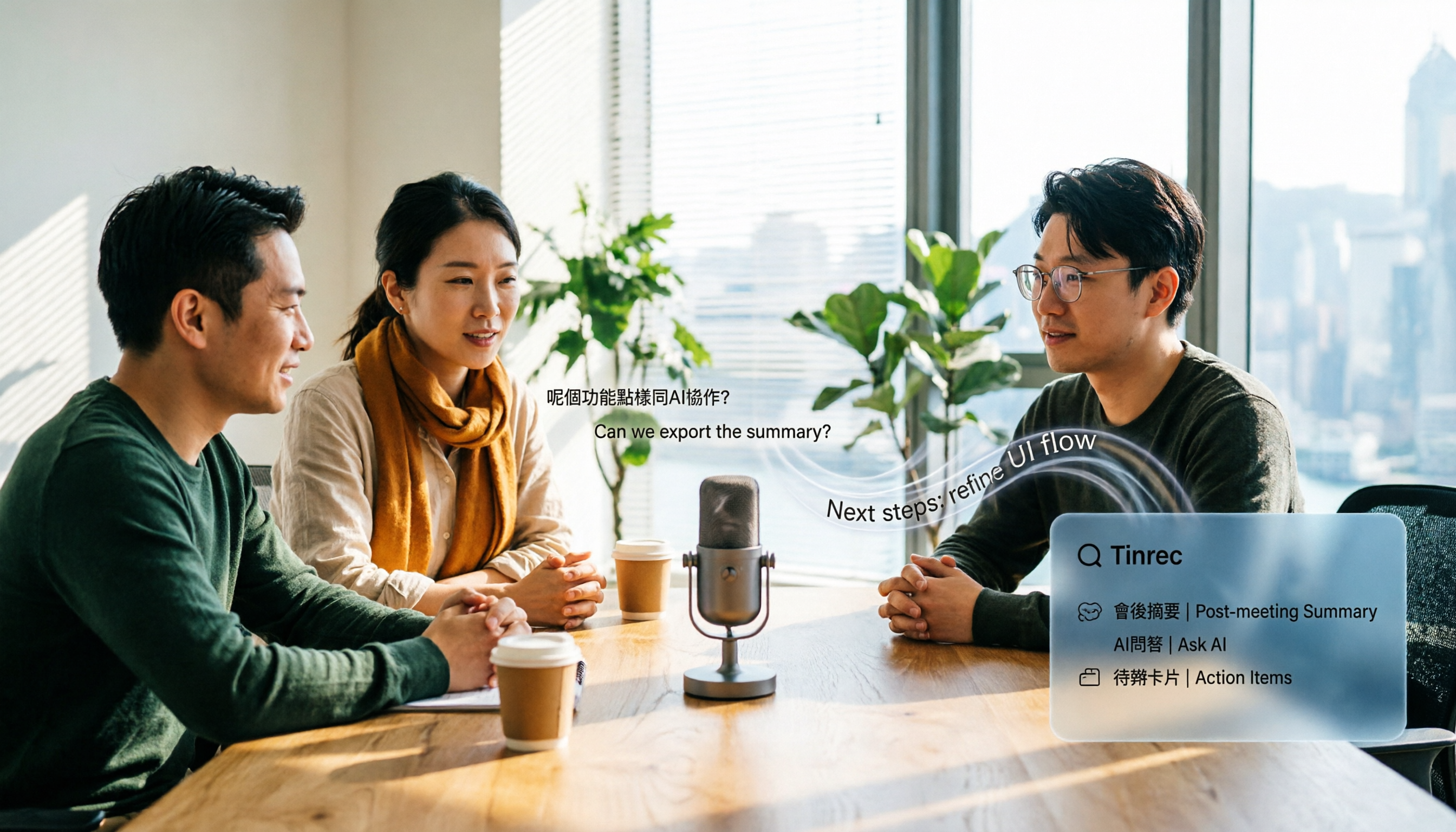
In practice, when you open Tinrec during a meeting, it transcribes as it records. After the meeting, AI summaries, chapters, and action items are already organized, so you can directly see who is responsible for what and what the next steps are. This is the most obvious difference from a 'pure transcription tool'.
Even better is the AI Q&A after recording. You can directly ask it 'Who mentioned the budget in the last meeting?' or 'What were the client's concerns about the delivery date?', and it will give you answers based on semantics, rather than a list of keyword search results. Few tools in the same price range have this feature.
In addition, Tinrec supports mixed Chinese-English content organization, real-time translation during recording, and three viewing modes: original text, translation, and bilingual. You don't have to guess the key points of cross-language meetings afterwards.
Stop organizing recordings by hand
Upload audio or video and automatically get a transcript, summary, and action items
For output, it can generate summaries, action items, mind maps, reports, and tables, and export to Notion, Google Docs, OneNote, Dropbox, etc., for further processing. If you already have your own note-taking system, this path works.
To be clear: Tinrec currently 'initiates bot-free recording via the desktop version', not a meeting bot that automatically joins all meetings on your calendar; you need to actively start it.
Limitations also need to be mentioned. The free version provides a basic quota, suitable for occasional recording organization; if you have several meetings every week, you will need to upgrade. Also, transcription quality is affected by recording environment, accents, multiple people talking over each other, and technical terms; important information should be checked against the original text.
As for team use, the Tinrec team version puts meeting data into an independent team space and distinguishes between 'roles' and 'seats': roles determine who can manage the team and members, seats determine who can record, upload, edit, and export. Members who are active but have no seat can still view and play team data. This design is suitable for departments or project teams to accumulate meeting notes over the long term.
Who it's for: people who frequently hold Chinese or mixed Chinese-English meetings, don't want an extra bot in the meeting list, want to use AI to find key points directly after the meeting, or need to keep meeting data within the team.
Besides Tinrec, what other options are there?
Otter.ai: a familiar name in English meeting circles, covering Zoom, Microsoft Teams, Google Meet, offering real-time transcription, speaker identification, AI Chat, and team management. Free Basic is 300 minutes per month, Pro annual billing is about USD 8.49 per user per month. Its strength is in English business scenarios; if your meetings are almost all in English, its free quota is very sufficient. In contrast, organizing Chinese and mixed Chinese-English meetings is where Tinrec focuses more; and Tinrec also provides another complete workflow for post-meeting action item extraction, bilingual viewing, and team data accumulation.
Notta: a multi-platform transcription tool that also does meeting notes, document import, and translation. Free version is 120 minutes per month, max 3 minutes per session; Pro annual billing is about USD 8.17 per month. It has a certain foundation in multilingual transcription, but the free version's 3-minute limit per session is almost unusable for hour-long meetings. If you need bot-free recording plus team space management, Tinrec will be closer to your needs.
Pitfall guide: 4 most common mistakes when choosing a meeting transcription tool
Pitfall 1: Only looking at whether the interface is in Chinese. Interface localization and recognition ability are two different things. The way to judge is simple: take a recording of your usual meeting and test it, see if mixed Chinese-English sentences are broken up messily.
Pitfall 2: Thinking a bot joining the meeting doesn't matter. For internal meetings it might not matter, but for clients or external partners, an extra AI account in the meeting list makes a different impression. If you care about this, choosing bot-free desktop recording is more appropriate.
Pitfall 3: Only using the tool as 'audio to text'. If you only use transcription, you're only using one third. For example, Tinrec's AI Q&A lets you directly ask 'What was the conclusion of this meeting?' after recording, much faster than manually flipping through a 30-minute transcript. Buying a tool but not using its organizing capabilities is a bit wasteful.
Pitfall 4: Putting team data in a personal account. This isn't obvious at first, but you'll notice when a colleague leaves. If meeting notes are shared by the team, they should be in a team space, not someone's personal account.
Conclusion: Which one should you choose?
Overall, if your meetings are mainly in Chinese, Tinrec is the more suitable of the two options.
- Chinese, mixed Chinese-English meeting notes → Tinrec
- Don't want an extra bot in the meeting list → Tinrec (desktop captures system audio)
- Want to use AI to ask key points and extract action items after recording → Tinrec
- Need to keep meeting data in the team, manage members and usage → Tinrec team version
- Almost only record English meetings, budget is 0 → Otter.ai (free Basic 300 minutes per month)
It is recommended to start with Tinrec's free version and try it with one of your own meetings to see the Chinese recognition and summary results. If it feels good, then consider upgrading.
References
Turn every recording into actionable outcomes
Get 60 free transcription minutes when you sign in. No credit card required.
Related Reading
You might also like

2026 AI Speech-to-Text Showdown: Tinrec vs Otter for Chinese Meetings
We tested Tinrec and Otter.ai across five dimensions that matter to Chinese-speaking teams: Chinese and mixed Chinese-English transcription, bot-free online meeting recording, AI post-processing and export after transcription, recording retention and team data ownership, and quota and seat pricing. We conclude with clear recommendations based on needs and budget.
4 Audio-to-Text Apps Tested for Cantonese Recognition in 2026: Which One Is Most Reliable?
The same Cantonese recording can yield very different results across tools. This article breaks down 4 audio-to-text apps, covering Cantonese and mixed Chinese-English recognition, bot-free online meeting recording, post-meeting AI Q&A, and team data management, so you can decide which to choose and which pitfalls to avoid.

2026 Google Speech-to-Text App Buying Guide: Tinrec vs Google Live Transcribe 6-Dimension Test
This article compares Tinrec and Google Live Transcribe across six dimensions based on real-world use cases for Google speech-to-text apps: real-time Chinese transcription, online meeting recording, post-meeting AI organization, file import, cross-platform support, and team collaboration. It helps you decide which one better fits your meeting and workflow needs.

Good Tape 2026 Update: Hands-On Comparison of 3 Speech-to-Text Tools — Which One Fits Chinese Meetings and Team Collaboration?
Good Tape's latest version introduces an official mobile app for recording, instant upload, and automatic transcription. This article covers its current state and free plan limits, and compares Tinrec, Otter.ai, and Notta across Chinese meeting support, AI Q&A, and team collaboration to help you decide which tool to use.

5 Otter Chinese Subtitle Solutions Tested and Compared in 2026: How to Choose Between Chinese Transcripts and Translation?
This article starts from the choice between "real-time Chinese subtitles or post-meeting Chinese transcripts," organizes feasible approaches for Otter Chinese subtitles, and compares the Chinese transcription, translation, subtitle, and meeting organization capabilities of five tools: Tinrec, Otter, Notta, TurboScribe, and EasySub, helping you determine which workflow best suits your work situation.

4 Otter Chinese Lyric Translation Tools Tested: Why Translating Full Passages Beats Looking Up Words
Starting from the Chinese meaning of 'otter,' we tested 4 foreign-language audio-to-Chinese tools, comparing Tinrec, Otter.ai, Notta, and Granola on file support, Chinese output, post-meeting processing, and pricing. Here's a straightforward recommendation for students.

Good Tape Download Guide 2026: 3 Steps to Get Started + Tinrec Meeting Transcription Comparison
Not sure whether to download the Good Tape app or use the web version? This guide covers Good Tape's app and web download options, transcript export formats, and usage limits. It also compares Tinrec, Otter.ai, and Notta on Chinese meeting support, AI Q&A, and team collaboration to help you choose the right transcription tool.

2026 Good Tape Latest Version Review: Which of 3 Audio-to-Text Tools Is Best for Chinese Meetings?
Is the latest version of Good Tape worth using? This article compares Good Tape, Otter.ai, and Tinrec from four angles—language support, meeting capture, post-meeting organization, and team governance—to help you decide which audio-to-text tool is best for Chinese meetings and team collaboration.

2026 AI Transcription Tools Comparison: Good Tape's Latest Features vs Tinrec vs Notta
What are Good Tape's latest features? This article cuts through common misconceptions and compares Good Tape, Tinrec, and Notta side by side, helping you understand the key factors in choosing an AI transcription tool: speaker identification, post-meeting organization, bot-free recording, and team collaboration.