
Turn recordings into transcripts and summaries in minutes
Upload audio or video for multilingual transcription, AI notes, and action items
3 Smart Meeting Collaboration Tools Tested in 2026: Complete Tinrec Tutorial and Buying Guide
It's 3:30 PM, the online meeting just ended, and the host drops a line: "Everyone, please note today's conclusions." You stare at a blank notepad, remembering only three keywords. Everything else—who promised what, what's due next week—is a blur. This happens three times a week, adding up to hours of organizing time.
This article covers how to use smart meeting collaboration tools. I'll focus on Tinrec, explaining the actual workflow, important details, and plan differences clearly. Tinrec is an AI meeting notes and collaboration tool for individuals and teams, supporting web, desktop, and mobile, and handling Chinese, Traditional Chinese, and multilingual meetings. The free version lets you experience recording, importing, summaries, and transcription—ideal for general office workers, project teams, and budget-conscious individual users.
What Can Smart Meeting Collaboration Do for You?
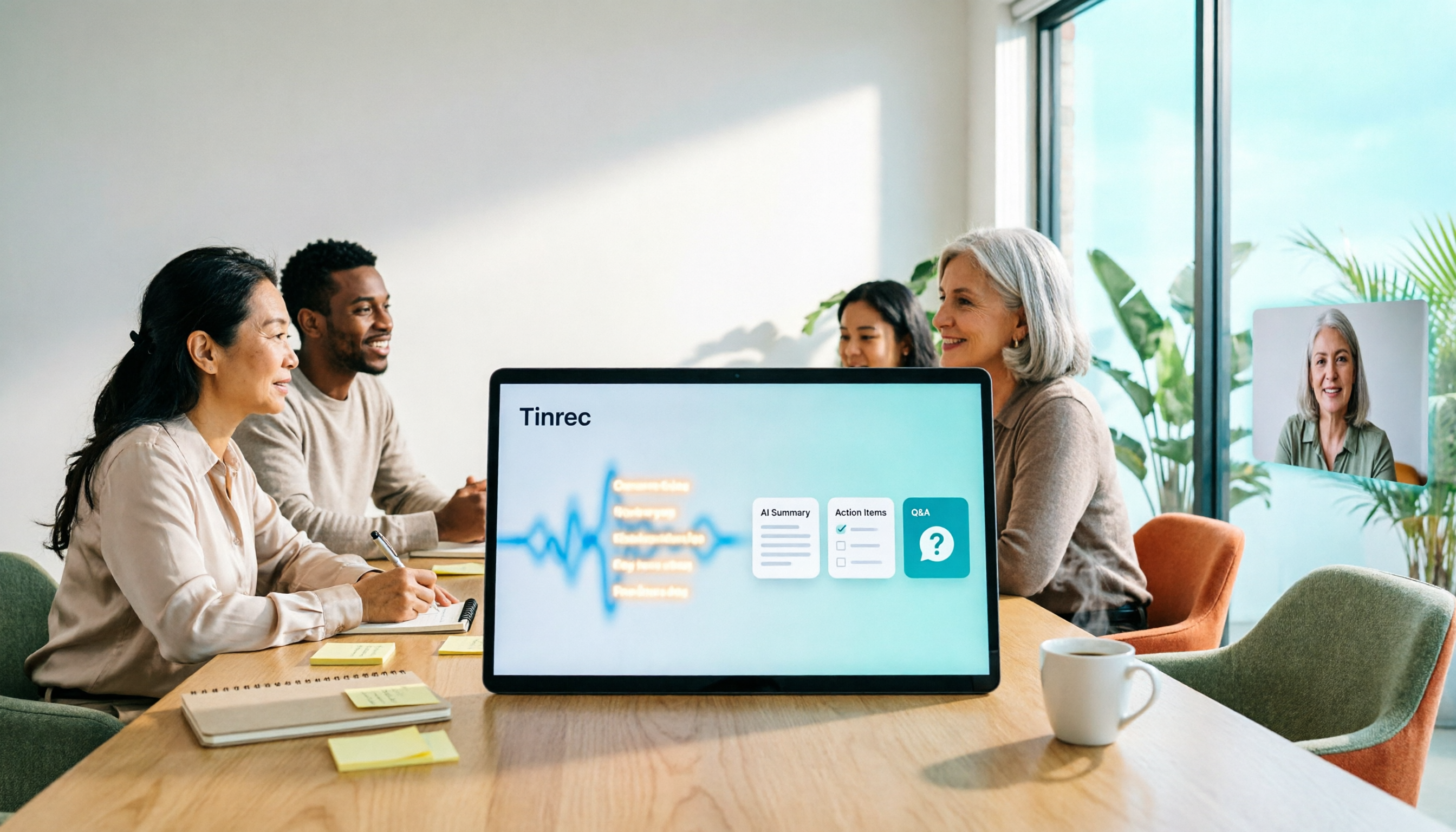
Scenario 1: Get meeting notes 5 minutes after the meeting Previously, a two-hour meeting might take another hour to organize. With Tinrec, as the meeting ends, AI has already produced summaries, chapters, and action items—who's responsible for what, deadlines, all listed clearly.
Scenario 2: Never miss client commitments Client needs, concerns, and promises to follow up are scattered across a 40-minute conversation. Tinrec keeps the transcript, so later you can ask "Where did the client mention the budget?" without listening to the recording from the start.
Scenario 3: Keep up with cross-language meetings When meeting with overseas colleagues, Tinrec supports real-time translation during recording. You can switch between original, translated, or bilingual views, so you won't zone out just because you missed a keyword.
What Are the Core Capabilities of Smart Meeting Collaboration?
Real-time transcription: Text appears as you record, not after. During the meeting, you can follow along to ensure key points aren't missed. It handles Chinese and mixed Chinese-English content.
Bot-free online meeting recording: This is a unique feature of Tinrec's desktop version. It directly captures your computer's system audio, so for Zoom, Google Meet, Microsoft Teams, Webex, etc., no extra bot account joins the meeting. Note: you need to actively open Tinrec to start recording; it doesn't automatically join every meeting on your calendar.
AI summaries, chapters, and action items: AI summaries aren't just condensing the transcript into a paragraph—they structure it: meeting topic, discussion conclusions, action items, and owners listed separately. Long meetings are split into chapters for easy skimming.
AI Q&A: After transcription, you can ask questions like "What was decided in this meeting?" or "Who mentioned the budget?" The system answers semantically, perfect for reviewing past meetings.
Export and post-processing: Meeting results can be exported to Notion, Google Docs, OneNote, Dropbox, etc. You can also use Agent post-processing to generate reports, tables, and documents, turning them into deliverable outputs.
Practical Use Cases
Online weekly and cross-department meetings: For regular project meetings, the most common issue is "Didn't we agree last time?" Save each meeting in Tinrec, and new members can review history, so decisions aren't just in someone's head.
Client interviews and sales conversations: Requirements interviews are often fragmented. Tinrec keeps the transcript and organizes follow-up actions, making it easy to write proposals or schedule next steps.
Classes, lectures, and self-learning: Recordings of classes, online courses, and seminars can be turned into transcripts and summaries. For those who need to review repeatedly, searchable text is far more useful than an audio file.
Stop organizing recordings by hand
Upload audio or video and automatically get a transcript, summary, and action items
Content creation and interview organization: Podcasts, YouTube interviews, or interview recordings can be transcribed to find quotable passages, saving time listening repeatedly.
Team knowledge retention: If your team shares meeting data, Tinrec's Team plan centralizes recordings, transcripts, summaries, and action items in a shared team space. Data belongs to the team, so it won't disappear if someone leaves.
5 Things to Consider When Buying a Smart Meeting Collaboration Tool
1. How does meeting audio get in? Common methods: meeting bot joins, platform built-in transcription, or desktop captures system audio. Tinrec uses the third, so no extra participant and no disruption to meeting flow.
2. Can you use it after transcription? Tools that only give transcripts leave the organizing work to you. Tinrec offers summaries, chapters, action items, Q&A, and export after transcription—that's where time is saved.
3. Performance with Chinese and mixed Chinese-English Taiwanese meetings often mix Chinese with English terms. Tinrec supports Chinese, Traditional Chinese, and multiple languages. The Team plan also maintains team hotwords for more consistent recognition of internal jargon. Actual results depend on recording quality, accents, noise, and overlapping speech. We recommend testing with your own meeting recording.
4. Where does data live, and can the team take over? For personal use, data follows the account. For team use, check for a separate space and role/seat distinctions. Tinrec's Team plan is team-level sharing: active members without a seat can view, play, and read team data, but recording, uploading, editing, and exporting require a seat.
5. Quotas and billing First, consider your usage frequency. The Personal plan has a free version for basic quotas, a weekly pass for short-term intensive use, and Pro monthly/yearly for long-term stable use. The Team plan is currently USD 29.80 per paid seat per month, or USD 199 per paid seat per year (about USD 16.58/month). Each paid seat provides 2,000 minutes of team shared import quota per month; under an active team plan and active seat, real-time recording is currently not deducted by minutes. Prices, currency, and promotions are subject to the official purchase page.
FAQ
Q1: How do I use Tinrec? Three steps: Open Tinrec, choose real-time recording or desktop recording for online meetings; after the meeting, view the auto-generated transcript and summary; finally, export action items to your workflow. You can also upload audio or video files to organize old files.
Q2: Do I need a meeting bot to join? No. Tinrec's desktop version captures system audio directly, so no bot participant. But you need to actively start recording; it's not a service that automatically joins all calendar meetings.
Q3: Is the free version enough? The free version offers basic quotas to experience recording, importing, summaries, and transcription—good for trying one or two meetings. If you have regular weekly meetings, consider a weekly pass or Pro based on frequency. For multi-user sharing and member management, consider the Team plan.
Q4: What's the difference between Team and Personal? Personal data is managed by the individual account. The Team plan is a separate team space with member invitations, roles (owner, admin, member), seat allocation, usage analytics, audit logs, team hotwords, and audio recycle bin. When a member leaves or is removed, team resources are transferred to other active members, not taken away.
Q5: Can transcription accuracy be guaranteed? No tool should promise that. Actual performance depends on recording quality, ambient noise, accents, overlapping speech, and technical terms. A practical approach: use Tinrec to reduce manual note-taking and organizing, and double-check important terms or numbers against the transcript and recording.
Q6: Do I need to inform others before recording? Yes. Recording and transcription involve others' privacy and personal data. Regulations vary by location and company policy. We recommend informing participants and getting consent before recording.
Conclusion
Smart meeting collaboration isn't about adding another tool—it's about automating the "organizing after meetings" task. Tinrec handles recording, transcription, summaries, action items, Q&A, and team sharing, turning meeting content into searchable, trackable data instead of an audio file sitting on your phone.
If you have many meetings, start with the free version for two or three sessions to feel the difference of AI giving you summaries and action items directly, then decide whether to upgrade.
References
- Google Meet: Online voice and video meeting calls | Google Workspace
- AI Meeting Notes in Notion | Capture Ideas, Summaries ...
- Smart Meeting Room - Digital Smart Meeting Room
- What is a Smart Meeting Room? A Guide to Benefits, Features, and Applications - DC Sales Portal
- Smart meetings - Smart Meetings and Workspaces
Turn every recording into actionable outcomes
Get 60 free transcription minutes when you sign in. No credit card required.
Related Reading
You might also like

4 Smart Meeting Collaboration Tools Tested and Compared in 2026: How to Use Them and Which One Your Team Should Choose
How do smart meeting collaboration tools actually work? Starting from the real pain points of meeting notes, this article outlines 5 key purchasing criteria, fully breaks down the workflow of Tinrec (Miao Ting Lu Yin) from starting a meeting, transcription, AI summaries, action items, to team spaces, and compares the differences between Granola, Otter.ai, and Notta, finally providing clear selection recommendations for different scenarios.

4 Smart Meeting Collaboration Tools Tested in 2026: Which One Turns Meetings into Actionable Tasks?
Want to understand how smart meeting collaboration works? This article starts with how meetings are captured and how post-meeting data becomes a team asset. It compares four tools—Tinrec, Otter.ai, Granola, and Notta—and outlines 4 key purchasing factors and 4 common pitfalls to help you find a solution that truly saves post-meeting organization time.

Best Free AI Meeting Collaboration Tools in 2026: 4 Options Compared
How do you approach smart meeting collaboration? This article starts with the three most common mistakes, outlines four key points to understand before choosing a tool, and compares the free plans and post-meeting AI capabilities of Tinrec, Notta, Otter.ai, and Granola, with a guide to avoiding pitfalls and a quick-start checklist.

6 Live Transcription Tools Compared for 2026: Free vs. Paid Plans
How do you choose a live transcription tool? This comparison covers 6 popular options—Tinrec, Otter.ai, Notta, Granola, TurboScribe, and PLAUD—with free tiers, supported languages, post-meeting AI summaries, and pricing, plus selection advice and FAQs.

Best AI Meeting Collaboration Tools in 2026: We Tested 5, and This One Handles Chinese Meetings Best
How do you run smart meeting collaboration? Most people think the problem is the device or the software, but the real bottleneck is what happens after the meeting. We tested 5 tools—Tinrec, Otter.ai, Granola, Notta, and TurboScribe—comparing them across recording method, Chinese recognition, post-meeting output, and team sharing. We also break down the 3 most common buying mistakes to help you find the solution that actually keeps meetings moving forward.

2026 Smart Meeting Collaboration Platforms Compared: Which Is Best for Chinese Meetings and Team Knowledge Retention?
What is a smart meeting collaboration platform? This article explains in plain language how it differs from smart meeting rooms and meeting room booking systems, then compares Tinrec, Otter.ai, Notta, and Granola across four key areas: how meeting audio is captured, what you get after the meeting, Chinese language performance, and team data ownership. It also covers the four most common pitfalls when adopting these tools.

Tinrec vs Notta 2026: 5-Dimension Comparison for Smart Meeting Collaboration in Chinese Scenarios
What is smart meeting collaboration in English? Understand smart meeting collaboration, hybrid meeting, AI meeting assistant, and meeting transcription. Then, from a mid-level manager's hands-on perspective, compare the positioning, pricing, and target users of 6 solutions: Tinrec, Otter.ai, Notta, Granola, PLAUD, and TurboScribe.

2026 Live Transcription AI Comparison: Which Tool Saves the Most Time on Chinese Meeting Notes?
Live transcription AI isn't about who transcribes fastest—it's about who stays with you after the meeting ends. This article tackles three common misconceptions, outlines 5 key selection criteria, and compares Tinrec, Otter.ai, Granola, and Notta on Chinese meeting support, post-meeting Q&A, and team collaboration, plus a pitfalls guide and scenario-based recommendations.

2026 Real-Time Transcription Tools Compared: Chinese Recognition, AI Q&A, and Free Tiers
We tested four real-time transcription tools in 2026, comparing their performance on Chinese and mixed Chinese-English speech, AI Q&A capabilities, online meeting recording methods, and free tiers. We also share our hands-on experience with Tinrec for meeting organization and team collaboration to help you choose the best tool.