

Turn recordings into transcripts and summaries in minutes
Upload audio or video for multilingual transcription, AI notes, and action items
6 Live Transcription Tools Compared for 2026: Free vs. Paid Plans
Can't keep up with notes during a meeting, then spend hours afterward replaying the recording to write up a transcript—what you need is a tool that transcribes in real time and automatically organizes the key points. But with so many live transcription tools out there, is a free version enough? Which one handles Chinese most accurately? This guide compares 6 tools in one chart, covering free tiers, supported languages, post-meeting organization features, and pricing.
Why You Need a Live Transcription Tool
Whether it's an online meeting, a client interview, a classroom lecture, or a quick note of an idea, a live transcription tool lets you stay focused in the moment instead of splitting your attention to take notes. Afterward, just open the transcript to quickly review key points, search for keywords, and even auto-generate summaries and action items. According to source data, AI transcription can save about 80% of manual typing time. This article covers 6 popular tools, including completely free options and paid plans, to help you find the best fit.
Tinrec—The Most Complete AI Recording Assistant
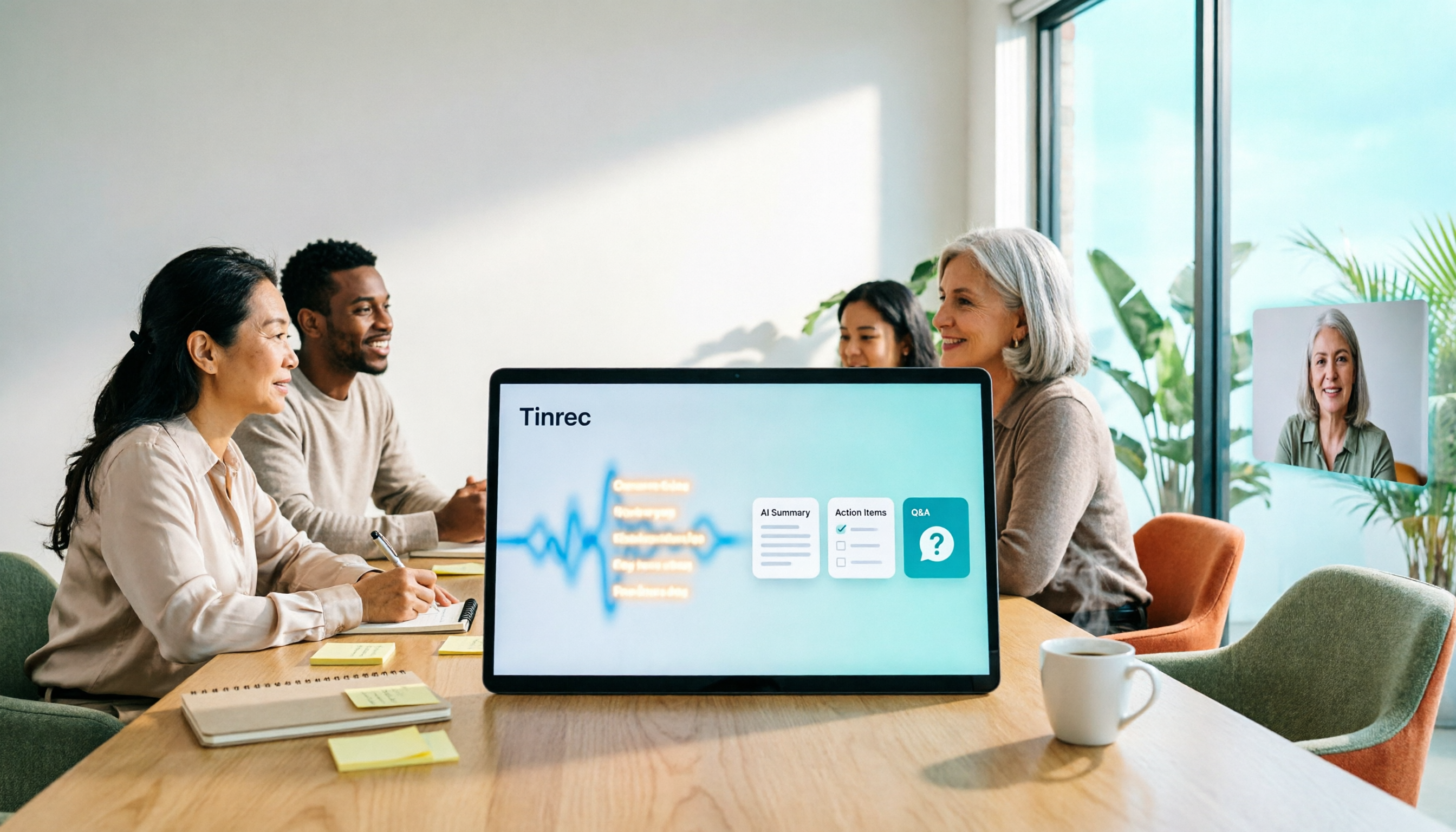
Tinrec is an AI meeting notes and collaboration tool for individuals and teams. It doesn't just turn audio into text—it turns meeting recordings into searchable, summarizable, queryable, exportable, and further editable data.
Key highlights:
- Bot-free online meeting recording: The desktop version captures your computer's system audio directly to handle Zoom, Google Meet, Microsoft Teams, Webex, and other meetings without inviting a meeting bot to join.
- Live recording-to-text and real-time translation: Transcribes as you record, with options to view the original text, translation, or bilingual content—ideal for cross-language meetings.
- AI summaries, chapters, and action item extraction: Automatically organizes meeting highlights, chapter structure, and action items.
- AI Q&A: Ask follow-up questions about the meeting content, such as "Find the budget range the client mentioned."
- Multi-format export and Agent post-processing: Export to Notion, Google Docs, OneNote, Dropbox, and more, and generate reports, tables, and meeting minutes.
- Team workspace: Centrally store team meeting data and manage members, roles, seats, usage, and audit logs.
Free/paid plans:
The free version lets you try basic usage; the weekly pass suits short-term high-frequency use; the Pro monthly and annual plans suit steady meetings and long-term data accumulation. The team version offers a 7-day trial for first-time eligible users, 1 free seat, and 300 minutes of shared team import quota; monthly billing is USD 29.80 per paid seat per month, annual billing is USD 199 per paid seat per year (about USD 16.58/month), each paid seat provides 2,000 minutes of shared team import quota per month, and live recording does not deduct minutes under an active team plan. Actual prices are subject to the official purchase page.
Who it's for: Those who need Chinese meeting notes, bot-free recording, post-meeting AI organization, and team collaboration.
Otter.ai—The Best-Known AI Meeting Assistant in the English-Speaking World
Otter.ai is a mature AI meeting assistant covering Zoom, Microsoft Teams, and Google Meet, offering live transcription, speaker identification, AI Chat, and workflow integrations. Its strengths lie in English business meetings and team automation.
Pricing: Basic is free with 300 minutes per month; Pro is about USD 8.49 per user per month billed annually, including 1,200 minutes of in-app recording per month and 10 file imports; Business offers unlimited meetings and in-app recording, more imports, and management capabilities—check the official website for exact pricing.
Who it's for: Those whose meetings are mainly in English and who need mature meeting automation.
Notta—Multilingual Transcription and Team Plans
Notta overlaps significantly with Tinrec, both covering multi-platform transcription, meeting notes, file import, translation, and team plans. It supports multilingual transcription, making it suitable for users who need to organize cross-language content.
Pricing: Free offers 120 minutes per month with a maximum of 3 minutes per item; Pro is about USD 8.17 per month billed annually with 1,800 minutes per month; Business is about USD 16.67 per seat per month billed annually, offering unlimited transcription, role permissions, and usage reports. Subject to the official pricing page.
Who it's for: Those who need multilingual transcription and team permission management.
Stop organizing recordings by hand
Upload audio or video and automatically get a transcript, summary, and action items
Granola—Bot-Free AI Meeting Notes
Granola is a bot-free AI meeting notes tool that transcribes in real time via your desktop device's system audio and microphone, and combines your handwritten notes to generate more targeted meeting content. It supports viewing, copying, and searching live transcripts, but does not support uploading pre-recorded audio files and does not save meeting audio.
Pricing: Basic is free; Business is USD 14 per user per month; Enterprise is USD 35 per user per month. Subject to the official pricing page.
Who it's for: Those who prefer writing their own notes and want AI-enhanced meeting records.
TurboScribe—A Cost-Effective File Transcription Tool
TurboScribe is closer to a cost-effective file transcription tool, focusing on long files, batch uploads, subtitles, and translation. It's suited for processing large volumes of recorded audio or video files.
Pricing: Free offers 3 files per day with a maximum of 30 minutes per file; Unlimited is USD 120 billed annually, about USD 10 per month; paid versions support files up to 10 hours or 5 GB and up to 50 files per upload. Subject to the official pricing page.
Who it's for: Those who need to transcribe large volumes of files and create subtitles.
PLAUD Note / NotePin—AI Recording Hardware
PLAUD is a representative of AI recording hardware—what you buy is a standalone device, on-the-go recording, phone call recording, and the hardware experience. It suits scenarios where you don't want to rely on your phone and need long-battery recording.
Pricing: PLAUD NotePin USD 159; PLAUD Note Pro USD 189. Membership plans: Starter offers 300 minutes per month; Pro is USD 99.99 per year with 1,200 minutes per month; Unlimited is USD 239.99 per year. Subject to the official page.
Who it's for: Those who need on-the-go hardware recording and phone call recording.
With So Many Options, How Should You Choose?
- Want the most complete AI features (transcription + AI chat queries + auto summaries + action items + team collaboration) → Tinrec (the only one with all of these)
- Need bot-free recording of Zoom, Meet, Teams, Webex online meetings → Tinrec
- Need Chinese, mixed Chinese-English, multilingual meetings, and real-time translation → Tinrec
- Need to turn meeting data into a searchable, transferable team asset → Tinrec team version
- Mainly English meetings, used to the Otter ecosystem → Otter.ai
- Need multilingual transcription and entry-level team permissions → Notta
- Prefer writing your own notes and just want AI enhancement → Granola
- Need to transcribe large volumes of files and subtitles → TurboScribe
- Need on-the-go hardware recording → PLAUD
4 Things to Know Before Using a Live Transcription Tool
- Free tier limits: Most free versions have minute or file limits, such as Otter's 300 minutes per month, Notta's 120 minutes per month, and TurboScribe's 3 files per day. If your usage is high, consider a paid plan. Tinrec's team version offers shared import quota, and live recording doesn't deduct minutes under an active team plan.
- Chinese recognition and accents: Actual performance is affected by recording quality, noise, accents, and overlapping speakers, so fixed accuracy rates shouldn't be promised. Tinrec supports Chinese, Traditional Chinese, multiple languages, and team hotwords.
- Meeting recording compliance: Get participants' consent before recording and comply with local laws.
- Post-meeting organization matters more than transcription: A transcript alone isn't enough—you also need summaries, action items, Q&A, and export. Tinrec provides a complete post-meeting workflow.
Summary
Live transcription tools can save you a lot of manual typing time, but each tool excels in different scenarios. If you value Chinese meetings, bot-free recording, post-meeting AI organization, and team collaboration, Tinrec is worth trying. Other tools like Otter, Notta, Granola, TurboScribe, and PLAUD each have their own strengths and can be chosen based on your needs. It's best to start with a free plan and upgrade based on usage.
FAQ
Q1: Is a free version of a live transcription tool enough?
A: It depends on how often you use it. For light use, such as a few short meetings a month, a free version is usually enough; if you have meetings or interviews every week, consider a paid plan. Tinrec's free version lets you try basic usage, and the team version offers additional shared import quota.
Q2: Can Tinrec record Zoom and Google Meet?
A: Yes. Tinrec's desktop version captures your computer's system audio directly to handle Zoom, Google Meet, Microsoft Teams, Webex, and other online meetings without a meeting bot joining.
Q3: What's the difference between Tinrec's team version and personal version?
A: In the personal version, data is managed under your personal account; the team version provides an independent team workspace where meeting data belongs to the team, plus capabilities for members, roles, seats, shared benefits, usage analytics, audit logs, and a recycle bin.
Q4: Can team members without a seat see the data?
A: Active members can view, play, and read team data even without a seat; only after getting a seat can they record, upload, edit, import/export, and perform other operations.
Q5: Can a deleted meeting recording be recovered?
A: Tinrec's team version provides an audio recycle bin, which can restore recordings before permanent cleanup begins; the current retention period is 30 days. TODOs are not covered by the recycle bin.
Q6: Can accuracy reach 100%?
A: We don't recommend making that promise. Actual performance is affected by audio quality, noise, accents, overlapping speakers, and technical terminology. Tinrec can reduce manual organization costs, but for important content, it's best to verify against transcript timestamps and recording playback.
References
Turn every recording into actionable outcomes
Get 60 free transcription minutes when you sign in. No credit card required.
Related Reading
You might also like

4 Smart Meeting Collaboration Tools Tested and Compared in 2026: How to Use Them and Which One Your Team Should Choose
How do smart meeting collaboration tools actually work? Starting from the real pain points of meeting notes, this article outlines 5 key purchasing criteria, fully breaks down the workflow of Tinrec (Miao Ting Lu Yin) from starting a meeting, transcription, AI summaries, action items, to team spaces, and compares the differences between Granola, Otter.ai, and Notta, finally providing clear selection recommendations for different scenarios.

4 Smart Meeting Collaboration Tools Tested in 2026: Which One Turns Meetings into Actionable Tasks?
Want to understand how smart meeting collaboration works? This article starts with how meetings are captured and how post-meeting data becomes a team asset. It compares four tools—Tinrec, Otter.ai, Granola, and Notta—and outlines 4 key purchasing factors and 4 common pitfalls to help you find a solution that truly saves post-meeting organization time.

Best Free AI Meeting Collaboration Tools in 2026: 4 Options Compared
How do you approach smart meeting collaboration? This article starts with the three most common mistakes, outlines four key points to understand before choosing a tool, and compares the free plans and post-meeting AI capabilities of Tinrec, Notta, Otter.ai, and Granola, with a guide to avoiding pitfalls and a quick-start checklist.

Best AI Meeting Collaboration Tools in 2026: We Tested 5, and This One Handles Chinese Meetings Best
How do you run smart meeting collaboration? Most people think the problem is the device or the software, but the real bottleneck is what happens after the meeting. We tested 5 tools—Tinrec, Otter.ai, Granola, Notta, and TurboScribe—comparing them across recording method, Chinese recognition, post-meeting output, and team sharing. We also break down the 3 most common buying mistakes to help you find the solution that actually keeps meetings moving forward.

2026 Smart Meeting Collaboration Platforms Compared: Which Is Best for Chinese Meetings and Team Knowledge Retention?
What is a smart meeting collaboration platform? This article explains in plain language how it differs from smart meeting rooms and meeting room booking systems, then compares Tinrec, Otter.ai, Notta, and Granola across four key areas: how meeting audio is captured, what you get after the meeting, Chinese language performance, and team data ownership. It also covers the four most common pitfalls when adopting these tools.
3 Smart Meeting Collaboration Tools Tested in 2026: Complete Tinrec Tutorial and Buying Guide
How do smart meeting collaboration tools work? This article focuses on Tinrec, covering the actual workflow for bot-free online meeting recording, real-time transcription, AI summaries and action items, AI Q&A, export and Agent post-processing. It also breaks down the differences between Personal and Team plans, seat and quota details, plus 5 key points to consider when buying and answers to common questions.

Tinrec vs Notta 2026: 5-Dimension Comparison for Smart Meeting Collaboration in Chinese Scenarios
What is smart meeting collaboration in English? Understand smart meeting collaboration, hybrid meeting, AI meeting assistant, and meeting transcription. Then, from a mid-level manager's hands-on perspective, compare the positioning, pricing, and target users of 6 solutions: Tinrec, Otter.ai, Notta, Granola, PLAUD, and TurboScribe.

2026 Live Transcription AI Comparison: Which Tool Saves the Most Time on Chinese Meeting Notes?
Live transcription AI isn't about who transcribes fastest—it's about who stays with you after the meeting ends. This article tackles three common misconceptions, outlines 5 key selection criteria, and compares Tinrec, Otter.ai, Granola, and Notta on Chinese meeting support, post-meeting Q&A, and team collaboration, plus a pitfalls guide and scenario-based recommendations.

2026 Real-Time Transcription Tools Compared: Chinese Recognition, AI Q&A, and Free Tiers
We tested four real-time transcription tools in 2026, comparing their performance on Chinese and mixed Chinese-English speech, AI Q&A capabilities, online meeting recording methods, and free tiers. We also share our hands-on experience with Tinrec for meeting organization and team collaboration to help you choose the best tool.