

Turn recordings into transcripts and summaries in minutes
Upload audio or video for multilingual transcription, AI notes, and action items
Only after the meeting ends do you realize no one remembers the conclusion—what you need isn't 'it was recorded,' but 'it can still be found'
"That part where the client mentioned the budget last time—which meeting was that in?"
This is probably the question many managers and project leads dread most. During the meeting, discussions are lively, but after it ends, decisions stay in everyone's memory, the transcript lies in a recording app on someone's phone, and action items are scattered across three different chat rooms. When you need to go back two weeks later to confirm "who exactly agreed to what," you can only re-listen to 40 minutes of recording.
Another common situation is hybrid meetings. The company may have already implemented interactive whiteboards and one-touch meeting room devices, solving the hardware part of "walk into the meeting room, press a button, and start," but the content discussed during the meeting still doesn't become data that anyone can query and follow up on.
So for people searching "how to use smart meeting collaboration," the real problem is usually not not knowing how to press the record button, but not knowing how to turn meeting content into something useful later. This article will first discuss selection criteria, then break down the actual operation process, and finally give recommendations for different scenarios.
Before choosing a smart meeting collaboration tool, understand these 5 key points
1. How is the meeting 'recorded'? Currently, there are two main approaches: one is sending a meeting bot to join online meetings as a participant, and the other is directly capturing the computer's system audio from the desktop. Bots are convenient, but in external client meetings, an unfamiliar account appearing in the participant list can sometimes be off-putting; desktop capture doesn't add any participants. This difference is especially noticeable in external meetings.
2. After transcription, what else do you get? Transcription is just the starting point. What really determines efficiency is the layer after transcription: whether there are automatic summaries, chapters, key points, action items, and the ability to continue asking questions about the content. If the tool only gives you a large block of text, you're just replacing "re-listening to the recording" with "re-reading the transcript," and the organizing time isn't really saved.
3. Actual experience with Chinese and multilingual meetings. Meetings in Taiwan rarely use a single language throughout, and mixing Chinese and English is the norm. When choosing a tool, look not at how many languages the official description says it supports, but whether it can provide bilingual comparison and real-time translation in Chinese meetings, mixed Chinese-English, and cross-language conversations, and whether professional terminology can maintain recognition quality through custom dictionaries.
4. Will the audio files be kept? Many people only discover this afterward. Some tools only keep text and don't store meeting audio; when you need to confirm the tone of a certain sentence or suspect a summary missed a discussion, there's no original recording to check. For teams that need to retain communication records, whether audio is kept is a hard requirement.
5. Does the team need 'sharing' or 'governance'? When used by a team, can members see historical meetings, who has permission to upload and edit, how quotas are allocated, and are there issues with data handover after personnel changes—these can't be solved by a shared folder. Only tools that distinguish between 'roles' (who can manage the team) and 'seats' (who can use resources) can be managed long-term.
Tinrec (Miao Ting Lu Yin)—from starting a meeting to post-meeting organization, a complete breakdown of the usage workflow
Tinrec (Miao Ting Lu Yin) is an AI meeting notes and collaboration tool for individuals and teams, supporting iOS, Android, and web versions, with online meetings handled by the desktop version. Its positioning is not just simple audio-to-text, but turning meetings into searchable, queryable, and collaborative team data. How does it actually work? It can be broken down into five steps.
Step 1: Before an online meeting, open the desktop version of Tinrec. It directly captures the computer's system audio and doesn't need to invite any meeting bot to join Zoom, Google Meet, Microsoft Teams, or Webex. This is very practical for external client meetings—no unfamiliar AI account appears in the participant list. Note that Tinrec is currently not a calendar-based automatic meeting bot; users need to actively initiate recording, and it won't automatically join all meetings on your calendar.
Step 2: During the meeting, the transcript is generated in real-time. Recording and transcribing simultaneously, meeting content is settled in sync. For cross-language meetings, you can switch between original text, translation, or bilingual comparison, so you don't discover after the meeting that you missed something.
Step 3: As soon as the meeting ends, AI automatically generates summaries, chapters, key points, and action items. Long meetings are broken into easily browsable sections, and who is responsible for what and what the next steps are can be seen within minutes after the meeting, without manual organization.
Step 4: After the meeting, use AI Q&A to follow up directly. This is where it differs most noticeably from ordinary transcription tools. You can ask questions about recorded meetings, such as "In last quarter's meeting, what were the client's concerns about the pricing?" The tool will answer based on the meeting content, rather than giving you a list of keyword search results.
Step 5: Bring the results into your existing workflow. Transcripts and summaries can be exported to commonly used tools like Notion, Google Docs, OneNote, Dropbox; they can also be further processed through Agent to generate reports, tables, or documents from meeting content, directly used in weekly reports and reviews.
Stop organizing recordings by hand
Upload audio or video and automatically get a transcript, summary, and action items
One more step for team use: create a team space. The team version is not multiple people sharing a personal account, but an independent collaboration space. You can create and switch between multiple teams, invite members via links, set owners/admins/regular members, and allocate or revoke seats. Meeting data is uniformly stored in the team space, new members can view historical data, and when members leave, resources can be handed over to other active members. Managers can also view usage trends, member rankings, audit logs, and handle accidentally deleted files through the audio recycle bin (currently retention period is 30 days).
Its three main advantages: First, no meeting bot is needed, making external meetings cleaner; second, the post-meeting workflow is complete, from summary, Q&A, export to report generation all in one go; third, Chinese meetings and team accumulation, team hotwords can maintain professional terminology, and meeting data belongs to the team, not disappearing with individual departures.
Things to note: The free version has a basic quota, suitable for initial experience; importing documents and web links consumes team shared import minutes, and paid team seats provide 2,000 minutes of shared import quota per month, while real-time recording under an active team plan is currently not deducted by minutes. Additionally, transcription quality can be affected by recording quality, environmental noise, accents, overlapping speech, and professional terminology, so it's not recommended to expect a fixed accuracy number; for important content, it's advisable to cross-check with transcript timestamps and audio playback.
Who is it for: If your meetings are mainly in Chinese or mixed Chinese-English, you don't want a meeting bot to join, you need to follow up on meeting content after the meeting, and you want to accumulate data as a team-shared asset, Tinrec is currently the closest choice to these needs.
Besides Tinrec, what other options are there?
Granola: An AI meeting note tool that captures audio from desktop devices without a bot, emphasizing "your handwritten notes plus AI enhancement," with Basic free and Business at USD 14/user/month. Note that it does not support uploading pre-recorded audio files and does not save meeting audio—after the meeting, only text remains. If you need to go back and confirm original words or tone, Tinrec retains recordings and supports importing audio and video files, which is much more practical.
Otter.ai: A veteran choice for English business meetings, with a free version of 300 minutes per month, and Pro annual payment equivalent to about USD 8.49/user/month. If 90% of your meetings are in English, Otter's cost-effectiveness is indeed high, and this is one of the few exceptions this article is willing to directly recommend. But its main strength is not in Chinese meetings, while Tinrec, besides Chinese transcription, also offers real-time translation, team hotwords, and Agent post-processing, positioning it more towards reusing post-meeting data. Prices are subject to the official page.
Notta: A competitor with high overlap with Tinrec, free version 120 minutes per month, single session limit 3 minutes, Pro annual payment about USD 8.17/month. It performs well in simple file transcription and translation, but Tinrec's differentiation lies in desktop bot-free recording of online meetings, AI Q&A, and centralizing transcripts, action items, and member management in the same team space. Prices and benefits are subject to the official page.
Pitfall guide: The 4 most common mistakes when choosing a smart meeting collaboration tool
Pitfall 1: Treating 'having a transcript' as task completion. Transcripts are just raw material. If the tool lacks summary, action items, and Q&A capabilities, you save typing time but not organizing time at all. Before buying, ask: five minutes after the meeting, what can I get that can be forwarded to my manager?
Pitfall 2: Ignoring whether audio files are retained. Tools that only keep text leave you with no chance to verify if a summary misses key discussions. For teams that need to retain client communication records, this is something to confirm from the start.
Pitfall 3: Mistaking 'team sharing' for 'everyone can edit.' Team tools usually distinguish roles and seats: members without seats can view, play, and read, but cannot upload, edit, or export. This is not a limitation, but a design to prevent unlimited consumption of quotas. When purchasing, calculate 'how many people need to view' and 'how many people need to use' separately.
Pitfall 4: Only looking at price, not calculating adoption cost. No matter how cheap the tool is, if employees find it troublesome and don't open it, it's a waste. Whether meeting recording can start with one click, whether an extra bot needs to be invited, whether post-meeting results can be exported to tools everyone already uses—these are the factors that truly determine whether it will be adopted.
Conclusion: Which one should you actually choose?
In one sentence: If what you need is 'meeting content that can still be used later,' Tinrec is the top choice after this test; there is only one exception, which is if your meetings are almost entirely in English.
By scenario:
- Chinese or mixed Chinese-English meetings, don't want a bot to join → Tinrec (desktop version captures system audio)
- Want to ask questions directly about meeting content after the meeting → Tinrec (AI Q&A is its core difference)
- Need to accumulate meetings into team-shared data → Tinrec (team space, seats, usage, audit, and recycle bin)
- Members may change, data shouldn't follow individuals → Tinrec (team resources belong to the team, can be handed over)
- 90% of meetings are in English, budget priority → Otter.ai (the only exception recommended in this article)
- Only want batch transcription of long audio files → Tools like TurboScribe are more suitable, but they don't handle team meeting workflows
Before implementing the team version, it's recommended to confirm that the product and payment configurations in the production environment are synchronized; prices, currencies, and promotions are subject to the official purchase page. Individuals can start with the free version's usage quota, hold two or three meetings to actually feel the difference in transcripts, summaries, and Q&A, then decide whether to upgrade; teams can use the 7-day trial and 1 free seat when first eligible to run a round of real meeting processes within one department.
Finally, a reminder: recording and transcription involve personal data and communication privacy; before implementation, ensure compliance with local regulations and obtain participant consent when necessary.
References
- Google Meet: Online voice and video meeting calls | Google Workspace
- Smart meetings - Smart meetings and workspaces
- What is a smart meeting room? Master the benefits, feature suggestions, and application examples of smart meeting rooms in one article - DC Sales Portal
- Meeting notes AI神器|Real-time recording, summary organization! 3 small tools to let you focus on meetings
- Smart meeting room - Digital smart meeting room
Turn every recording into actionable outcomes
Get 60 free transcription minutes when you sign in. No credit card required.
Related Reading
You might also like

4 Smart Meeting Collaboration Tools Tested in 2026: Which One Turns Meetings into Actionable Tasks?
Want to understand how smart meeting collaboration works? This article starts with how meetings are captured and how post-meeting data becomes a team asset. It compares four tools—Tinrec, Otter.ai, Granola, and Notta—and outlines 4 key purchasing factors and 4 common pitfalls to help you find a solution that truly saves post-meeting organization time.

Best Free AI Meeting Collaboration Tools in 2026: 4 Options Compared
How do you approach smart meeting collaboration? This article starts with the three most common mistakes, outlines four key points to understand before choosing a tool, and compares the free plans and post-meeting AI capabilities of Tinrec, Notta, Otter.ai, and Granola, with a guide to avoiding pitfalls and a quick-start checklist.

6 Live Transcription Tools Compared for 2026: Free vs. Paid Plans
How do you choose a live transcription tool? This comparison covers 6 popular options—Tinrec, Otter.ai, Notta, Granola, TurboScribe, and PLAUD—with free tiers, supported languages, post-meeting AI summaries, and pricing, plus selection advice and FAQs.

Best AI Meeting Collaboration Tools in 2026: We Tested 5, and This One Handles Chinese Meetings Best
How do you run smart meeting collaboration? Most people think the problem is the device or the software, but the real bottleneck is what happens after the meeting. We tested 5 tools—Tinrec, Otter.ai, Granola, Notta, and TurboScribe—comparing them across recording method, Chinese recognition, post-meeting output, and team sharing. We also break down the 3 most common buying mistakes to help you find the solution that actually keeps meetings moving forward.

2026 Smart Meeting Collaboration Platforms Compared: Which Is Best for Chinese Meetings and Team Knowledge Retention?
What is a smart meeting collaboration platform? This article explains in plain language how it differs from smart meeting rooms and meeting room booking systems, then compares Tinrec, Otter.ai, Notta, and Granola across four key areas: how meeting audio is captured, what you get after the meeting, Chinese language performance, and team data ownership. It also covers the four most common pitfalls when adopting these tools.
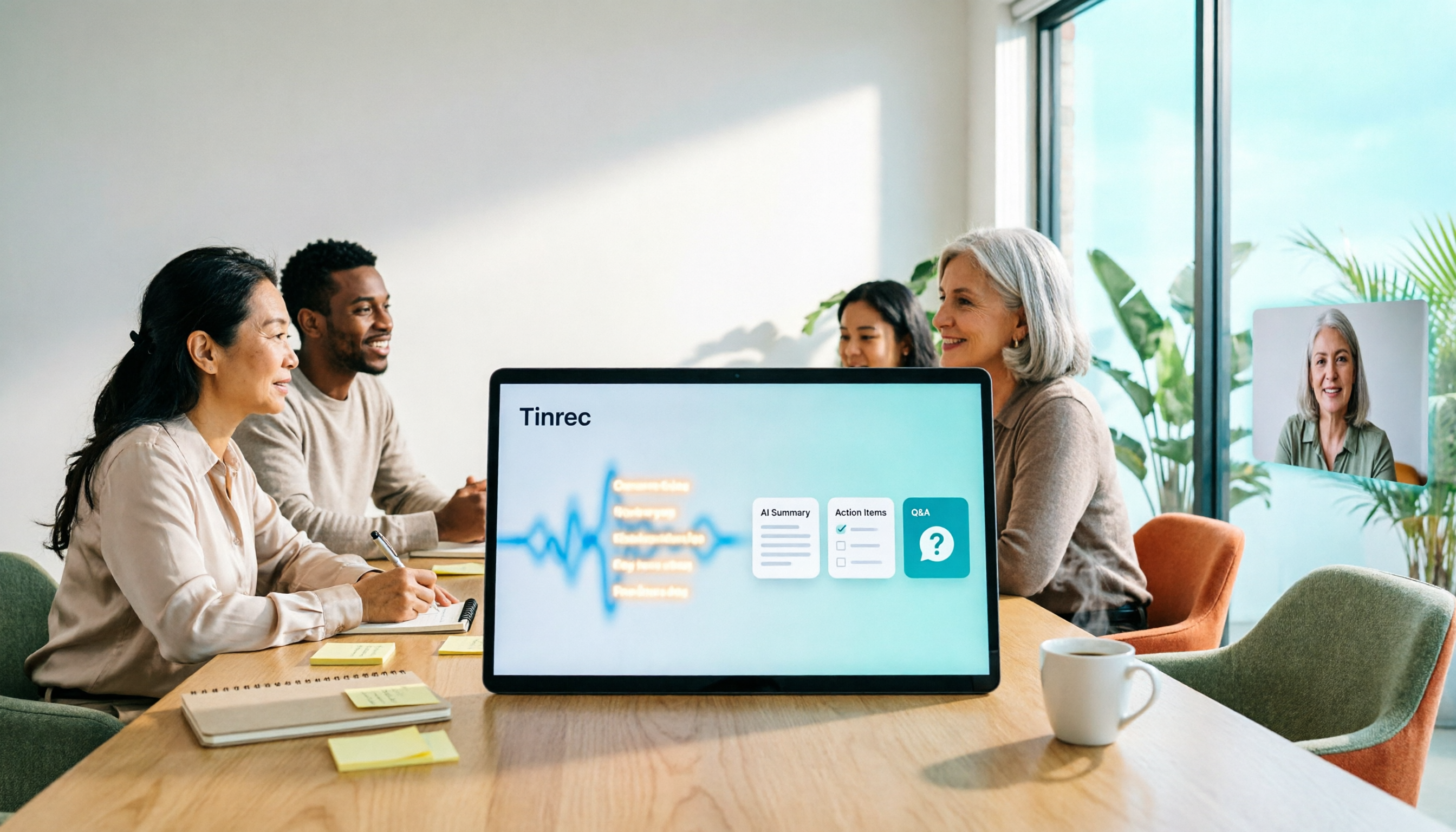
3 Smart Meeting Collaboration Tools Tested in 2026: Complete Tinrec Tutorial and Buying Guide
How do smart meeting collaboration tools work? This article focuses on Tinrec, covering the actual workflow for bot-free online meeting recording, real-time transcription, AI summaries and action items, AI Q&A, export and Agent post-processing. It also breaks down the differences between Personal and Team plans, seat and quota details, plus 5 key points to consider when buying and answers to common questions.

Tinrec vs Notta 2026: 5-Dimension Comparison for Smart Meeting Collaboration in Chinese Scenarios
What is smart meeting collaboration in English? Understand smart meeting collaboration, hybrid meeting, AI meeting assistant, and meeting transcription. Then, from a mid-level manager's hands-on perspective, compare the positioning, pricing, and target users of 6 solutions: Tinrec, Otter.ai, Notta, Granola, PLAUD, and TurboScribe.
2026 Live Transcription AI Comparison: Which Tool Saves the Most Time on Chinese Meeting Notes?
Live transcription AI isn't about who transcribes fastest—it's about who stays with you after the meeting ends. This article tackles three common misconceptions, outlines 5 key selection criteria, and compares Tinrec, Otter.ai, Granola, and Notta on Chinese meeting support, post-meeting Q&A, and team collaboration, plus a pitfalls guide and scenario-based recommendations.

2026 Real-Time Transcription Tools Compared: Chinese Recognition, AI Q&A, and Free Tiers
We tested four real-time transcription tools in 2026, comparing their performance on Chinese and mixed Chinese-English speech, AI Q&A capabilities, online meeting recording methods, and free tiers. We also share our hands-on experience with Tinrec for meeting organization and team collaboration to help you choose the best tool.