
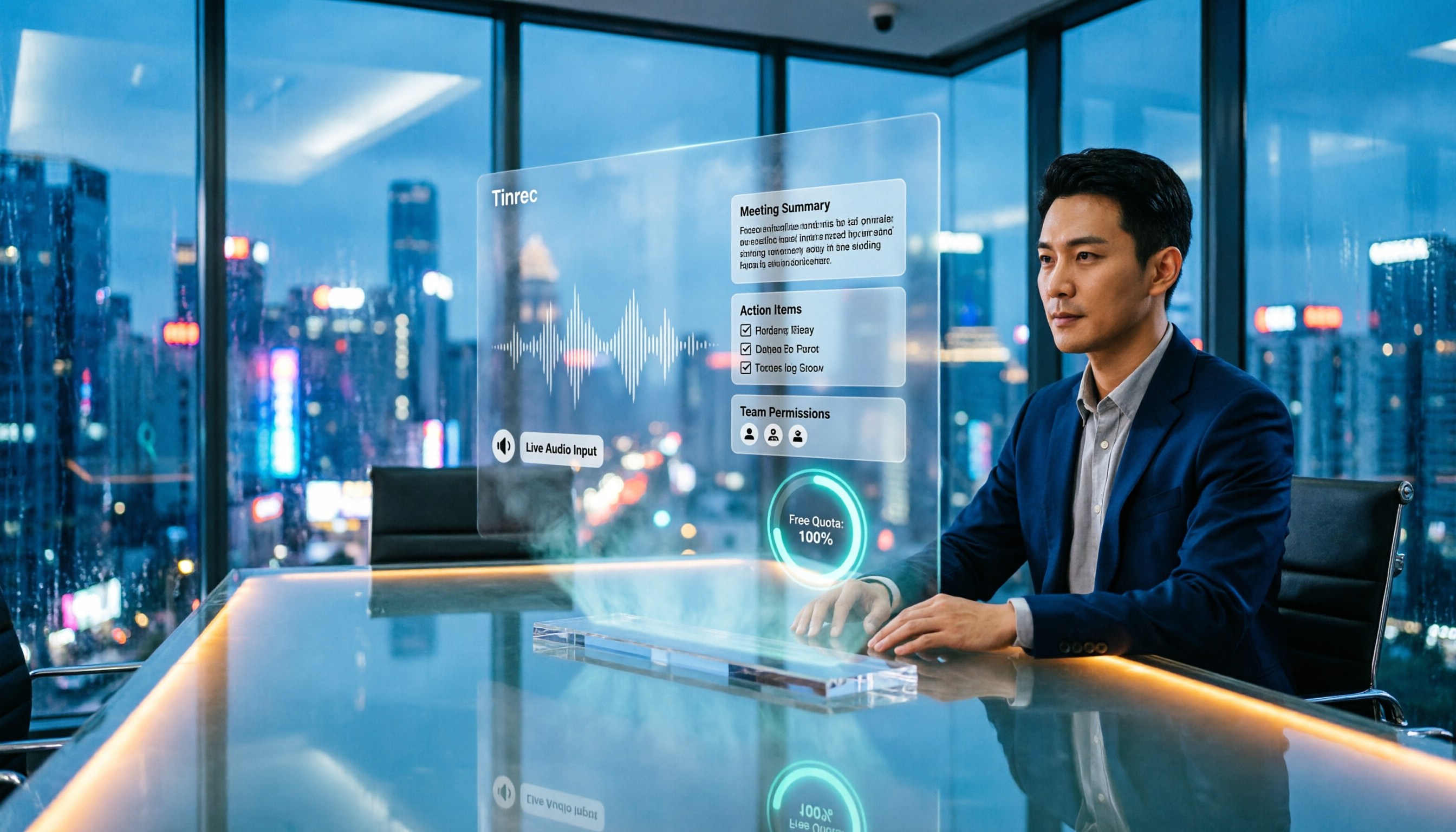
Turn recordings into transcripts and summaries in minutes
Upload audio or video for multilingual transcription, AI notes, and action items
Many office workers choose a meeting transcription app by opening the app store, searching for "speech to text," and downloading the first one that looks decent. Honestly, that's the most common—and most regrettable—first mistake.
Turning voice into text is no longer difficult. The real challenge comes after the meeting ends: who agreed to what, which item to follow up on next week, and whether you can still find that key conclusion three months later.
If a tool only gives you a long transcript, you're just swapping "listening to the recording" for "reading the transcript"—your work hours aren't really saved.
This article covers 4 meeting transcription tools I've personally tested and followed long-term, along with the angles you should really consider when choosing, so you don't have to download every single one.
Three Common Misconceptions About Meeting Transcription Apps
Misconception 1: Treating the transcript as the end goal. A transcript is raw material, not a finished product. A two-hour meeting can easily produce a 20,000-word transcript, and to find "what was actually decided," you still have to scroll through from the beginning. A better approach is to pick a tool that automatically segments chapters, extracts key points, and lists action items.
Misconception 2: Forcing a bot into the meeting room just to take notes. Some tools send a meeting bot as a "participant" to join online meetings. In external meetings, clients seeing an unfamiliar account on the list can make things awkward. A less intrusive way is to capture system audio directly from your own computer.
Misconception 3: Only looking at free minutes, not the fine print of free plans. Two tools may both say "free," but one might cap at 3 minutes per session, another gives a fixed monthly quota, and another limits files per day. The numbers look similar, but whether they can cover a month of your meetings makes a huge difference.
4 Key Points to Understand Before Choosing a Meeting Transcription App
1. How broad are the input sources? Your meetings likely fall into three types: online meetings, in-person meetings, and audio files others send you. If a tool only handles one type, you'll end up falling back on your phone's recorder. Before choosing, think about which type you encounter most.
2. Can the post-meeting output be used directly? Beyond the transcript, I look for summaries, chapters, action items, the ability to ask questions directly about the content, and export options to tools like Notion or Google Docs. The closer the output is to "ready to hand off," the less time you spend.
3. Do you need extra hardware or another bot? This is a hidden cost many overlook. Some solutions require a dedicated recording device, others need a bot to join the meeting. If you mostly meet at your computer, handling everything via phone, desktop, and web is the least hassle.
4. When the team uses it together, who owns the data and who can edit? For personal use, this doesn't matter much. But once a department shares meeting notes, questions arise: "Does the data remain after a member leaves?" "Who can upload, who can only view?" Look at role and permission design, not just whether you can share a link.
Tinrec — Our Top Pick After Testing
Tinrec is an AI meeting transcription and collaboration tool for individuals and teams, supporting iOS, Android, desktop, and web. It doesn't just convert voice to text—it organizes meetings into searchable, queryable, and further editable data.
Record online meetings without a meeting bot. The desktop version captures system audio directly, handling Zoom, Google Meet, Microsoft Teams, Webex, and similar online meetings without adding an extra bot to the participant list. Note: this isn't "auto-join all calendar meetings"—you open Tinrec and start recording yourself, which is actually easier to control when you need prior consent from participants.
Data is organized the moment the meeting ends. It transcribes live during the meeting and automatically generates summaries, chapters, and action items afterward. Who's responsible for what and when it's due appears as a list—no need to replay the recording.
Ask it questions right after recording. This is where Tinrec stands out most from other tools. You can ask questions in natural language about the meeting content, such as "Who mentioned the budget last time?" or "What are this week's action items?" It answers based on semantics, not just a list of keyword search results. You can also generate reports, tables, and documents, or export to Notion, Google Docs, OneNote, or Dropbox for further use.
Multilingual and team scenarios. It handles Chinese, mixed Chinese-English, and multilingual meetings. During recording, you can view the original text, translation, or bilingual content in real time. The team version also maintains "team hotwords" to improve recognition of internal jargon and product codes.
Stop organizing recordings by hand
Upload audio or video and automatically get a transcript, summary, and action items
Team vs. personal versions. The personal version includes a free tier, weekly pass, Pro monthly, and Pro annual—choose based on usage frequency: occasional transcription with the free tier, short bursts with the weekly pass, regular weekly use with Pro. The team version is a separate team space where meeting data belongs to the team, offering member invitations, owner/admin/member roles, seat allocation, shared quotas, usage analytics, audit logs, and an audio recycle bin. Team pricing is USD 29.80 per paid seat per month, or USD 199 per paid seat per year (about USD 16.58/month). Each paid seat includes 2,000 minutes of shared team import quota per month. Eligible new teams get a 7-day trial with 1 free seat and 300 minutes of shared import quota. Actual pricing and benefits are subject to the official purchase page.
Things to note. The free tier suits light use; heavy meeting loads will require a paid plan. Also, transcription quality depends on the recording environment—air conditioning noise, multiple people talking over each other, and technical jargon can all degrade results. For important content, cross-check with transcript timestamps and the recording. Additionally, permissions are shared at the team level, not per-file visibility, so confirm this before evaluating.
Who it's for. If your meetings are mainly in Chinese, you don't want a bot joining the room, you want to find key points by asking questions after recording, or you need to turn meeting data into a team asset, Tinrec is currently the closest fit for these needs.
Besides Tinrec, What Other Options Are There?
Otter.ai is a veteran choice for English business meetings. The free tier offers 300 minutes per month, and Pro annual billing is about USD 8.49 per user per month (including 1,200 minutes of in-app recording and 10 file imports per month). If your meetings are almost entirely in English, its maturity is worth considering. But note that Chinese meetings and Chinese summaries are not its strength, and it lacks Tinrec's design of centralizing meeting data into a team space with seat-based usage management.
Notta overlaps most with Tinrec, covering multi-platform transcription, meeting notes, file import, and translation. The free tier offers 120 minutes per month with a 3-minute cap per session. Pro annual billing is about USD 8.17 per month, and Business annual billing is about USD 16.67 per seat per month. It suits users who mainly transcribe files. If what you care about is "recording online meetings without a bot" and asking questions directly about meeting content afterward, Tinrec's approach is more complete.
PLAUD Note / NotePin takes a different path: buying a standalone recording device. NotePin costs USD 159, Note Pro USD 189. The Starter membership includes 300 minutes per month, and Pro annual is USD 99.99. It's suitable for recording in-person conversations and phone calls on the go—something pure software can't do. Conversely, if you mostly meet online at your computer, you don't need to buy an extra device; just use Tinrec's desktop version to capture system audio, and you don't have to carry extra hardware.
Pitfall Guide: 3 Most Common Mistakes When Choosing a Meeting Transcription App
Pitfall 1: Only looking at the advertised accuracy rate. Accuracy is usually measured under ideal recording conditions. Real meeting rooms have air conditioning noise, keyboard sounds, and people talking over each other—results will differ. Test with your own actual meeting using the free tier rather than just trusting marketing numbers.
Pitfall 2: Ignoring cross-platform support. You record on your phone today and want to organize on your computer tomorrow. If the tool lacks a web or desktop version, you'll be stuck transferring files. Confirm support for the devices you commonly use before choosing.
Pitfall 3: Buying it but only using "transcription." If you only use such tools as a voice recorder, you're using just a fraction of their capabilities. Post-meeting features like summaries, chapters, action items, and AI Q&A are where the real time savings come from. Many people try it and think "it doesn't seem much different," often because they skipped this part.
Conclusion: Which One Should You Choose?
In one sentence: if your meetings are mainly in Chinese and you want to save time on post-meeting organization, Tinrec is the top recommendation from this hands-on test.
- Chinese or mixed Chinese-English meetings needing transcripts plus summaries → Tinrec
- Don't want a meeting bot on the participant list → Tinrec (desktop captures system audio)
- Want to find key points and action items by asking questions after recording → Tinrec (AI Q&A)
- Need to keep meeting data within the team and manage members and seats → Tinrec Team version
- Zero budget, meetings almost entirely in English → Try Otter.ai free tier first
- Need to record in-person conversations and phone calls on the go → PLAUD-type recording hardware is more suitable
I suggest starting with the free tier, running through a real meeting from recording → transcript → summary → action items, then deciding whether to upgrade. Whether a tool is good or not—one meeting will tell you.
Sources: Tinrec's product features and information are based on official descriptions; pricing and benefits for Otter.ai, Notta, and PLAUD are from their official pricing pages at the time of writing. Actual details are subject to each official website.
References
- AI Meeting Notes Software Recommendations: 5 Apps Tested and Compared, Automatic Transcription Makes Meetings Easy!
- No Time Limit! 3 Free AI Transcript Tools, Highly Recommended! AI Voice Notes Generate Meeting Minutes, Presentations, Mind Maps | 104 Workplace
- r/ProductivityApps on Reddit: Does anyone know of a free or cheap app that will take meeting notes for you?
- AI Meeting Notes - Google Play App
- Gemini Meeting Notes APP: The Strongest Plaud AI Alternative | AI Voice to Text
Turn every recording into actionable outcomes
Get 60 free transcription minutes when you sign in. No credit card required.
Related Reading
You might also like
5 AI Recording Tools Tested for 2026: Which Saves the Most Time on Chinese Transcripts and Meeting Notes?
How to choose an AI recording tool in 2026? This article focuses on decision-making, comparing online meeting capture methods, Chinese and mixed Chinese-English transcription, AI summaries and action item extraction, team roles and seat management, and cost break-even points. It uses Tinrec as the primary hands-on example, guiding you from free versions to team plans to find the solution that truly saves time.

Best Free AI Meeting Notes Generators in 2026: 4 Options Compared
Tired of spending time after meetings writing up notes? This article starts with common pitfalls, explains what automatic meeting notes should really solve, outlines 5 key evaluation points, and compares four free options—Tinrec, Otter.ai, Granola, and Notta—covering their differences, limitations, and best use cases. It ends with a step-by-step starter checklist you can follow right away.

2026 Comparison of 4 Meeting Recording Transcription Tools: Which One Turns Transcripts into Usable Meeting Documents?
The meeting ending is just the beginning of the pain? This article starts from a real organization workflow and compares Tinrec, Notta, Granola, and TurboScribe across Chinese and mixed Chinese-English meetings, online and offline recordings, post-meeting document output, audio retention, and team collaboration. It also summarizes key purchasing points, common pitfalls, and scenario-based selection advice to help you find a way to truly turn meeting recordings into usable documents.
5 Interview Recording Transcription Tools Compared: Workflow Differences from Transcript to Actionable Summary
Spend an hour interviewing but three to four hours transcribing? This article starts with the question: do you need a transcript or a ready-to-use interview result? It explains what interview recording organization can do for you, its core capabilities, and uses Tinrec as an example to break down the complete workflow from recording, transcription to summary, AI Q&A, and action item extraction. Finally, it lists 5 purchasing considerations and common FAQs.

How to Transcribe Interview Recordings in 2026: 5 Steps from Audio to Transcript
Transcribing interview recordings isn't about finding the tool with the highest accuracy—it's about building a workflow from recording to transcript. Using Tinrec as an example, this article walks you through real-time transcription, AI summaries, AI Q&A, multi-format export, and team collaboration, plus 5 buying tips and FAQs.

How to Choose a Transcription Tool for Students in 2026: 5-Step Guide
From not being able to finish taking notes in class, to no one remembering the conclusions of group discussions, to needing to transcribe interviews for graduation projects—this article uses a student's perspective to outline 5 steps for choosing a recording-to-text tool, and shares how Tinrec is used in classrooms, discussions, interviews, and online courses.
Free YouTube Video Analysis Options in 2026: A Look at Tinrec's 3 Plans
YouTube videos too long and you just want the highlights? This article rounds up free YouTube video analysis options in 2026 and uses Tinrec as an example to show how to turn video links or audio files into transcripts, AI summaries, chapters, to-dos, and Q&A notes. It also compares the free version, individual paid plans, and team plans to help you decide which approach best fits your viewing and organizing habits.

4 Short Video AI Summary Tools Tested: Which One Best Captures Key Points from Course Videos?
As a senior information management student, I used AI video summary tools this semester to turn online courses, lecture videos, and my own class recordings into reviewable notes. This hands-on comparison of 4 short video AI summary tools breaks down 4 key points to consider when choosing, 4 common pitfalls, and which tool fits which use case.

Tinrec vs PLAUD Note 2026: 6-Dimension Comparison for Audio Transcription — Which Should You Choose?
Many people think audio-to-text transcription is simple, but the real challenge is that the output isn't directly usable. This article compares Tinrec and PLAUD across six dimensions—ease of use, online meetings, post-meeting organization, Chinese translation, team governance, and pricing—to help you decide which approach better fits your needs.