

Turn recordings into transcripts and summaries in minutes
Upload audio or video for multilingual transcription, AI notes, and action items
Many people choosing a Cantonese audio-to-text app first ask, "Does it support Cantonese?"
But after actually using a few, you realize support and usability are two different things.
Here's the pitfall I've run into: you drop in a recording, text comes out, but mixed Chinese-English segments are fragmented, and colloquial words like "係咪" (is it) and "嘅" (possessive particle) are all transcribed literally—so you still have to listen again and manually edit. You bought a tool but only saved 30% of the time.
This article doesn't talk about the number of languages on a spec sheet. Instead, it returns to a more concrete question: after transcription, how much work is left for you?
Why are people looking for alternatives to Subanana?
Subanana is the first name many think of for handling Cantonese content. Upload an audio or video file, paste a YouTube link, or record directly in the browser, and the AI outputs a transcript with speaker separation and punctuation. It handles mixed Chinese-English and lets you choose between colloquial and written styles, with the first 15 minutes of each file free to preview.
If your main work is video subtitles or transcript cleanup, it's actually quite sufficient.
But over time, some needs gradually emerge. Meetings are held on Zoom or Teams, the sound is on the computer, and you don't have "a file" to upload; after transcription, you still have to figure out how to generate summaries, action items, and decisions; three or four team members need to share the same batch of meeting notes, but can only send links to each other.
These situations aren't anyone's fault—it's just that the tools were designed with different priorities. If you feel the same way, Tinrec is worth checking out.
Tinrec vs Subanana: What's different in the core experience?
How meetings are captured. This is the most easily overlooked but most impactful point. Tinrec's desktop version directly captures the computer's system audio, so when handling online meetings like Zoom, Google Meet, Microsoft Teams, or Webex, you don't need to invite a meeting bot as a participant; for offline occasions, you can use your phone or web for real-time recording and transcription. Subanana's flow leans toward "have a file first." Both can produce transcripts, but the difference is at the moment the meeting ends—do you have something in hand?
Workflow after transcription. A transcript is just raw material. Tinrec automatically generates summaries, chapters, and highlights, and organizes action items from discussions into to-dos; you can also ask questions directly about a single meeting or across meetings, such as "What was decided last time?" or "Who is responsible for this?" Subanana also offers AI summaries and Q&A on recordings, with subtitles and paragraph handling as its strengths. The difference is that Tinrec puts post-meeting outputs like to-dos, reports, and tables into the same flow.
Team data retention. Tinrec's team version is a separate team space where meeting audio, folders, and to-dos are centrally stored, and data belongs to the team rather than the person who uploaded it. Admins can set roles, assign seats, view usage trends and audit logs; when a member leaves or loses a seat, resources can be transferred to other active members. If your meeting notes are currently scattered across personal computers and messaging apps, this will feel significant.
Multi-platform and real-time. Tinrec covers web, desktop, and mobile, and during meetings you can enable real-time translation, viewing in original, translated, or bilingual mode. For teams that need to meet with remote colleagues or clients, this saves a round of post-meeting translation.
Export and continued use. Transcribed content is only valuable if you can take it with you. Tinrec supports exporting results and emphasizes continued use with tools like Notion, Google Docs, OneNote, and Dropbox; Subanana offers formats like SRT, VTT, TXT, DOCX, XLSX, and Markdown. Both are fairly complete—when choosing, consider where you mainly use the transcript.
Tinrec's core features at a glance
Real-time audio to text. Open Tinrec and start recording; text appears on screen synchronously, so you can confirm during the meeting whether key points are missed. By the time the meeting ends, the transcript is already done—no extra conversion run needed.
Bot-free online meeting recording. The desktop version handles online meetings by capturing system audio, so no unfamiliar bot account appears in the participant list. Note that this requires you to actively open Tinrec to start recording; it does not automatically join every meeting on your calendar.
AI summaries, chapters, and to-dos. The hardest part of long meetings is finding key points later. Tinrec breaks content into chapters, generates summaries, and organizes action items from discussions into to-do lists—suitable for weekly meetings, project meetings, and follow-ups after client communications.
AI Q&A and real-time translation. This is the part I use most. For a one-hour meeting, if you want to know the conclusion or who committed to what, just ask the meeting content directly—no need to manually flip through thirty pages of transcript. For cross-language meetings, you can view translations while recording.
Agent post-processing and multi-format export. Meeting content can be further turned into reports, tables, and documents—great for those who need to deliver weekly reports or meeting minutes afterward. Output can also be brought into existing workflows for further processing.
Stop organizing recordings by hand
Upload audio or video and automatically get a transcript, summary, and action items
Team space and governance. The team version offers member invitations, role settings, seat allocation, usage analytics, audit log queries, and an audio recycle bin. This layer is not available in the personal version and suits organizations with departments or project teams.
Real-world use cases
Cantonese online meetings. Open Tinrec desktop, select system audio recording, and the meeting proceeds as usual. Afterward, the transcript, summary, and to-dos are all ready at once, and mixed Chinese-English segments retain their original meaning without retyping the whole section.
Customer interviews and requirements meetings. Interview content is usually the hardest to organize because customers speak colloquially, mix in English product names, and go off-topic. Tinrec's team hotwords let you maintain common terminology in advance, and after the meeting you can use the Q&A feature to extract requirements, objections, and commitments.
Classes and lectures. Taking notes in a two-hour class is exhausting. Real-time transcription lets you focus on listening, and after class you can quickly review with chapters and summaries, returning to the transcript with timestamps when you need to quote something.
Personal quick notes. Ideas that pop up, key points from a phone call, content you listen to on your commute—just record a segment on your phone. The free version offers a basic quota, so you can test the waters if you occasionally organize a recording.
Things to watch when buying a Cantonese audio-to-text app
Actual performance with mixed Chinese-English. In Hong Kong and Taiwan workplaces, people often use three English words in one sentence. When choosing a tool, test with a recording of your own most realistic speech, not the official demo audio.
Conversion between colloquial and written language. The recording says "係咪" (is it), but the meeting minutes should say "是否" (whether). Some tools only transcribe what they hear, leaving the rewriting work to you.
How free quotas are calculated. Some offer a preview of the first few minutes per file, some give a fixed number of minutes per month, and some limit the number of files per day. First figure out whether you need "an occasional segment" or "several meetings per week," then decide whether to pay.
Can you use it directly after transcription? Getting only a transcript versus getting a summary plus to-dos makes a big difference in time saved. When choosing a tool, ask yourself: how much time will I spend processing this transcript afterward?
Team and data ownership. If meeting data is a team asset, confirm whether the account is held by an individual or the team, how data is handled after members leave, and whether anyone can view usage and audit logs.
Plans and pricing
Tinrec's personal version includes a free plan, weekly card, Pro monthly, and Pro annual, corresponding to light trial, short-term intensive use, and long-term data retention. Actual prices and quotas are subject to the official purchase page.
The team version currently offers a 7-day trial for first-time eligible users, with 1 free seat and 300 minutes of shared team import quota. Paid plans are USD 29.80 per seat per month, or USD 199 per seat per year (about USD 16.58/month), with 2,000 minutes of shared team import quota per paid seat per month; under an active team plan and active seat, real-time recording is currently not deducted by minutes.
Note that in the team version, roles and seats are two different things: roles determine who can manage the team and view logs, while seats determine whether one can record, upload, edit, and export. Members without a seat can still view, play, and read team data.
Conclusion: Is Tinrec worth a try?
If all you need is to turn a YouTube video into subtitles, file-processing-centric tools like Subanana are already up to the task.
But if you face several online meetings every week, participants mix Chinese and English, you need to produce summaries and to-dos afterward, and this data needs to stay within the team—Tinrec puts recording, transcription, organization, and archiving into one flow, saving more than just typing time.
Its strengths are in Chinese and multilingual meeting scenarios, bot-free desktop recording, and post-transcription Q&A, to-dos, and team space; actual transcription performance is still affected by recording quality, accent, background noise, overlapping speakers, and technical terminology—important content should be verified against the recording.
A more practical approach is to start with the free version, run a Cantonese meeting recording of your own through it, and see whether the output needs major edits. That's more accurate than any review.
FAQ
Q1: Does Tinrec support Cantonese?
Tinrec covers Chinese, Traditional Chinese, and multilingual meeting scenarios, supporting mixed Chinese-English content organization, real-time translation, and team hotwords. Actual recognition performance is affected by recording quality, accent, noise, and technical terminology—test with your own recording first.
Q2: Is the free version enough?
The free version offers a basic quota, suitable for occasionally organizing a recording or verifying results first. If you have steady needs every week, consider a weekly card or Pro based on frequency; for those who need to accumulate recordings long-term, the annual plan has a lower monthly equivalent.
Q3: Do I need to let a meeting bot join the meeting?
No. Tinrec's desktop version handles online meetings by capturing computer system audio, so no bot account appears in the participant list. However, the user must actively open Tinrec to start recording; it currently does not automatically join all meetings on your calendar.
Q4: What's the difference between the team and personal versions?
Personal version data is managed by the individual account. The team version is a separate team space where meeting data belongs to the team, with added capabilities like member invitations, role and seat management, shared benefits, usage analytics, audit logs, and an audio recycle bin.
Q5: Is the transcript accurate?
With clear audio and common scenarios, Tinrec provides good-quality transcription results, but it should not be treated as 100% error-free. Overlapping speakers, many proper nouns, or noisy recording environments may still cause misjudgments—important decisions should be verified against the original audio and recording.
Q6: What should I note before recording?
Recording meetings and interviews involves personal data and local regulations. Before recording, confirm whether participant consent is required and store and share this data in accordance with your organization's security policies.
References
- Free Cantonese Speech-to-Text App 2026 | Subanana
- 2026 Latest 4 Cantonese Audio-to-Text Tools: Solving Mixed Chinese-English and Meeting Notes Pain Points - Tinrec Blog
- Top 5 Speech-to-Text Tools in Hong Kong: Accurate Cantonese Recognition, Doubling Meeting and Interview Efficiency!
- Tested 4 Best Online Speech-to-Text Tools: Free Instant Audio Transcription
- SoundType AI Ultra-Accurate Transcription, Speech-to-Text, AI Dictation - Google Play App
Turn every recording into actionable outcomes
Get 60 free transcription minutes when you sign in. No credit card required.
Related Reading
You might also like

5 Best Cantonese Speech-to-Text Tools in 2026: Tinrec vs Subanana vs PLAUD
How to choose a Cantonese transcription tool in 2026? We compare Tinrec, Subanana, PLAUD, and Google AI Studio on Cantonese recognition, mixed Chinese-English, meeting recording methods, post-meeting organization, team collaboration, and pricing to help you find the best fit.

Best Cantonese Transcription Tools in 2026: Testing 4 Options, Tinrec Simplifies Post-Meeting Work
Using a Cantonese-English mixed meeting recording, we tested Tinrec, Otter.ai, Notta, and Plaud Note for transcription and post-meeting workflows. From mixed-language recognition, bot-free online meeting capture, AI Q&A, team collaboration to pricing limits, we help you decide which one fits best.

2026 Tested: 5 Cantonese Speech-to-Text Tools Compared — Which Handles Chinese-English Mixing Best?
Starting from the real workflow of organizing meeting and interview recordings, this compares 5 Cantonese speech-to-text tools in 2026. It first covers the common workflow pitfalls and 4 key buying factors, then takes a deep dive into Tinrec's three-stage workflow of recording, organizing, and follow-up questions, briefly reviews the suitable boundaries of Good Tape, iFLYTEK, Monica, and Otter.ai, and finally provides a pitfall-avoidance guide and an actionable starter checklist.

2026 Cantonese Audio to Text Free Options: 4 Tools Compared
A roundup of 4 free options for Cantonese audio-to-text tools in 2026, compared across free quota, mixed Chinese-English recognition, post-meeting summaries, and cross-platform export, with practical pitfalls and scenario-based selection advice.

Best AI Office Tool Kits in 2026: We Tested 4, and This One Handles Chinese Meetings Best
Starting from the pain points of a mid-level manager juggling over a dozen meetings a week, we tested four AI office tool kits—Tinrec, Otter.ai, Notta, and Granola—comparing how they capture meetings, organize post-meeting notes, handle Chinese and mixed Chinese-English speech, manage team governance, and structure pricing. Here's how to pick the meeting notes tool that best fits teams in Taiwan.

Tinrec vs Good Tape 2026: 5-Dimension Comparison for Cantonese Speech-to-Text
Which Cantonese speech-to-text tool should you choose? This article compares Tinrec and Good Tape across 5 dimensions: Cantonese colloquial and mixed Chinese-English recognition, post-meeting organization, audio retention, multi-device use, and team collaboration. It also covers 6 options including Subanana, cSubtitle, Cantosub AI, and Speechnotes, with free quotas, paid plans, and selection advice.

2026 Comparison of 4 Cantonese Speech-to-Text Tools: Which Saves the Most Time for Mixed Chinese-English Meeting Notes?
The hardest part of Cantonese meetings isn't understanding the language—it's the mixed Chinese-English speech and the fact that no one can remember the decisions. This article starts with the key question of whether you need file transcription or live meeting transcription, and compares Tinrec, Notta, TurboScribe, and Granola based on real testing by a mid-level manager. It covers 4 key purchasing factors, 3 common pitfalls, and offers scenario-based tool recommendations.

2026 Cantonese Speech-to-Text Tools Buying Guide: 4 Hands-On Tests and Recommendations
Is Cantonese speech-to-text any good? First, figure out whether you need real-time meeting transcription or post-event file transcription. This article outlines 5 key buying criteria, hands-on tests Tinrec, Subanana, cSubtitle, and Otter.ai, and includes common pitfalls and scenario-based selection advice.
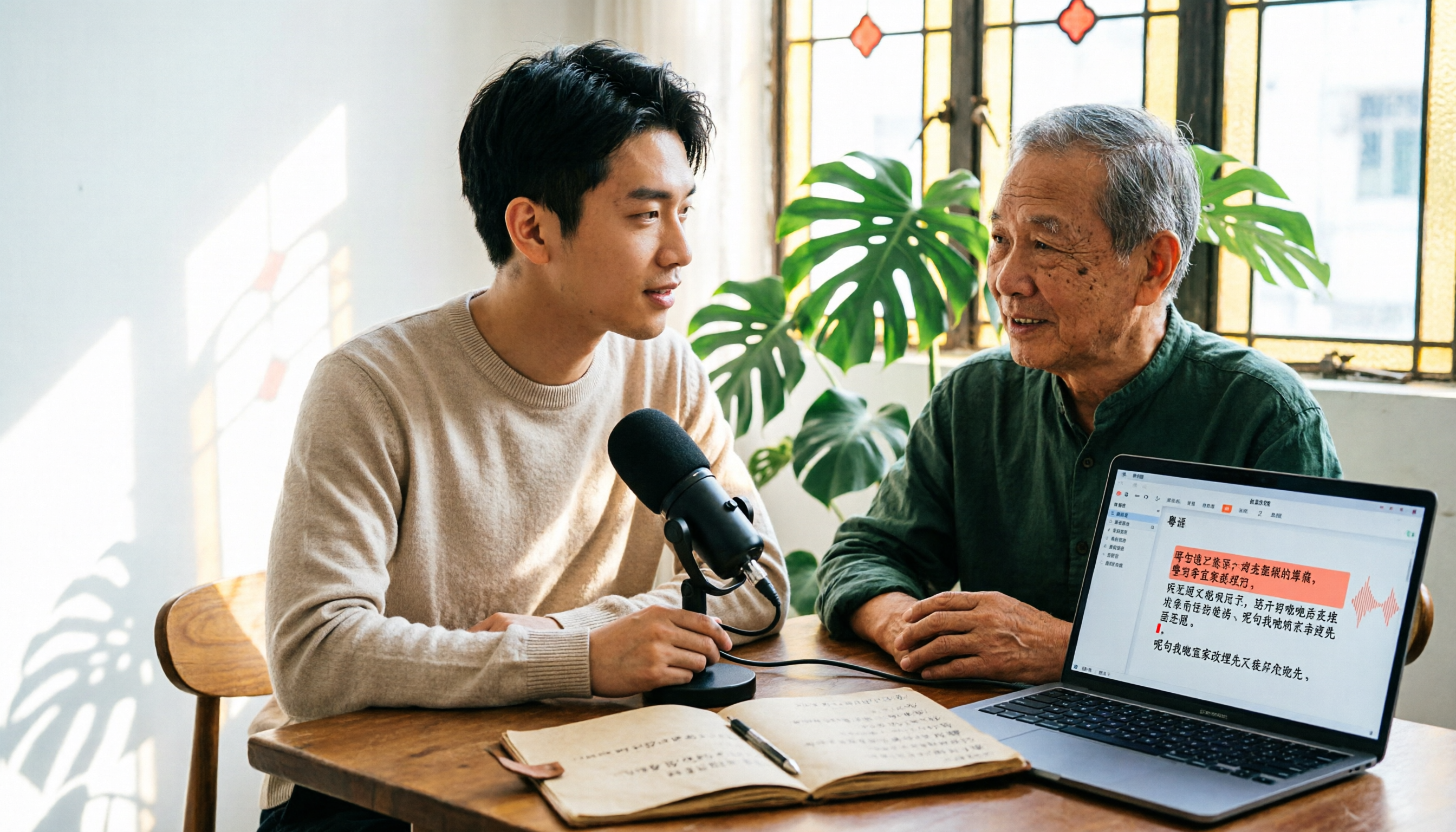
6 Cantonese Speech-to-Text Tools Tested for 2026: The Real Difference Is How Editable the Transcript Is
With Cantonese speech-to-text, most people get stuck not on whether it can transcribe, but on whether the resulting file can be edited. This article reviews 6 tools that handle Cantonese recordings—from AI meeting assistants to subtitle transcription to completely free options—comparing editing experience, export formats, free quotas, and pricing, with a scenario table to help you choose the right one for meetings, interviews, and video creation.