

Turn recordings into transcripts and summaries in minutes
Upload audio or video for multilingual transcription, AI notes, and action items
After a two-hour meeting, the recording sits quietly on your phone, and you never open it. When it's time to submit meeting notes, you have to replay it and type along, and just like that, an afternoon is gone.
What's worse, if the meeting was in Cantonese and mixed with "target," "deadline," and "follow up," many transcription tools either mishear or produce unreadable text.
That's why people keep searching for "which Cantonese speech-to-text tool is best."
This article compares the commonly mentioned options: Tinrec, Subanana, PLAUD, Google AI Studio (Gemini), and Monica, which is occasionally mentioned in communities, and explains in which scenarios Tinrec is more convenient.
Why is it so hard to choose a Cantonese transcription tool?
First, most tools' Chinese models are designed for Mandarin. Cantonese has nine tones and many homophones; directly applying a Mandarin model usually yields unusable results.
Second, meetings in Hong Kong naturally mix Chinese and English. "We need to confirm the target for this quarter" — a pure Chinese model can easily turn English words into a string of strange Chinese characters.
Third, the trade-off between spoken and written language. A verbatim transcript that keeps "they" and "done" is authentic, but when submitting to a manager or client, you'd want a written version.
Fourth, the free quota trap. Many tools advertise as free, but actually offer "preview of the first 15 minutes per file, pay to export," or pop up a subscription after a few dozen minutes of trial.
So when choosing a tool, just looking for "supports Cantonese" is not enough.
Four common approaches: first figure out which one you need
| Type | Representative tools | Who it's for | What to watch out for |
|---|---|---|---|
| File transcription/subtitle tools | Subanana, TurboScribe | Those who already have audio or video files and need transcripts or subtitles | Mainly for files, links, and browser recording; export is mostly a paid feature |
| AI recording hardware | PLAUD NotePin, Note Pro | Those who are often on-site and need portable or phone recording | Requires purchasing a separate device; transcription depends on membership plan |
| General AI chat tools | Google AI Studio (Gemini) | Those who occasionally want to transcribe a recording for free and do some processing | Storage, categorization, and team sharing need to be handled separately |
| Meeting notes and collaboration | Tinrec | Online meetings, interviews, teams that need to consolidate meeting data | File and web import have quota limits |
With this table, it will be easier to compare when we discuss Tinrec next.
What are the core differences between Tinrec and these tools?
1. How Cantonese and mixed Chinese-English are handled
Subanana's positioning is clear: it focuses on a Cantonese model, offers spoken/written output and traditional/simplified switching, and is well-suited for pure Hong Kong scenarios.
Tinrec takes a different path: it centers on Chinese meetings, covers mixed Chinese-English content and multilingual meeting transcription, and provides real-time translation and bilingual comparison. Teams that need to see the original and translation while meeting will find this approach more practical.
There is no absolute good or bad; the difference is whether you want a "pure Cantonese verbatim transcript" or "overall organization of cross-language meetings."
2. How the meeting is recorded
Many people don't notice this at first, but it has a big impact.
In meeting bot mode, the tool joins Zoom, Google Meet, or Microsoft Teams as an additional participant. Tinrec's desktop version directly captures the computer's system audio, without inviting any bot into the meeting room. When meeting with external parties, no unfamiliar name appears on the screen.
Note that Tinrec currently requires the user to actively open the desktop version to start recording, not automatically join all meetings on the calendar.
3. Can you continue using it after transcription?
Many tools stop at the "verbatim transcript." But in practice, the transcript is just raw material.
Tinrec then generates summaries, chapters, key points, and action items, and can also do AI Q&A on the entire recording. You can directly ask: "What is the budget cap the client mentioned?" "Who is responsible for the next proposal?" It finds answers by semantics, so you don't have to Ctrl+F through thirty pages yourself.
Google AI Studio (Gemini) is also often praised by the community in this regard: free, supports Cantonese, can handle long content, and can be asked to further analyze and summarize. The difference is that it is more of a general chat tool, and saving, categorizing, and team sharing of meeting data must be handled separately.
4. Who ultimately holds the data
For personal use, it doesn't matter where the recording is stored. But once it's for a team, the problem arises: when a colleague leaves, the meeting records disappear with them.
Tinrec's team version is an independent team space, where Audio, Folder, to-dos, and related data belong to the team. When a member exits, is removed, or loses their seat, the resources they are responsible for need to be handed over to other active members, and will not be taken away with the personal account.
PLAUD and similar AI recording hardware take another approach: you buy a portable device and hardware recording experience, suitable for phone and on-site recording, and data mainly follows the personal account and app.
5. How quotas and pricing are calculated
Tinrec's personal version offers a free version, weekly card, Pro monthly card, and Pro annual card, choose according to usage frequency: use the free version for occasional transcription; use the weekly card for short-term intensive meetings; choose Pro if you have weekly needs; choose the annual card for long-term data consolidation.
Stop organizing recordings by hand
Upload audio or video and automatically get a transcript, summary, and action items
The team version is USD 29.80 per paid seat per month, or USD 199 per paid seat per year (about USD 16.58 per month). Paid seats provide 2,000 minutes of team shared import quota per month; under a valid plan and valid seat, real-time recording currently does not deduct minutes.
Note that file and web link imports consume the team shared quota and will not be supplemented by individual member quotas.
Overview of Tinrec's core features
Real-time speech-to-text: Open Tinrec and start recording, text appears synchronously, suitable for offline meetings, interviews, and on-site recording. By the time the meeting ends, the transcript is already there.
Bot-free online meeting recording: The desktop version captures system audio and can handle Zoom, Google Meet, Microsoft Teams, Webex, and other meetings without additional participants or changing meeting invitations.
AI summaries, chapters, and to-dos: The most time-consuming part of long meetings is finding key points afterward. Tinrec automatically segments, adds headings, and organizes action items from discussions.
AI chat query: This is a feature many can't go back from. No need to re-listen to a one-hour meeting; just ask and get answers, and you can follow up for details.
Real-time translation and bilingual comparison: For cross-language meetings, you can view the original, translation, or side-by-side bilingual, without waiting until after the meeting to translate.
Multi-format and third-party export: In addition to common file formats, you can continue editing in Notion, Google Docs, OneNote, Dropbox. When you need reports, tables, or documents, you can also generate them through Agent post-processing.
Team space and governance: Includes member invitations, three roles (owner/admin/member), seat allocation and revocation, usage trends and member rankings, team hotwords, audit logs, and a 30-day audio recycle bin.
Practical use cases
Weekly meetings in a Hong Kong office: Mixed Chinese-English is the norm. Rather than recording and listening later, let Tinrec transcribe while recording, and use the summary and to-dos to assign work right after the meeting.
Client interviews and sales meetings: Budgets, timelines, and concerns mentioned by clients are most easily forgotten after the meeting. Use AI Q&A to confirm, which is more reliable than flipping through notes.
Classes, lectures, and online courses: To review a two-hour class, first look at chapters and summaries, then replay the recording for sections you don't understand.
Personal long-term recording data: After accumulating for half a year, what's truly valuable is searchability. Keeping data in one place is easier to find than scattered in photo albums and chat rooms.
Things to note when purchasing
1. Is it truly optimized for Cantonese? You can ask: Is the Cantonese model trained in-house, or inferred using a Mandarin model? The latter is prone to errors in scenarios with many homophones.
2. How is the free quota calculated? Is it "minutes per month" or "first few minutes per file"? Is export a paid feature? These details determine whether you'll step on a landmine.
3. Will the recording file be retained? Some tools keep only text and not audio, making it troublesome to verify a sentence later.
4. Are there organization features after transcription? Having only a verbatim transcript means trading typing time for reading time, with limited savings.
5. How are team roles and seats divided? Roles manage governance, seats manage usage. Tools that mix the two will be painful to manage later.
6. Can data be taken away? Export formats and third-party integrations determine whether you'll need to redo things later.
7. Recording authorization and compliance. Remember to inform participants before recording and comply with local regulations; for important content, it's also recommended to cross-check with the original text and recording.
Conclusion: Is Tinrec worth a try?
If what you want is "to turn meetings into data you can continue to use," Tinrec's combination is fairly complete: bot-free desktop recording, mixed Chinese-English transcription, summaries and to-dos, AI Q&A, plus team space and seat governance.
If you only occasionally need to transcribe an existing recording into a verbatim transcript, file-import-focused tools like Subanana are sufficient; if you need portable recording and often work on the phone or on-site, PLAUD's hardware form is more intuitive; if you want to spend nothing and can accept organizing files yourself, Google AI Studio is a low-barrier option recognized by the community.
Honestly, the effectiveness of such tools is tightly bound to your recording quality. It's recommended to start with Tinrec's free version and test with a short meeting recording of your own, which is more direct than reading any review.
FAQ
Q1: Is the free version enough? It depends on how often you record. If you occasionally transcribe one or two interviews a month, the free version is enough to test the waters. If you have meetings every week, the weekly card or Pro will be smoother.
Q2: Can I directly transcribe iPhone built-in recordings into a Cantonese verbatim transcript? The built-in Voice Memos cannot directly output dialect verbatim transcripts. A practical approach is to export the m4a and upload it to a tool that supports Cantonese; or use an app like Tinrec that supports real-time transcription to record during the meeting.
Q3: How accurate is Tinrec's Cantonese? Actual performance is affected by recording quality, noise, accent, overlapping speech, and technical terms, just like any tool; it's not advisable to trust fixed accuracy numbers. A more reliable approach is to test with your own meeting recordings. Tinrec also offers team hotwords, which can add company-specific terms to improve recognition of proper nouns.
Q4: Can it really transcribe mixed Chinese-English? Tinrec supports mixed Chinese-English content organization and multilingual meeting transcription. In practice, it's recommended to avoid multiple people speaking at the same time during meetings; clear audio has a big impact on results.
Q5: What's the difference between the team version and the personal version? Personal version data belongs to the individual account. The team version is an independent space with member invitations, roles and seats, shared quotas, usage analysis, audit logs, and an audio recycle bin.
Q6: If a team member leaves, will meeting data disappear? It will not be taken away directly. Team resources belong to the team; when a member exits or is removed, the admin needs to hand over the resources that member was responsible for to other active members.
Q7: Can deleted recordings be recovered? The team version has an audio recycle bin, which can be restored before permanent cleanup begins; the current retention period is 30 days. Note that to-dos are not covered by the recycle bin.
References
- Top 5 Speech-to-Text Tools in Hong Kong: Accurate Cantonese Recognition, Double Meeting and Interview Efficiency!
- Free + Cantonese OK: How to Use Google AI Studio to Turn Your Recording into...
- Free Cantonese Speech-to-Text App 2026 | Subanana
- 2026 Latest 5 Cantonese Speech-to-Text AI Recommendations: Solving Mixed Chinese-English and Typing Difficulties - Miaoting Recording Blog
- 2026 Latest 4 Cantonese Speech-to-Text Tool Recommendations: Solving Mixed Chinese-English and Meeting Notes Pain Points - Miaoting Recording Blog
Turn every recording into actionable outcomes
Get 60 free transcription minutes when you sign in. No credit card required.
Related Reading
You might also like

Best Cantonese Transcription Tools in 2026: Testing 4 Options, Tinrec Simplifies Post-Meeting Work
Using a Cantonese-English mixed meeting recording, we tested Tinrec, Otter.ai, Notta, and Plaud Note for transcription and post-meeting workflows. From mixed-language recognition, bot-free online meeting capture, AI Q&A, team collaboration to pricing limits, we help you decide which one fits best.

2026 Tested: 5 Cantonese Speech-to-Text Tools Compared — Which Handles Chinese-English Mixing Best?
Starting from the real workflow of organizing meeting and interview recordings, this compares 5 Cantonese speech-to-text tools in 2026. It first covers the common workflow pitfalls and 4 key buying factors, then takes a deep dive into Tinrec's three-stage workflow of recording, organizing, and follow-up questions, briefly reviews the suitable boundaries of Good Tape, iFLYTEK, Monica, and Otter.ai, and finally provides a pitfall-avoidance guide and an actionable starter checklist.

2026 Cantonese Audio to Text Guide: How to Choose Among Tinrec, Subanana, and 3 Other Apps
Cantonese audio transcription often struggles with mixed Chinese-English speech, the gap between spoken and written language, and the pile of cleanup work after transcription. This guide starts from real-world pain points, compares the positioning of Tinrec, Subanana, Plaud, iFlytek, and Google Docs voice typing, and outlines what to consider when buying—such as quotas, post-meeting workflows, and team data ownership.

2026 Cantonese Audio to Text Free Options: 4 Tools Compared
A roundup of 4 free options for Cantonese audio-to-text tools in 2026, compared across free quota, mixed Chinese-English recognition, post-meeting summaries, and cross-platform export, with practical pitfalls and scenario-based selection advice.

Best AI Office Tool Kits in 2026: We Tested 4, and This One Handles Chinese Meetings Best
Starting from the pain points of a mid-level manager juggling over a dozen meetings a week, we tested four AI office tool kits—Tinrec, Otter.ai, Notta, and Granola—comparing how they capture meetings, organize post-meeting notes, handle Chinese and mixed Chinese-English speech, manage team governance, and structure pricing. Here's how to pick the meeting notes tool that best fits teams in Taiwan.

Tinrec vs Good Tape 2026: 5-Dimension Comparison for Cantonese Speech-to-Text
Which Cantonese speech-to-text tool should you choose? This article compares Tinrec and Good Tape across 5 dimensions: Cantonese colloquial and mixed Chinese-English recognition, post-meeting organization, audio retention, multi-device use, and team collaboration. It also covers 6 options including Subanana, cSubtitle, Cantosub AI, and Speechnotes, with free quotas, paid plans, and selection advice.

2026 Comparison of 4 Cantonese Speech-to-Text Tools: Which Saves the Most Time for Mixed Chinese-English Meeting Notes?
The hardest part of Cantonese meetings isn't understanding the language—it's the mixed Chinese-English speech and the fact that no one can remember the decisions. This article starts with the key question of whether you need file transcription or live meeting transcription, and compares Tinrec, Notta, TurboScribe, and Granola based on real testing by a mid-level manager. It covers 4 key purchasing factors, 3 common pitfalls, and offers scenario-based tool recommendations.

2026 Cantonese Speech-to-Text Tools Buying Guide: 4 Hands-On Tests and Recommendations
Is Cantonese speech-to-text any good? First, figure out whether you need real-time meeting transcription or post-event file transcription. This article outlines 5 key buying criteria, hands-on tests Tinrec, Subanana, cSubtitle, and Otter.ai, and includes common pitfalls and scenario-based selection advice.
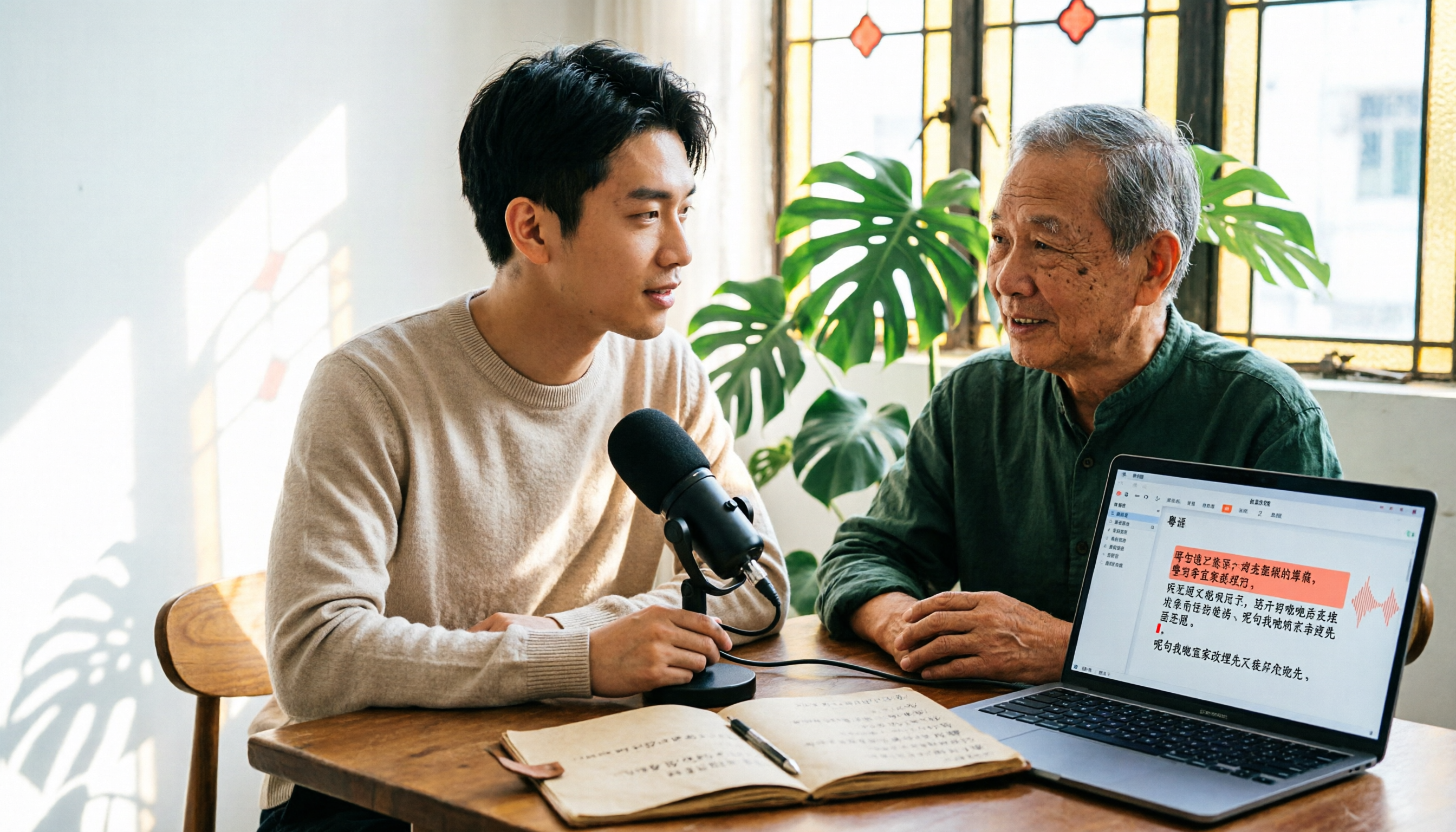
6 Cantonese Speech-to-Text Tools Tested for 2026: The Real Difference Is How Editable the Transcript Is
With Cantonese speech-to-text, most people get stuck not on whether it can transcribe, but on whether the resulting file can be edited. This article reviews 6 tools that handle Cantonese recordings—from AI meeting assistants to subtitle transcription to completely free options—comparing editing experience, export formats, free quotas, and pricing, with a scenario table to help you choose the right one for meetings, interviews, and video creation.