

Turn recordings into transcripts and summaries in minutes
Upload audio or video for multilingual transcription, AI notes, and action items
Best AI Office Tool Kits in 2026: We Tested 4, and This One Handles Chinese Meetings Best
Let me ask you a question first: when you pick an AI office tool kit today, are you looking at "how much can it write for me" or "can it capture the meetings I've already had"?
If you're like me, with over a dozen meetings a week, the answer is usually the latter. Drafting is something general-purpose AI assistants already handle well; the real headache comes after the meeting ends—those decisions and action items scattered across notes, chat logs, and your head.
This isn't another "Top 20 AI Tools" list. I'm writing from the perspective of a mid-level manager, laying out the four tools our team has actually used: which one can truly handle Chinese meetings, help you find key points afterward, and keep your data where it belongs.
The Real Trouble Starts After the Meeting—You Don't Need More Tools, You Need a Solution
I have about 15 meetings a week: department stand-ups, project progress reviews, one-on-ones, cross-department coordination. The annoying part was never the meeting itself—it was afterward.
Scenario one: Your boss asks in a meeting, "Who made that decision last time? What was the conclusion?" You flip through your notes for three minutes and finally find only "to be discussed." Those three minutes feel like an eternity.
Scenario two: You verbally assign a task to a subordinate. Two days later you ask for an update, and they say, "I thought it was due next week." It's not that they don't care—it's that you have no shared record between you.
Scenario three: After a cross-department meeting, everyone goes back to their corners. A week later you discover the two sides have different understandings of the conclusion. The communication itself doesn't take time; the confirmation and follow-up after communication do.
These problems can't be solved by "installing one more AI assistant." You need a process: meeting content is fully recorded, turned into searchable text, summarized with action items, and stored where the team can find it. Pick the wrong tool, and you've just moved the organizing work from paper to a fancier notebook.
Before Choosing an AI Office Tool Kit, Understand These 5 Key Points
First, how meetings are recorded. The common approach is sending a meeting bot into online meetings; another is directly capturing your computer's system audio. A bot adds an extra participant in multilingual or external client meetings, which some people mind; system audio capture requires you to actively press record but doesn't disturb the meeting. First confirm whether your company uses Zoom, Google Meet, Microsoft Teams, or Webex, then check which one the tool supports.
Second, what you get after transcription. A raw transcript alone just hands the organizing work right back to you. What you should look for: Does it auto-generate summaries, chapters, action items? Can you ask questions directly about the meeting content? Can you export to Notion, Google Docs, or OneNote that you already use?
Third, performance with Chinese and mixed Chinese-English. Meetings in Taiwan are rarely pure Chinese or pure English—they're usually "let's review this campaign's KPI next week." Sentences like that are a nightmare for transcription tools. Besides checking whether it supports Chinese, also look for a team glossary feature that lets you feed in your company's internal terminology.
Fourth, who owns the team data. A personal plan, no matter how powerful, still ties data to an individual account. For teams, you need to ask: Where is meeting data stored? Will it disappear when a member leaves? How are roles and seats allocated? Is there usage analytics and an audit log? Many tools conflate "roles" and "seats," but they're completely different: roles determine who can manage the team, seats determine who can record, upload, edit, and export.
Fifth, how quotas are deducted. Don't just look at the monthly fee. Ask clearly: Does live recording count toward minutes? Which quota does uploading audio files use? How is the team shared quota allocated? Some tools make meeting recording look cheap, but the moment you upload historical audio files, you'll find the quota drained instantly.
Once you think through these five points, you'll realize many "AI office tool kits" on the market only solve the first one.
Tinrec—Our Primary Tool After Hands-On Testing
Tinrec is an AI meeting notes and collaboration tool for individuals and teams, available on web, desktop, and mobile. It doesn't just turn audio into text—it organizes meetings into searchable, queryable, exportable, and further processable data.
No bot needed for online meetings. Tinrec's desktop version directly captures your computer's system audio. When handling meetings on Zoom, Google Meet, Microsoft Teams, or Webex, no extra bot joins the participant list. For those of us who frequently meet with external clients, this is very practical—you don't have to explain before the meeting starts that "that account joining is our AI tool." Note that it requires you to actively start recording; it doesn't automatically join all calendar meetings.
When the meeting ends, the organizing is mostly done too. In our actual department stand-ups and client interviews, the transcript appears as you record, and after the meeting it automatically generates summaries, chapters, and action items. The most useful feature is AI Q&A: you can directly ask "What was the budget cap the client mentioned?" or "Who was responsible for organizing the requirements in the last meeting?" and it finds the answer from the meeting content instead of dumping a pile of keyword search results on you. This is a lifesaver when "your boss suddenly asks what was discussed in that meeting three months ago."
Meeting data stays with the team, not on someone's phone. Tinrec's team plan is a separate team workspace, not multiple people sharing one personal account. Meeting data belongs to the team, and members can share and view it; admins can assign seats, view usage trends and member rankings, manage team glossary, and query and export audit logs. When a member leaves or is removed, their team resources need to be handed over to other active members—data doesn't just follow the person. Deleted audio files can be restored from the recycle bin, currently with a 30-day retention period.
Stop organizing recordings by hand
Upload audio or video and automatically get a transcript, summary, and action items
Three advantages I think are most worth mentioning after testing:
First, it connects "recording, transcription, organizing, querying, and exporting" into one flow. After the meeting, you can export results directly to Notion, Google Docs, OneNote, or Dropbox without copy-pasting.
Second, it preserves the recording and transcript. Many AI meeting notes tools only give you the organized content and don't save the original audio; but when there's a dispute over "who exactly said this," you still need to go back and listen to the original audio.
Third, the team governance logic is clear. Roles, seats, and member relationships are managed separately. Members without a seat can still view, play, and read team data, but cannot upload, edit, or export. For managers, this is much safer than "everyone is an admin."
Honest limitations:
The free version only has a basic quota, suitable for trying one or two meetings first; if you have meetings every day like me, you'll eventually end up on a paid plan. Also, file and web link imports on the team plan consume the team shared import minutes. Live recording currently isn't deducted by minutes under an active team plan and active seat—these two things should be viewed separately; don't assume "free recording means free imports." One more thing to be clear about: the team plan is currently team-level sharing, not a file-level permission system—you can't set different reading scopes for different members on each file.
Who it's for: People who frequently have Chinese or mixed Chinese-English meetings, don't want a bot joining the meeting, need to use AI to find key points right after the meeting, and want meeting data to settle in a team workspace. For personal use, you can start with the free version or Pro; if you want the whole department to use it together, the team plan is USD 29.80 per paid seat per month, or USD 199 per paid seat per year (about USD 16.58 per month). Each paid seat provides 2,000 minutes of team shared import quota per month. Eligible teams get a 7-day trial, 1 free seat, and 300 minutes of shared import quota for the first time. Actual prices and benefits are subject to the official purchase page.
Besides Tinrec, What Other Options Are There?
Otter.ai: A veteran choice for English business meetings. The free version offers 300 minutes per month; Pro annual billing works out to about USD 8.49 per user per month, including 1,200 minutes of in-app recording and 10 file imports per month. If 90% of your meetings are in English, Otter is very mature. But our team's meetings are mixed Chinese-English, and Otter still requires extra time to clean up Chinese tone and proper nouns; Tinrec can further generate reports, tables, and documents from meeting content, which is an area Otter focuses on less.
Notta: The competitor with the most overlap with Tinrec. The free version offers 120 minutes per month, with a maximum of 3 minutes per single piece of content; Pro annual billing works out to about USD 8.17 per month with 1,800 minutes per month; Business annual billing works out to about USD 16.67 per seat per month, offering unlimited transcription, role permissions, and usage reports. Notta's file transcription and multilingual capabilities are good, but the free version's 3-minute limit per recording makes it unusable for a 40-minute meeting. If what you want is "record online meetings without a bot, ask AI directly afterward, and put the data into a team workspace," Tinrec's flow is more complete.
Granola: A bot-free AI meeting notes tool. Basic is free, Business is USD 14 per person per month, Enterprise is USD 35 per person per month. It combines live transcription with your handwritten notes, suitable for people who like to listen and take notes simultaneously. But note: Granola doesn't support uploading pre-recorded audio files and doesn't save meeting audio. For teams that need to go back and verify original audio or organize historical recordings, this is a hard limitation. Tinrec preserves audio files, supports file imports, and also offers real-time translation and team workspace—this is the biggest difference between the two.
Pitfall Guide: The 4 Most Common Mistakes When Choosing an AI Office Tool Kit
Pitfall one: Only looking at transcription minutes. More minutes doesn't mean better. You need to look at how quotas are deducted, how shared quotas are split, and whether live recording and file imports use the same calculation. Many teams buy a plan only to find that meeting recording is sufficient, but organizing historical audio files drains the quota quickly.
Pitfall two: Treating "having a transcript" as "having it organized." A transcript is raw material, not a finished product. What you want is summaries, chapters, action items, and the ability to ask follow-up questions. If a tool only gives you a text file, you've just swapped transcription work for proofreading work.
Pitfall three: Ignoring team data ownership. Recording team meetings with a personal account is convenient short-term but a disaster long-term. If the colleague responsible leaves, the meeting data disappears with them. When choosing a team tool, always ask: Who owns the data? How is it handed over when a member leaves? How are roles and seats allocated?
Pitfall four: Expecting AI to do everything automatically. No tool can guarantee 100% accuracy. People talking over each other, air conditioning noise, accents, and technical jargon all affect transcription quality. A more reliable approach: treat AI as an assistant that saves you 80% of organizing time, and still go back to verify important decisions and numbers against the transcript timestamps and original audio.
Conclusion: Which One Should You Choose?
To sum it up in one sentence: if what you want is "turn meetings into data that can be found, followed up on, and kept," Tinrec is the smoothest one we tested.
Here's a breakdown by scenario:
- Frequently have Chinese or mixed Chinese-English meetings and need to quickly find key points afterward → Tinrec (Chinese experience, AI Q&A, summaries and action items)
- Don't want a meeting bot joining the participant list → Tinrec desktop version (captures system audio, no extra bot)
- Want the whole department to share meeting data, manage seats and usage → Tinrec team plan (team workspace, roles and seats, usage analytics, audit logs)
- 90% of meetings are in English and you only need mature English meeting notes → Otter.ai (strong for English business meetings)
- Like to take handwritten notes while listening and let AI fill in the gaps → Granola (combines notes with AI)
My own approach is simple: run next week's department stand-up on the free version first, then ask it directly afterward, "What action items came out of this meeting, and who's responsible?" If this process saves you an hour of organizing, it's worth adding to your AI office tool kit; if it doesn't fit your meeting style, you can always switch. Tools are meant to solve problems, not to be collected.
References
- The Smartest AI Tool? Claude Free Version's 5 Major Features: One-Click Excel Analysis and Office Files, a Must-See AI Money-Saving Workflow for Office Workers! | PanSci - YouTube
- AI Tool Library | Ministry of Economic Affairs Industrial Competitiveness Guidance Team
- Top 20 Must-Have AI Tools for the Workplace! Expert: 90% of Workers Will Need to Know AI in the Future | 104 Job Bank
- Generative AI Tools Complete Guide: Hands-On Testing of 5 Major Platforms, Subscription Plans, and Use Cases - Aiworks
- Office AI Tools Decoded: Is Asana Alone Enough? | Master Concept
Turn every recording into actionable outcomes
Get 60 free transcription minutes when you sign in. No credit card required.
Related Reading
You might also like

5 Best Cantonese Speech-to-Text Tools in 2026: Tinrec vs Subanana vs PLAUD
How to choose a Cantonese transcription tool in 2026? We compare Tinrec, Subanana, PLAUD, and Google AI Studio on Cantonese recognition, mixed Chinese-English, meeting recording methods, post-meeting organization, team collaboration, and pricing to help you find the best fit.

Best Cantonese Transcription Tools in 2026: Testing 4 Options, Tinrec Simplifies Post-Meeting Work
Using a Cantonese-English mixed meeting recording, we tested Tinrec, Otter.ai, Notta, and Plaud Note for transcription and post-meeting workflows. From mixed-language recognition, bot-free online meeting capture, AI Q&A, team collaboration to pricing limits, we help you decide which one fits best.

2026 Tested: 5 Cantonese Speech-to-Text Tools Compared — Which Handles Chinese-English Mixing Best?
Starting from the real workflow of organizing meeting and interview recordings, this compares 5 Cantonese speech-to-text tools in 2026. It first covers the common workflow pitfalls and 4 key buying factors, then takes a deep dive into Tinrec's three-stage workflow of recording, organizing, and follow-up questions, briefly reviews the suitable boundaries of Good Tape, iFLYTEK, Monica, and Otter.ai, and finally provides a pitfall-avoidance guide and an actionable starter checklist.

2026 Cantonese Audio to Text Guide: How to Choose Among Tinrec, Subanana, and 3 Other Apps
Cantonese audio transcription often struggles with mixed Chinese-English speech, the gap between spoken and written language, and the pile of cleanup work after transcription. This guide starts from real-world pain points, compares the positioning of Tinrec, Subanana, Plaud, iFlytek, and Google Docs voice typing, and outlines what to consider when buying—such as quotas, post-meeting workflows, and team data ownership.

2026 Cantonese Audio to Text Free Options: 4 Tools Compared
A roundup of 4 free options for Cantonese audio-to-text tools in 2026, compared across free quota, mixed Chinese-English recognition, post-meeting summaries, and cross-platform export, with practical pitfalls and scenario-based selection advice.

Tinrec vs Good Tape 2026: 5-Dimension Comparison for Cantonese Speech-to-Text
Which Cantonese speech-to-text tool should you choose? This article compares Tinrec and Good Tape across 5 dimensions: Cantonese colloquial and mixed Chinese-English recognition, post-meeting organization, audio retention, multi-device use, and team collaboration. It also covers 6 options including Subanana, cSubtitle, Cantosub AI, and Speechnotes, with free quotas, paid plans, and selection advice.

2026 Comparison of 4 Cantonese Speech-to-Text Tools: Which Saves the Most Time for Mixed Chinese-English Meeting Notes?
The hardest part of Cantonese meetings isn't understanding the language—it's the mixed Chinese-English speech and the fact that no one can remember the decisions. This article starts with the key question of whether you need file transcription or live meeting transcription, and compares Tinrec, Notta, TurboScribe, and Granola based on real testing by a mid-level manager. It covers 4 key purchasing factors, 3 common pitfalls, and offers scenario-based tool recommendations.

2026 Cantonese Speech-to-Text Tools Buying Guide: 4 Hands-On Tests and Recommendations
Is Cantonese speech-to-text any good? First, figure out whether you need real-time meeting transcription or post-event file transcription. This article outlines 5 key buying criteria, hands-on tests Tinrec, Subanana, cSubtitle, and Otter.ai, and includes common pitfalls and scenario-based selection advice.
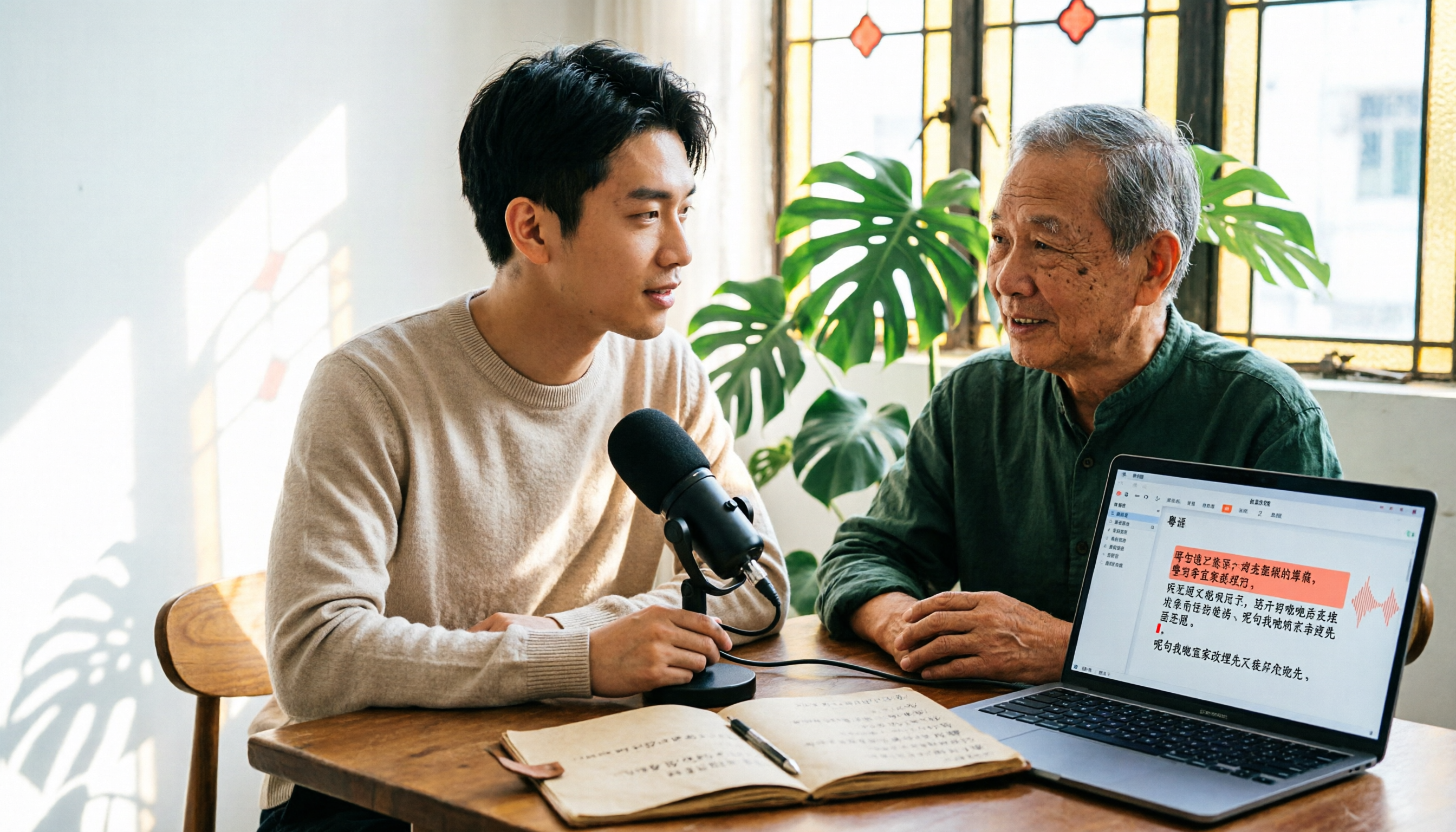
6 Cantonese Speech-to-Text Tools Tested for 2026: The Real Difference Is How Editable the Transcript Is
With Cantonese speech-to-text, most people get stuck not on whether it can transcribe, but on whether the resulting file can be edited. This article reviews 6 tools that handle Cantonese recordings—from AI meeting assistants to subtitle transcription to completely free options—comparing editing experience, export formats, free quotas, and pricing, with a scenario table to help you choose the right one for meetings, interviews, and video creation.