
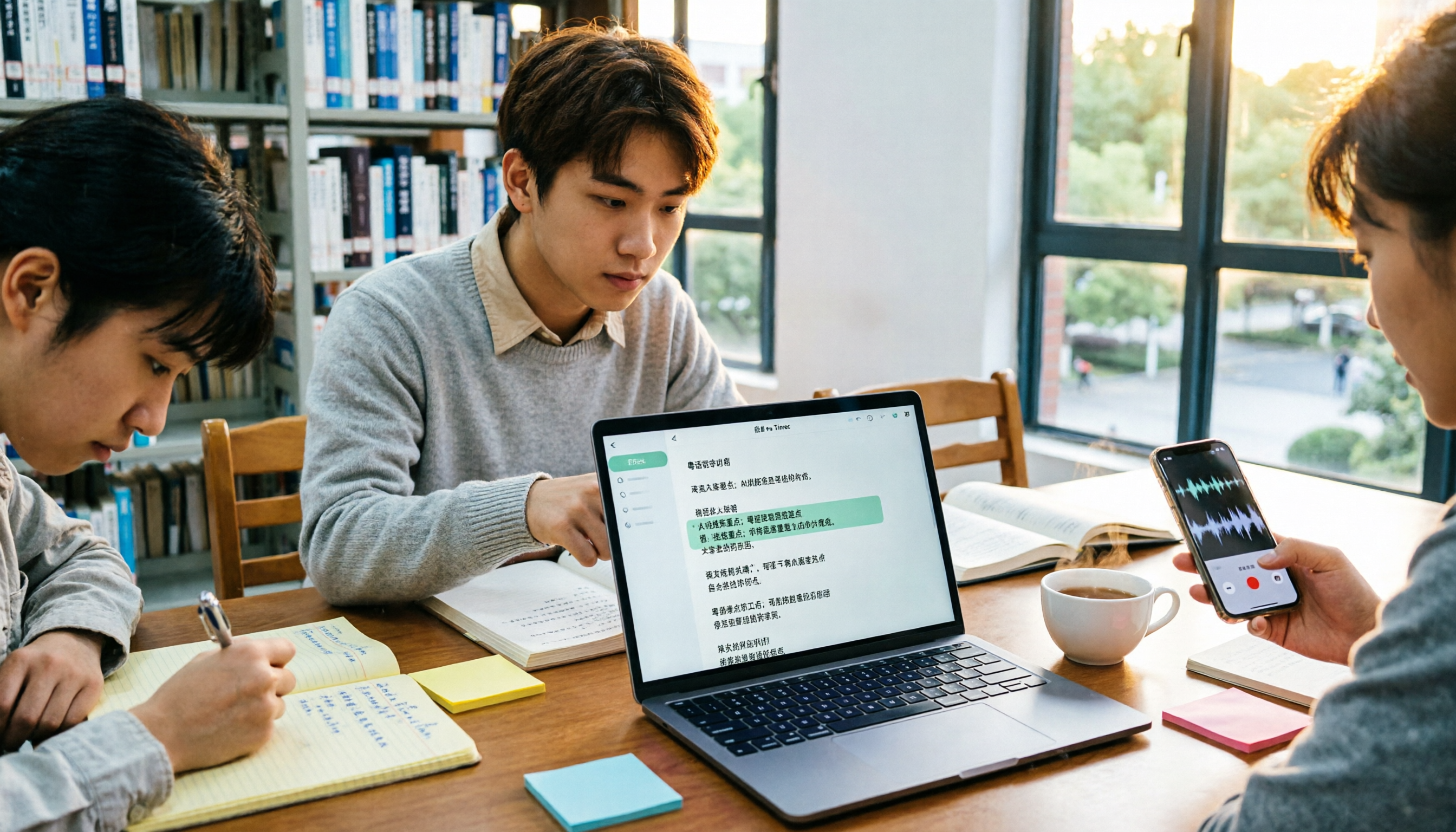
Turn recordings into transcripts and summaries in minutes
Upload audio or video for multilingual transcription, AI notes, and action items
Cantonese Audio to Text vs. Editable Transcripts: First, Know What You Need
If you're looking for "Cantonese audio to text," ask yourself: do you just want to see some text, or do you want a transcript you can edit, search, query, and hand off to teammates? This choice determines whether you save time or just trade the pain of typing from listening for another kind of organizing pain.
Last semester, I took a course where the professor spoke extremely fast and flipped slides even faster. There was also an exchange student from Hong Kong, so discussions mixed Cantonese, Mandarin, and English. I tried recording first, planning to organize later, but when I opened the recording before finals, I still couldn't find that line about "exam scope" after listening from start to finish. Group discussions were worse—everyone talked over each other, and no one remembered the conclusions afterward. That's when I realized: audio-to-text isn't just about transcribing; whether you can edit and find key points directly after transcription is what truly affects grades and efficiency.
4 Key Factors to Understand Before Choosing a Cantonese Transcription Tool
First, look at "editability." Some tools give you a big block of text with no paragraphs and random punctuation, so you still have to re-listen and re-edit. A truly useful transcript should allow proofreading, paragraphing, searching, and ideally exporting to your existing note-taking tools for further processing.
Second, consider language and mixed Chinese-English. Cantonese lectures often aren't pure Cantonese but include English terms and Mandarin explanations. You need to confirm whether the tool handles Chinese, Traditional Chinese, and multilingual meetings smoothly; otherwise, proper nouns may be transcribed as strange sounds.
Third, look at post-meeting processing. A tool that only provides a transcript does only half the job. What students really need are summaries, chapters, to-dos, and AI Q&A, so I don't have to re-listen to 40 minutes and can directly ask, "What was the final assignment the group member mentioned?"
Fourth, consider cross-platform support and free quota. Recording on phone, organizing on computer, importing online classes—if the tool doesn't support cross-device use, it's painful. Students have limited budgets, so whether the free version's quota is enough for a trial run is more important than ads.
Tinrec (Miaoting Recording) — My Go-To for Organizing Lectures and Group Projects
Tinrec (Miaoting Recording) is an AI meeting notes and collaboration tool for individuals and teams, covering web, desktop, and mobile. It feels less like a "recording-to-text app" and more like a way to turn a lecture or discussion into material you can continue working with.
My most-used feature is real-time recording to text. I turn it on during lectures or group discussions, and text appears as recording proceeds. For online classes on Zoom, Google Meet, Microsoft Teams, or Webex, the desktop version can directly capture system audio without pulling a meeting bot into the room. This is very practical for students because professors may not allow random bots.
Post-meeting is where it truly stands out. Tinrec automatically generates summaries, chapters, key points, and to-dos. I can ask AI directly about the recording content: "What was the report format the professor mentioned?" "Who was assigned to do the survey?" It answers based on the meeting content, so I don't have to Ctrl+F and guess in the transcript. The transcript itself can be reviewed and searched, and results can be exported to Notion, Google Docs, OneNote, Dropbox, etc., for further editing.
If a project team needs to share data, Tinrec's team version is a separate team space, not multiple people sharing a personal account. It has roles, seats, shared quota, usage analytics, and audit logs, and team resources can be handed over when members leave or lose seats. For scenarios like department teams, labs, or graduation projects where "data needs to be passed to the next cohort," this is more reliable than storing on a personal phone.
Stop organizing recordings by hand
Upload audio or video and automatically get a transcript, summary, and action items
I'll be direct about the pros: first, no-bot recording of online classes means participants aren't disturbed by an extra account; second, Chinese, Traditional Chinese, and multilingual scenarios plus real-time translation are friendlier for lectures mixing Cantonese, Mandarin, and English; third, the post-meeting summary, AI Q&A, and export workflow is complete—it doesn't just throw a transcript at you.
Limitations should also be clear: the free version has a basic quota, so if you record several classes every week, you may need to consider upgrading; it's not a bot that automatically joins all meetings—you have to start the desktop version yourself; poor audio, multiple people talking over each other, or classroom echo can still affect recognition, so important content should be verified by re-listening. My approach is to record only key lectures and group discussions, not every class.
If you often need to turn Cantonese, Mandarin, and English mixed lectures or interviews into editable transcripts and want to ask key points directly afterward, Tinrec is a good candidate to shortlist. For short-term project sprints, consider a weekly pass; for steady weekly use, consider Pro; for long-term data accumulation, consider an annual pass—no need to pay upfront.
Besides Tinrec, What Other Options Are There?
Otter.ai: Mature for English meetings and team collaboration; if you mainly record English lectures, it's smooth. But Cantonese isn't its strong suit; if you need Chinese, Traditional Chinese mixing, team hotwords, and post-meeting queries in one workflow, Tinrec is closer.
Notta: Offers multilingual transcription, translation, and team plans, with high overlap with Tinrec. The difference is Tinrec's desktop version can capture system audio without a bot, and it has Agent post-processing and team space governance; if you often record online classes, this is practical.
TurboScribe: Strong for long documents, batch uploads, and subtitle translation, with high value. But it's not centered on real-time meetings, AI Q&A, to-dos, and team data accumulation; if you want post-class queries and group sharing, Tinrec is more suitable.
Pitfall Guide: 3 Most Common Mistakes When Choosing Cantonese Audio-to-Text
Pitfall 1: Only looking at "whether it transcribes" and not "whether it's editable." Some tools produce a big block of text with no paragraphs and chaotic punctuation, so you still have to re-listen. The right approach is to test with a recording of your own lecture first, confirming whether the transcript can be proofread, paragraphized, searched, and exported.
Pitfall 2: Underestimating mixed Chinese-English. Cantonese lectures often include English terms; if the tool only recognizes pure Mandarin, proper nouns will be wildly wrong. Before choosing, check how it handles Chinese, Traditional Chinese, multilingual, and technical terms, and whether team hotwords can be maintained.
Pitfall 3: Treating the transcript as the end goal. Using a tool only as "audio-to-text" means using only part of it. With Tinrec's AI Q&A, you can directly ask "What was the conclusion of this meeting?" after recording, which is much faster than manually flipping through a 30-minute transcript.
Pitfall 4: Discovering you can't export only after the free quota runs out. Students are most likely to fall into this. First confirm whether the free version allows you to try export and summaries, then decide whether to upgrade; don't buy a long-term plan right away—use a short-term plan to finish the project first.
Conclusion: Which One Should You Choose?
To sum up in one sentence: the core of Cantonese audio-to-text isn't "transcription" but "whether it's usable after transcription." If you want an editable, searchable, queryable transcript, Tinrec is my first recommendation.
Scenario breakdown is simple:
- Lecture recordings to editable transcripts, finding key points afterward → Tinrec (summaries, chapters, AI Q&A all in one)
- Group discussions needing shared data and handover to next cohort → Tinrec Team (team space, roles, seats, audit)
- Online classes via Zoom, Meet, Teams, no meeting bot → Tinrec Desktop (captures system audio)
- Interviews or reports mixing Cantonese, Mandarin, English → Tinrec (multilingual, real-time translation, team hotwords)
- Pure English meetings with zero budget → Otter.ai (the recommended exception in this article)
If you're a budget-limited student like me, I suggest starting with the free version on your most troublesome recording: a lecture you didn't understand, a group discussion with no conclusions, or an interview. First confirm whether it can save you re-listening time, then decide whether to upgrade. After all, no matter how cheap the tool is, not actually using it is the biggest waste.
References
- Online AI speech, video, audio file auto-transcription - free trial - cSubtitle
- 2026 Latest 4 Cantonese Audio-to-Text Tools: Solving Mixed Chinese-English and Meeting Notes Pain Points - Miaoting Blog
- 2026 Latest 5 Cantonese Speech Recognition Software: Solving Cantonese Meeting Notes and Mixed Language Pain Points - Miaoting Blog
- Top 5 Speech-to-Text Tools in Hong Kong: Accurate Cantonese Recognition, Doubling Meeting and Interview Efficiency!
- Hands-on Test of 4 Best Online Speech-to-Text Tools: Free Instant Audio-to-Transcript
Turn every recording into actionable outcomes
Get 60 free transcription minutes when you sign in. No credit card required.
Related Reading
You might also like

Tinrec vs Otter.ai 2026: 5-Dimension Comparison for Cantonese Meeting Transcription
How to choose a Cantonese audio-to-text tool? This article compares Tinrec and Otter.ai across 5 dimensions—mixed Chinese-English recognition, meeting capture methods, post-meeting outputs, team governance, and pricing structure—to help you decide which is better suited for your meeting and transcription needs.

2026 Comparison of 6 Cantonese Speech-to-Text Platforms: Which Is More Time-Saving for Cantonese Recognition and Meeting Organization?
A roundup of 6 tools in 2026 for Cantonese meeting notes and post-meeting organization, compared across Cantonese recognition, mixed Chinese-English, meeting summaries, free quotas, and team collaboration to help you choose the right platform for your use case.

2026 Clinical Vocology Course Guide: Tuition, Hours, and Note-Taking Methods
How to choose a 2026 clinical vocology (Vocologia Clinica) program? We compare the Nuova Artec advanced course and the university master's, covering the time commitment of 200 hours and 100 ECM credits, costs and discount eligibility, and explain how to use Tinrec to turn live online classes into searchable, reviewable transcripts and summaries.

Cantonese Audio to Text in 2026: Free Tier Comparison & AI Meeting Notes Guide
We tested 6 Cantonese audio-to-text tools in 2026, comparing free tiers, Cantonese recognition, transcript output formats, and post-meeting AI summaries and team collaboration. Includes buying tips and 4 things to know before use, helping you pick the best one.

6 Cantonese Speech-to-Text Tools Tested for 2026: Which Handles Mixed Chinese-English and Colloquial Transcripts Best?
Cantonese speech-to-text often struggles with the gap between spoken and written language and unstable recognition of mixed Chinese-English. This article reviews 6 practical solutions, from AI meeting notes and Cantonese subtitle tools to free online dictation, detailing each tool's positioning, highlights, free quota, and target users, plus selection advice and 4 things to know before use.

3 Voice Collaboration Tools Tested for 2026: Key Selection Factors Behind the 'vocol' Search
Searching 'vocol 2026' returns three unrelated results: a voice collaboration platform, a VOCALOID event, and a laboratory chromatography column. This article starts with common selection mistakes, breaks down how to choose a voice collaboration tool using three key points, and compares Tinrec, Vocol.ai, Notta, and Otter.ai to see who each is best for.

Best Cantonese Audio-to-Text Platforms in 2026: 4 Tested, Free Tiers and Cantonese Recognition Compared
How to choose a free Cantonese audio-to-text platform? We tested Tinrec, Subanana, cSubtitle, and UniScribe, comparing free tier limits, Cantonese models, transcript post-processing, and export formats. We also highlight 4 common pitfalls to help you pick the one that truly saves time.

2026 Comparison of 4 Cantonese Speech-to-Text Tools: Free Tiers and Mixed Chinese-English—Which Works Better?
Starting from common misconceptions, this comparison examines Tinrec, Subanana, cSubtitle, and Granola in Cantonese speech-to-text, free tiers, post-meeting organization, and team collaboration to help you choose the right tool.

Tinrec vs Subanana 2026: 5-Dimension Comparison for Free Cantonese Audio Transcription
How to choose a free Cantonese audio transcription tool? This article compares Tinrec and Subanana across 5 dimensions: free quota calculation, online meeting capture method, post-meeting organization workflow, multilingual translation, and team collaboration. It also covers practical use cases and purchasing considerations to help you make an informed decision among free plans.