
Turn recordings into transcripts and summaries in minutes
Upload audio or video for multilingual transcription, AI notes, and action items
Best Cantonese Audio-to-Text Platforms in 2026: 4 Tested, Free Tiers and Cantonese Recognition Compared
The word "free" is the easiest trap to fall into when it comes to Cantonese audio-to-text. Most people start like this: upload a 40-minute meeting recording, watch the spinner for two minutes, and out comes a transcript. Looks great. Then you try to export and a payment window pops up; you try to save and the free version only gives you the first 15 minutes of each file; you want to find who mentioned the budget last time, so you manually Ctrl+F line by line. Three months later, your hard drive is littered with a dozen half-finished transcripts, and you're still typing meeting notes yourself.
The problem isn't that you don't know how to use tools. It's that most people choose tools based on "can it transcribe?" rather than "can I use the result after transcription?"
Three Common Misjudgments That Make "Free" the Most Expensive Option
Misjudgment 1: Mistaking a "free trial" for a "free plan." Many platforms advertise "free" on their homepage, but it's actually a preview of the first N minutes per file, or 3 minutes of credit per upload. A normal meeting is at least 30 minutes, so this free tier can't even cover one meeting.
Misjudgment 2: Comparing only transcription speed. Fast doesn't mean usable. Without punctuation, paragraph breaks, or speaker separation, you'll still spend two hours cleaning up a one-hour transcript. You save transcription time but lose your evening.
Misjudgment 3: Ignoring mixed Chinese-English. Hong Kong meetings are rarely pure Cantonese; most are mixed like "this budget needs to be confirmed again." Tools that force a Mandarin model onto Cantonese will break down on such sentences.
This article is written to solve these three issues. Below are four key points we compiled after actually feeding the same mixed Chinese-English Cantonese meeting recording into each platform.
4 Key Points to Understand Before Choosing a Cantonese Transcription Platform
1. What is the "unit" of the free tier? Check clearly whether it's "first N minutes per file," "N minutes per month," or "N files per day." The three calculations have very different practical impacts: 120 minutes per month suits occasional use, first 15 minutes per file suits testing accuracy first, and a daily file limit is not suitable for people who have back-to-back meetings.
2. Is there a real Cantonese model behind it? On the same platform, selecting "Chinese" versus "Cantonese" can yield results a grade apart. The test is simple: take a recording with colloquial particles (la, lo, wo, je) and try it. Only those that can correctly segment sentences have a model tuned for Cantonese.
3. What comes after the transcript? This is the most overlooked yet most productivity-impacting aspect. Can it automatically separate speakers, generate summaries and chapters, extract action items, and answer questions directly about the meeting content? These four things determine how much manual work you still have to do after getting the transcript.
4. Cross-platform and export formats. Recording on mobile and organizing on computer is the norm. If a tool only works on one platform, you'll get stuck transferring files. For export, beyond basic TXT, SRT/VTT is almost essential for subtitling, and DOCX is for those who need to submit reports.
Tinrec: More Than Just Turning Audio into Text
Tinrec is an AI meeting notes and collaboration tool for individuals and teams, available on web, desktop, and mobile. Its positioning is not a "recording-to-text app" but rather connecting the entire workflow of a meeting from recording to understanding to using.
During the meeting, it records and transcribes. The desktop version directly captures computer system audio, handling online meetings on Zoom, Google Meet, Microsoft Teams, and Webex without inviting a meeting bot to join as a participant. This is especially practical for external meetings—you don't want a strange account showing up on the participant list in front of a client. For offline interviews or on-site notes, you can use real-time recording to get a transcript as you record.
After the meeting, it organizes. Once recording ends, the system automatically generates summaries, chapters, and key points, and extracts action items from discussions into to-dos. For those who have to submit meeting minutes weekly, this step saves not just minutes but the entire overtime period. For cross-language meetings, you can view the original text, translation, or bilingual comparison during recording.
What truly sets it apart is post-meeting follow-up. Tinrec supports AI Q&A around meeting content—you can directly ask "who mentioned the budget last time" or "what concerns did the client raise about the delivery date," and it answers based on the content rather than giving you a list of keyword search results. Currently, almost no similar free transcription platform offers this layer. The results can further generate reports, tables, and documents, or be exported to Notion, Google Docs, OneNote, Dropbox, and other tools for further processing.
Limitations should also be clear. The free version provides a basic quota, suitable for experiencing recording, import, summaries, and transcription; intensive use requires a paid plan, with weekly, Pro monthly, or annual cards available based on usage type. Also, Tinrec requires you to actively start recording; it's not a bot that automatically joins all calendar meetings. Transcription accuracy is also affected by recording quality, background noise, accents, overlapping speakers, and technical terms. For important content, it's recommended to listen back to the original audio with the synchronized timeline for verification.
Stop organizing recordings by hand
Upload audio or video and automatically get a transcript, summary, and action items
For team use. The team version is a separate team space where meeting data belongs to the team, not multiple people sharing a personal account. Management distinguishes between "roles" and "seats": roles determine who can manage members, audits, and team settings; seats determine whether members can record, upload, edit, and export. Active members without seats can still view, play, and read team data. There are also team hotwords (improving technical term recognition), usage analytics, audit logs, and an audio recycle bin. Currently, the first eligible team trial is 7 days, 1 free seat, and 300 minutes of team shared import quota; monthly payment is USD 29.80 per paid seat per month, annual payment is USD 199 per paid seat per year (about USD 16.58 per month), each paid seat provides 2,000 minutes of team shared import quota per month, and real-time recording under an active plan and seat is currently not deducted by minutes. Actual prices and benefits are subject to the official purchase page.
Who it's for. People who frequently handle Chinese or mixed Chinese-English meetings, want to get summaries and to-dos directly after recording, need to switch between mobile and computer, or want team meeting data to accumulate rather than scatter across personal devices.
Besides Tinrec, What Other Free Options Are There?
Subanana. A Hong Kong-oriented Cantonese transcription tool that can upload audio or video files, or paste YouTube links, automatically separates speakers, adds punctuation, handles mixed Chinese-English well, offers choice of colloquial or written style, traditional or simplified Chinese, and allows free preview of the first 15 minutes per file. The limitation is that free only covers preview; long meetings still require payment for a full transcript, and it processes "already recorded files," not responsible for recording during the meeting or post-meeting follow-up. Tinrec can record system audio directly during the meeting and answer questions about the content afterward.
cSubtitle. Focuses on Chinese transcription, free version offers a quick 3 minutes, upload limit 4GB/5 hours, outputs Word files with punctuation, paragraphs, and time codes for easy sentence-by-sentence proofreading, and can also generate subtitle files. However, its model is trained primarily on Mandarin Chinese; Cantonese is supported but not its main strength; the free quota is only 3 minutes, not enough for a single meeting. Tinrec differs in that after transcription it also provides summaries, to-dos, and AI Q&A, not just a transcript.
UniScribe. Powered by an optimized Whisper large model, offers 120 minutes free per month, up to 3 files per day, processes a one-hour audio file in about one minute, no hard limit on file length—a choice for "high volume, want speed." Its positioning is purely a transcription tool—no team space, no meeting minutes, no to-do lists. Tinrec takes a different path: transcription is just the first step, followed by data you can continue working with.
Incidentally, Google AI Studio's Gemini is also often used for free transcripts. Its Cantonese performance is decent and it's free, but you have to upload audio files yourself each time, write your own prompts to format the output, and the premise is that the recording is already done—there's no concept of meeting recording or a historical database.
Pitfall Guide: 4 Most Common Mistakes When Choosing a Free Cantonese Transcription Tool
Pitfall 1: Only looking at the official accuracy rate. Promotional numbers mostly come from quiet environments and standard speech rates. Real meeting rooms have air conditioning noise, keyboard sounds, and people talking over each other, so performance will definitely be lower. The right approach is to test the free tier with a real recording of your own; you'll know in ten minutes if it suits you.
Pitfall 2: Mistaking "first N minutes free per file" for "free." This design lets you test accuracy but doesn't give you a full transcript. If you need to regularly organize meetings weekly, choose a plan where the free tier is calculated by "minutes per month," or directly evaluate paid options.
Pitfall 3: Treating the transcript as the end goal. Using the tool only as "audio-to-text" means you're using only a third of its capability. What really takes time is finding key points, writing minutes, and following up on to-dos—asking it "what were the conclusions of this meeting" right after recording is much faster than manually flipping through a 30-minute transcript.
Pitfall 4: Ignoring data ownership and permissions. Transcripts from personal accounts are lost when the person leaves. For team use, first confirm whether the tool provides a separate team space, member and seat management, and a data handover mechanism when members leave. Also, obtain consent from participants before recording and comply with relevant local regulations.
Conclusion: Which One Should You Choose?
- Need to record online meetings and also want transcripts, summaries, and to-dos → Tinrec. Desktop version requires no meeting bot, and you can ask questions about the content afterward.
- Only need to occasionally convert an audio file to text, zero budget → UniScribe, 120 minutes per month, 3 files per day, fast processing.
- Only have a YouTube link and want a transcript → Subanana, just paste the link, handles Cantonese and mixed Chinese-English well.
- Need sentence-by-sentence proofreading, time codes, and subtitle files → cSubtitle, Word files come with time codes.
- Team needs to accumulate meeting data, manage members and usage → Tinrec team version, with space, roles, seats, audit, and recycle bin all in one.
The core of choosing a tool is just one sentence: the free tier determines whether you can try it, and the post-meeting workflow determines whether you'll stay. We suggest first running your most troublesome recording (preferably a real meeting with mixed Chinese-English and background noise) through the free tier, then deciding whether to upgrade—this is more accurate than reading ten reviews.
References
- Free Cantonese Speech-to-Text App 2026 | Subanana
- "Free + Cantonese OK: How to Use Google AI Studio to Turn Your Recording into Text" Finding a good transcript app is painful; I don't know if you've tried different recording-to-text apps—either fake free, charging you a big price after a few dozen minutes, or only supporting English, not Cantonese, or requiring a whole API setup to use // Recently I found that Google Gemini is world-class in this area: - [Truly free] No subscription fee after a few uses - [Cantonese friendly] Gemini accurate
- Online AI Voice, Video, Audio File Auto Transcription - Free Trial - cSubtitle
- Top 5 Speech-to-Text Tools in Hong Kong: Accurate Cantonese Recognition, Doubling Meeting and Interview Efficiency!
- Free Transcription of Chinese (Cantonese) Audio to Text in Seconds
Turn every recording into actionable outcomes
Get 60 free transcription minutes when you sign in. No credit card required.
Related Reading
You might also like
Tinrec vs Otter.ai 2026: 5-Dimension Comparison for Cantonese Meeting Transcription
How to choose a Cantonese audio-to-text tool? This article compares Tinrec and Otter.ai across 5 dimensions—mixed Chinese-English recognition, meeting capture methods, post-meeting outputs, team governance, and pricing structure—to help you decide which is better suited for your meeting and transcription needs.

2026 Comparison of 6 Cantonese Speech-to-Text Platforms: Which Is More Time-Saving for Cantonese Recognition and Meeting Organization?
A roundup of 6 tools in 2026 for Cantonese meeting notes and post-meeting organization, compared across Cantonese recognition, mixed Chinese-English, meeting summaries, free quotas, and team collaboration to help you choose the right platform for your use case.

2026 Clinical Vocology Course Guide: Tuition, Hours, and Note-Taking Methods
How to choose a 2026 clinical vocology (Vocologia Clinica) program? We compare the Nuova Artec advanced course and the university master's, covering the time commitment of 200 hours and 100 ECM credits, costs and discount eligibility, and explain how to use Tinrec to turn live online classes into searchable, reviewable transcripts and summaries.
Cantonese Audio to Text in 2026: Free Tier Comparison & AI Meeting Notes Guide
We tested 6 Cantonese audio-to-text tools in 2026, comparing free tiers, Cantonese recognition, transcript output formats, and post-meeting AI summaries and team collaboration. Includes buying tips and 4 things to know before use, helping you pick the best one.

6 Cantonese Speech-to-Text Tools Tested for 2026: Which Handles Mixed Chinese-English and Colloquial Transcripts Best?
Cantonese speech-to-text often struggles with the gap between spoken and written language and unstable recognition of mixed Chinese-English. This article reviews 6 practical solutions, from AI meeting notes and Cantonese subtitle tools to free online dictation, detailing each tool's positioning, highlights, free quota, and target users, plus selection advice and 4 things to know before use.
3 Voice Collaboration Tools Tested for 2026: Key Selection Factors Behind the 'vocol' Search
Searching 'vocol 2026' returns three unrelated results: a voice collaboration platform, a VOCALOID event, and a laboratory chromatography column. This article starts with common selection mistakes, breaks down how to choose a voice collaboration tool using three key points, and compares Tinrec, Vocol.ai, Notta, and Otter.ai to see who each is best for.
How to Transcribe Cantonese Audio in 2026: Editable Transcripts + AI Highlights
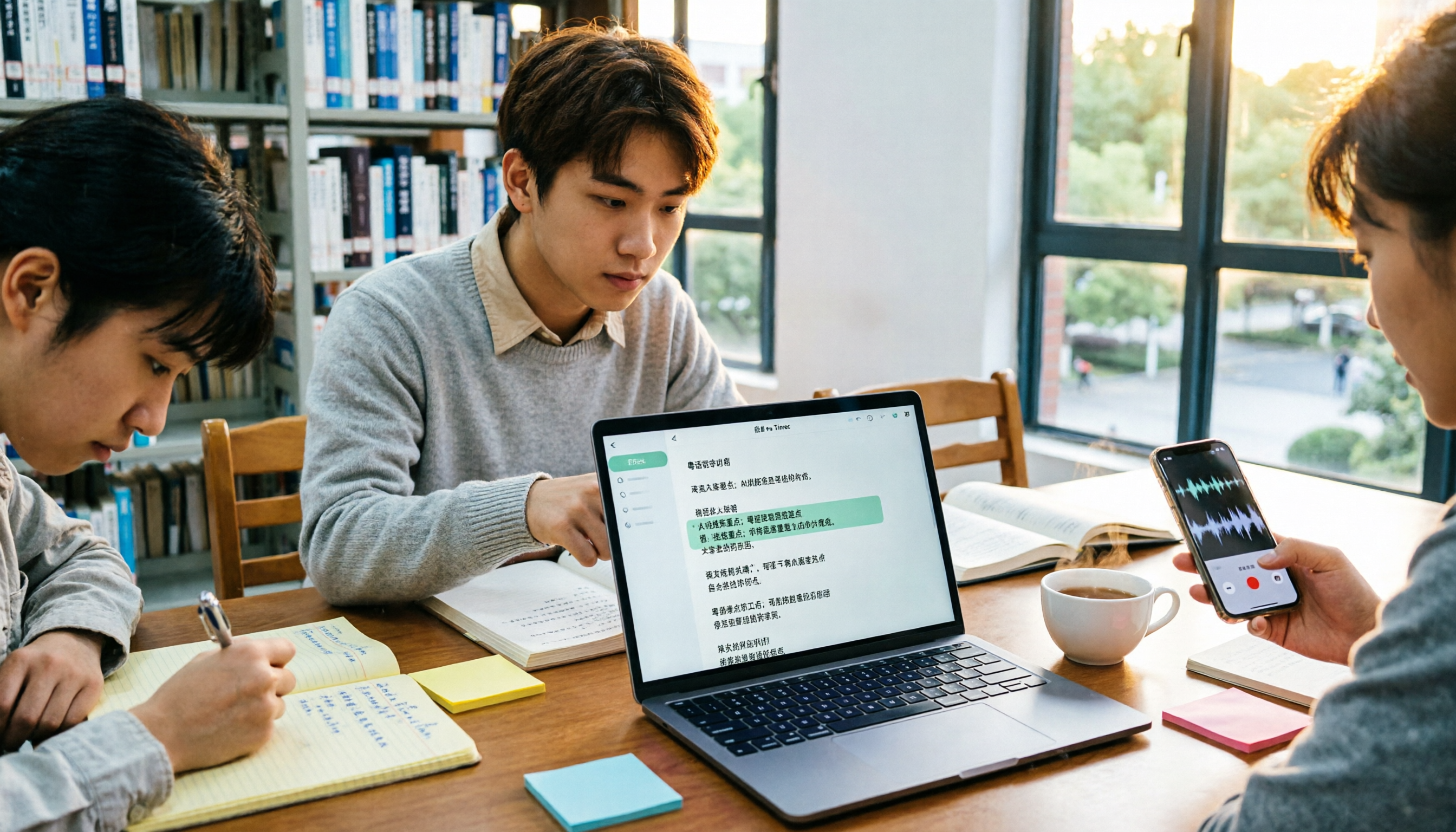
A student's hands-on comparison of Cantonese audio-to-text tools, focusing not just on transcription but on whether transcripts are editable, searchable, queryable, and exportable. Using Tinrec as an example, it outlines practical workflows for lectures, group discussions, and online classes, with brief reviews of Otter.ai, Notta, and TurboScribe.

2026 Comparison of 4 Cantonese Speech-to-Text Tools: Free Tiers and Mixed Chinese-English—Which Works Better?
Starting from common misconceptions, this comparison examines Tinrec, Subanana, cSubtitle, and Granola in Cantonese speech-to-text, free tiers, post-meeting organization, and team collaboration to help you choose the right tool.

Tinrec vs Subanana 2026: 5-Dimension Comparison for Free Cantonese Audio Transcription
How to choose a free Cantonese audio transcription tool? This article compares Tinrec and Subanana across 5 dimensions: free quota calculation, online meeting capture method, post-meeting organization workflow, multilingual translation, and team collaboration. It also covers practical use cases and purchasing considerations to help you make an informed decision among free plans.