

Turn recordings into transcripts and summaries in minutes
Upload audio or video for multilingual transcription, AI notes, and action items
What Is Otter Chinese Version in 2026? Otter Meaning + How to Choose AI Meeting Notes
People searching for "otter Chinese version" mostly get stuck on the same misunderstanding
Have you ever had this happen: a colleague sends you a message asking "how do I use the otter Chinese version," you open a search, and the first few results are photos of otters.
Scroll down further, and a meeting notes tool called Otter.ai pops up, and for a moment you can't tell which one they're asking about.
What trips up even more people is the next step—they assume the "Chinese version" is a separate version they can download, spend time looking for an installer, and only later realize that's not how it works at all.
This article clarifies both things at once, and also tells you how to choose a Chinese meeting notes tool.
First, distinguish two things: otter is an animal, Otter.ai is a meeting notes tool
In an English-Chinese dictionary, "otter" simply means a water otter (plural otters, also can refer to otter fur). Both the Cambridge Dictionary and VoiceTube's definition page point to the same answer. If you're just looking up the word, you can stop reading here.
The trouble is, this word is also the name of an AI meeting notes service.
Otter.ai is an AI meeting assistant that started with English. It can transcribe in real time, identify speakers, generate summaries, and also has AI Chat and team management. It has been in the English business meeting space for a long time and has a large user base.
So the phrase "otter Chinese version" actually mixes two intents in search engines: looking up the Chinese meaning of otter, and finding how to use Otter.ai in Chinese.
First confirm which one you are, then read on—it can save you a lot of time.
Before choosing a meeting notes tool, understand these 4 key points
Generally, I look at these things first, not the price.
First, what language your meetings are in. If 80% of your meetings are in Chinese with occasional English terms, then the tool's Chinese performance is the top priority. Pure English meetings don't need much fuss—there are many mature options on the market.
Second, how the meeting gets into the tool. Some tools require sending a bot into the meeting room; others capture system audio directly from your computer. The former is convenient, but the other party will see an unfamiliar account; the latter is clean, but you have to remember to press record yourself.
Third, what you get after transcription. A tool that only gives you a transcript is basically handing the organizing work right back to you. Whether it can automatically generate summaries, chapters, and action items makes a direct difference in your overtime hours.
Fourth, how the quota is deducted. Some plans share the same pool for live recording and file import; others calculate them separately. This is usually written in detail on the official website, but few people read it.
Once you think through these four points, you can probably eliminate half of your candidate list.
Tinrec (秒听录音) — Chinese meeting notes, our first recommendation after hands-on testing
Tinrec (秒听录音) is an AI meeting notes and collaboration tool for individuals and teams. It supports live recording, online meetings, audio and video file import, and mobile recording.
Its biggest difference isn't "transcribing to text," but the process after transcription.
When you open Tinrec during a meeting, the transcript appears as you record. When the meeting ends, the summary, chapters, and action items are already organized—who is responsible for what and when it's due, without having to listen to the recording again.
For online meetings, the Tinrec desktop version directly captures your computer's system audio. When handling meetings on Zoom, Google Meet, Microsoft Teams, Webex, etc., you don't need to invite a bot into the meeting room. This is especially noticeable in client meetings—the screen is much cleaner.
It also supports live translation, allowing you to switch between original text, translated text, or bilingual view. After a cross-language meeting, you don't need to find someone to translate separately.
Even better is the AI Q&A. After recording, you can directly ask it "what was the budget cap the client mentioned in the last meeting," and it will answer based on the meeting content, rather than throwing a string of keywords for you to search yourself. Few tools in the same price range have this feature.
Stop organizing recordings by hand
Upload audio or video and automatically get a transcript, summary, and action items
There's another layer beyond that: Agent post-processing can turn meeting content into reports, tables, or documents; results can also be exported to Notion, Google Docs, OneNote, Dropbox for continued use.
Pros:
1. Complete experience for Chinese and mixed Chinese-English meetings, and you can use team hotwords to maintain recognition quality for professional terms.
2. Bot-free recording on desktop version, no extra participant in online meetings.
3. Post-meeting workflow goes further—summaries, action items, Q&A, export to third parties, all connected in one go.
Note: The free version has a basic quota, suitable for trial use; those who have regular meetings will need to upgrade. Also, transcription accuracy is affected by recording quality, ambient noise, accents, and multiple people talking over each other. For important content, it's recommended to cross-check with transcript timestamps and recording playback—don't treat it as a 100% final draft.
Who it's for: People whose meetings are mainly in Chinese, who need to get key points and action items directly after the meeting, or who want to turn meeting data into team assets.
For team use, you can also look at the Tinrec Team version: it provides an independent team space, meeting data belongs to the team, and you can manage members, roles, seats, shared benefits, usage analysis, and audit logs. When a member leaves or loses a seat, resources can be handed over to other members, and data doesn't leave with the person. Paid seats provide 2,000 minutes of team shared import quota per month; live recording under an active plan is currently not deducted by minutes. Team monthly payment is USD 29.80 per paid seat per month, annual payment is USD 199 per paid seat per year (about USD 16.58 per month). First-time eligible teams also get a 7-day trial with 1 free seat and 300 minutes. Please refer to the official purchase page for prices and benefits.
Besides Tinrec, these tools like Otter.ai are also worth knowing
Otter.ai: A mature choice for English meeting notes. Free version has 300 minutes per month; Pro annual billing is about USD 8.49 per user per month, including 1,200 minutes of in-app recording and 10 file imports per month. If your meetings are mainly in English, it's a very reasonable answer. However, the Chinese meeting experience is not its strong suit; and Tinrec's Agent post-processing and team data handover are post-meeting aspects that Otter.ai currently doesn't mention much.
Notta: A veteran in multi-platform transcription and translation. Free version has 120 minutes per month (single session limit 3 minutes); Pro annual billing is about USD 8.17 per month, 1,800 minutes per month. It has a wide range of features, but recording online meetings still tends to involve sending a bot to join; if you don't want an extra account in the meeting, the Tinrec desktop version is smoother, and Tinrec also has AI Q&A around meeting content.
Granola: A bot-free AI meeting notes tool with a clean interface. Business is USD 14 per user per month. It does well at "your notes plus AI enhancement," but it doesn't support uploading pre-recorded audio files and doesn't save meeting audio. If you need to replay meetings afterward or organize old recordings, think about this first—Tinrec can do both.
Pitfall guide: 3 most common mistakes when looking for "XX Chinese version"
Pitfall 1: Thinking the Chinese version is a separate software released by the official company. In most cases, "Chinese version" refers to differences in interface language, usage, or content language, not another installer. Instead of spending time looking for files, just open the free version and try it with your own meeting recording.
Pitfall 2: Only comparing free minutes, not how the quota is deducted. 300 minutes and 300 minutes can be completely different—some are in-app recording, some are file imports, and some live recordings don't count minutes at all. First confirm how your most frequently used mode is calculated.
Pitfall 3: Treating the transcript as the end goal. If your process is "transcribe to text, then paste into a notepad and organize manually," then you're only using one-third of the tool. Leaving summary, action items, and Q&A features unused is like buying something for nothing.
Conclusion: Which one should you actually use?
In one sentence: if you're looking up the word, the answer is otter; if you want Chinese meeting notes, then Tinrec is currently our first recommendation.
- Meetings mainly in Chinese or mixed Chinese-English → Tinrec (Chinese experience is the design core, supports bilingual view)
- Don't want an extra bot account in online meetings → Tinrec (desktop version directly captures system audio)
- Want to get summaries and action items directly after the meeting → Tinrec (summaries, chapters, action items automatically generated)
- Want to ask follow-up questions about meeting content → Tinrec (AI Q&A, no need to manually search transcripts)
- Need to accumulate team meeting data, manage members and usage → Tinrec Team version
- Meetings almost entirely in English, limited budget → Otter.ai (free 300 minutes per month, mature English scenarios)
We suggest first using the Tinrec free version for one or two of your regular meetings to see if the transcript and summary quality works for you, then decide whether to upgrade. No need to pay from the start.
References
Turn every recording into actionable outcomes
Get 60 free transcription minutes when you sign in. No credit card required.
Related Reading
You might also like

4 Otter Chinese Alternatives Compared in 2026: Why Tinrec Handles Chinese Meeting Notes Better
Otter.ai is a mature English meeting assistant, but Chinese transcription has long been a pain point for Chinese-speaking users. This article starts from the real-world usage scenarios of mid-level managers and compares Tinrec, Otter.ai, Notta, and Granola in Chinese-language meeting settings. It also reviews Tinrec's real-time transcription, AI Q&A, action item extraction, and team spaces for post-meeting organization, helping you decide which tool is better suited for Chinese meetings.

Free Otter Chinese Subtitles in 2026: 6 Tools Compared
Many people download Otter hoping to generate Chinese subtitles for free, only to find that the language list shows Simplified Chinese and the free plan only exports plain text. This article reviews six options that can handle Chinese transcripts and subtitles, including completely free tools and those with free quotas, and honestly outlines their limitations and pricing.

Tinrec vs Otter.ai in 2026: 5-Dimension Comparison — Which Is Better for Chinese-Language Meetings?
Is Otter.ai actually good for Chinese? This article compares Tinrec and Otter.ai across five dimensions — Chinese recognition, meeting capture method, post-meeting outputs, team governance, and pricing/quotas — to help you decide which tool to choose for Chinese meetings, and when Otter might actually be the better fit.
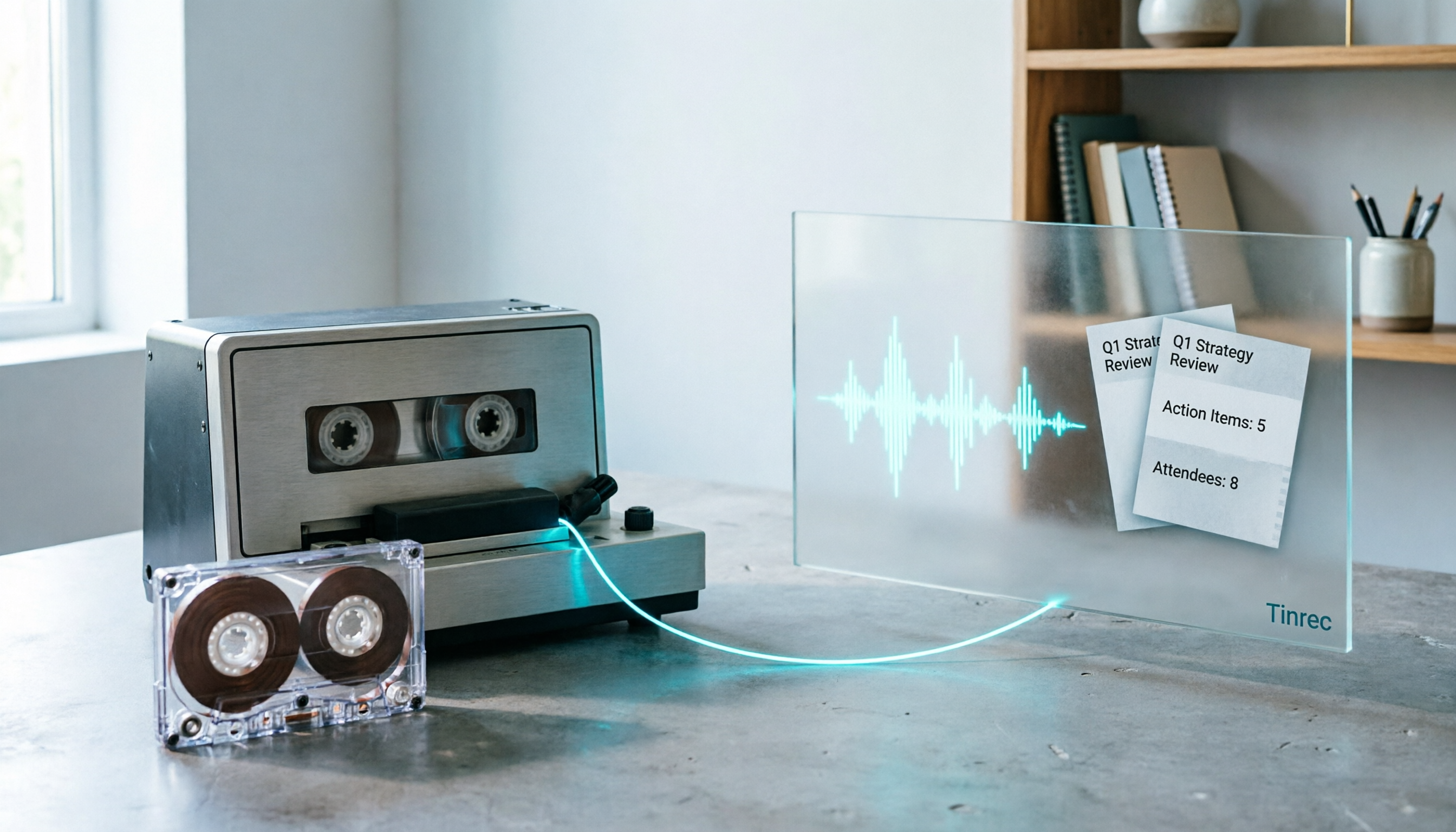
2026 Good Tapes Compared: Cassettes, Reel-to-Reel, and Audio Transcription — How to Choose
People searching for "2026 good tapes" are either looking for blank cassettes or packing tape. This guide first distinguishes four types of tape, then focuses on recording cassettes and reel-to-reel: the state of new production lines in 2026, what specs to check when choosing tapes, how to pick a vintage deck, and how to turn cassette recordings into searchable, queryable, deliverable transcripts and meeting notes with Tinrec.

Otter Chinese Free Plan 2026: 6 Meeting Transcription Tools Compared
People searching for "Otter Chinese free version" often face the same question: Otter.ai offers a generous free tier, but can it actually transcribe Chinese? This article first clarifies Otter's current Chinese support and free plan limitations, then compares the free quotas, pricing, and use cases of 6 meeting transcription tools to help you choose the right one.

Tinrec vs Otter.ai 2026: 5-Dimension Comparison for Chinese Meeting Scenarios
People searching for 'Otter.ai Chinese support' often face two different questions. This article helps you distinguish: for dictionary lookups, use a dictionary; for tool selection, read this comparison. Focusing on Chinese meeting scenarios, this article compares Tinrec and Otter.ai across 5 dimensions: transcription experience, meeting capture, post-meeting output, team governance, and pricing/quotas, and provides clear recommendations.

Tinrec vs Otter.ai 2026: 5-Dimension Comparison — Which Is Better for Chinese Meetings?
Otter.ai excels at English meetings but often requires heavy manual correction for Chinese. This article compares Tinrec and Otter.ai across five dimensions: Chinese and mixed Chinese-English recognition, meeting recording methods, post-meeting outputs, team governance, and pricing and quotas. It also includes conclusions on who each tool suits, helping you decide before purchasing.

Tinrec vs Otter.ai 2026: 5-Dimension Comparison – Which Is Better for Chinese Meetings?
Many people search for 'otter Chinese' but actually want a Chinese meeting transcription tool. This article compares Tinrec and Otter.ai across 5 dimensions: Chinese recognition, meeting capture method, post-meeting outputs, team governance, and pricing, to directly tell you which one to choose for Chinese scenarios.

2026 AI Meeting Recorder Comparison: Otter's Limited Chinese Support vs. Tinrec for Chinese Meetings
What is Otter Chinese? This article explains the meaning of 'otter' in Chinese and Otter.ai's product positioning, then compares Chinese transcription, bot-free meeting recording, post-meeting organization, AI Q&A, team collaboration, and seat management to show why Tinrec is better suited for Chinese meetings and team knowledge retention.