

Turn recordings into transcripts and summaries in minutes
Upload audio or video for multilingual transcription, AI notes, and action items
2026 AI Meeting Recorder Comparison: Otter's Limited Chinese Support vs. Tinrec for Chinese Meetings
When you type "Otter Chinese" into a search bar, you're usually not looking to research otters. You're facing a specific situation: your meetings are conducted in Chinese, and you're not sure if Otter.ai can turn the content into a Chinese transcript. Or you saw a recommendation from abroad, downloaded it, and only then realized its support for Chinese meetings is different from what you imagined. Let's clarify two things first: the English word "otter" means "水獺" (shuǐ tǎ) in Chinese; Otter.ai is an AI meeting notes and speech transcription software that focuses on real-time transcription, summaries, AI Q&A, and meeting integrations. According to source materials, Otter.ai currently focuses on transcription in English, Spanish, and French. The official mention of "recognizing Chinese accents" means it can understand English spoken with a Chinese accent, not that it supports the Chinese language itself. This is why many Chinese-speaking users are starting to evaluate alternatives like Tinrec.
Why are people looking for Otter Chinese alternatives?
Otter.ai has accumulated many users in English business meeting scenarios. It can transcribe in real time, generate summaries, and is often used with meeting platforms like Zoom, Microsoft Teams, and Google Meet. For English meetings, it's a mature option. However, when the main language of the meeting switches to Chinese, the problems become concrete: speakers mix Chinese and English, use proper nouns, and employ abbreviations common in Taiwan teams. If this content doesn't have a Chinese-centric transcription and organization process, you'll still spend a lot of time after the meeting re-listening, editing, and supplementing notes. Another common situation is that teams need to retain meeting data, rather than just getting a transcript scattered across individual accounts. If you have similar needs, Tinrec is worth learning about, because its positioning isn't just converting sound to text—it's about turning meetings into searchable, collaborative, actionable team data.
Tinrec vs Otter: Core differences in the Chinese meeting experience
For Chinese-speaking users, choosing a tool isn't just about "can it record"—it's about "can you use it after recording." The following dimensions are where practical experience is most often affected.
1. Chinese and multilingual meeting support
For Taiwan teams, Chinese support isn't a bonus—it's a baseline requirement. Tinrec can handle Chinese, Traditional Chinese, and multilingual meeting content, supporting mixed Chinese-English organization, real-time translation, and viewing in original, translated, or bilingual formats. Otter.ai's transcription languages are mainly English, Spanish, and French. The official mention of recognizing Chinese accents refers to accents in English speech, not transcribing Chinese into Chinese text. If your meetings are primarily in Chinese, Tinrec's workflow is closer to actual needs.
2. Meeting capture method
The biggest fear with online meetings is adding another meeting bot just to record—some participants feel uncomfortable, and permission or invitation processes can easily go wrong. Tinrec's desktop version directly captures computer system audio, and users initiate recording themselves, without needing an extra bot to join Zoom, Google Meet, Microsoft Teams, or Webex meetings. Otter.ai is also a mature meeting assistant and offers different methods including a desktop app; however, if you value a Chinese meeting workflow that "doesn't add participants and lets you control recording," Tinrec's desktop design is more direct.
3. Post-meeting outputs and AI Q&A
Getting only a transcript usually means another round of organization. Tinrec further generates summaries, chapters, key points, and action items from meeting content, and supports AI Q&A around meeting data—asking "What was the conclusion?" "Who is responsible for what?" "What conditions does the client care about?" It can also use Agent post-processing to generate reports, tables, and documents, and supports multi-format export to tools like Notion, Google Docs, OneNote, and Dropbox. Otter.ai also offers summaries and AI Chat—this isn't something it can't do; the difference is that Tinrec connects the follow-up organization, questioning, delivery, and team knowledge retention of Chinese meetings into a single workflow.
4. Team data retention and governance
The difference between personal tools and team tools is usually not the number of features, but data ownership. Tinrec's team plan provides an independent team space where meeting data belongs to the team. New members can view historical meetings, and resources can be handed over when members leave, rather than disappearing with individual accounts. The team plan also manages roles, seats, usage, audit logs, and an audio recycle bin. Otter.ai has a mature Business team plan; Tinrec's difference lies in putting Chinese meetings, bot-free recording, post-meeting outputs, and team governance in the same workspace.
5. Input sources and flexibility
Tinrec covers real-time recording, online computer meetings, audio and video files, mobile recording, and can also serve as a supplement for processing some web link content. This means the same tool can handle offline interviews, online weekly meetings, historical recordings, and external materials. Otter.ai focuses on meetings and speech transcription and is mature for English meeting scenarios; if your content spans Chinese meetings, file imports, and post-meeting processing, Tinrec's input and output workflow saves more switching costs.
Tinrec's core features at a glance
The following isn't a feature list, but actual workflows you'll use.
Real-time recording to text: Open Tinrec to record, and text is captured synchronously—suitable for offline meetings, interviews, and on-site notes. You can view content during the meeting, so you don't have to listen to the recording from the beginning afterward.
Stop organizing recordings by hand
Upload audio or video and automatically get a transcript, summary, and action items
Bot-free online meeting recording: The desktop version directly captures computer system audio, handling online meetings on Zoom, Google Meet, Microsoft Teams, Webex, etc., without an extra bot joining as a participant. Users need to initiate recording themselves—this differs from "automatically joining all meetings," but it also makes it easier to control which meetings are recorded.
AI summaries, chapters, and action items: The most time-consuming part of long meetings is review. Tinrec organizes content into summaries, chapters, and key points, and extracts action items from discussions, so participants can directly confirm action items after the meeting instead of re-reading the entire transcript.
AI Q&A and real-time translation: You can ask follow-up questions around a single meeting or multiple meetings' data, such as "What was decided last week?" or "Who is responsible for this requirement?" For cross-language meetings, you can also view in original, translated, or bilingual formats, lowering the barrier to real-time understanding.
Agent post-processing and multi-format export: Meeting content doesn't stop at the transcript. Tinrec can further generate reports, tables, and documents, and export to tools like Notion, Google Docs, OneNote, and Dropbox, connecting to your team's existing workflow.
Team space and seat governance: The team plan provides an independent space to centrally store meeting recordings, folders, action items, and related content. Roles determine who can manage the team, members, and audits; seats determine whether members can record, upload, edit, and import/export. Active members without seats can still view, play, and read team data, but cannot perform resource usage operations. Currently, the team plan focuses on team-level sharing, not document-level or member-level granular permissions. After team audio enters the recycle bin, it can be restored before permanent deletion; the current retention period is 30 days.
The team plan is currently USD 29.80 per paid seat per month for monthly billing, or USD 199 per paid seat per year for annual billing (approximately USD 16.58 per month); each paid seat provides 2,000 minutes of team shared import quota per month. The first eligible team trial is 7 days, 1 free seat, and 300 minutes of team shared import quota. Real-time recording under an active team plan and active seat is currently not deducted by minutes; file and web imports use team shared import minutes. Prices, currencies, and promotional content are subject to the official purchase page.
Real-world use cases
Chinese cross-department weekly meetings
Weekly meetings are most prone to "fast talking, scattered conclusions, and no one noting action items." Record the meeting with Tinrec to generate a transcript synchronously, then use AI Q&A after the meeting to confirm decisions and owners, and organize action items directly into the team space. Compared to relying solely on manual notes, participants can focus more on discussion instead of typing.
Customer interviews and sales meetings
When clients discuss requirements, they often mix in product names, budget conditions, and timelines. Tinrec can transcribe interviews, generate summaries and action items, and organize the things clients care about into follow-up materials. For teams that need to hand off to sales or customer service, meeting data no longer stays only in personal recording files.
Courses, lectures, and research interviews
Courses or interviews are long, and re-listening is costly. Tinrec supports transcription of audio and video files, as well as real-time recording. Afterward, you can view chapters, search keywords, and ask questions about the content. This is more efficient than listening to recordings while manually taking notes.
Team handovers and historical data lookup
When team members change, the most troublesome thing is "what did that client say last time?" Tinrec's team plan centralizes meeting data in the team space. Members without seats can still view, play, and read data; only members with seats can record, upload, edit, and import/export. Roles and seats are managed separately, which is much clearer for managers and procurement than "everyone sharing one account."
Things to watch when choosing a speech-to-text tool
Chinese support depends on transcription language, not just accent recognition: If the official description says "recognizes Chinese accents," it usually means understanding English with an accent, not supporting Chinese transcription. When choosing, check whether the tool explicitly supports Chinese, Traditional Chinese, and mixed Chinese-English. Tinrec is designed with Chinese meetings at its core in this regard.
Whether recordings and transcripts are retained: Some tools only provide summaries and don't retain original audio, making it troublesome to verify details later. Tinrec retains recordings and transcripts, so important content can be checked back at specific timestamps—more practical for meeting records and interview research.
Whether action items and deliverable documents can be produced directly after the meeting: Tools that only provide transcripts usually require another round of manual organization. Tinrec connects summaries, chapters, action items, AI Q&A, reports, and tables, saving time for teams that need post-meeting deliverables.
Team data ownership and seat governance: If meeting data should stay with the company rather than individual accounts, look at team space, roles, seats, and handover mechanisms. Tinrec's team plan manages member relationships, roles, and seats separately, allowing data handover when members change—better suited for organizations that need long-term meeting asset retention.
Whether import and export workflows connect to existing workflows: No matter how good the tool is, if data can't be exported, you'll still end up copying manually. Tinrec supports multi-format export to tools like Notion, Google Docs, OneNote, and Dropbox. When choosing, first confirm whether these workflows match your team's habits.
Understand pricing and quotas clearly: The team plan isn't multiple people sharing one personal account, but an independent team space. Tinrec's team plan is calculated by paid seats, with each paid seat providing 2,000 minutes of team shared import quota per month; real-time recording and file import are calculated differently, so estimate your team's meeting hours and file volume before purchasing.
Conclusion: Is Tinrec worth a try?
If you searched for Otter Chinese because you need a tool that can handle Chinese meetings, the answer is straightforward: Otter.ai is a mature English meeting assistant, but Chinese transcription isn't its main strength; Tinrec puts Chinese meetings, bot-free recording, summaries, action items, AI Q&A, multi-format export, and team space into a single workflow. For Taiwan teams, Chinese interviews, cross-department meetings, and organizations that need to retain meeting assets, Tinrec is closer to actual usage scenarios. We recommend starting with the free version or an eligible team trial, and testing transcription, summaries, and Q&A with a real Chinese meeting; this is more effective than just looking at a feature list to judge whether it suits your team.
References
- 2026 Otter.ai Review: Complete Chinese Tutorial, Features, Pricing, User Experience | Meeting Notes, Automatic Transcription Helper - RosyArts
- Which Otter Chinese Translation Is Best? 2026 Test of 4 Options, Cambridge Dictionary Most Complete - Tinrec Blog
- Otter: Productivity Tool
- Otter.ai | Learn AI
- OtterAI Transcribe Voice Notes - Google Play App
Turn every recording into actionable outcomes
Get 60 free transcription minutes when you sign in. No credit card required.
Related Reading
You might also like

4 Otter Chinese Alternatives Compared in 2026: Why Tinrec Handles Chinese Meeting Notes Better
Otter.ai is a mature English meeting assistant, but Chinese transcription has long been a pain point for Chinese-speaking users. This article starts from the real-world usage scenarios of mid-level managers and compares Tinrec, Otter.ai, Notta, and Granola in Chinese-language meeting settings. It also reviews Tinrec's real-time transcription, AI Q&A, action item extraction, and team spaces for post-meeting organization, helping you decide which tool is better suited for Chinese meetings.

Free Otter Chinese Subtitles in 2026: 6 Tools Compared
Many people download Otter hoping to generate Chinese subtitles for free, only to find that the language list shows Simplified Chinese and the free plan only exports plain text. This article reviews six options that can handle Chinese transcripts and subtitles, including completely free tools and those with free quotas, and honestly outlines their limitations and pricing.

Tinrec vs Otter.ai in 2026: 5-Dimension Comparison — Which Is Better for Chinese-Language Meetings?
Is Otter.ai actually good for Chinese? This article compares Tinrec and Otter.ai across five dimensions — Chinese recognition, meeting capture method, post-meeting outputs, team governance, and pricing/quotas — to help you decide which tool to choose for Chinese meetings, and when Otter might actually be the better fit.
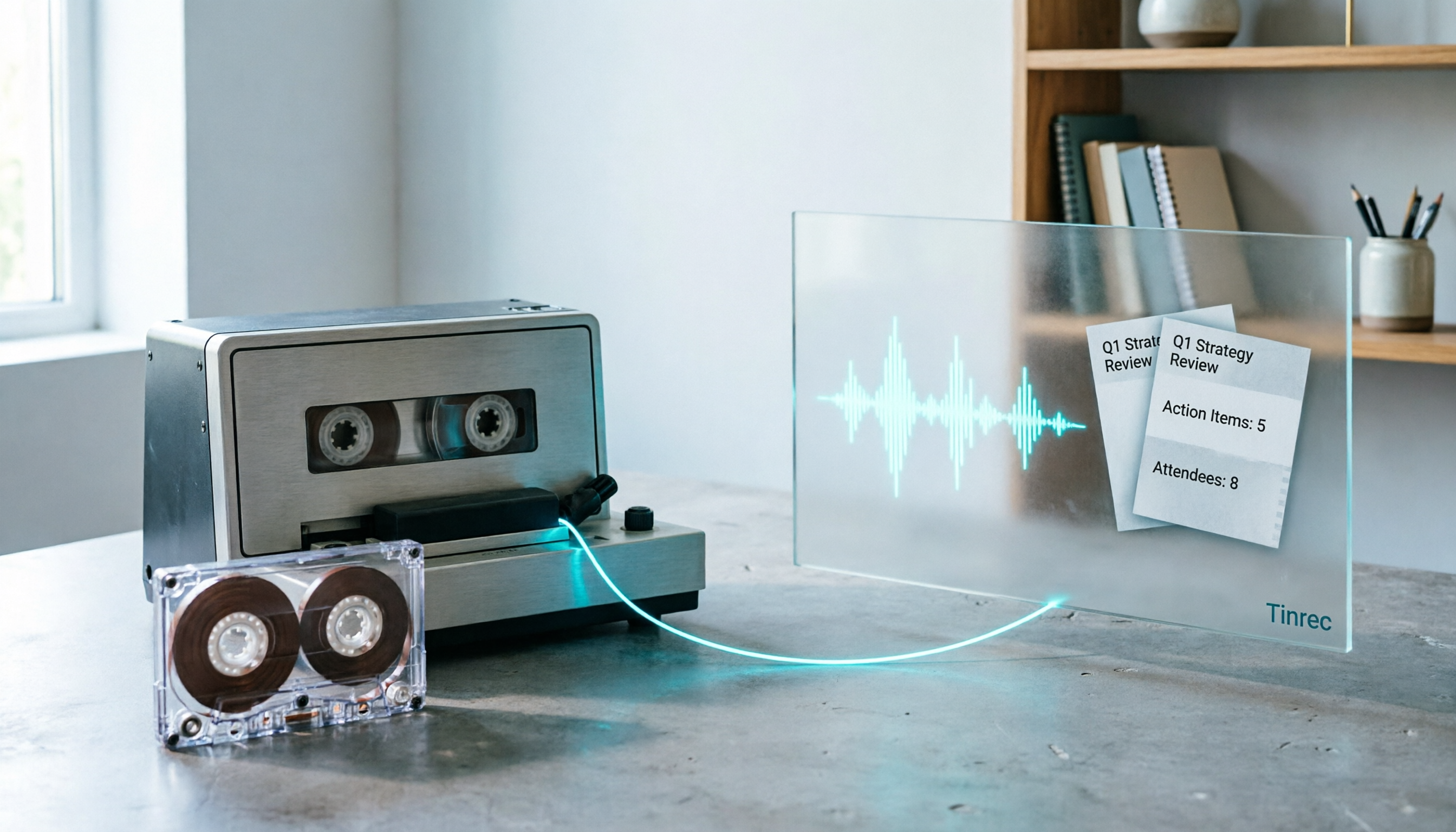
2026 Good Tapes Compared: Cassettes, Reel-to-Reel, and Audio Transcription — How to Choose
People searching for "2026 good tapes" are either looking for blank cassettes or packing tape. This guide first distinguishes four types of tape, then focuses on recording cassettes and reel-to-reel: the state of new production lines in 2026, what specs to check when choosing tapes, how to pick a vintage deck, and how to turn cassette recordings into searchable, queryable, deliverable transcripts and meeting notes with Tinrec.

Otter Chinese Free Plan 2026: 6 Meeting Transcription Tools Compared
People searching for "Otter Chinese free version" often face the same question: Otter.ai offers a generous free tier, but can it actually transcribe Chinese? This article first clarifies Otter's current Chinese support and free plan limitations, then compares the free quotas, pricing, and use cases of 6 meeting transcription tools to help you choose the right one.

Tinrec vs Otter.ai 2026: 5-Dimension Comparison for Chinese Meeting Scenarios
People searching for 'Otter.ai Chinese support' often face two different questions. This article helps you distinguish: for dictionary lookups, use a dictionary; for tool selection, read this comparison. Focusing on Chinese meeting scenarios, this article compares Tinrec and Otter.ai across 5 dimensions: transcription experience, meeting capture, post-meeting output, team governance, and pricing/quotas, and provides clear recommendations.

Tinrec vs Otter.ai 2026: 5-Dimension Comparison — Which Is Better for Chinese Meetings?
Otter.ai excels at English meetings but often requires heavy manual correction for Chinese. This article compares Tinrec and Otter.ai across five dimensions: Chinese and mixed Chinese-English recognition, meeting recording methods, post-meeting outputs, team governance, and pricing and quotas. It also includes conclusions on who each tool suits, helping you decide before purchasing.

Tinrec vs Otter.ai 2026: 5-Dimension Comparison – Which Is Better for Chinese Meetings?
Many people search for 'otter Chinese' but actually want a Chinese meeting transcription tool. This article compares Tinrec and Otter.ai across 5 dimensions: Chinese recognition, meeting capture method, post-meeting outputs, team governance, and pricing, to directly tell you which one to choose for Chinese scenarios.

2026 Best Transcription Tools Compared: What to Know Before Buying Good Tape
Thinking of buying Good Tape? Read this first. We compare Good Tape, Tinrec, and Otter.ai in real meeting scenarios, breaking down transcription accuracy, post-meeting organization, bot-free recording, and team data ownership. We also cover purchasing through authorized resellers and activation tips to help you choose the right transcription tool in 2026.