

Turn recordings into transcripts and summaries in minutes
Upload audio or video for multilingual transcription, AI notes, and action items
Good Tape Review 2026: Transcript Formatting Settings & Transcription Performance Tested
Have you ever had this happen: you finish recording a 50-minute interview, drop it into a transcription tool, and the transcript comes out—but then you spend another 50 minutes adding punctuation, fixing typos, and adjusting the layout.
"Adjustment" actually happens on three layers: the audio itself (volume and clarity), the transcript layout and timecodes, and finally the output format. Many people assume one tool can handle everything, only to get stuck on the second layer.
This article uses Good Tape as an example to clarify what it can and cannot adjust, then compares it with Tinrec, Notta, and Otter to help you determine which one truly fits your workflow.
The torture begins after transcription: three scenarios you've definitely encountered
Scenario one: You record a 40-minute press conference, and the transcript comes out as a wall of text with no punctuation. You have to listen to the audio while adding sentence breaks.
Scenario two: In a project meeting with mixed Chinese and English, "roadmap" and "deploy" all get transcribed into strange homophones, and names and product codes are completely wrong.
Scenario three: After finally fixing the transcript, you need to hand it to your boss or client, only to find the tool only gives plain text, timecodes need to be matched separately, and the format won't budge.
The common thread across these three scenarios: the problem isn't "transcription"—it's "adjustment after transcription." If you only look at transcription speed when choosing a tool, these headaches will catch up with you sooner or later.
What can Good Tape's "contrast adjustment" actually adjust? First, distinguish three layers
Layer 1: Audio contrast and volume—Good Tape doesn't do this
If by "contrast adjustment" you mean making the recording louder, reducing background noise, and making the audio layers clearer, let's be clear: Good Tape's public information explicitly states it does not have audio editing features.
In other words, it recognizes the audio file exactly as it is when uploaded. If the recording quality is poor, it can't fix it for you.
The practical approach: during recording, keep your phone or microphone close to the speaker and avoid air conditioning vents and keyboard noise. This is far more effective than trying to "adjust" things afterward.
Layer 2: Transcript display format—this is where Good Tape shines
What Good Tape can truly adjust is text presentation. Font, size, color, spacing, and alignment are all customizable.
You can also choose whether to display timecodes, highlights, and keywords—very useful for interview transcripts that need playback verification.
Note that public reviews are inconsistent about whether you can edit text directly before exporting. Some say you can polish proper nouns, others say you can't edit before export. I recommend trying it yourself with the free tier to be sure.
Layer 3: Output format—subtitle files and office documents
Good Tape can output text files with timecodes or .srt subtitle files, and can also convert to PDF, Word, Excel, and other formats for easy printing or submission.
It supports over 40 languages, including English, Chinese, Japanese, Korean, German, French, and more—convenient for multilingual interviews.
Also worth noting: privacy and retention period
Good Tape was developed by Danish news organization Zetland and uses OpenAI's Whisper technology. Transmission is encrypted, data stays within the EU, and it's protected by GDPR.
Without registering, files are only stored for 3 days. This design is a plus for those handling sensitive interviews.
Before choosing a speech-to-text tool, understand these 4 key points
1. Are you recording clean audio or a real meeting?
A quiet studio versus a meeting room with air conditioning noise and people talking over each other—the recognition results differ greatly. One review noted that Good Tape's accuracy drops in noisy environments and with unusual accents. Rather than looking at marketing numbers, test with your own recordings.
2. Do you want a transcript, or data you can keep using?
If you just need an archive, a transcript is enough. But if you need summaries, action items, or meeting notes you can query, then look at whether the tool has post-meeting processing capabilities. This is where tools differ most today.
3. Chinese and mixed Chinese-English support
Many English-oriented tools miss this. For example, Good Tape currently does not automatically add punctuation when processing Chinese content—something to consider in actual use.
4. Do you need team sharing afterward?
Personal use and team use are two different things. For teams, consider member permissions, data ownership, and usage management—not just "how many minutes can I transcribe."
Tinrec—the one I recommend most after hands-on testing
Tinrec is an AI meeting notes and collaboration tool for individuals and teams, available on web, desktop, and mobile. Its positioning isn't just converting speech to text—it turns meetings into searchable, queryable, and further processable data.
No need to invite another bot to your meeting
Stop organizing recordings by hand
Upload audio or video and automatically get a transcript, summary, and action items
The desktop version directly captures your computer's system audio, handling online meetings on Zoom, Google Meet, Microsoft Teams, and Webex without an extra meeting bot joining. The participant list stays clean—especially noticeable when meeting with external clients. Note that this isn't "automatically joining all calendar meetings"—you actively start recording.
After transcription is where it truly shines
When the meeting ends, the transcript has already been generated in real time, and AI then organizes summaries, chapters, key points, and action items. Who promised what and when it's due—all listed in a checklist, no need to dig through 40 minutes of conversation yourself.
Even better is AI Q&A. You can directly ask "Who mentioned the budget in the last meeting?" and it answers based on semantics, not a bunch of keyword search results.
For cross-language meetings, you can enable real-time translation and view it in original, translated, or bilingual side-by-side format. When you need to submit a report afterward, you can use Agent post-processing to generate reports, tables, and documents, or export to Notion, Google Docs, OneNote, or Dropbox for further editing.
Differences for team use
The team version is a separate team space, not multiple people sharing one account. Meeting data belongs to the team; members can view, play, and read even without a seat, but recording, uploading, editing, and exporting require a seat.
Admins can manage roles and seats, view usage trends and member details, query and export audit logs, and use the audio recycle bin to recover accidentally deleted recordings. Team hotwords improve recognition of product codes and technical terms.
Current team plan configuration: eligible teams can try free for 7 days, 1 free seat, 300 minutes of team shared import quota; monthly USD 29.80 per paid seat per month, annual USD 199 per paid seat per year (about USD 16.58/month), each paid seat provides 2,000 minutes of team shared import quota per month. Actual prices and benefits are subject to the official purchase page.
Limitations to be honest about
Tinrec does not promise a fixed accuracy rate; actual results are affected by recording quality, noise, accents, overlapping speakers, and technical terms. For important content, verify against transcript timestamps and audio playback.
The personal version includes a free plan, weekly card, Pro monthly, and Pro annual—choose based on usage frequency. If you only occasionally organize a recording, start with the free version; no need to pay upfront.
Who it's for
For those who frequently hold online meetings, need Chinese and mixed Chinese-English content, want summaries and action items right after meetings, or want to turn meeting data into team assets—this is currently my most recommended choice.
Besides Tinrec, how to choose between Good Tape, Notta, and Otter?
Good Tape: Developed by Denmark's Zetland, built on Whisper architecture, supports 40+ languages, excels at timecodes and .srt subtitle output, and offers high customization for transcript layout. Note that the free version is slow—one review mentioned 1 minute of audio may take up to 1 hour—and Chinese doesn't get automatic punctuation. If you do English interviews and just need a nicely formatted transcript, it's sufficient; but if you want post-meeting summaries, action items, and team sharing, based on current public information, such post-meeting processing isn't its focus—Tinrec covers this more completely.
Notta: Good breadth in multilingual transcription and translation. Free version: 120 minutes per month, max 3 minutes per item; Pro annual about USD 8.17/month, 1,800 minutes per month. Suitable for those focused on file transcription and translation. However, if you hold online meetings and don't want a bot joining, Tinrec's desktop system audio capture is smoother.
Otter.ai: A veteran choice for English meetings, with a generous free tier of 300 minutes per month. If 90% of your team's content is in English, it's cost-effective. But Chinese meetings aren't its strong suit, while Tinrec focuses more on Chinese experience, real-time translation, and post-meeting data retention.
Pitfall guide: 4 most common mistakes when choosing a transcription tool
Pitfall 1: Only looking at advertised accuracy numbers.
"98% accuracy" is usually measured in a quiet environment. Real meetings have air conditioning noise, keyboard sounds, and people talking over each other—results will differ noticeably. Regarding Good Tape's accuracy, media reports vary; AI Labs' hands-on test found it on par with Yating for clean audio, but Yating was better for noisy audio. Rather than debating numbers, test with your own recordings.
Pitfall 2: Assuming a transcription tool can also fix audio quality.
Good Tape, for example, has no audio editing features—if the volume is too low or there's too much noise, it can't fix it. The recording environment is the key determinant of results.
Pitfall 3: Ignoring Chinese punctuation and proper nouns.
No automatic punctuation means more cleanup work than you'd expect. Prepare a hotword list of your team's commonly used product names and people's names in advance to save significant proofreading time.
Pitfall 4: Treating the transcript as the end goal.
If you only use the tool for "audio to text," you're using only a third of its capabilities. Better tools today summarize, extract action items, and even let you ask questions about the meeting content—that's where real time savings come from.
Conclusion: Which one should you choose?
Need Chinese and mixed Chinese-English meeting transcription → Tinrec, with post-meeting summaries, action items, and Q&A all in one.
Don't want to invite a meeting bot to Zoom or Teams → Tinrec desktop captures system audio directly.
Meeting data should stay with the team and be accessible to newcomers → Tinrec team version, with spaces, seats, usage, and audit logs.
Doing English interviews and just need a beautifully formatted transcript and subtitle file → Good Tape, with its strength in format customization and .srt output.
Focused on file transcription and translation → Notta is worth comparing.
Pure English meetings with zero budget → Otter.ai's free tier is very usable.
If you're still unsure, I suggest starting with Tinrec's free version, run through a real meeting workflow, see the transcript quality, summary accuracy, and export smoothness, then decide whether to upgrade. After all, whether a tool works well—others' reviews are just references; your own recordings are what count.
References
Turn every recording into actionable outcomes
Get 60 free transcription minutes when you sign in. No credit card required.
Related Reading
You might also like

4 Otter Chinese Alternatives Compared in 2026: Why Tinrec Handles Chinese Meeting Notes Better
Otter.ai is a mature English meeting assistant, but Chinese transcription has long been a pain point for Chinese-speaking users. This article starts from the real-world usage scenarios of mid-level managers and compares Tinrec, Otter.ai, Notta, and Granola in Chinese-language meeting settings. It also reviews Tinrec's real-time transcription, AI Q&A, action item extraction, and team spaces for post-meeting organization, helping you decide which tool is better suited for Chinese meetings.

Free Otter Chinese Subtitles in 2026: 6 Tools Compared
Many people download Otter hoping to generate Chinese subtitles for free, only to find that the language list shows Simplified Chinese and the free plan only exports plain text. This article reviews six options that can handle Chinese transcripts and subtitles, including completely free tools and those with free quotas, and honestly outlines their limitations and pricing.

Tinrec vs Otter.ai in 2026: 5-Dimension Comparison — Which Is Better for Chinese-Language Meetings?
Is Otter.ai actually good for Chinese? This article compares Tinrec and Otter.ai across five dimensions — Chinese recognition, meeting capture method, post-meeting outputs, team governance, and pricing/quotas — to help you decide which tool to choose for Chinese meetings, and when Otter might actually be the better fit.
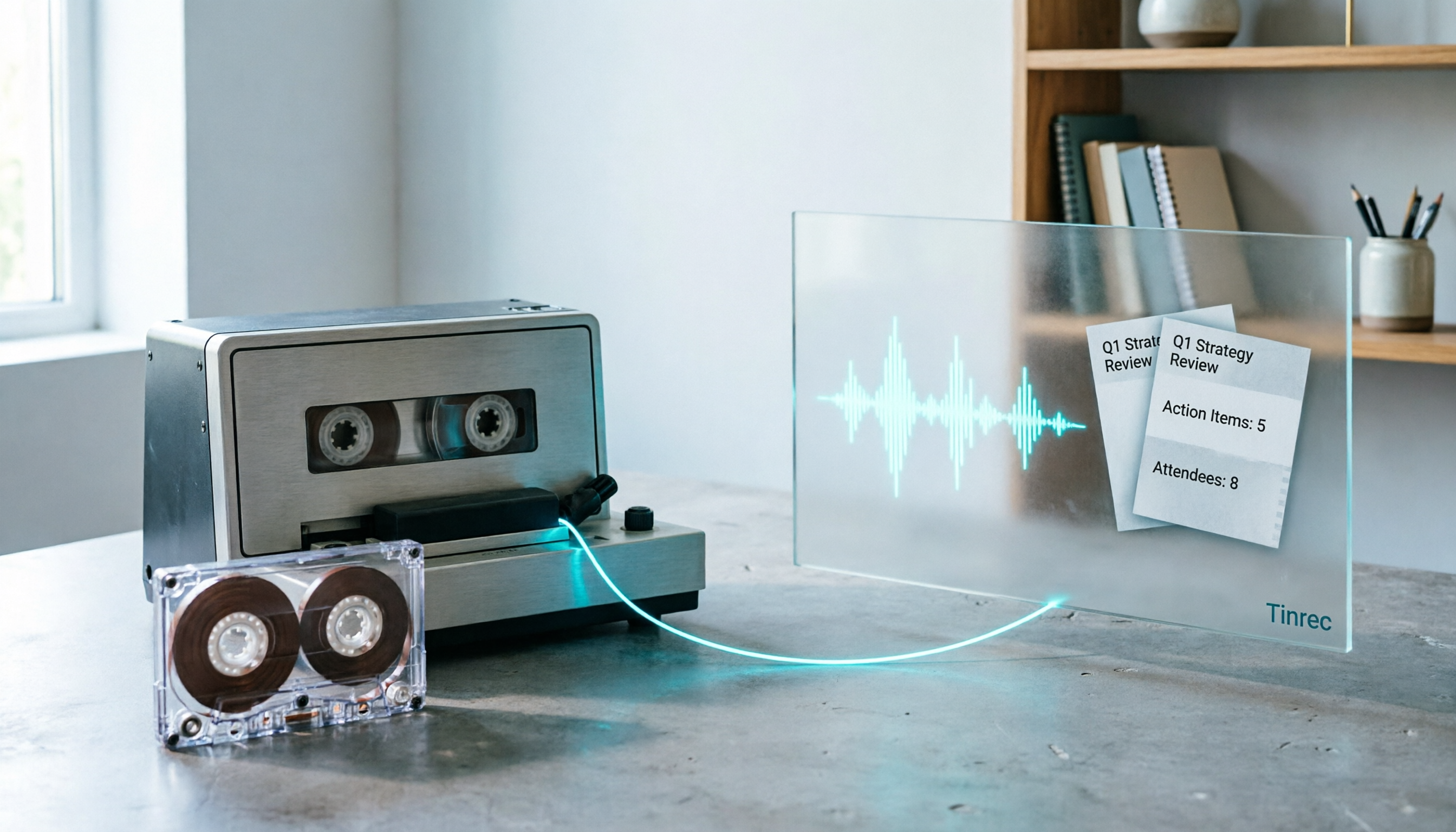
2026 Good Tapes Compared: Cassettes, Reel-to-Reel, and Audio Transcription — How to Choose
People searching for "2026 good tapes" are either looking for blank cassettes or packing tape. This guide first distinguishes four types of tape, then focuses on recording cassettes and reel-to-reel: the state of new production lines in 2026, what specs to check when choosing tapes, how to pick a vintage deck, and how to turn cassette recordings into searchable, queryable, deliverable transcripts and meeting notes with Tinrec.

Otter Chinese Free Plan 2026: 6 Meeting Transcription Tools Compared
People searching for "Otter Chinese free version" often face the same question: Otter.ai offers a generous free tier, but can it actually transcribe Chinese? This article first clarifies Otter's current Chinese support and free plan limitations, then compares the free quotas, pricing, and use cases of 6 meeting transcription tools to help you choose the right one.

Tinrec vs Otter.ai 2026: 5-Dimension Comparison for Chinese Meeting Scenarios
People searching for 'Otter.ai Chinese support' often face two different questions. This article helps you distinguish: for dictionary lookups, use a dictionary; for tool selection, read this comparison. Focusing on Chinese meeting scenarios, this article compares Tinrec and Otter.ai across 5 dimensions: transcription experience, meeting capture, post-meeting output, team governance, and pricing/quotas, and provides clear recommendations.

Tinrec vs Otter.ai 2026: 5-Dimension Comparison — Which Is Better for Chinese Meetings?
Otter.ai excels at English meetings but often requires heavy manual correction for Chinese. This article compares Tinrec and Otter.ai across five dimensions: Chinese and mixed Chinese-English recognition, meeting recording methods, post-meeting outputs, team governance, and pricing and quotas. It also includes conclusions on who each tool suits, helping you decide before purchasing.

Tinrec vs Otter.ai 2026: 5-Dimension Comparison – Which Is Better for Chinese Meetings?
Many people search for 'otter Chinese' but actually want a Chinese meeting transcription tool. This article compares Tinrec and Otter.ai across 5 dimensions: Chinese recognition, meeting capture method, post-meeting outputs, team governance, and pricing, to directly tell you which one to choose for Chinese scenarios.

2026 AI Meeting Recorder Comparison: Otter's Limited Chinese Support vs. Tinrec for Chinese Meetings
What is Otter Chinese? This article explains the meaning of 'otter' in Chinese and Otter.ai's product positioning, then compares Chinese transcription, bot-free meeting recording, post-meeting organization, AI Q&A, team collaboration, and seat management to show why Tinrec is better suited for Chinese meetings and team knowledge retention.