

Turn recordings into transcripts and summaries in minutes
Upload audio or video for multilingual transcription, AI notes, and action items
Otter Chinese Subtitles: Which One Is Better? 2026 Comparison of 2 Options for Traditional Chinese Meeting Notes
After an online meeting ends, your manager casually asks you to repeat the conclusion from earlier. You go back to the recording and find that the entire transcript is Chinese spelled out in English.
This isn't an operator error—it's a language setting issue with the tool itself. Many people first think of Otter.ai, only to discover after signing up that Traditional Chinese isn't in the language menu.
I've handled many reader emails like this, and the questions are almost always the same: Can Otter actually produce Chinese subtitles? If not, which alternative is more practical?
This article puts Otter.ai and Tinrec side by side and compares them across five dimensions.
Otter.ai vs Tinrec | Quick Overview
Otter.ai is a mature AI meeting assistant with deep experience in English business meetings. It supports Zoom, Microsoft Teams, and Google Meet, and offers real-time transcription, speaker identification, and AI Chat.
Tinrec focuses on Chinese and multilingual meetings, plus bot-free recording on desktop, post-meeting organization, and team knowledge retention.
| Item | Otter.ai | Tinrec |
|---|---|---|
| Core positioning | AI meeting assistant, meeting automation | AI meeting notes and team collaboration |
| Language support | Official language page mainly English, plus Spanish, French, German, Japanese, and Simplified Chinese | Chinese, Traditional Chinese, and multilingual meetings; supports mixed Chinese-English and real-time translation |
| Meeting capture | Meeting bot and desktop methods | Desktop captures system audio; no bot needs to join |
| Free quota | Basic: 300 minutes per month | Free version allows trying recording, import, summary, and transcription |
| Team capabilities | Mature team and enterprise management | Team spaces, roles, seats, usage, audit, recycle bin |
The five dimensions compared in this article are: Traditional Chinese transcription, real-time subtitles and bilingual display, meeting capture methods, post-meeting organization, and team collaboration and pricing.
Dimension 1 | Traditional Chinese Transcription and Mixed Chinese-English
Let's start with the most common stumbling block. Otter initially offered only English, Spanish, and French. By 2026, its official language page includes German, Japanese, and Chinese (Simplified), but Traditional Chinese is still not on the official support list.
That means Otter can indeed handle Chinese now, but the officially supported variant is Simplified Chinese. Taiwanese users can test with real recordings, but cannot assume that Traditional Chinese wording, Taiwanese accents, English abbreviations, and personal names will all be correct.
Tinrec takes a different approach: Chinese and Traditional Chinese are primary scenarios, and it also supports mixed Chinese-English content organization. In practice, meetings often mix Chinese sentences with product model numbers and English abbreviations—a tough challenge for any transcription tool.
Note that no tool should promise a fixed accuracy rate. Recording quality, background noise, accents, overlapping speakers, and technical terminology all directly affect results.
→ For this dimension: Users who need Traditional Chinese meeting notes will find Tinrec's language settings more aligned with their needs.
Dimension 2 | Real-Time Subtitles and Bilingual Display
Otter's strength is real-time transcription and live subtitles, which is very helpful for people with hearing difficulties or those who want to read while listening. This works well for English content. The problem is that when the meeting language is Chinese, the subtitle language can't keep up.
Additionally, Otter Chat can translate meeting content into other languages and can answer questions in Chinese, but that doesn't mean the original speech has been accurately transcribed into Traditional Chinese. Mistaking "Chat can translate" for "Chinese subtitles are solved" is the most common misunderstanding.
Tinrec supports real-time translation. During recording, you can switch between original text, translation, or bilingual view, which is more practical for meetings with foreign colleagues or when you need to archive Chinese-English comparisons.
→ For this dimension: Otter is sufficient for English meetings; for Chinese or bilingual meetings, Tinrec's presentation is more intuitive.
Dimension 3 | Meeting Capture Methods
Otter can join online meetings as a participant via a meeting bot. This process is convenient, but it also means an extra member appears in the meeting room—something some client meetings or teams with strict internal policies may object to.
Tinrec's desktop version directly captures computer system audio. The user actively starts recording, and no bot needs to be invited into the meeting. It can handle audio from Zoom, Google Meet, Microsoft Teams, Webex, and similar meetings played on a computer.
Note that this does not mean it "automatically joins all calendar meetings," nor does it have official partnerships with these platforms—the user initiates the recording themselves.
→ For this dimension: If you don't want a bot appearing in the meeting participant list, Tinrec's approach is cleaner.
Dimension 4 | Post-Meeting Organization: Summaries, Action Items, and AI Q&A
Otter automatically generates notes and summaries. AI Chat can answer questions about past meetings—for example, "What was the price discussed last week?"—by searching previous recordings. This is indeed convenient.
Stop organizing recordings by hand
Upload audio or video and automatically get a transcript, summary, and action items
Tinrec goes into more detail after the meeting: beyond the transcript, it provides summaries, chapters, key points, action items, and mind maps. You can also continue asking questions about the meeting content and export results to Notion, Google Docs, OneNote, Dropbox, and other tools for further processing.
If your need is "produce a meeting minutes document you can hand off after the meeting," both save time. But when you need to generate reports, tables, or documents, Tinrec's post-processing path is more complete.
→ For this dimension: Slight edge to Tinrec; the difference is in the types of post-meeting outputs and export methods.
Dimension 5 | Team Collaboration and Member Management
Otter has mature team and enterprise plans. The Business plan offers unlimited meetings and in-app recording, plus more file import and management capabilities—suitable for organizations already centered on English meetings.
Tinrec's team version is built around independent team spaces: you can create multiple teams, invite members via link, set owner and admin roles, and use seats to determine who can record, upload, and edit.
Here's a commonly misunderstood point: roles govern permissions, while seats govern resource usage eligibility. Members without a seat can still view, play, and read team data, but cannot upload, edit, or export.
Also, team resources belong to the team. When a member leaves or is removed, their responsible data must be handed over to other active members—it doesn't disappear when the individual leaves.
→ For this dimension: For teams primarily holding Traditional Chinese meetings, Tinrec's seat and data ownership design better fits the logic of "company assets."
Dimension 6 | Free Quota and Pricing
Otter's current official pricing page shows: Basic is free, 300 minutes per month; Pro annual billing is about USD 8.49/user/month, including 1,200 minutes of in-app recording per month and 10 file imports; Business offers unlimited meetings and in-app recording, with actual pricing subject to promotions.
Tinrec's personal plans include Free, Weekly Pass, Pro Monthly, and Pro Annual. Choose based on usage frequency: use Free for occasional recording organization, Weekly Pass for short-term intensive meetings, Pro for steady weekly use, and Annual for long-term data retention.
The current team plan offers a 7-day trial for first-time eligible users, 1 free seat, and 300 minutes of shared team import quota; monthly billing is USD 29.80 per paid seat per month, annual billing is USD 199 per paid seat per year (about USD 16.58/month), each paid seat provides 2,000 minutes of shared team import quota per month, and real-time recording is currently not deducted by minutes under an active plan and seat.
Prices and benefits may change according to official pages; please check the official purchase page again before ordering.
→ For this dimension: Both offer free plans to test first. The difference is in pricing logic—Otter is mainly minute-based, while Tinrec's team version is seat-based.
What Unique Advantages Does Each Have?
What Tinrec is worth mentioning:
First, Traditional Chinese and mixed Chinese-English meetings are its home turf, making daily meetings for Taiwanese teams more intuitive.
Second, bot-free desktop recording means you don't need to add an AI member to client meetings.
Third, it offers many types of post-meeting outputs—transcripts, summaries, chapters, action items, mind maps, reports, and tables—connecting all the way to your workflow.
Fourth, team spaces turn meeting data into searchable, queryable, and transferable organizational assets—especially valuable for teams with frequent personnel turnover.
What Otter is worth mentioning:
It has deep experience in English business meetings, mature cross-platform integration, and team management. If 90% of your meetings are in English, Otter's overall experience remains smooth.
Conclusion: Which Should You Choose?
- If your meetings are mainly in Chinese or mixed Chinese-English and you need Traditional Chinese transcripts → Tinrec
- If foreign colleagues are present and you need original/translated/bilingual views → Tinrec
- If you don't want a meeting bot joining the room → Tinrec
- If you need to directly produce minutes, action items, or even reports after meetings → Tinrec
- If your team needs to manage seats, usage, and activity logs → Tinrec Team
- If 90% of your meetings are in English and you only need a mature meeting automation workflow → Otter.ai is still sufficient
In one sentence: For most Taiwanese users who communicate in Chinese, Tinrec is the more complete choice. However, there's no standard answer—we recommend testing with a real meeting recording using the free version first, checking whether technical terms, names, and Traditional/Simplified wording are correct, and then deciding whether to pay.
FAQ
Can Otter.ai generate Chinese subtitles?
It can handle Chinese, but the official language list specifies Simplified Chinese; Traditional Chinese is not listed as a supported language. We recommend testing with real recordings to see the actual wording and Traditional/Simplified presentation.
Can Otter's AI Chat answer questions in Chinese?
Yes. Chat supports questions in other languages and can translate meeting content into other languages. But that's "Q&A and translation," not proof that the original speech has been accurately transcribed into Traditional Chinese—these are two separate things.
Can Tinrec directly record Zoom, Google Meet, and Teams?
Yes. The desktop version records by capturing computer system audio, without inviting a bot to join the meeting. However, the user must actively start recording—it does not automatically join every meeting on your calendar.
Is Tinrec's free version enough?
If you only occasionally organize a recording, the free version lets you experience recording, import, summary, and transcription. If you have regular weekly meetings or need team data sharing, consider a paid plan.
What's the difference between the team and personal versions?
Personal version data belongs to the individual account; the team version is an independent space where data belongs to the team, plus member roles, seat allocation, shared benefits, usage analytics, audit logs, and audio recycle bin.
Can transcripts be delivered directly to clients?
We don't recommend delivering without review. AI transcription performs better with clear audio, but may still make errors with overlapping speech, accents, or technical terminology. For important content, we recommend listening back to the recording at specific timestamps to confirm.
Finally, recording and transcription involve personal data and local regulations. Remember to confirm whether participant consent is required before recording.
References
- 2026 Otter.ai Review: Complete Chinese Tutorial, Features, Pricing, and User Experience | Meeting Notes and Auto Transcript Helper - RosyArts
- 2026 Comparison of 5 AI Subtitle Generation Tools: Which Has the Most Complete Chinese Subtitles? - Tinrec Blog
- Does Otter.ai Support Chinese? Simplified Chinese Limitations, Free 300 Minutes, and Tutorial | Mason AI Lab
- OtterAI Transcribe Voice Notes - Google Play
- Otter AI Tool! Chinese Real-Time Subtitle Live Commentary
Turn every recording into actionable outcomes
Get 60 free transcription minutes when you sign in. No credit card required.
Related Reading
You might also like

4 Otter Chinese Alternatives Compared in 2026: Why Tinrec Handles Chinese Meeting Notes Better
Otter.ai is a mature English meeting assistant, but Chinese transcription has long been a pain point for Chinese-speaking users. This article starts from the real-world usage scenarios of mid-level managers and compares Tinrec, Otter.ai, Notta, and Granola in Chinese-language meeting settings. It also reviews Tinrec's real-time transcription, AI Q&A, action item extraction, and team spaces for post-meeting organization, helping you decide which tool is better suited for Chinese meetings.

Free Otter Chinese Subtitles in 2026: 6 Tools Compared
Many people download Otter hoping to generate Chinese subtitles for free, only to find that the language list shows Simplified Chinese and the free plan only exports plain text. This article reviews six options that can handle Chinese transcripts and subtitles, including completely free tools and those with free quotas, and honestly outlines their limitations and pricing.

Tinrec vs Otter.ai in 2026: 5-Dimension Comparison — Which Is Better for Chinese-Language Meetings?
Is Otter.ai actually good for Chinese? This article compares Tinrec and Otter.ai across five dimensions — Chinese recognition, meeting capture method, post-meeting outputs, team governance, and pricing/quotas — to help you decide which tool to choose for Chinese meetings, and when Otter might actually be the better fit.
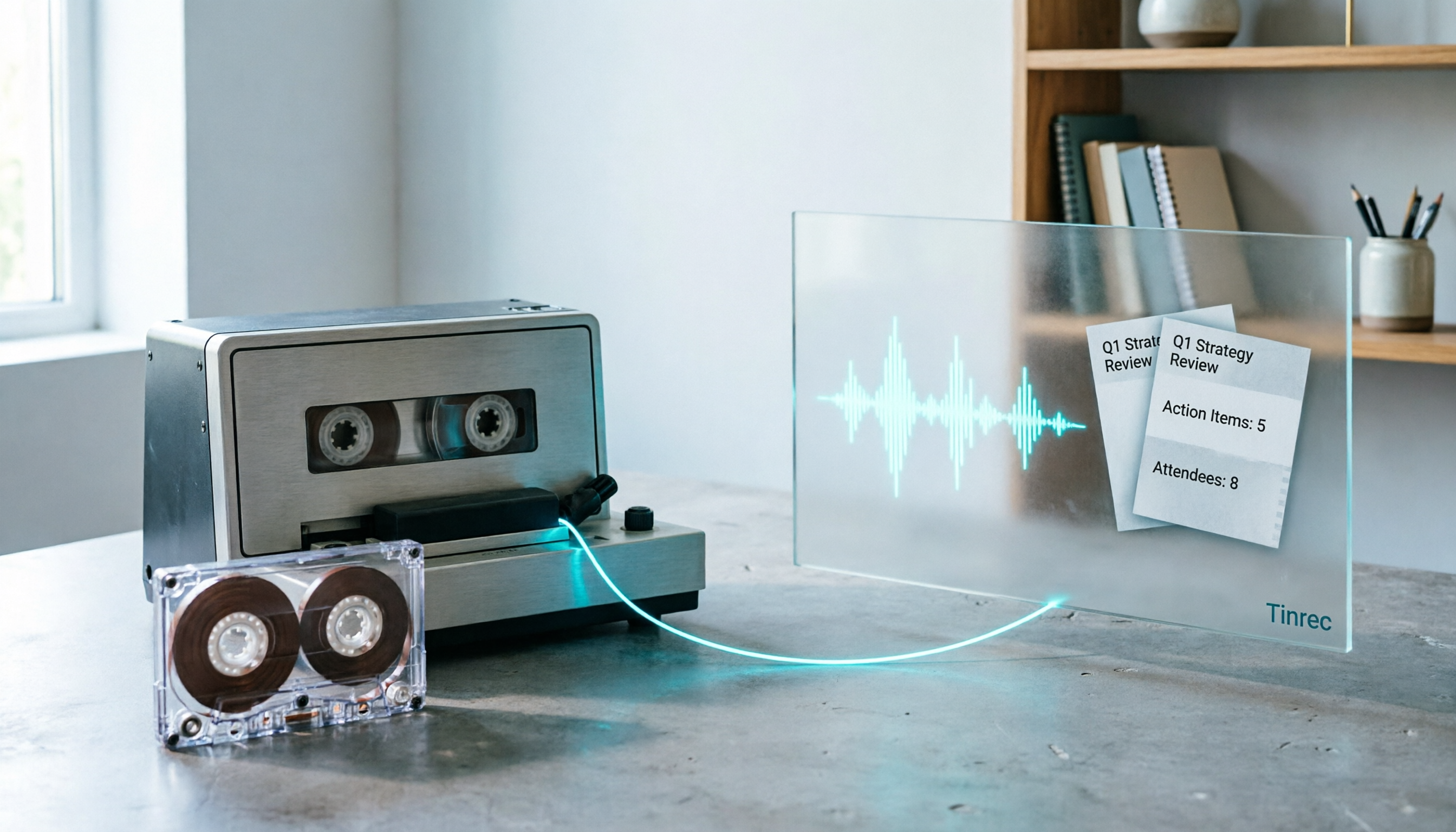
2026 Good Tapes Compared: Cassettes, Reel-to-Reel, and Audio Transcription — How to Choose
People searching for "2026 good tapes" are either looking for blank cassettes or packing tape. This guide first distinguishes four types of tape, then focuses on recording cassettes and reel-to-reel: the state of new production lines in 2026, what specs to check when choosing tapes, how to pick a vintage deck, and how to turn cassette recordings into searchable, queryable, deliverable transcripts and meeting notes with Tinrec.

Otter Chinese Free Plan 2026: 6 Meeting Transcription Tools Compared
People searching for "Otter Chinese free version" often face the same question: Otter.ai offers a generous free tier, but can it actually transcribe Chinese? This article first clarifies Otter's current Chinese support and free plan limitations, then compares the free quotas, pricing, and use cases of 6 meeting transcription tools to help you choose the right one.

Tinrec vs Otter.ai 2026: 5-Dimension Comparison for Chinese Meeting Scenarios
People searching for 'Otter.ai Chinese support' often face two different questions. This article helps you distinguish: for dictionary lookups, use a dictionary; for tool selection, read this comparison. Focusing on Chinese meeting scenarios, this article compares Tinrec and Otter.ai across 5 dimensions: transcription experience, meeting capture, post-meeting output, team governance, and pricing/quotas, and provides clear recommendations.

Tinrec vs Otter.ai 2026: 5-Dimension Comparison — Which Is Better for Chinese Meetings?
Otter.ai excels at English meetings but often requires heavy manual correction for Chinese. This article compares Tinrec and Otter.ai across five dimensions: Chinese and mixed Chinese-English recognition, meeting recording methods, post-meeting outputs, team governance, and pricing and quotas. It also includes conclusions on who each tool suits, helping you decide before purchasing.

Tinrec vs Otter.ai 2026: 5-Dimension Comparison – Which Is Better for Chinese Meetings?
Many people search for 'otter Chinese' but actually want a Chinese meeting transcription tool. This article compares Tinrec and Otter.ai across 5 dimensions: Chinese recognition, meeting capture method, post-meeting outputs, team governance, and pricing, to directly tell you which one to choose for Chinese scenarios.

2026 AI Meeting Recorder Comparison: Otter's Limited Chinese Support vs. Tinrec for Chinese Meetings
What is Otter Chinese? This article explains the meaning of 'otter' in Chinese and Otter.ai's product positioning, then compares Chinese transcription, bot-free meeting recording, post-meeting organization, AI Q&A, team collaboration, and seat management to show why Tinrec is better suited for Chinese meetings and team knowledge retention.