

Turn recordings into transcripts and summaries in minutes
Upload audio or video for multilingual transcription, AI notes, and action items
4 Google Meet Whiteboard & Post-Meeting Tools Tested in 2026: You Drew on the Whiteboard—Who Captures the Conclusions?
You first need to determine: do you need a whiteboard where everyone can draw during the meeting, or a process that turns the whiteboard conclusions into action items, minutes, and searchable data after the meeting? These two things are often conflated. Many people search for "google meet board," thinking that finding a whiteboard extension solves everything, only to end up with lively drawings during the meeting, screenshots sitting in cloud storage afterward, and action items still relying on human memory.
I have about 15 meetings per week and manage a team of 10. What I used to dread most wasn't the meeting itself, but the aftermath: flowcharts on the whiteboard, risks on sticky notes, verbal commitments for next steps—all needing to be reorganized. In this article, I use the same project weekly meeting process to examine four solutions: Google Meet's built-in whiteboard, Whiteboard for Google Meet, Collaborative Whiteboard, and the post-meeting organization tool Tinrec. Let me be clear upfront: Tinrec is not a whiteboard; it doesn't provide a real-time collaborative canvas. Its role is after the whiteboard discussion, turning meeting content into searchable, queryable, and transferable data.
After the Whiteboard Is Done, Where Do the Conclusions Go?—You Need a Solution, Not Just a Tool
Scenario 1: In a weekly meeting reviewing a project process, you draw three checkpoints on the whiteboard, everyone nods and says they'll complete them next week. The meeting ends, the whiteboard is closed, and next week someone asks, "Which three things were we supposed to complete last time?"—you only have a screenshot and have to zoom in to find the text.
Scenario 2: A cross-department meeting uses sticky note voting—red for risks, yellow for to-be-confirmed. There's strong consensus at the moment, but afterward no one turns the sticky note content into owners and deadlines. Two days later, progress lags, and it turns out everyone remembered a different version.
Scenario 3: A hybrid meeting with remote and office participants. Some use laptops, some use phones. Whether the whiteboard can be opened, whether everyone can draw simultaneously, and whether it can be exported—everyone's situation differs. Rather than saying you need a whiteboard, it's more accurate to say you need a process that allows drawing during discussion, searching after the meeting, and tracking actions. This article helps you look at these three stages separately.
Before Choosing a Google Meet Whiteboard, Understand These 4 Key Points
1. Is the whiteboard truly inside Meet, not another tab? Some solutions are extensions launched from the Activities panel during a meeting, where everyone sees the same board; others require opening a link, switching tabs, and then screen sharing. When someone is explaining a complex concept, opening another tab means another interruption. Confirm this first.
2. Is your team on mixed devices? The source article notes that Google Meet's built-in whiteboard works on desktop browsers but is not supported on iPhone and Android mobile versions, often requiring screen sharing of an external app. If some team members always use phones during meetings, the whiteboard solution can't be evaluated solely on desktop experience.
3. Can discussions be turned into usable data after the meeting? Whiteboards excel at real-time visual communication, but images aren't transcripts, and sticky notes aren't action item systems. What you need to check: after drawing, can it be exported, searched, and can conclusions be turned into action items with owners? This is also the biggest dividing line between most whiteboard extensions and meeting notes tools.
4. Who owns team data, and what happens when members change? If meeting data stays only in personal accounts, historical conclusions disappear when the person in charge leaves or transfers departments. Team spaces, roles, seats, usage, and audit logs—these sound like things only big companies care about, but as soon as you have 5 or more people sharing meeting conclusions, you'll need them.
Tinrec—The Top Choice for Post-Whiteboard Organization
Positioning first: Tinrec is an AI meeting notes and collaboration tool for individuals and teams, supporting real-time recording, bot-free online meeting recording, audio and video file import, real-time translation, and automatic generation of summaries, chapters, action items, and mind maps. It is not a whiteboard and cannot replace the real-time canvas in Google Meet; but if your real pain point is "after the whiteboard is done, conclusions aren't captured," it fills exactly that gap.
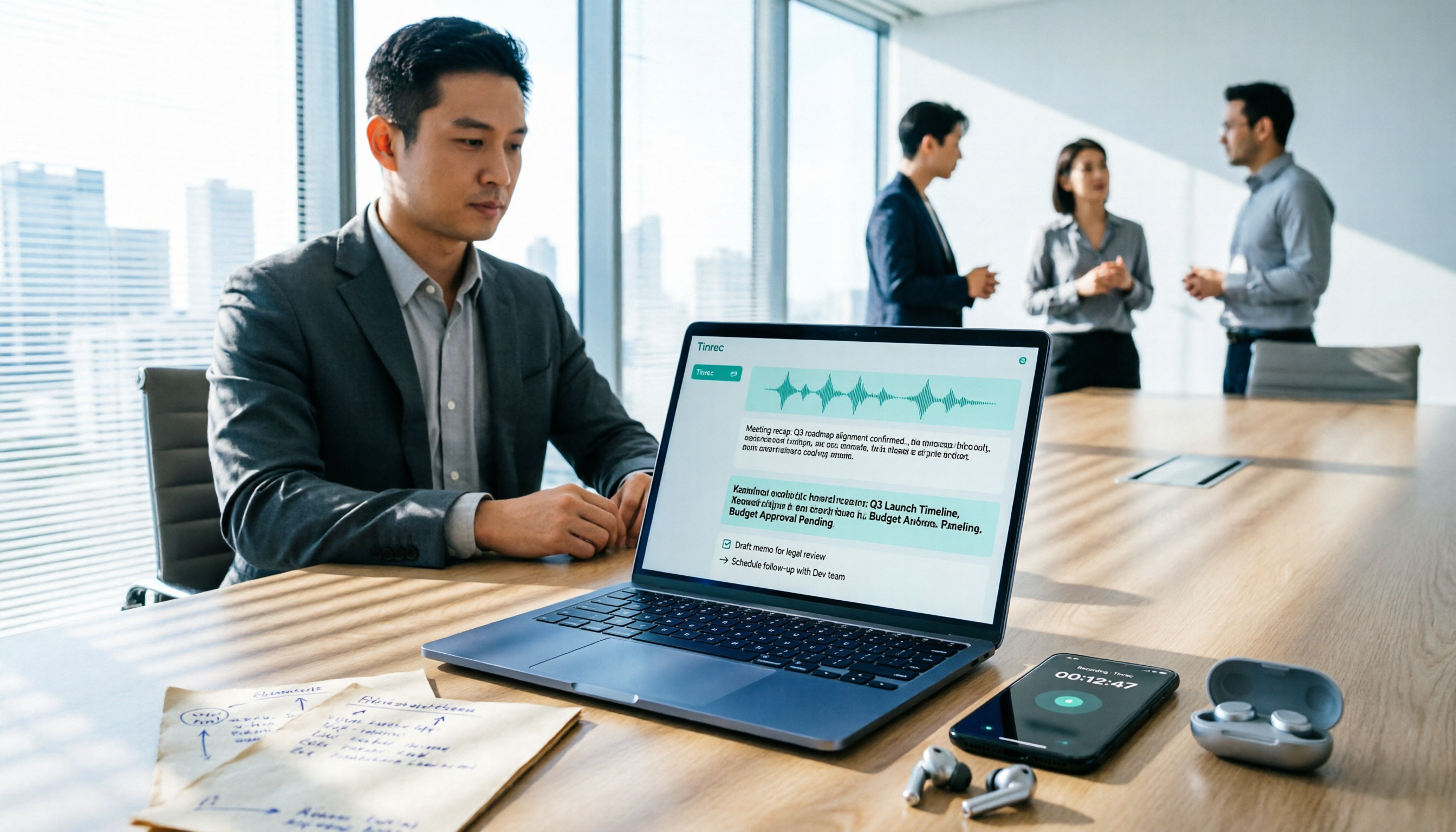
The first scenario is online meetings. Tinrec's desktop version directly captures computer system audio, handling meetings on Zoom, Google Meet, Microsoft Teams, Webex, etc., without adding a meeting bot. When I'm in a Google Meet, the whiteboard is used to draw processes, and Tinrec generates a real-time transcript in the background; when the meeting ends, the summary, chapters, and action items are already available. This way, the whiteboard drawings are for the moment, and the transcript and action items are for afterward.
The second scenario is post-meeting queries. A PNG exported from a whiteboard can only be viewed, not queried. Tinrec's AI Q&A allows continued questioning around meeting content, such as "Who mentioned the budget risk in the last meeting?" or "What delivery date did the client request?" It doesn't just return keyword search results but provides answers based on meeting semantics. For managers, this saves more time than an extra canvas because you don't need to rewatch a 30-minute transcript.
The third scenario is team knowledge retention. Tinrec's team version puts meeting recordings, transcripts, summaries, action items, and member management in a single team space. Roles determine who can manage the team, members, audit, and team settings; seats determine whether members can record, upload, edit, import/export. Members who are active but have no seat can still view, play, and read team data but cannot perform resource-using operations. This needs to be clear to avoid the misunderstanding that "all members can edit."
Stop organizing recordings by hand
Upload audio or video and automatically get a transcript, summary, and action items
My own testing process: a roughly 30-minute project weekly meeting, desktop Google Meet, 6 participants, some interruptions, typical office background noise. I don't cite a fixed accuracy rate because the official source doesn't provide a guaranteed fixed number, and audio quality, accents, and noise all affect results. I only look at three things: whether the summary captures decisions, whether action items have owners, and whether AI Q&A can locate the original sentence. If these three hold, post-meeting organization time shifts from "rewatching the recording" to "verifying key points."
The advantages are clear: First, bot-free recording is friendly for external meetings—no need to temporarily invite a bot. Second, output isn't just a transcript but also summaries, chapters, action items, Q&A, translation, and export, bringing meetings into existing workflows like Notion, Google Docs, OneNote, Dropbox, etc. Third, the team version makes meeting data owned by the team, transferable when members change, and not lost when individuals leave.
Limitations must also be stated honestly: Tinrec is not a whiteboard and has no real-time collaborative canvas, so "everyone drawing together during the meeting" still relies on Google Meet's whiteboard or a whiteboard extension. Also, the free version is suitable for light experience; heavy users need to pay; the team version is billed per paid seat, and prices and benefits are subject to the official purchase page. The team version currently has a first-time trial of 7 days, 1 free seat, and 300 minutes of team shared import quota; paid seats provide 2,000 minutes of team shared import quota per month, and real-time recording is currently not deducted by minutes under valid plans and seats.
Who is it for? If you have meetings every week, need Chinese transcripts, post-meeting summaries, action items, and AI Q&A, and want team data centrally stored—Tinrec is a good fit. But if today you only lack a whiteboard where "everyone draws simultaneously," look at the whiteboard solutions in the next section first, and supplement post-meeting organization separately.
Besides Tinrec, What Other Google Meet Whiteboard Options Are There?
Google Meet built-in whiteboard (sometimes called Jamboard). Most direct for desktop browser users, it can be opened during the meeting, supports pens, sticky notes, images, text, and simple shapes, suitable for quickly drawing processes or workshops. The source article mentions mobile versions are not supported, and iPhone and Android often rely on screen sharing an external app. Its strength is the real-time canvas, not a post-meeting database; Tinrec can retain the transcript, summary, action items, and AI Q&A from the same meeting—a post-meeting workflow the built-in whiteboard lacks.
Whiteboard for Google Meet. It's a whiteboard extension native to Google Meet, launched with one click from the Activities panel, with everyone joining the same board without opening a separate link or tab. Supports drawing, sticky notes, voting, and PNG export; the official page also lists screen annotation on the roadmap. Suitable for brainstorming and sprint retrospectives. But its core is still a whiteboard; it doesn't automatically generate searchable transcripts and action items after the meeting; Tinrec fills exactly the post-discussion organization and query gap.
Collaborative Whiteboard. Also a Google Meet extension, launched from the Activities panel, all participants can collaborate simultaneously, runs directly in the browser without installing software, and can save and export whiteboards. Suitable for interactive discussions. But it doesn't cover post-meeting AI Q&A, team roles, and seat governance; Tinrec's team version has team spaces, member roles, seats, usage, and audit, suitable for turning meeting conclusions into team assets.
Pitfall Guide: The 4 Most Common Mistakes When Choosing a Google Meet Whiteboard
Pitfall 1: Only looking at whether the whiteboard can draw, ignoring post-meeting organization. The whiteboard is responsible for making everyone understand; the notes tool is responsible for making everyone remember. The correct approach is to design "discussion" and "retention" separately: use the whiteboard during the meeting, and use a tool like Tinrec afterward to generate transcripts, summaries, and action items. Don't expect a PNG to turn itself into action items.
Pitfall 2: Ignoring mobile versions. If some team members often join from phones, first confirm whether the whiteboard works on mobile. The source article notes that Google Meet's built-in whiteboard is not supported on mobile and often requires screen sharing an external app. Mixed-device teams should test once before the meeting, rather than discovering at the start that someone can't see it.
Pitfall 3: Assuming a whiteboard extension equals meeting notes. Extensions can export whiteboard images, but images can't be searched, queried, or used to capture owners. Important meetings should retain both transcripts and recordings so you can later find "who said what and when." Tinrec's AI Q&A and action item extraction are designed for this scenario.
Pitfall 4: Leaving team data in personal accounts. Personal versions are convenient, but data is managed by individuals. As soon as you need multiple people to share meeting conclusions, you should consider a team space. The team version is not multiple people sharing one personal account but an independent team space, with governance and usage eligibility managed through roles and seats; members without seats can view data but cannot upload, edit, or export.
Conclusion: Which One Should You Choose?
To sum up in one sentence: Google Meet whiteboards solve "how to draw during the meeting," and Tinrec solves "how to search, track, and hand over after the meeting." They are not mutually exclusive but sequential stages.
If you need a real-time canvas:
- Want the most direct, desktop-oriented whiteboard experience → Google Meet built-in whiteboard.
- Want one-click board opening in Meet, sticky note voting, PNG export → Whiteboard for Google Meet.
- Want all participants to collaborate simultaneously, running directly in the browser → Collaborative Whiteboard.
If you need post-whiteboard organization:
- Need Chinese meeting transcripts, summaries, chapters, and action items → Tinrec.
- Need to ask AI directly after the meeting "What were the conclusions of the last meeting?" → Tinrec (whiteboard extensions don't have this workflow).
- Need cross-platform use: record on desktop, view on phone, organize on web → Tinrec.
- Need team data retention, member seats, usage, and audit → Tinrec team version.
- Zero budget, just want a free whiteboard → Start with Google Meet's built-in whiteboard or an extension's free plan, but figure out post-meeting organization separately.
My advice is practical: don't buy big all at once. First use Google Meet's whiteboard to smooth out your discussion process, then run your weekly meeting through Tinrec's free version to see if summaries and action items really save post-meeting time. If it works for you, consider Pro or the team version; if you only meet two or three times a week, the free quota may be enough. The point isn't having many tools, but whether conclusions are retained after the whiteboard is done.
References
Turn every recording into actionable outcomes
Get 60 free transcription minutes when you sign in. No credit card required.
Related Reading
You might also like

Free Audio-to-Text in 2026: Tinrec Free Tier + AI Summary Hands-On
Searching for "free audio-to-text" turns up plenty of tools, but free isn't always free. This article breaks down three free models, what free quotas can handle, and uses Tinrec as an example to test free-version transcripts, AI summaries, action-item extraction, and export workflows. It ends with 5 buying criteria and upgrade timing.

5 Best Speech-to-Text Apps in 2026: Top Picks from Dcard and Free Tiers Compared
We've rounded up 5 speech-to-text apps that are popular on Dcard and PTT, comparing free tiers, Chinese recognition, post-meeting summaries, and team collaboration. We also highlight the three most common pitfalls when choosing an app, so you can find the tool that truly fits your use case.

2026 Audio-to-Text AI Showdown: Tinrec vs Notta — 5 Key Dimensions Compared, Which Saves More Time?
How do you choose an audio-to-text AI tool? This article uses a mid-level manager's real workflow to compare Tinrec and Notta across online meeting recording, file import, post-meeting outputs, Chinese terminology, team governance, and quota costs. It honestly discusses each tool's limitations and best-fit scenarios.

Tinrec Review 2026: Cantonese Transcription & Notta Alternative Guide
How to choose a recording-to-text tool? This guide focuses on Tinrec, comparing it with Notta across three key criteria: online meeting capture, post-transcription workflow, and team data ownership. It breaks down real use cases and buying considerations to help you pick the right transcription tool in 2026.
Best Free Audio-to-Text Tools in 2026: 5 Tested, This One Has the Most Generous Free Tier
Meeting recording still sitting there and a transcript due tomorrow? This article covers the 5 key factors for choosing a free audio-to-text tool in 2026—from free tier limits and Chinese recognition to post-meeting organization and team collaboration—and demonstrates the complete workflow from recording, transcription, summarization, and action items to AI Q&A using Tinrec.

Free Speech-to-Text Options in 2026: 2 Popular Tools from Dcard Compared
Dcard users keep asking about free speech-to-text tools, but is the free tier enough? This article compares Tinrec and Otter.ai on free quotas, Chinese recognition, online meeting recording, post-meeting organization, and team collaboration so you know which one won't waste your time before signing up.

4 Best Audio-to-Text Apps in 2026: Free Tiers, AI Q&A, and Team Knowledge Compared
How do you choose an audio-to-text app? This guide compares Tinrec, Otter.ai, Notta, and TurboScribe across free tiers, post-meeting organization, online meeting recording methods, and team data ownership. It also covers 4 common buying pitfalls so you know what you need before paying.

5 Best Speech-to-Text Apps in 2026: Which PTT-Favorite Tool Is Best for Chinese Meetings?
Most people on PTT compare speech-to-text apps by accuracy, but what really matters is whether the app can handle existing audio files and produce meeting minutes and action items afterward. This article compares 5 common solutions across 5 buying criteria, with Tinrec as the main hands-on example, covering real-time transcription, bot-free meeting recording, team spaces, and seat management.

How to Transcribe Audio to Text on Your Phone in 2026: 5-Step Mobile Guide from Recording to Transcript
You don't need a computer to turn phone recordings into text anymore. This guide walks through 5 practical steps that work on both iPhone and Android, tests Tinrec on Chinese meetings, interviews, and class recordings, and honestly breaks down the differences between free limits and paid plans so you can decide which approach fits your budget and usage frequency.