

Turn recordings into transcripts and summaries in minutes
Upload audio or video for multilingual transcription, AI notes, and action items
4 Best Audio-to-Text Apps in 2026: Free Tiers, AI Q&A, and Team Knowledge Compared
First, ask yourself: Do you want "text," or do you want "data you can use later"?
Over the past few years, the question readers ask me most isn't "which app is most accurate"—it's "I've recorded a bunch of audio, now what?"
Phone recording is so convenient. Meetings, classes, interviews—one tap and you have a file. But if you want to turn iOS Voice Memos into text, you usually have to use a shortcut or install another app, and the output is often a long block of plain text with no paragraphs or highlights.
Then there's the reality of time. After a meeting, the recording sits on your phone. By the time you think about organizing it, it's usually a week later, and you have to listen from the beginning.
If you work in a team, there's another layer: data is scattered across everyone's accounts, and when someone leaves, it disappears with them.
So before choosing a tool, I ask readers to answer one question: What level is your need?
- Occasionally turn a recording into text → Free, can transcribe, and the format is readable—that's enough.
- Meetings every week, need minutes, highlights, and action items → Compare "what you can do after transcription."
- Team needs to share meeting data → Look at data ownership, members, and permissions, not minutes.
These three levels correspond to completely different tools. The rest of this article breaks it down in that order.
Before Choosing an Audio-to-Text App, Understand These 4 Key Points
First, is the free tier "minutes per month" or "minutes per upload"? These two limits are very different. Some tools give you 120 minutes per month, which sounds like enough, but the per-upload limit is only 3 minutes—a 40-minute meeting would need to be split into a dozen parts, which is impractical. When comparing plans, look at both numbers.
Second, does it provide summaries, chapters, and action items after transcription? A transcript is just raw material. If the tool can automatically segment, add headings, and extract "who is responsible for what and when it's due," you save not just typing time but the entire post-meeting organization process. This is also where free and paid versions differ most.
Third, how do you record online meetings? There are two mainstream approaches: one is a meeting bot that joins as a participant; the other captures system audio directly on your computer, so no bot appears in the attendee list. The former is quick to set up; the latter is less intrusive for external client meetings. Both are used, but you need to know which one you're choosing.
Fourth, where does the data ultimately live? With a personal account, data follows the person; with a team plan, meetings go into a shared space where members can search, ask questions, and take over together. If you're a team of three or more, this has a much bigger long-term impact than price.
Tinrec — Turn My Recordings into Data I Can Question
Tinrec is an AI meeting notes and collaboration tool for individuals and teams, available on iOS, Android, desktop, and web. It supports Chinese, Traditional Chinese, and multilingual meetings.
My most common use case is online meetings. Its desktop version captures system audio directly, so when handling meetings on Zoom, Google Meet, Microsoft Teams, or Webex, you don't need to invite an extra bot. For those who meet with external clients, this is practical—the attendee list stays clean, with no unknown account appearing.
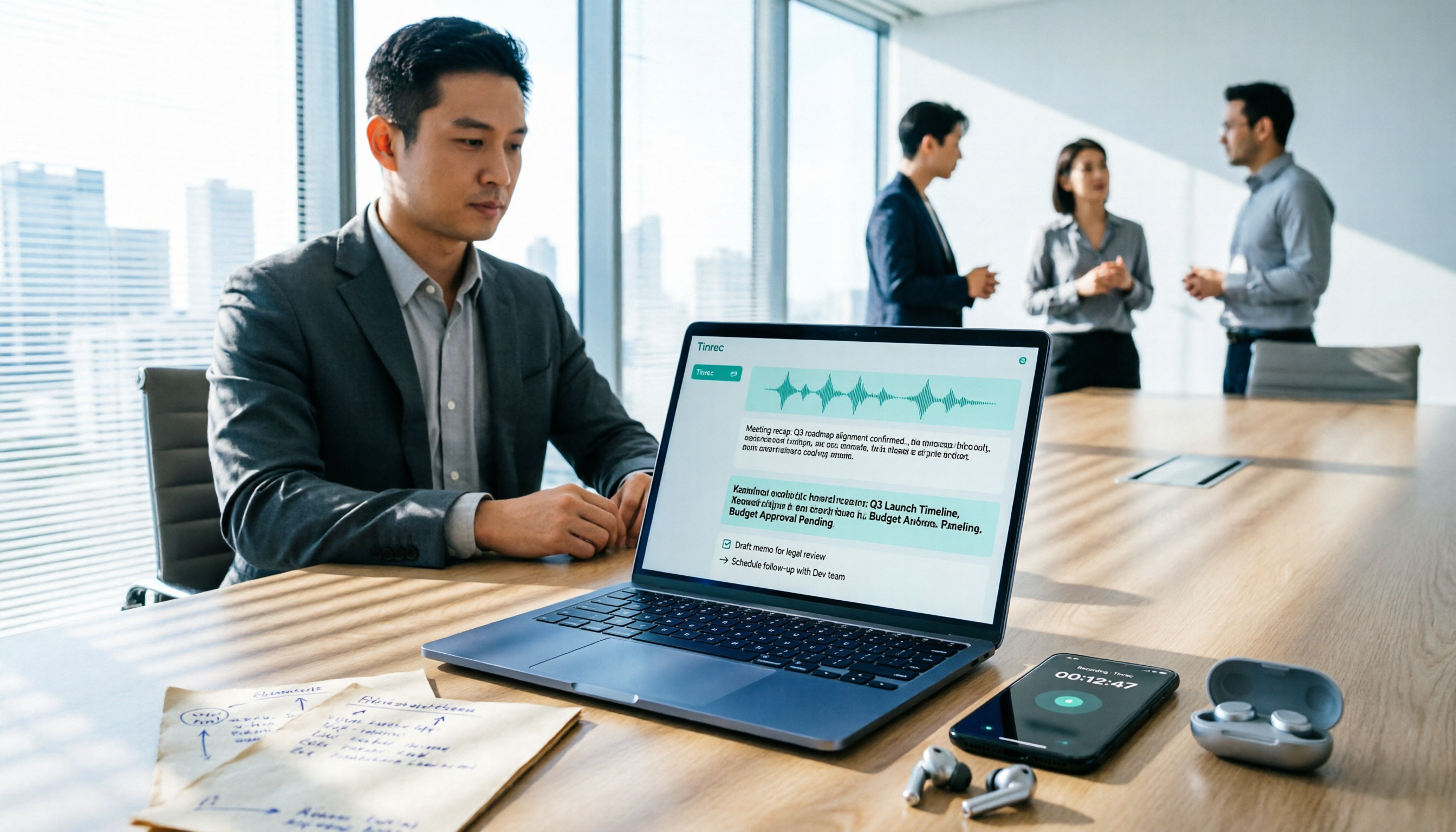
During the meeting, the transcript appears in real time. After the meeting, AI automatically organizes summaries, chapters, and highlights, and extracts action items into to-dos. Previously I had to pause the recording to take notes; now I just review whether it missed any key points.
What really sets it apart is AI Q&A. After recording the entire meeting, you can directly ask it "Who mentioned the budget in the last meeting?" or "What did the client say about the delivery date?" It answers based on the content instead of dumping a list of keyword search results for you to sift through. Competing transcription tools in the same price range mostly still stop at "giving you text."
Other features I find handy:
- Real-time translation and bilingual view: For cross-language meetings, you can see the original and translation while recording, so no separate translation is needed afterward.
- Multi-format export: Results can be exported to Notion, Google Docs, OneNote, Dropbox, and other workflows for continued use without retyping.
- Agent post-processing: Generates reports, tables, or documents based on meeting content—great for those who submit weekly reports.
Stop organizing recordings by hand
Upload audio or video and automatically get a transcript, summary, and action items
For pricing, the personal version offers a free tier, weekly card, Pro monthly, and Pro annual—choose based on usage frequency. Use the free tier for occasional transcription, consider the weekly card for short bursts of intense meetings, and Pro for steady weekly use.
The team version is a separate space, not "multiple people sharing one account": you can create multiple teams, invite members via link, set owners and admins, assign seats, and centrally store Audio, Folder, and TODO. Eligible teams get a 7-day trial, 1 free seat, and 300 shared import minutes for the first time; monthly billing is USD 29.80 per paid seat per month, annual billing is USD 199 per paid seat per year (about USD 16.58 per month), each paid seat provides 2,000 team shared import minutes per month, and real-time recording currently does not deduct minutes under an active plan. Actual prices and promotions are subject to the official purchase page.
**Limitations to note:** The free tier is definitely not enough for heavy users; for the team version, distinguish between "roles" and "seats"—members without a seat can view, play, and read team data but cannot upload, edit, or export. Also, transcription quality is affected by recording environment, accents, overlapping speech, and technical terms. For important content, cross-check with the recording playback; no tool guarantees 100% accuracy.
**Who it's for:** Office workers who have weekly meetings and need minutes and action items; small teams who want meeting data to stay with the team rather than on personal phones; and those who often meet with people in different languages and need bilingual transcripts.
Besides Tinrec, Here Are 3 Other Options to Consider
Otter.ai: A mature choice for English meetings. The free tier offers 300 minutes per month, which is generous, and Pro annual billing is about USD 8.49 per user per month (subject to the official page). If 90% of your recordings are in English, it's a good deal. But Chinese meetings are not its strong suit, and it lacks Tinrec's complete workflow for turning meetings into a team knowledge base.
Notta: Good multilingual transcription. The free tier offers 120 minutes per month but with a 3-minute per-upload limit; Pro annual billing is about USD 8.17 per month for 1,800 minutes per month, and Business annual billing is about USD 16.67 per seat per month (subject to the official page). Suitable for those focused on file transcription and translation; if you want bot-free online meeting recording plus post-meeting AI Q&A, Tinrec's workflow is more complete.
TurboScribe: The value king for long files and batch processing. The free tier allows 3 files per day, 30 minutes per file; Unlimited annual billing is USD 120, and paid versions support files up to 10 hours and up to 50 files per upload (subject to the official page). To clear dozens of old recordings at once, it's more suitable than Tinrec; but it doesn't handle real-time meetings and lacks team collaboration and action item tracking.
Pitfall Guide: 4 Most Common Mistakes When Choosing an Audio-to-Text App
Pitfall 1: Only looking at the word "free." Many free tiers aren't unusable, but the limits are hidden in the details—per-upload length, monthly export count, whether you can export plain text files. I suggest testing with your own real 30-minute recording; you'll know immediately if it's enough.
Pitfall 2: Assuming desktop recording means "automatically records all your meetings." No. These tools require you to start recording manually; they won't jump into every calendar meeting on their own. Think of it as a recording studio ready for you, not a 24/7 assistant.
Pitfall 3: Treating the transcript as the end goal. Using the tool only for "audio-to-text" means using only a third of its capability. After recording, directly ask it "What were the conclusions of this meeting?" or "What are the action items?"—much faster than manually scanning a 30-minute transcript.
Pitfall 4: Sharing a personal account across a team. This is the most common and most expensive mistake. Personal plan data belongs to the individual; when a member changes departments or leaves, meeting records often disappear with them. For team plans, look at how seats are allocated and how data is handed over when members leave, not just headcount.
Conclusion: Which One Should You Choose?
To sum up in one sentence: If you want more than text—meeting data you can search, question, and hand over—Tinrec is currently the most balanced choice.
- Need Chinese meeting transcripts + post-meeting AI Q&A → Tinrec (ask questions directly about meeting content)
- Don't want an extra bot in online meetings → Tinrec desktop version (captures system audio)
- Team of three or more needs to share meeting data → Tinrec team version (spaces, roles, seats, usage, and audit)
- Need to clear a large number of old recordings at once → TurboScribe (long files and batch transcription)
- Content is almost all English, budget extremely low → Otter.ai (free 300 minutes per month)
I recommend starting with the free tier and running one real meeting recording through the workflow: transcribe, review the summary, ask it a question. After that round, you'll know whether you need to pay—no need to buy an annual plan upfront.
One final reminder: Recording and transcription involve others' privacy. Follow local regulations—notify when required and obtain consent when required. This is the prerequisite for using any tool.
References
Turn every recording into actionable outcomes
Get 60 free transcription minutes when you sign in. No credit card required.
Related Reading
You might also like

Free Audio-to-Text in 2026: Tinrec Free Tier + AI Summary Hands-On
Searching for "free audio-to-text" turns up plenty of tools, but free isn't always free. This article breaks down three free models, what free quotas can handle, and uses Tinrec as an example to test free-version transcripts, AI summaries, action-item extraction, and export workflows. It ends with 5 buying criteria and upgrade timing.

5 Best Speech-to-Text Apps in 2026: Top Picks from Dcard and Free Tiers Compared
We've rounded up 5 speech-to-text apps that are popular on Dcard and PTT, comparing free tiers, Chinese recognition, post-meeting summaries, and team collaboration. We also highlight the three most common pitfalls when choosing an app, so you can find the tool that truly fits your use case.

2026 Audio-to-Text AI Showdown: Tinrec vs Notta — 5 Key Dimensions Compared, Which Saves More Time?
How do you choose an audio-to-text AI tool? This article uses a mid-level manager's real workflow to compare Tinrec and Notta across online meeting recording, file import, post-meeting outputs, Chinese terminology, team governance, and quota costs. It honestly discusses each tool's limitations and best-fit scenarios.

Tinrec Review 2026: Cantonese Transcription & Notta Alternative Guide
How to choose a recording-to-text tool? This guide focuses on Tinrec, comparing it with Notta across three key criteria: online meeting capture, post-transcription workflow, and team data ownership. It breaks down real use cases and buying considerations to help you pick the right transcription tool in 2026.
Best Free Audio-to-Text Tools in 2026: 5 Tested, This One Has the Most Generous Free Tier
Meeting recording still sitting there and a transcript due tomorrow? This article covers the 5 key factors for choosing a free audio-to-text tool in 2026—from free tier limits and Chinese recognition to post-meeting organization and team collaboration—and demonstrates the complete workflow from recording, transcription, summarization, and action items to AI Q&A using Tinrec.

Free Speech-to-Text Options in 2026: 2 Popular Tools from Dcard Compared
Dcard users keep asking about free speech-to-text tools, but is the free tier enough? This article compares Tinrec and Otter.ai on free quotas, Chinese recognition, online meeting recording, post-meeting organization, and team collaboration so you know which one won't waste your time before signing up.

5 Best Speech-to-Text Apps in 2026: Which PTT-Favorite Tool Is Best for Chinese Meetings?
Most people on PTT compare speech-to-text apps by accuracy, but what really matters is whether the app can handle existing audio files and produce meeting minutes and action items afterward. This article compares 5 common solutions across 5 buying criteria, with Tinrec as the main hands-on example, covering real-time transcription, bot-free meeting recording, team spaces, and seat management.

How to Transcribe Audio to Text on Your Phone in 2026: 5-Step Mobile Guide from Recording to Transcript
You don't need a computer to turn phone recordings into text anymore. This guide walks through 5 practical steps that work on both iPhone and Android, tests Tinrec on Chinese meetings, interviews, and class recordings, and honestly breaks down the differences between free limits and paid plans so you can decide which approach fits your budget and usage frequency.

4 Google Meet Whiteboard & Post-Meeting Tools Tested in 2026: You Drew on the Whiteboard—Who Captures the Conclusions?
How to choose a Google Meet whiteboard? This article uses a mid-level manager's meeting scenarios to compare Google Meet's built-in whiteboard, Whiteboard for Google Meet, Collaborative Whiteboard, and the post-meeting organization tool Tinrec. It first clarifies the difference between whiteboards and meeting notes, then provides selection criteria, pitfalls to avoid, and scenario-based recommendations.