

Turn recordings into transcripts and summaries in minutes
Upload audio or video for multilingual transcription, AI notes, and action items
6 Best Audio-to-Text Tools in 2026: Transcription, Summaries & Team Collaboration Compared
It's Friday evening after a meeting, and your boss drops a message in the group chat: "Who's summarizing today's conclusions?" You open the recording—a 25-minute meeting that would take about an hour and a half to transcribe manually. That's when most people start looking for audio-to-text tools.
The problem is, turning audio into a transcript is only the first step. The real time sink is reading through it, extracting action items, and writing notes your boss can actually understand.
So this article won't stack up specs. I'll directly compare what these 6 tools can do after transcription, and which type of user each one suits.
Bottom line first: If you need Chinese meeting notes, don't want to invite a meeting bot, and want to keep data for team use afterward, Tinrec is currently the better-aligned option. If you need cheap transcription for lots of long files, TurboScribe is more cost-effective.
What Affects Transcription and Organization Speed
When it comes to transcription, the bottleneck usually isn't whether the AI can understand—it's these factors.
How files get in. Some tools transcribe in real time as you record; others require uploading mp3, wav, or mp4 files and waiting in a queue. The larger the file and the slower the internet, the longer the wait.
Recording conditions. Air conditioning noise, keyboard clicks, people talking over each other, accents, and mixed Chinese-English speech all increase errors. Many tools claim 90%+ accuracy, but that's usually from quiet studios with a single speaker.
Post-meeting processing. If you just get a long transcript, you still have to read it yourself. The real time-saver is automatic summaries, chapters, action items, and even the ability to ask questions to find key points.
Honestly, instead of looking at official numbers, try it with your own meeting recording—especially pay attention to how it handles mixed Chinese-English terminology.
Tools in This Comparison
The 6 tools included here have quite different positioning:
- Tinrec: AI meeting notes and team collaboration tool. The desktop version captures system audio directly, handling online meetings on Zoom, Google Meet, Microsoft Teams, Webex, etc., without needing a meeting bot to join. Supports real-time recording, audio/video file import, AI summaries, chapters, action items, AI Q&A, real-time translation, and team spaces.
- Otter.ai: A mature English business meeting assistant covering major online meeting platforms, with real-time transcription, speaker identification, AI Chat, and team management.
- Fireflies.ai: Strong in meeting automation, meeting bots, summaries, AskFred, and extensive third-party integrations.
- Notta: Multi-platform transcription tool covering meeting notes, file import, translation, and team plans—overlaps significantly with Tinrec.
- TurboScribe: Cost-effective file transcription tool focused on long files, batch uploads, subtitles, and translation.
- Granola: Bot-free AI meeting notes tool that uses desktop system audio and microphone for real-time transcription, then combines it with your handwritten notes to generate content.
Also worth noting a different category: PLAUD Note/NotePin are AI recording hardware—you're paying for portable recording and hardware experience, which is a different solution from the software tools above.
Comparison Methodology and Data Scope
One thing needs to be clear upfront to avoid misunderstanding.
This article did not conduct unified timed tests, nor are there measured seconds to publish. Therefore, the text avoids conclusions like "fastest" or "most accurate"; speed is described qualitatively only.
- Data verification date: August 18, 2026, based on official product pages and public review data.
- Comparison targets: Free plans and entry-level paid plans from each vendor, priced in USD.
- Comparison dimensions: Input sources, whether audio is retained, post-meeting organization capabilities, team management, free tier, and pricing.
- Conditions that couldn't be standardized: Each plan calculates recording minutes differently (real-time recording, file import, and AI features may be counted separately), so direct conversion to a single unit isn't possible.
- Known exceptions: Granola doesn't support uploading pre-recorded audio files and doesn't save meeting audio—both directly affect the need to "organize historical recordings."
Prices and benefits may change with promotions; please refer to official pages before purchasing.
Feature Comparison Overview
| Tool | Core Positioning | Input Sources | Post-Meeting Organization | Team Capabilities |
|---|---|---|---|---|
| Tinrec | AI meeting notes & team collaboration | Real-time recording, bot-free online meetings via desktop, audio/video files, some web links | Transcript, summary, chapters, action items, mind map, AI Q&A, real-time translation, Agent-generated reports and tables | Team spaces, members, roles, seats, usage analytics, audit logs, audio recycle bin |
| Otter.ai | AI meeting assistant | Online meetings, real-time transcription, file import | Summary, action items, AI Chat | Mature team and enterprise management |
| Fireflies.ai | Meeting automation | Primarily meeting bots, also supports files | Summary, AskFred, team analytics | Analytics and extensive integrations |
| Notta | Multilingual transcription | Meetings, file upload | Transcript, subtitles, translation, summary | Business and above offer role permissions and usage reports |
| TurboScribe | File transcription | File upload, batch processing | Transcript, subtitles, translation | Mainly for individuals and small teams |
| Granola | Bot-free meeting notes | Real-time meetings (no pre-recorded file support) | Note enhancement, Q&A, integrations | Shared folders and user management |
Tool Features and Use Cases
Tinrec: Beyond Transcription, It Organizes Your Data
Tinrec's differentiator isn't "transcription"—it's what happens after. As soon as a meeting ends, summaries, chapters, and action items are generated automatically. You can also ask questions directly about the recording content, like "Who mentioned the budget in the last meeting?"—using semantic understanding to find answers, not just keyword matching.
Stop organizing recordings by hand
Upload audio or video and automatically get a transcript, summary, and action items
Bot-free recording is very practical for internal company meetings. No need to add an extra account to the meeting room, so no awkward "Who is this assistant?" moments.
Limitations to note: Tinrec isn't a bot that automatically joins all calendar meetings—users need to actively open the desktop app to start recording. Also, it's not ideal for brute-force batch transcription of large volumes of files at once.
Who it's for: People whose meetings are mainly in Chinese, who need post-meeting minutes and action items, and who want to turn meetings into team knowledge.
Otter.ai: The Veteran of English Business Meetings
Otter is highly mature for English meeting scenarios, with summaries, action items, AI Chat, and complete team management.
Note that its plans separate "in-app recording minutes" from "file import counts." The free version offers 300 minutes per month; Pro annual billing is about USD 8.49/user/month, including 1,200 minutes per month and 10 file imports.
Who it's for: Teams whose meetings are mainly in English and who are already in American-style workflows.
Fireflies.ai: Automation and Integrations First
Fireflies' strengths are meeting automation and third-party integrations, with deep meeting analytics for sales scenarios.
Its "unlimited transcription" is still subject to storage, file upload speed, and AI Credit rules—not all capabilities are unlimited.
Who it's for: People who value automated workflows and need to connect meeting data to CRM or project tools.
Notta: Multilingual Transcription, High Overlap with Tinrec
Notta covers multi-platform transcription, meeting notes, file import, and translation. The free version offers 120 minutes per month, with a maximum of 3 minutes per item—better suited for short tests.
Who it's for: Individuals or small teams needing multilingual transcription, primarily for file processing.
TurboScribe: Cost-Effective for Long Files and Batches
TurboScribe's positioning is clear: cheap, handles long files, supports batch uploads. The paid version allows files up to 10 hours or 5 GB each, and up to 50 files at once.
But it's not a meeting collaboration tool—no team spaces or action item tracking.
Who it's for: People with a pile of course recordings or interview audio to transcribe all at once.
Granola: A Meeting Assistant Centered on Your Notes
Granola also uses a bot-free approach to capture device audio, then overlays AI-generated content on your own notes—context linking across meetings is well done.
Keep in mind it doesn't support uploading pre-recorded audio files and doesn't save meeting audio files. If you need to go back and verify the original audio, this will be a blocker.
Who it's for: Knowledge workers who prefer taking notes while listening, mainly in English meetings.
Pricing and Available Quotas Comparison
The following is official public information verified on August 18, 2026, in USD.
| Tool | Free Plan | Entry Paid Plan | Notes |
|---|---|---|---|
| Tinrec | Free version offers basic quota to try recording, import, summary, and transcription | Personal plans include weekly card, Pro monthly, and annual; Team monthly USD 29.80/paid seat/month, annual USD 199/paid seat/year (about USD 16.58/month) | First eligible team trial is 7 days, 1 free seat, 300 minutes shared import quota; paid seats get 2,000 minutes team shared import quota per seat per month |
| Otter.ai | Basic free, 300 minutes/month | Pro annual about USD 8.49/user/month | Business pricing may vary with promotions |
| Fireflies.ai | Free USD 0 | Pro USD 10/seat/month | Business USD 19, Enterprise USD 39 (annual) |
| Notta | Free 120 minutes/month, max 3 minutes per item | Pro annual about USD 8.17/month, 1,800 minutes/month | Business annual about USD 16.67/seat/month |
| TurboScribe | 3 files per day, max 30 minutes per file | Unlimited annual USD 120 (about USD 10/month) | Paid version allows files up to 10 hours or 5 GB |
| Granola | Basic free | Business USD 14/user/month | Enterprise USD 35/user/month |
Specific pricing for Tinrec's personal weekly card and Pro plans couldn't be confirmed from public pages in this article; please check the official pricing page directly.
Regarding minute calculations, there's an easily misunderstood point about the team version: under an active team plan and active seats, real-time recording currently doesn't deduct minutes; only file and web imports consume the team's shared import minutes, and won't eat into members' personal quotas.
Conclusion: Choose by Need
Under the conditions of this comparison, my judgment is as follows:
For Chinese meeting notes + post-meeting organization + team knowledge retention, choose Tinrec. Bot-free recording, summary/action items, AI Q&A, and team spaces are its clear differentiators.
For mature English business meeting workflows, Otter.ai and Fireflies.ai each have their advocates—the former has a friendlier interface, the latter deeper automation and integrations.
For processing large volumes of long audio files at once, TurboScribe's pricing and file limits are the most practical.
If you prefer writing your own notes and only need AI enhancement, Granola's approach makes sense—but only if you don't need to go back and listen to the original audio.
Final reminder: This is a comparison of features and plans, without unified timed tests. What really affects your experience is your own recording conditions—try it with a real meeting recording; that's more accurate than any review.
FAQ
Q1: Is the free version enough?
Depends on frequency. If you only organize one or two recordings a month, most tools' free tiers are sufficient. If your free quota is something like "120 minutes per month, 3 minutes per item," it's only suitable for short tests—long meetings will be cut off.
Q2: Can built-in phone voice input replace these tools?
Not completely. System dictation is mainly for "real-time input"; after stopping recording or switching pages, content may be hard to save or edit, it doesn't support uploading existing recordings, and it won't generate meeting summaries. To organize past recordings, you still need dedicated tools.
Q3: How should I interpret accuracy rates?
Don't take official numbers as guarantees. Real meetings have air conditioning noise, keyboard clicks, and people talking over each other—performance will be lower. Try it with your own meeting recording, especially paying attention to error rates for mixed Chinese-English and proper nouns.
Q4: What's the difference between team and personal versions?
Personal version data is managed by the individual account. The team version is a separate collaboration space where meeting data belongs to the team, with additional members, roles, seats, usage analytics, audit logs, and audio recycle bin.
Note that "roles" and "seats" are two different things: roles determine who can manage the team; seats determine who can record, upload, edit, and import/export. Members without seats can still view, play, and read team data, but cannot perform resource-consuming operations.
Q5: Do I need a meeting bot to join the meeting?
Not necessarily. Tools like Tinrec and Granola capture system audio on the desktop, without needing an extra account to join the meeting room. But if your need is to automatically join every meeting on your calendar, most bot-free solutions currently still require manually starting recording.
Q6: What legal issues should I be aware of with audio-to-text?
Recording and transcription involve local regulations and participant consent—especially for international meetings. In practice, it's recommended to inform participants at the start of the meeting that recording will take place, and obtain consent when necessary.
References
- Tested 4 Best Online Speech-to-Text Tools: Free Instant Transcription of Audio Files
- Which Audio-to-Text Tool Is Best? 2024 Test of 5 Tools, This One Has the Most Comprehensive Organization Features - Tinrec Blog
- Want Free Audio-to-Transcript? 5 Must-Try Transcription Tools to Get It Done Fast
- 2026 Google Speech-to-Text App Recommendations and Comparison: 6 Efficient Audio-to-Text Tools Tested - Tinrec Blog
- 2026 Test Comparison of 4 Audio-to-Text Tools: Which Is Easiest for Chinese Meetings and Course Organization? - Tinrec Blog
Turn every recording into actionable outcomes
Get 60 free transcription minutes when you sign in. No credit card required.
Related Reading
You might also like

2026 AI Meeting Recorder Comparison: Which Free Version Is Actually Enough?
We tested six AI meeting recorder tools, comparing free plans and paid limits—covering Chinese transcription, bot-free recording, post-meeting summaries, and team collaboration—to help you find the one that truly fits your needs.
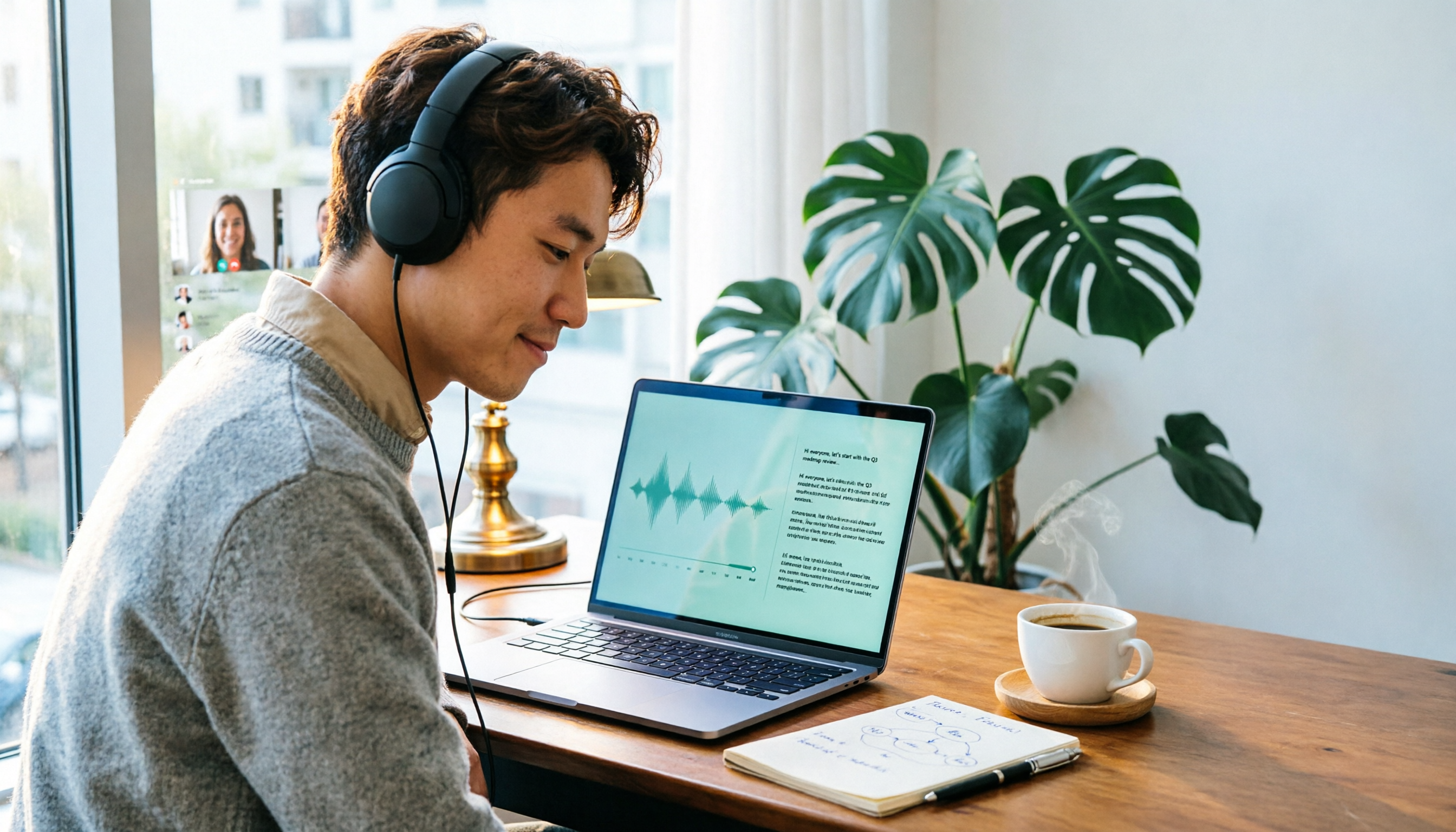
2026 Online Transcription Tools Buying Guide: 2 Hands-On Tests and Selection Advice
Starting from common misconceptions, this hands-on comparison of Tinrec and oTranscribe examines five dimensions: automatic transcription, meeting capture, post-meeting organization, export and workflow integration, and team collaboration, helping you decide which tool fits your meeting workflow.

2026 Comparison of 4 Meeting Notes Automation Tools: Which One Can Actually Deliver After the Meeting?
From transcripts and summaries to action items and team knowledge retention, this article compares Tinrec, Granola, TurboScribe, and Otter.ai in terms of features and workflow to help you decide how to choose a meeting notes automation tool.

5 Best AI Meeting Notes Tools in 2026: Tinrec vs. Notta vs. Otter — Which Writes Meeting Minutes Faster?
Meeting just ended but you still need an hour to retype notes? This practical guide breaks down a fast meeting-minutes workflow with templates, and compares Tinrec, Notta, Otter, Fireflies, and Granola on live transcription, AI summaries, action-item extraction, and team collaboration—so you can deliver trackable minutes the same day.

2026 Comparison of 3 Medical Meeting Documentation Tools: Which One Turns Morning Meeting Notes into Searchable Team Data?
The challenge of medical meeting documentation isn't recording—it's whether the records can be tracked and handed off afterward. This article starts from the practical pain points of morning meetings, case discussions, EBM discussions, and health insurance-related meeting records, outlines 4 key purchasing criteria, tests Tinrec, Otter.ai, Notta, and PLAUD to see who each suits, and lists the 4 most common pitfalls.

3 Free Automatic Transcription Tools in 2026: Free Tiers and Meeting Notes Comparison
Looking for a free automatic transcription tool? First decide whether you need free speech-to-text or a tool that turns transcripts into meeting notes. This article compares the free tiers, input sources, post-meeting outputs, and team capabilities of Tinrec, Otter.ai, and Notta based on publicly available plan information as of August 2026, and clearly notes limitations. This is not a timed hands-on test; plans are subject to official websites.

4 AI Transcription Tools Tested for 2026: Meeting Notes Aren't Just Transcripts—You Need to Ask Follow-Up Questions
Starting from the three most common mistakes in meeting notes, this hands-on comparison of Tinrec, Otter.ai, Notta, and Yating Transcription examines differences in bot-free recording, post-meeting follow-up questions, and team knowledge retention. It also covers 4 key purchasing factors and a guide to avoiding pitfalls, helping you choose the tool that truly saves time.

4 Free Transcription Tools to Try in 2026: Free Tiers and Meeting Notes Comparison
Transcription takes too long—not because you type slowly, but because you keep rewinding, proofreading, and organizing after meetings. This article compares Tinrec, Otter.ai, Granola, and TurboScribe from four angles: free tier limits, recording retention, post-meeting organization, and team collaboration, and summarizes common pitfalls and selection advice.
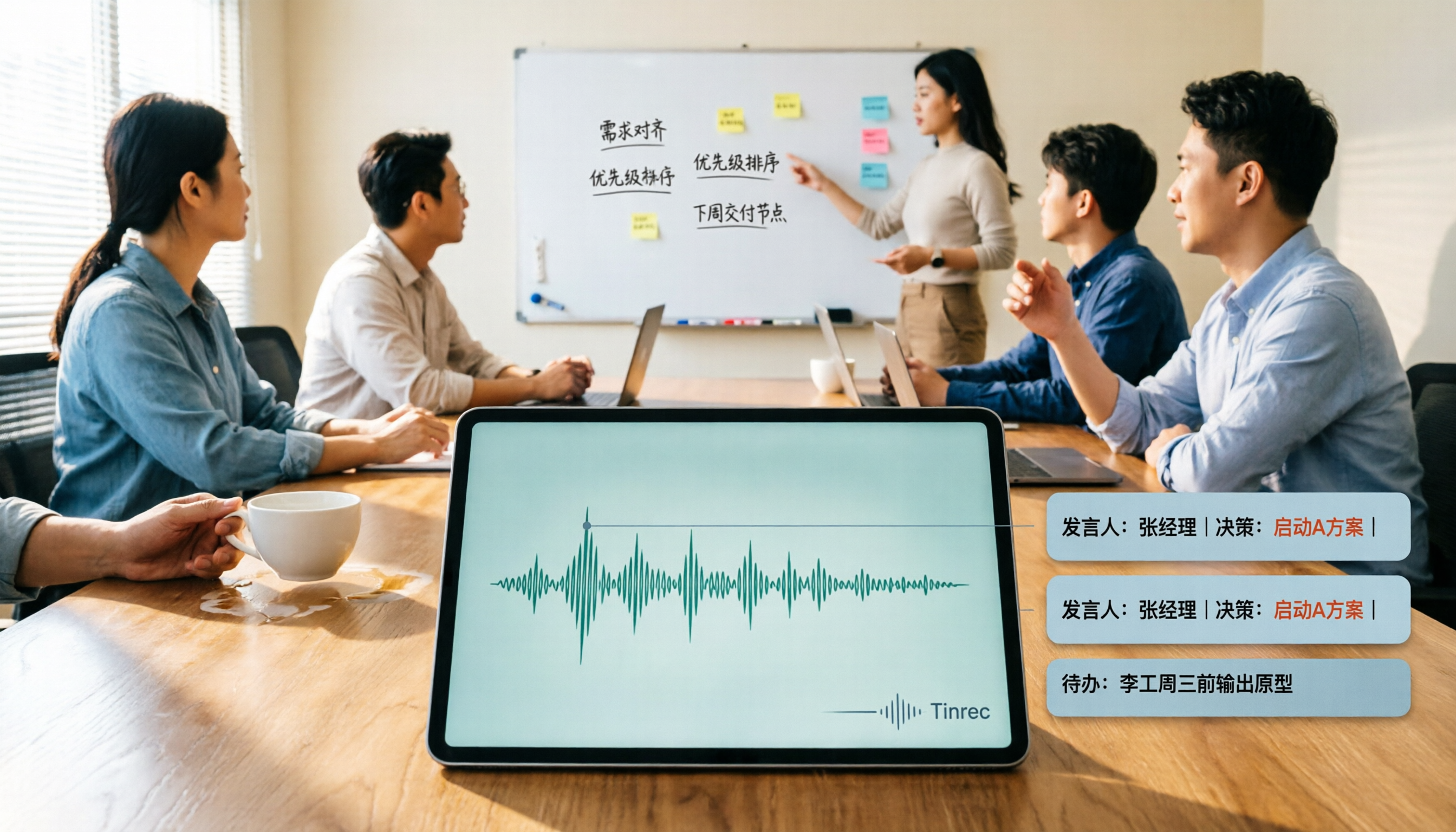
2026 AI Meeting Summary Tools Tested: Which One's Chinese Meeting Summaries Are Actually Ready to Use?
The real cost of meeting notes often isn't typing—it's moving recordings, transcripts, and summaries around. Starting from common misconceptions, this article uses the same 'deliver notes after the meeting' workflow to test and compare Tinrec, Otter.ai, Notta, and Granola on meeting capture methods, Chinese performance, post-meeting outputs, and team management, plus four pitfalls to avoid before purchasing.