

Turn recordings into transcripts and summaries in minutes
Upload audio or video for multilingual transcription, AI notes, and action items
5 Best AI Meeting Notes Tools in 2026: Tinrec vs. Notta vs. Otter — Which Writes Meeting Minutes Faster?
It's 4 p.m. on a Wednesday. The meeting just ended. You look at the scattered keywords in your notebook, and with only an hour left before quitting time, you still have to produce meeting minutes for the entire department. Worse, attendees are already asking in the group chat: "So what was the conclusion? Who's doing what?" In moments like this, you don't need to type faster—you need a workflow that helps you organize while the meeting is happening.
This article takes a practical approach to break down how to write meeting minutes quickly, and compares five tools—Tinrec, Notta, Otter, Fireflies, and Granola—on live transcription, AI summaries, action-item extraction, and team collaboration. If you're looking for a way to deliver meeting minutes the same day, start with Tinrec's workflow, then compare it with the others.
Why Does "Writing Meeting Minutes Fast" Become End-of-Day Stress?
Most people make the same mistake the first time they write meeting minutes: they treat the meeting like a transcription exercise. Whatever the manager says, whatever colleagues add—they write it all down word for word. The longer the meeting, the longer the minutes.
Source content also points out that this verbatim style of note-taking requires retyping after the meeting, which is time-consuming and makes it hard for anyone to grasp the key points at a glance. Truly useful meeting minutes don't reproduce every sentence; they distill conclusions, highlight key points, and let the team know what to do next.
Another source of stress is "starting only after the meeting." If you only took scattered notes during the meeting, you'll have to reconstruct everything from memory afterward. Put it off until the next day, and even you will forget what the conclusions were. That's why many guides recommend completing meeting minutes within 24 hours.
Tools like Tinrec target exactly this gap: they separate "in-meeting capture" from "post-meeting organization," so transcription happens synchronously during the meeting, leaving post-meeting time for judgment and confirmation.
How Does Tinrec Compress the Meeting-Minutes Workflow to the Shortest?
Tinrec is an AI meeting-notes and collaboration tool for individuals and teams. It doesn't just convert audio to text—it turns meeting recordings into searchable, summarizable, queryable, and exportable data.
For "writing meeting minutes fast," the most impactful workflow is this:
- Before the meeting starts, open the Tinrec desktop app and select system audio recording. It doesn't require inviting a meeting bot to join Zoom, Google Meet, Microsoft Teams, or Webex.
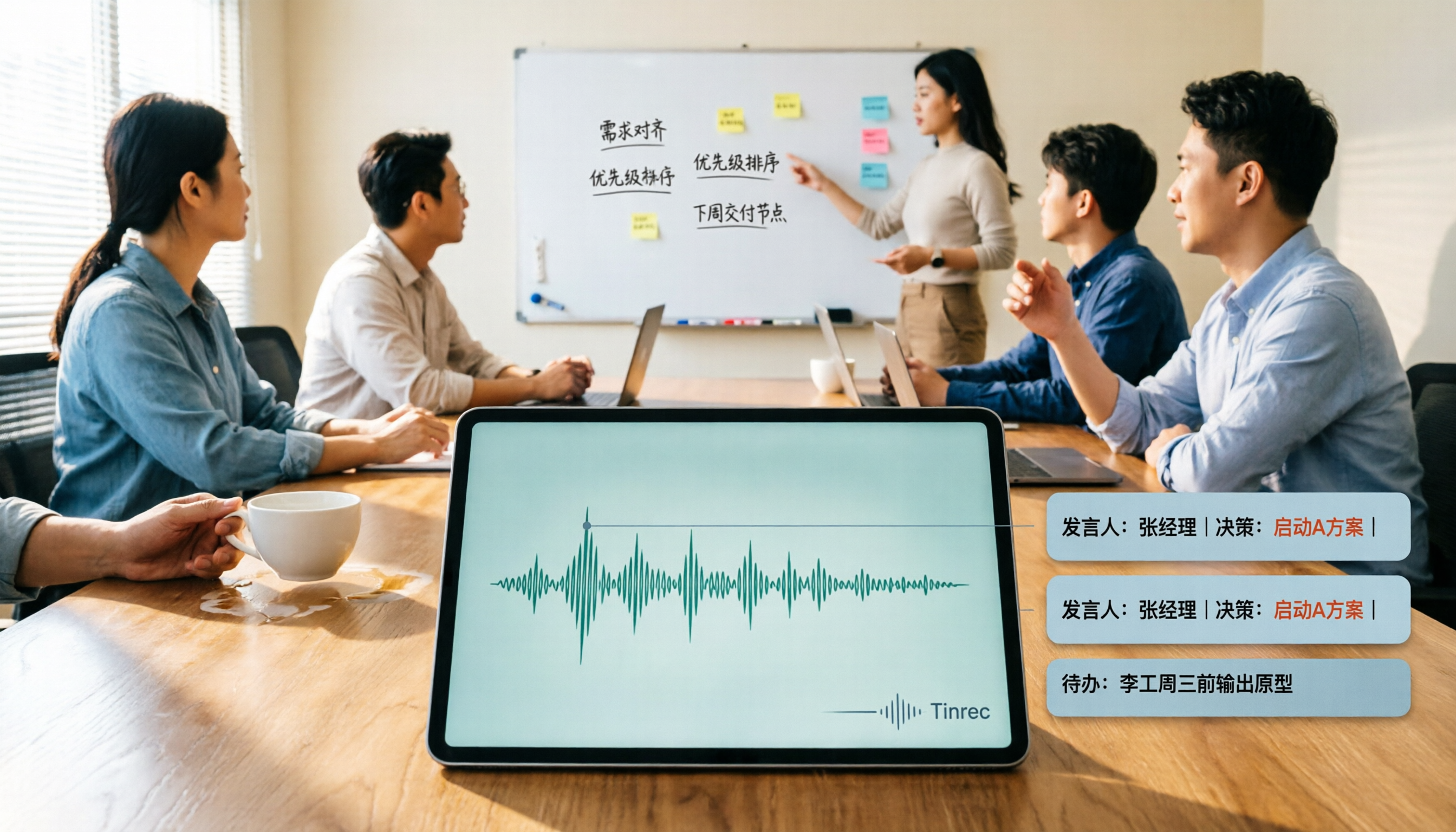
- During the meeting, Tinrec transcribes while recording. You can follow the live transcript to make sure no key sentences are missed.
- After the meeting, use AI summaries and chapters to grasp the discussion structure, then use action-item extraction to pull out "who's responsible, for what, and by when."
- If you're unsure about a conclusion, use AI Q&A to ask follow-up questions: "What was the final decision of this meeting?" "What were the three concerns the client mentioned?"
- Finally, export the results to Google Docs, Notion, OneNote, or Dropbox and paste them into your team's existing workflow.
The point of this workflow isn't "AI writes it for you"—it's handing off the most time-consuming parts (re-listening, retyping, finding key points) to the tool for a first pass. You only need to do the final judgment and polishing.
Core Differences Between Tinrec and Notta, Otter, Fireflies, and Granola
If you're searching for "how to write meeting minutes fast," you've probably seen other tools too. Here's a quick comparison across four dimensions, focusing on what Tinrec does right rather than dismissing other products.
Meeting capture method. Tinrec's desktop app captures computer system audio directly, without needing a meeting bot to join as an extra participant. For teams that don't want a "recording bot" showing up in the meeting roster, this approach is less intrusive. Otter and Fireflies also offer meeting bots or desktop options; Granola also emphasizes bot-free desktop capture. When choosing, consider your meeting platform and company policies.
Chinese and mixed Chinese-English meetings. Tinrec handles Chinese, Traditional Chinese, and multilingual meetings, and supports live translation, bilingual viewing, and team hotwords. For the mixed Chinese-English meetings common in Taiwan, this experience is closer to actual usage than pure English business meeting tools. Notta also has a solid reputation for multilingual transcription, while Otter and Fireflies are more established in English business meetings.
Depth of post-meeting organization. Tinrec's output isn't just a transcript—it also includes AI summaries, chapters, action items, mind maps, AI Q&A, and Agent post-processing that can further generate reports, tables, and documents. In other words, it pushes "meeting minutes" one step toward "post-meeting work materials." Other tools also have summary and action-item features, but Tinrec's combination is better suited for those who need to turn meeting content directly into deliverable documents.
Team data retention. Tinrec's team plan offers an independent team space where meeting data belongs to the team, with members, roles, seats, usage analytics, audit logs, and an audio recycle bin. When members leave or lose their seats, team resources can be handed over and won't disappear with individual accounts. For teams that need to turn meeting minutes into departmental assets, this is a more critical capability than simple transcription.
5 Steps to Write Meeting Minutes Fast with Tinrec
Step 1: Decide before the meeting what this meeting should produce
Don't wait until the meeting ends to think about format. Before the meeting, determine whether it's a decision meeting, a progress meeting, or a client interview, and create the corresponding recording task in Tinrec. For online meetings, use the desktop app to capture system audio; for in-person meetings, record in real time on your phone or computer.
Stop organizing recordings by hand
Upload audio or video and automatically get a transcript, summary, and action items
Step 2: During the meeting, focus on only three things: conclusions, disagreements, action items
You can use Tinrec's live transcript as a support, but don't read it word by word during the meeting. Just confirm that three things are captured: what the final conclusion is, where disagreements remain, and who agreed to do what. Leave other details to the transcript.
Step 3: After the meeting, run the AI summary first—don't listen to the recording from the start
After the meeting, first look at Tinrec's automatically generated summary and chapters. This step helps you quickly recall the overall context. If a conclusion in the summary is too vague, click back to the corresponding transcript section to confirm. This is much faster than re-listening to an hour-long recording from the beginning.
Step 4: Use action-item extraction to pull out Action Items
Organize the action items extracted by Tinrec into a fixed format: owner, task, deadline. All three are essential. If the tool's extraction isn't precise enough, use AI Q&A to ask: "In this meeting, who committed to completing the website redesign by next Friday?" Then add the answer to the table.
Step 5: Before sending, do a "blind-spot check" with AI Q&A
Before sending out the meeting minutes, ask Tinrec: "Did this meeting mention any risks or unresolved items?" "Did any attendees raise objections?" This helps you recover perspectives missed in manual notes. Finally, export the content to your team documents and send it to attendees for confirmation.
Three Real Scenarios: Meetings, Interviews, Cross-Language Meetings
Project weekly meeting. With many attendees and jumping discussions, manual notes easily capture only the last speaker. With Tinrec's live transcription and chapter summaries, you can quickly organize three sections after the meeting: "this week's progress, blockers, next week's action items." The team plan also keeps meeting data in a shared space, so next week's meeting can directly search last week's decisions.
Client interview. Client needs, objections, and commitments are often scattered throughout the conversation. Tinrec's transcript is searchable, and AI Q&A can ask: "What are the three issues the client cares about most?" "What did we promise?" The output summaries and action items can also directly become CRM notes or follow-up email drafts.
Cross-language meetings. If the meeting includes English or Japanese content, Tinrec supports live translation and bilingual viewing. You can read the original while confirming the Chinese meaning, then use the summary to organize Chinese minutes afterward. Actual results will still be affected by accents, noise, and overlapping speech; for important sections, replay the recording to verify.
What to Look for When Choosing a Meeting-Minutes Tool
Whether audio is retained. Some tools keep only text and don't retain meeting recordings. If you need to verify tone or the context of a sentence afterward, retaining audio is important. Tinrec supports audio retention, and the team plan also has an audio recycle bin to restore accidentally deleted audio before permanent cleanup.
Performance with Chinese and mixed Chinese-English. Meetings in Taiwan are rarely pure Chinese or pure English—they often include product names, technical terms, and English abbreviations. When choosing a tool, check whether it supports mixed Chinese-English and whether it can maintain professional terminology with team hotwords.
Whether post-meeting output is sufficient. Tools that only provide transcripts still require manual summary writing afterward. For "writing meeting minutes fast," AI summaries, chapters, action-item extraction, and export features affect actual efficiency more than transcription minutes.
Team permissions and seats. If meeting minutes are to be shared across departments, confirm whether the tool distinguishes roles and seats. In Tinrec's team plan, roles determine who can manage the team, and seats determine who can record, upload, edit, and export; members without seats can still view, play, and read team data.
Pricing and quotas. Tinrec's personal plan includes a free version, weekly card, Pro monthly card, and annual card; the team plan is USD 29.80 per paid seat per month, or USD 199 per paid seat per year, with each paid seat providing 2,000 minutes of team shared import quota per month. Under an active team plan, live recording currently does not deduct minutes. Actual prices and benefits are subject to the official purchase page.
Conclusion: To Write Meeting Minutes Fast, Start by Reducing "Post-Meeting Retyping"
The core of writing meeting minutes fast isn't typing speed—it's splitting the workflow correctly: let the tool transcribe synchronously during the meeting, use AI summaries and action-item extraction for a first pass afterward, and let humans handle judgment, gap-filling, and confirmation. That's how you can deliver minutes that everyone understands and can follow up on within 24 hours after the meeting ends.
Tinrec's advantage in this workflow is that it covers bot-free online meeting recording, Chinese and multilingual transcription, AI summaries, action-item extraction, AI Q&A, multi-format export, and team data retention. If you only occasionally organize a recording, try the free version first; if you have meetings every week or need to share minutes with your team, consider Pro or the team plan. Running the workflow once with your own meeting recording will tell you more clearly whether it fits than any review.
FAQ
Q1: Is Tinrec's free version enough? The free version provides a basic quota, suitable for occasionally organizing a meeting or interview. If you have regular weekly meetings or need more complete export and team features, consider Pro or the team plan. Specific quotas are subject to the official website announcement.
Q2: Does Tinrec need a meeting bot to join Zoom or Meet? No. Tinrec's desktop app captures computer system audio directly. You initiate recording yourself, without an extra bot joining as a participant. It currently does not automatically join all calendar meetings.
Q3: Which platforms does Tinrec support? Tinrec can capture audio from Zoom, Google Meet, Microsoft Teams, Webex, and other online meetings played on your computer. It also supports live recording, audio/video file import, and mobile recording. It does not have official partnerships with these platforms; it captures system audio through the desktop app.
Q4: What's the difference between the team plan and the personal plan? Personal plan data is managed by the individual account. The team plan provides an independent team space where meeting data belongs to the team, and adds members, roles, seats, sharing benefits, usage analytics, audit logs, and an audio recycle bin. When members leave or lose their seats, team resources can be handed over to other active members.
Q5: Can team members without seats see meeting minutes? Yes. Active members can still view, play, and read team data even without a seat; however, resource-consuming operations such as recording, uploading, editing, and import/export require a seat.
Q6: Can deleted meeting recordings be recovered? After team audio enters the recycle bin, it can be recovered before permanent cleanup begins. The current team recycle bin retention period is 30 days; action items are not covered by the team recycle bin.
Q7: Can you guarantee 100% accuracy? We don't recommend expecting that. Transcription quality is affected by recording quality, noise, accents, overlapping speech, and technical terminology. Tinrec can significantly reduce manual note-taking and organization costs, but for important content, we recommend verifying against transcript timestamps and recording playback.
References
- How to Write Meeting Minutes? A Complete Guide for Beginners in 2026 - Meta Note
- Meeting Minutes = Transcript? Professional Minutes Record Only 3 Key Points | Writing Tips and Templates | 104 Career Power
- How to Do AI Meeting Minutes? A Complete Guide from Writing Principles to Tool Selection and Automation Prompts | Manager Today
- Meeting Minutes Format Template [Copy Directly] 4 Key Points + Writing Examples, Fill It In and Submit
- How to Write Meeting Minutes? A Complete Guide: Practical Tips and Templates from Beginner to Expert - Roo.Cash
Turn every recording into actionable outcomes
Get 60 free transcription minutes when you sign in. No credit card required.
Related Reading
You might also like

2026 AI Meeting Recorder Comparison: Which Free Version Is Actually Enough?
We tested six AI meeting recorder tools, comparing free plans and paid limits—covering Chinese transcription, bot-free recording, post-meeting summaries, and team collaboration—to help you find the one that truly fits your needs.

2026 Online Transcription Tools Buying Guide: 2 Hands-On Tests and Selection Advice
Starting from common misconceptions, this hands-on comparison of Tinrec and oTranscribe examines five dimensions: automatic transcription, meeting capture, post-meeting organization, export and workflow integration, and team collaboration, helping you decide which tool fits your meeting workflow.

2026 Comparison of 4 Meeting Notes Automation Tools: Which One Can Actually Deliver After the Meeting?
From transcripts and summaries to action items and team knowledge retention, this article compares Tinrec, Granola, TurboScribe, and Otter.ai in terms of features and workflow to help you decide how to choose a meeting notes automation tool.

2026 Comparison of 3 Medical Meeting Documentation Tools: Which One Turns Morning Meeting Notes into Searchable Team Data?
The challenge of medical meeting documentation isn't recording—it's whether the records can be tracked and handed off afterward. This article starts from the practical pain points of morning meetings, case discussions, EBM discussions, and health insurance-related meeting records, outlines 4 key purchasing criteria, tests Tinrec, Otter.ai, Notta, and PLAUD to see who each suits, and lists the 4 most common pitfalls.

3 Free Automatic Transcription Tools in 2026: Free Tiers and Meeting Notes Comparison
Looking for a free automatic transcription tool? First decide whether you need free speech-to-text or a tool that turns transcripts into meeting notes. This article compares the free tiers, input sources, post-meeting outputs, and team capabilities of Tinrec, Otter.ai, and Notta based on publicly available plan information as of August 2026, and clearly notes limitations. This is not a timed hands-on test; plans are subject to official websites.

4 AI Transcription Tools Tested for 2026: Meeting Notes Aren't Just Transcripts—You Need to Ask Follow-Up Questions
Starting from the three most common mistakes in meeting notes, this hands-on comparison of Tinrec, Otter.ai, Notta, and Yating Transcription examines differences in bot-free recording, post-meeting follow-up questions, and team knowledge retention. It also covers 4 key purchasing factors and a guide to avoiding pitfalls, helping you choose the tool that truly saves time.

4 Free Transcription Tools to Try in 2026: Free Tiers and Meeting Notes Comparison
Transcription takes too long—not because you type slowly, but because you keep rewinding, proofreading, and organizing after meetings. This article compares Tinrec, Otter.ai, Granola, and TurboScribe from four angles: free tier limits, recording retention, post-meeting organization, and team collaboration, and summarizes common pitfalls and selection advice.
2026 AI Meeting Summary Tools Tested: Which One's Chinese Meeting Summaries Are Actually Ready to Use?
The real cost of meeting notes often isn't typing—it's moving recordings, transcripts, and summaries around. Starting from common misconceptions, this article uses the same 'deliver notes after the meeting' workflow to test and compare Tinrec, Otter.ai, Notta, and Granola on meeting capture methods, Chinese performance, post-meeting outputs, and team management, plus four pitfalls to avoid before purchasing.

6 Best Audio-to-Text Tools in 2026: Transcription, Summaries & Team Collaboration Compared
Recording is just the beginning. This comparison focuses on what these tools can do after transcription, covering input sources, post-meeting organization, and team features for Tinrec, Otter.ai, Fireflies.ai, Notta, TurboScribe, and Granola. We also break down free tiers and paid plans to help you choose the right fit for your meetings and budget.