

Turn recordings into transcripts and summaries in minutes
Upload audio or video for multilingual transcription, AI notes, and action items
Most people's meeting notes end when they're "converted to text and dropped into a folder"
I attend about 15 meetings a week: weekly meetings, project progress meetings, one-on-ones, cross-department coordination. My definition of meeting notes used to be simple—record, transcribe, drop into a cloud folder, done.
The problem only surfaced three months later. My boss asked me, "What was the conclusion about that budget last time?" I opened that 40-page transcript and Ctrl+F'd for five minutes. The word "budget" appeared 27 times, but none of them told me: what the conclusion was, who was responsible, or when it was due.
Then I realized something: What a meeting should really leave behind isn't a transcript—it's decisions, commitments, and next steps. A transcript is just raw material, not a finished product.
This article compiles the pitfalls I've encountered and the tools I've actually used, so you don't have to go through the same thing.
Three common mistakes that turn your transcripts into cloud junk
Mistake 1: Treating "converted to text" as the finish line. Many people's first question when choosing a tool is "How accurate is the transcription?" But accuracy only solves the dictation problem. What really takes time is: picking out 5 action items from an hour-long conversation and confirming who agreed to what. If a tool only gives you text, you've just swapped "listening to recordings" for "reading a 40-page document"—you haven't actually saved time.
Mistake 2: Assuming a bot must join the meeting. Meeting bots are convenient, but they cause problems in two situations: one is external client meetings, where the other party sees an unfamiliar account in the list and the first thing they say is usually "Who's that? Can they leave?" The other is when company security policies don't allow third-party services into the meeting room. If you often have these two types of meetings, you need a different recording method.
Mistake 3: Comparing only free minutes, not what you can do after the meeting. Of course you should look at free quotas, but they only determine whether you can try it, not whether you'll stay. My own order of judgment is: Can it automatically generate summaries and action items? → Can I ask follow-up questions about the meeting content? → Can it export to my existing workflow? → Only then do I look at the quota.
So when I choose a tool, I don't look at how fast it transcribes, but whether it can continue to help me finish the rest of the work after I close the meeting window.
Before choosing an AI transcription tool, understand these 4 key points
1. Transcription is just the entry ticket; post-meeting processing is the main event. The question isn't "Does it have a transcript?" but "Does it help me turn it into summaries, chapters, and action items?" An unstructured transcript has almost zero value for a manager.
2. "How to record" matters more than "how long to record." Do you send a bot into the meeting, or directly capture the computer's system audio? The former depends on the meeting platform and permissions; the latter doesn't affect the participant list. For people who frequently have external meetings, this difference matters far more than whether you get 300 or 600 free minutes.
3. Real-world performance with Chinese and mixed Chinese-English. Meetings in Taiwan almost always mix Chinese and English—"Let's wait for QA to pass this version of the UI before release." Such sentences are a weak spot for models trained only on English corpora. When choosing a tool, test it with your own meeting recordings; don't just look at the accuracy rate on the official website—that number is usually measured in a quiet recording studio.
4. Teams should look at roles and seats, not the number of accounts. Many people think a team version means "several people sharing one account," but when someone leaves, the data goes with them. What you should really ask is: Who owns the data? How is it handed over when a member leaves? Who can record and upload? Who can only view? If these things aren't clear, the more tools you use, the more scattered your data becomes.
Tinrec—the one our team kept after testing
Tinrec is an AI meeting notes and collaboration tool for individuals and teams, available on iOS, Android, desktop, and web. It's not just recording-to-text; it turns meetings into data that can be searched, queried, and further processed.
Scenario 1: Record online meetings without a bot. I regularly deal with three types of meetings: the company's Teams weekly meeting, client Zoom interviews, and cross-department Google Meet. Tinrec's desktop version directly captures the computer's system audio, so you don't need to drop an extra account into the meeting room. Internally, the screen stays clean; externally, clients won't ask "Who's that unfamiliar account?" This is especially noticeable when discussing pricing.
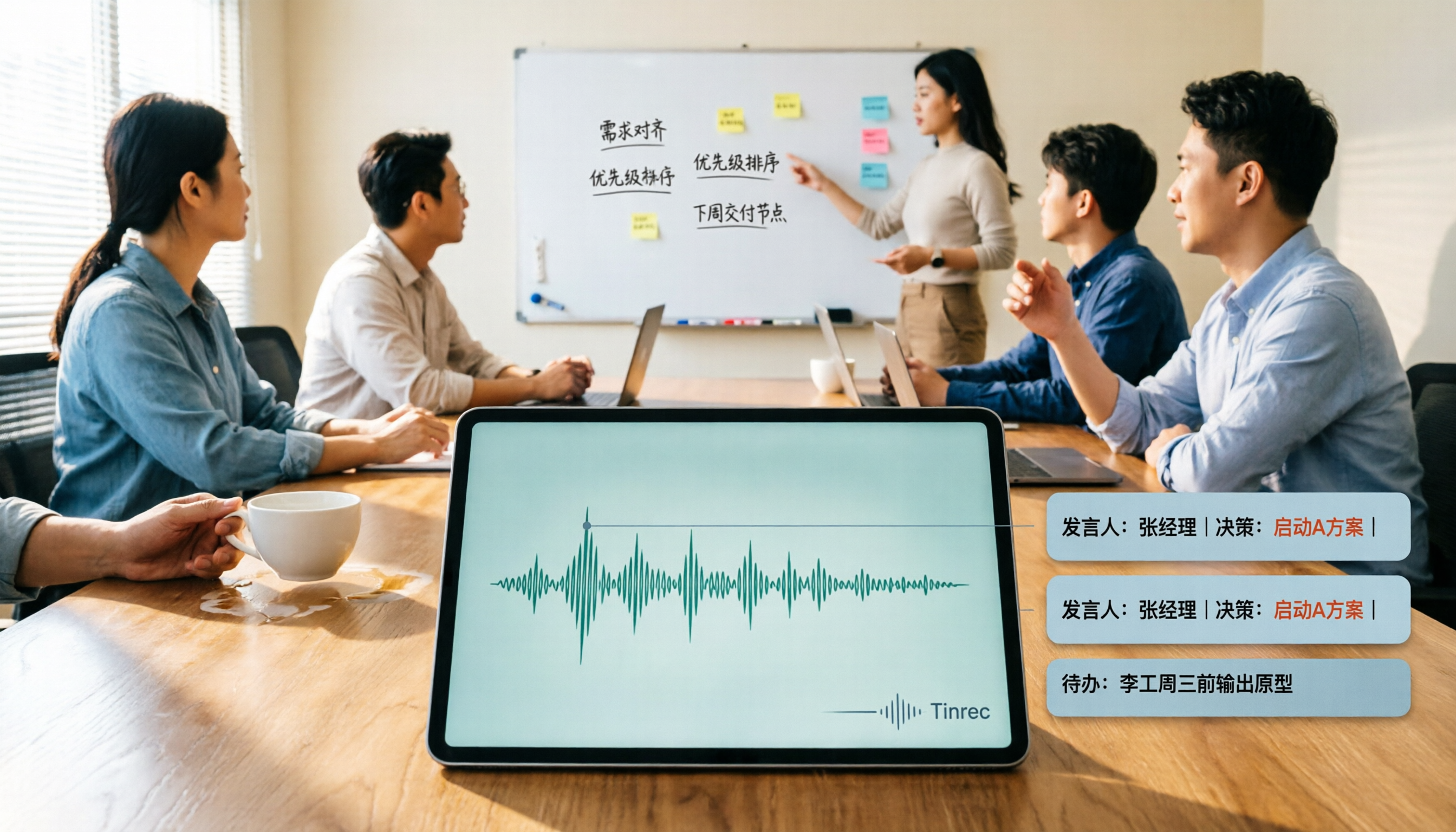
Scenario 2: Live transcription during the meeting, and exactly what you need right after. It generates a transcript in real time during the meeting, and you can switch between original text, translation, or bilingual view—no need to find a separate translator for cross-language meetings. As soon as the meeting ends, the summary, chapters, and action items are already generated. I usually do just one thing: screenshot the action item list and paste it into the team group chat, tagging whoever is responsible. This used to take me 40 minutes; now it takes about 3 minutes.
Scenario 3: This is the reason I ultimately kept it—you can directly "ask" the meeting. After recording, I don't have to scroll through from the beginning. I just ask it: "What was the final decision about the budget in the last meeting?" "Who mentioned waiting for legal confirmation?" It doesn't give me a bunch of keyword search results, but answers organized based on the content. Among tools in the same price range, I haven't seen another that makes this process so smooth. For someone with 15 meetings a week, this is where the real time savings are.
Stop organizing recordings by hand
Upload audio or video and automatically get a transcript, summary, and action items
Scenario 4: Results can be brought back into your existing workflow. Meeting data can be exported to Notion, Google Docs, OneNote, or Dropbox for further editing; when you need to submit a report, its Agent post-processing can directly generate reports, tables, and documents based on the meeting content, so you don't have to start from scratch.
About accuracy—I won't give you a pretty number. Claims like "98% accuracy" don't mean much in a real meeting room. Our actual experience: in a quiet meeting room with a single speaker, the transcript barely needs editing; with multiple people talking over each other, plus air conditioning and keyboard noise, names, numbers, and proper nouns definitely need to be double-checked. The real value isn't zero errors, but saving the time of "finding the conclusion in 40 pages of text." For important matters, I still click back to that second in the recording to confirm.
Limitations—I'll be direct about them too. First, the free version has a quota. If you have meetings every day like me, you'll eventually need to pay. The personal version has Free, Weekly Pass, Pro Monthly, and Pro Annual. My advice is to choose based on your task: for occasional transcription of a recording, the free version is enough; for a short-term project sprint, use the Weekly Pass; if you have regular meetings every week, go straight to Pro. Second, the team version isn't "multiple people sharing one account," but an independent team space. Members have roles (Owner, Admin, Member) and seats—members without a seat can still view, play, and read team data, but cannot upload, edit, or export. Also, the desktop version requires you to press record yourself; it's not a bot that automatically joins all calendar meetings.
How is the team version billed? Team monthly is USD 29.80 per paid seat per month; annual is USD 199 per paid seat per year (about USD 16.58 per month). First-time eligible users get 7 days, 1 free seat, and 300 minutes of shared team import quota; paid seats provide 2,000 minutes of shared import quota per month; real-time recording under an active seat is currently not deducted by the minute. Actual prices and benefits are subject to the official purchase page.
For managers, the team version really solves governance issues: members, seats, usage analytics, audit logs, team hotwords, audio recycle bin (accidentally deleted files can be restored within 30 days), and resource handover when a member leaves. These are not available in personal accounts.
Who it's for: People who have more than 5 meetings a week, need to ask follow-up questions about details after meetings, or want meeting data to stay with the team rather than a personal account.
Besides Tinrec, what other options are there?
Otter.ai — a mature choice for English meetings. Basic is free for 300 minutes per month; Pro annual works out to about USD 8.49 per user per month, including 1,200 minutes per month. If 90% of your meetings are in English, its experience is solid. But when we put our Chinese and mixed Chinese-English meetings into it, correcting proper nouns took more time; also, the team hotword management and member departure resource handover mechanisms that Tinrec has are things we actually use, but Otter's plan doesn't particularly emphasize.
Notta — a direct competitor for multilingual transcription. The free version offers 120 minutes per month, up to 3 minutes per session; Pro annual works out to about USD 8.17 per month, 1,800 minutes per month. Its multilingual recognition is decent, suitable for scenarios with large file imports. However, it mainly relies on meeting bots or file uploads; a recording method like Tinrec's desktop version that doesn't enter the participant list is a path we feel more comfortable with in client meetings.
Yating Transcription — a veteran local brand in Taiwan. Its recognition of Taiwanese accents and Traditional Chinese is indeed good, with 300 free minutes per month, but they must be used within 30 days of registration, and transcription speed is relatively slower. What it does is "turn sound into correct text," and it does that solidly; but post-meeting summaries, action items, and follow-up questions about content are not its focus—after you get the transcript, you still have to organize it yourself.
Pitfall guide: the 4 most common mistakes when choosing an AI transcription tool
Pitfall 1: Looking only at free minutes, not post-meeting output. Some people choose a tool that only gives plain text just to get 200 more minutes a month, but end up spending half an hour organizing each meeting themselves. They save on subscription fees but lose work hours.
Pitfall 2: Assuming bots are always the answer. Meeting bots are convenient, but when external clients are present or company security doesn't allow third-party services into meetings, they become a problem. Before choosing a tool, think clearly: do you mostly have internal or external meetings?
Pitfall 3: Treating a transcript as meeting notes. This is the most common mistake. A transcript is raw material; meeting notes are the finished product. If you don't do the "summary + action items + owners" step after recording, no one will open that file three months later.
Pitfall 4: Teams sharing a single account. It looks like saving money in the short term, but problems arise in the long term: when someone leaves, data goes with them; you can't track who uploaded what; no one knows who used up the quota. The roles, seats, usage, and audit features that a team version should have aren't for micromanaging people—they're for keeping data intact.
One last often-overlooked reminder: recording and transcription involve personal data. Before a meeting, inform participants and obtain consent—this is basic courtesy and a legal requirement.
Conclusion: Which one should you choose?
In one sentence: If your meetings are in Chinese or mixed Chinese-English, and what you care about is quickly getting conclusions and action items after the meeting, Tinrec is currently the most hassle-free choice.
By scenario:
- Need bot-free recording of online meetings (Zoom, Meet, Teams, Webex) → Tinrec; the desktop version captures system audio without affecting the participant list.
- Want to directly ask "What was the conclusion last time?" after recording → Tinrec; this is its biggest difference from most pure transcription tools.
- Need to submit meeting notes to your boss or client → Tinrec; summaries, chapters, and action items can be further generated into reports and documents for export.
- Leading a team and caring about data ownership and handover → Tinrec team version, with team space + roles + seats + usage and audit.
- Meetings are 90% English and you only need basic transcription → Otter.ai's free 300 minutes is enough to test the waters.
My advice: don't rush to pay. Use Tinrec's free version for two or three of your meetings next week and experience what it's like to "not have to re-listen to recordings after a meeting." If you start getting used to asking questions directly about meeting content, then consider upgrading or discussing the team version. When it comes to tools, trying once is more accurate than reading ten reviews.
(Final reminder: AI summaries can miss things. For content involving amounts, contracts, or committed timelines, please check back against the transcript timestamps and recording—this is a habit every manager should have.)
References
- No time limit! 3 free AI transcription tools, highly recommended! AI voice notes generate meeting records, presentations, mind maps | 104 Career Power
- [AI Voice Notes] 5 highly recommended AI speech-to-text tools! Help you generate transcripts and meeting notes highlights, free vs subscription, pros and cons comparison | 104 Career Power
- EP10 | Boss wants meeting notes: How to choose an AI transcription tool? – Knowledge Nomad Studio
- [Transcription tool recommendations] 5 super useful AI speech-to-text tools! Quickly help you generate transcripts and meeting minutes
- Want to transcribe audio files for free? 5 must-recommend "transcription" tools to help you get it done quickly
Turn every recording into actionable outcomes
Get 60 free transcription minutes when you sign in. No credit card required.
Related Reading
You might also like

2026 AI Meeting Recorder Comparison: Which Free Version Is Actually Enough?
We tested six AI meeting recorder tools, comparing free plans and paid limits—covering Chinese transcription, bot-free recording, post-meeting summaries, and team collaboration—to help you find the one that truly fits your needs.

2026 Online Transcription Tools Buying Guide: 2 Hands-On Tests and Selection Advice
Starting from common misconceptions, this hands-on comparison of Tinrec and oTranscribe examines five dimensions: automatic transcription, meeting capture, post-meeting organization, export and workflow integration, and team collaboration, helping you decide which tool fits your meeting workflow.

2026 Comparison of 4 Meeting Notes Automation Tools: Which One Can Actually Deliver After the Meeting?
From transcripts and summaries to action items and team knowledge retention, this article compares Tinrec, Granola, TurboScribe, and Otter.ai in terms of features and workflow to help you decide how to choose a meeting notes automation tool.

5 Best AI Meeting Notes Tools in 2026: Tinrec vs. Notta vs. Otter — Which Writes Meeting Minutes Faster?
Meeting just ended but you still need an hour to retype notes? This practical guide breaks down a fast meeting-minutes workflow with templates, and compares Tinrec, Notta, Otter, Fireflies, and Granola on live transcription, AI summaries, action-item extraction, and team collaboration—so you can deliver trackable minutes the same day.

2026 Comparison of 3 Medical Meeting Documentation Tools: Which One Turns Morning Meeting Notes into Searchable Team Data?
The challenge of medical meeting documentation isn't recording—it's whether the records can be tracked and handed off afterward. This article starts from the practical pain points of morning meetings, case discussions, EBM discussions, and health insurance-related meeting records, outlines 4 key purchasing criteria, tests Tinrec, Otter.ai, Notta, and PLAUD to see who each suits, and lists the 4 most common pitfalls.

3 Free Automatic Transcription Tools in 2026: Free Tiers and Meeting Notes Comparison
Looking for a free automatic transcription tool? First decide whether you need free speech-to-text or a tool that turns transcripts into meeting notes. This article compares the free tiers, input sources, post-meeting outputs, and team capabilities of Tinrec, Otter.ai, and Notta based on publicly available plan information as of August 2026, and clearly notes limitations. This is not a timed hands-on test; plans are subject to official websites.

4 Free Transcription Tools to Try in 2026: Free Tiers and Meeting Notes Comparison
Transcription takes too long—not because you type slowly, but because you keep rewinding, proofreading, and organizing after meetings. This article compares Tinrec, Otter.ai, Granola, and TurboScribe from four angles: free tier limits, recording retention, post-meeting organization, and team collaboration, and summarizes common pitfalls and selection advice.
2026 AI Meeting Summary Tools Tested: Which One's Chinese Meeting Summaries Are Actually Ready to Use?
The real cost of meeting notes often isn't typing—it's moving recordings, transcripts, and summaries around. Starting from common misconceptions, this article uses the same 'deliver notes after the meeting' workflow to test and compare Tinrec, Otter.ai, Notta, and Granola on meeting capture methods, Chinese performance, post-meeting outputs, and team management, plus four pitfalls to avoid before purchasing.

6 Best Audio-to-Text Tools in 2026: Transcription, Summaries & Team Collaboration Compared
Recording is just the beginning. This comparison focuses on what these tools can do after transcription, covering input sources, post-meeting organization, and team features for Tinrec, Otter.ai, Fireflies.ai, Notta, TurboScribe, and Granola. We also break down free tiers and paid plans to help you choose the right fit for your meetings and budget.