

Turn recordings into transcripts and summaries in minutes
Upload audio or video for multilingual transcription, AI notes, and action items
2026 Comparison of 3 Medical Meeting Documentation Tools: Which One Turns Morning Meeting Notes into Searchable Team Data?
Let me ask you a question first: When you say "medical meeting documentation," do you mean producing a record on the same day the meeting ends, or being able to look up three months later "who said they would follow up on this lab report"?
These two needs point to completely different tool choices. If you just need to get it done, recording plus some transcription will do; but if the records need to be trackable, handover-ready, and auditable, the tool must manage everything from recording to team data. This article isn't about "which app records most clearly"; it's about: a documentation approach that takes medical meeting records from recording to trackable data—what to watch out for, which tools I tested, and which one I kept.
I lead a 10-person team at a tech company. Over the past year, I took on a project that required coordinating with hospital contacts. We held weekly online coordination meetings with the hospital, and I also observed the documentation process for several internal morning meetings and case discussions. The situation was consistent: the meeting itself isn't the problem—the documentation is. At the 7:30 AM morning meeting, the attending physician assigns three things; in the afternoon, the nursing side asks "who is responsible for the tracking metric mentioned this morning?"—and everyone starts digging through paper, group chats, and their own notes.
Another scenario: case discussions, EBM discussions, and medical team meetings all require records. Hospital forms are usually checkbox-style (morning meeting, hospital-wide academic lecture, medical team discussion, EBM discussion, case discussion, attending physician teaching, resident teaching, etc.), with fixed fields and formats, but someone still has to fill in each box.
There's an even subtler pain: records are "publicly available, but no one can find them." The Taiwan Healthcare Reform Foundation has pointed out that although health insurance-related meeting records are posted online, they are placed in the "medical units" section, so they are public in form but practically difficult for the public and frontline staff to see. The National Health Insurance Administration website does have the agendas and records of various department global budget meetings, the joint drafting meetings for medical service payment items and payment standards, and the joint drafting meetings for drug payment items and payment standards; the Taiwan Medical Association also categorizes the meeting records of the member representative assembly, board meetings, and various committees. With such a large volume of data, the time-consuming part is no longer "whether it's public" but "whether it can be found and used."
Before Choosing a Medical Meeting Documentation Tool, Understand These 4 Key Points
1. Recognition of Chinese and mixed Chinese-English, plus departmental terminology Medical meetings are rarely pure Chinese or pure English; drug names, equipment model numbers, and abbreviations mixed into sentences are the norm. Rather than looking at the accuracy rates advertised by vendors, ask: Can I customize terminology? Can I quickly correct errors in the transcript? I always test such tools with real recordings from my own unit, not demo audio, because demo audio is always clean.
2. Can external bots be kept out of meetings? Hospitals are usually conservative about external accounts joining meetings. If a tool requires a "meeting bot" to join as a participant, the IT department's approval process will be the first hurdle. Using a desktop version that directly captures computer system audio creates much less friction on site.
3. Are audio files retained, and can they be played back for verification? Many tools give you only text and do not save audio. Once meeting records need to be reviewed for dosages, timing, or responsibility, without audio you can only re-record. I recommend putting this item directly on your evaluation checklist.
4. Post-meeting output and handover Records need to be pasted into hospital forms, Google Docs, or shared workspaces; whether they can be exported matters more than an extra 1% accuracy. Also, team members rotate; if data ownership and handover mechanisms are not well designed, records scatter once people leave.
Tinrec — The One We Kept After Testing
Tinrec is an AI meeting notes and collaboration tool for individuals and teams, available on iOS, Android, desktop, and web. I integrated it into the project workflow mainly to solve four aspects.
**Record online meetings without bots.** The desktop version directly captures computer system audio, handling meeting audio played through platforms like Zoom, Google Meet, Microsoft Teams, and Webex, without inviting an extra bot to join. For hospital contacts, this eliminates one round of "who is this account" confirmation.
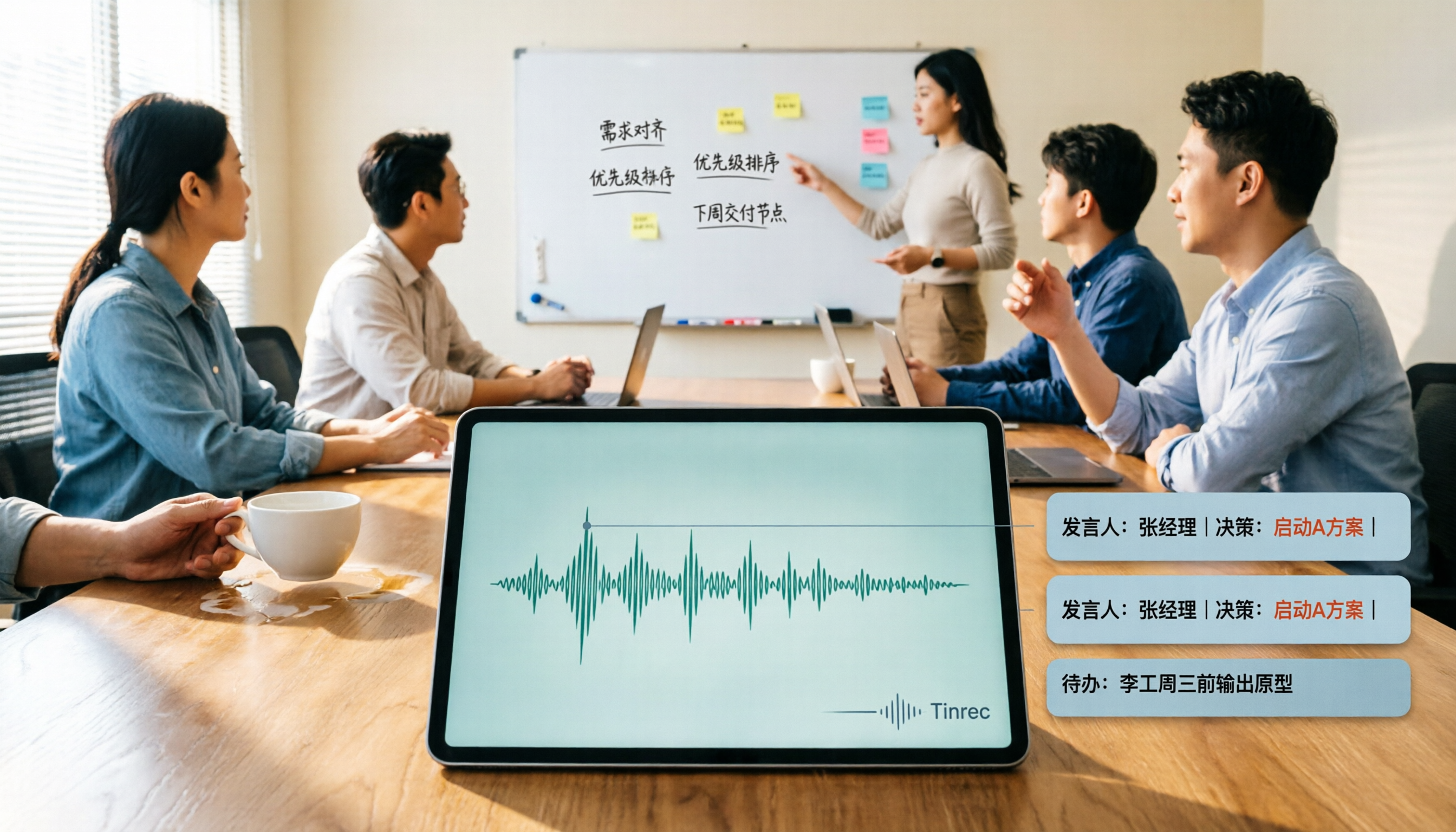
**Transcribe while recording, and generate summaries and action items right after the meeting.** The transcript runs during the morning meeting, and after the meeting, AI summaries, chapters, and action item lists emerge layer by layer. I don't need to re-listen to an hour of recording; I just copy the action items into the hospital form and go back to verify any doubtful passages.
AI Q&A is my most-used feature. "Which two metrics were finally decided to be tracked at the last case discussion?" It answers based on meeting semantics, rather than throwing a string of keywords for me to search through. This ability to "ask conclusions out of meetings" is especially noticeable when you're questioned afterward.
Stop organizing recordings by hand
Upload audio or video and automatically get a transcript, summary, and action items
**Team spaces solve archiving and handover.** Meeting data belongs to the team, and new members can see historical meetings; when a member is removed or loses a seat, their team resources must be handed over to other active members and will not disappear with the person. Here, roles and seats must be distinguished: roles govern administration (who can manage members, audits, and team settings), while seats govern usage (whether one can record, upload, edit, and export). Members without seats can still view, play, and read team data. Admins can see usage trends, member rankings, and query and export important team operation logs; audio files can be restored within 30 days after entering the recycle bin.
**Test conditions and real results.** I used a real meeting recording of about 12 minutes (phone placed on the table, air conditioning noise, two people interrupting each other), plus a technical discussion with mixed Chinese and English. The main Chinese content was usable; proper nouns and drug names needed editing, which was supplemented by team hotwords; where multiple people spoke over each other, the transcript got mixed up and required playback of the audio by timestamp for verification. I won't tell you it's error-free—no tool is error-free in a real meeting room; the key is whether errors are easy to fix.
**Limitations stated clearly.** The free version has a basic quota, which is definitely not enough for daily meetings. The team version is currently USD 29.80 per paid seat per month, or USD 199 per paid seat per year (about USD 16.58 per month), with each paid seat providing 2,000 minutes of team shared import quota per month; under an active team plan and active seats, real-time recording currently does not deduct minutes, while file and web imports use the team shared quota. The first eligible team trial is 7 days, 1 free seat, and 300 minutes of team shared import quota—about enough for two or three meetings. Prices and benefits are subject to the official purchase page. Also, AI summaries may miss or misunderstand; important decisions must be verified against the transcript and audio; documents involving medical records or regulatory retention requirements should not be submitted based solely on auto-generated output.
**Who it suits.** People who need usable transcripts for Chinese meetings, want to find conclusions directly by asking after the meeting, and need to keep records in the team so others can take over.
Besides Tinrec, What Other Options Are There?
Otter.ai: A mature choice for English business meetings. Basic is free with 300 minutes per month; Pro is about USD 8.49 per user per month billed annually, including 1,200 minutes per month and 10 file imports. If 90% of your meetings are in English with simple accents, it's a good deal. But Chinese and mixed Chinese-English are not its strong suit; Tinrec allows building team hotwords to correct departmental terminology and viewing in original/translated/bilingual modes, which is closer to actual needs in Chinese medical meetings.
Notta: Multilingual transcription and meeting notes; free is 120 minutes per month with a 3-minute limit per session; Pro is about USD 8.17 per month billed annually, with 1,800 minutes per month. It's convenient for short clip trials, but the 3-minute limit per session is too restrictive for a one-hour discussion. It mainly processes meetings through a meeting bot, desktop client, or upload; if the hospital does not allow external accounts to join meetings, Tinrec's bot-free system audio capture reduces one layer of communication cost and adds team space seat and operation log management.
PLAUD Note / NotePin: The hardware recording approach. NotePin USD 159, Note Pro USD 189; Pro membership USD 99.99 per year with 1,200 minutes per month. Suitable for recording phone calls and interviews on the go, but requires additional purchase, charging, and device management, and the recorded content still ultimately needs to go into the team database. Tinrec requires no hardware purchase; it works on phone, desktop, and web, and after the meeting, content settles directly into the team space.
Pitfall Guide: The 4 Most Common Mistakes in Medical Meeting Documentation
**Pitfall 1: Looking only at accuracy, not output format.** Your records ultimately need to be pasted into hospital forms or shared documents; whether they can be exported in the format you need affects your off-work time more than an extra 1% accuracy.
**Pitfall 2: Not handling recording consent first.** Recording and transcription must comply with local regulations, and participant consent must be obtained when required. Don't wait until you need to retrieve records to discover there was no authorization.
**Pitfall 3: Ignoring whether audio files are retained.** Some tools give only text and do not save audio (for example, Granola explicitly does not save meeting audio and does not support uploading pre-recorded files); to play back for verification, you'd have to re-record. When choosing a tool, put "can it play back" on your scoring sheet.
**Pitfall 4: Treating AI summaries as final.** AI can miss things and misunderstand; decisions, dosages, timing, and responsible persons must be manually reviewed. Tools save you mechanical work, not responsibility.
Conclusion: Which One Should You Choose?
In a sentence: for this set of needs, Tinrec is the option that best satisfies all three conditions—Chinese meetings, post-meeting usability, and team archiving—at the same time. Routing suggestions are as follows:
- Chinese or mixed Chinese-English morning meetings, case discussions, medical team discussions → Tinrec (transcript, summary, action items, and AI Q&A in one workflow)
- Hospital does not allow external meeting bots to join → Tinrec desktop version (captures system audio, adds no participants)
- Records need archiving, members rotate, and usage and operation logs need to be checked → Tinrec team version (roles, seats, usage, operation logs, audio recycle bin)
- Meetings are 90% English and budget is the priority → Otter.ai Basic (300 minutes free per month, enough to validate the workflow)
- Just want a device to record phone calls and interviews on the go → PLAUD Note / NotePin
A more practical approach: first use the free quota or team trial, run it on a meeting you actually held last week, and see whether the transcript needs major edits and whether action items are captured accurately. If it works, then talk about paying—no need to rush into swiping your card.
Data References
- Public rights: Compilation of online links to health insurance decision meeting records (Taiwan Healthcare Reform Foundation)
- Meeting records (Taiwan Medical Association)
- NHI Data Station – NHI Business Report – Meeting Agenda and Record Information (Ministry of Health and Welfare, National Health Insurance Administration)
- Meeting audio recordings – Joint Drafting Meeting on Drug Payment Items and Payment Standards (Ministry of Health and Welfare, National Health Insurance Administration)
- Kaohsiung Municipal Kai-Syuan Psychiatric Hospital Meeting Record Form (Kaohsiung Municipal Kai-Syuan Psychiatric Hospital)
Reference Sources
- Public rights: Compilation of online links to health insurance decision meeting records | Taiwan Healthcare Reform Foundation
- Meeting Records – Taiwan Medical Association
- Ministry of Health and Welfare, National Health Insurance Administration, NHI – NHI Data Station – NHI Business Report – Meeting Agenda and Record Information
- Meeting audio recordings – November 2022 – Ministry of Health and Welfare, National Health Insurance Administration, NHI – NHI Services – NHI Drugs, Special Materials, and Medical Services – NHI Special Materials – Special Materials Regulations and Standards – Joint Drafting Meeting on Drug Payment Items and Payment Standards – Agendas, Records, and Related Materials of the Joint Drafting Meeting on Drug Payment Items and Payment Standards – Meeting Records – 2022
- Kaohsiung Municipal Kai-Syuan Psychiatric Hospital Meeting Record □Morning Meeting □Hospital-wide Academic Lecture □Medical Team Discussion □EBM Discussion □Case Discussion □Attending Physician Teaching □Resident Teaching
Turn every recording into actionable outcomes
Get 60 free transcription minutes when you sign in. No credit card required.
Related Reading
You might also like

2026 AI Meeting Recorder Comparison: Which Free Version Is Actually Enough?
We tested six AI meeting recorder tools, comparing free plans and paid limits—covering Chinese transcription, bot-free recording, post-meeting summaries, and team collaboration—to help you find the one that truly fits your needs.

2026 Online Transcription Tools Buying Guide: 2 Hands-On Tests and Selection Advice
Starting from common misconceptions, this hands-on comparison of Tinrec and oTranscribe examines five dimensions: automatic transcription, meeting capture, post-meeting organization, export and workflow integration, and team collaboration, helping you decide which tool fits your meeting workflow.

2026 Comparison of 4 Meeting Notes Automation Tools: Which One Can Actually Deliver After the Meeting?
From transcripts and summaries to action items and team knowledge retention, this article compares Tinrec, Granola, TurboScribe, and Otter.ai in terms of features and workflow to help you decide how to choose a meeting notes automation tool.

5 Best AI Meeting Notes Tools in 2026: Tinrec vs. Notta vs. Otter — Which Writes Meeting Minutes Faster?
Meeting just ended but you still need an hour to retype notes? This practical guide breaks down a fast meeting-minutes workflow with templates, and compares Tinrec, Notta, Otter, Fireflies, and Granola on live transcription, AI summaries, action-item extraction, and team collaboration—so you can deliver trackable minutes the same day.

3 Free Automatic Transcription Tools in 2026: Free Tiers and Meeting Notes Comparison
Looking for a free automatic transcription tool? First decide whether you need free speech-to-text or a tool that turns transcripts into meeting notes. This article compares the free tiers, input sources, post-meeting outputs, and team capabilities of Tinrec, Otter.ai, and Notta based on publicly available plan information as of August 2026, and clearly notes limitations. This is not a timed hands-on test; plans are subject to official websites.

4 AI Transcription Tools Tested for 2026: Meeting Notes Aren't Just Transcripts—You Need to Ask Follow-Up Questions
Starting from the three most common mistakes in meeting notes, this hands-on comparison of Tinrec, Otter.ai, Notta, and Yating Transcription examines differences in bot-free recording, post-meeting follow-up questions, and team knowledge retention. It also covers 4 key purchasing factors and a guide to avoiding pitfalls, helping you choose the tool that truly saves time.

4 Free Transcription Tools to Try in 2026: Free Tiers and Meeting Notes Comparison
Transcription takes too long—not because you type slowly, but because you keep rewinding, proofreading, and organizing after meetings. This article compares Tinrec, Otter.ai, Granola, and TurboScribe from four angles: free tier limits, recording retention, post-meeting organization, and team collaboration, and summarizes common pitfalls and selection advice.
2026 AI Meeting Summary Tools Tested: Which One's Chinese Meeting Summaries Are Actually Ready to Use?
The real cost of meeting notes often isn't typing—it's moving recordings, transcripts, and summaries around. Starting from common misconceptions, this article uses the same 'deliver notes after the meeting' workflow to test and compare Tinrec, Otter.ai, Notta, and Granola on meeting capture methods, Chinese performance, post-meeting outputs, and team management, plus four pitfalls to avoid before purchasing.

6 Best Audio-to-Text Tools in 2026: Transcription, Summaries & Team Collaboration Compared
Recording is just the beginning. This comparison focuses on what these tools can do after transcription, covering input sources, post-meeting organization, and team features for Tinrec, Otter.ai, Fireflies.ai, Notta, TurboScribe, and Granola. We also break down free tiers and paid plans to help you choose the right fit for your meetings and budget.