

Turn recordings into transcripts and summaries in minutes
Upload audio or video for multilingual transcription, AI notes, and action items
2026 Tested: 5 Free AI Meeting Notes Tools Compared — Tinrec vs Fireflies Free for Chinese Meetings
There are many free AI meeting notes tools, but the word "free" hides big differences. Some free versions only transcribe a few minutes, some don't keep recordings, and some only give you a transcript without organizing action items.
Instead of signing up and trying them one by one, ask yourself three questions first: Is the free quota enough to finish a meeting? Does it handle Chinese and mixed Chinese-English smoothly? Can you directly find conclusions and action items after the meeting?
This article reviews 5 popular free options and includes Tinrec for comparison, helping you decide which one better fits your meeting scenarios.
Why are people looking for alternatives to free AI meeting notes tools?
Many people start with meeting bots or built-in platform transcription, then run into common pain points: the free quota runs out and cuts off, transcripts are long but lack key points, and meeting recordings are scattered across platforms.
For the average office worker, what you really need is not "transcribing the most words" but "knowing who needs to do what within ten minutes after the meeting."
If you feel the same way, a tool like Tinrec that puts transcription, summaries, action items, and Q&A into one workflow is worth checking out. It doesn't just turn voice into text; it organizes meeting content into data you can keep using.
Tinrec vs Fireflies Free: What's different in the core experience?
Chinese meetings and mixed Chinese-English
For teams in Taiwan, smooth Chinese support matters more than the number of supported languages. Fireflies Free provides basic transcripts, and source materials mention it integrates over 100 languages; Tinrec focuses on Chinese meeting transcription, mixed Chinese-English content organization, and real-time translation and bilingual viewing during recording.
If your meetings often include mixed sentences like "let's push this deadline to next week," Tinrec's Chinese scenario will feel closer to daily use.
Online meeting recording method
Fireflies typically joins online meetings as a meeting bot. Tinrec Desktop directly captures computer system audio, without an extra bot joining as a participant.
For external client meetings, having one less "participant" is usually less awkward. You can use Tinrec to handle meeting audio played on your computer from platforms like Zoom, Google Meet, Microsoft Teams, and Webex.
Note that this does not mean automatically joining all calendar meetings; the user actively opens Tinrec to start recording.
Depth of post-meeting organization
Fireflies Free focuses on basic transcripts and searchable meeting archives, which is helpful for "finding a specific quote later." Tinrec not only provides transcripts but also generates summaries, chapters, key points, and action items, and allows AI Q&A around meeting content.
Instead of manually flipping through 30 pages of transcript, just ask Tinrec: "What were the conclusions of this meeting?" "Who is responsible for what?" This is closer to what you actually need to do after the meeting.
Free quota and limitations
Fireflies Free offers 800 minutes of audio storage and basic transcripts, according to source reviews; Tinrec Free lets you experience recording, import, summaries, and transcription with a basic quota.
Neither should be understood as "all features unlimited." Free versions are suitable for validating the workflow first, confirming that transcription quality and organization results fit your meeting style, before considering an upgrade.
Team knowledge retention
Fireflies is more mature in team analytics and integrations; Tinrec Team provides an independent team space where meeting data belongs to the team, with management of members, roles, seats, usage, audit, and recycle bin.
If you're a solo user, just look at the personal free version first; if you need to share data with a department or project group after meetings, the team version differences become obvious.
Tinrec core features overview
Bot-free online meeting recording: Open Tinrec Desktop to directly capture computer system audio without inviting a meeting bot. Suitable for online meetings on Zoom, Google Meet, Microsoft Teams, and Webex.
Real-time recording to text and translation: Transcribe while recording, and view original text, translation, or bilingual content during recording. Cross-language meetings don't need to wait until after the meeting.
AI summaries, chapters, and action items: Long meetings automatically split into chapters, key points are extracted, and action items are identified. No need to re-listen to a two-hour meeting to quickly grasp the discussion flow.
AI Q&A: Ask questions about a single meeting or multiple meetings, such as "What does the client care about most?" "What needs to be done before the next meeting?" It answers based on semantic understanding.
Multi-format export and Agent post-processing: Take results to Notion, Google Docs, OneNote, Dropbox, and other tools for continued use, and generate reports, tables, and documents.
Team space: The team version centralizes meeting recordings, transcripts, summaries, action items, and member management in one space, making meeting data searchable, queryable, and reusable.
Stop organizing recordings by hand
Upload audio or video and automatically get a transcript, summary, and action items
Real-world use cases
Weekly department meetings
Weekly meetings often suffer from "lots of discussion, few conclusions." Use Tinrec to record and transcribe simultaneously, then directly view summaries and action items after the meeting. Who is responsible for which item and what the deadlines are is much faster than flipping through transcripts.
Client interviews and requirements meetings
Client meetings often mix requirements, objections, and commitments. Tinrec keeps the transcript and lets you use AI Q&A to ask "What budget constraints did the client mention?" "What did we commit to?" This saves considerable time when preparing proposals afterward.
Cross-language meetings
If the meeting includes English or Japanese content, Tinrec's real-time translation and bilingual viewing let you grasp the gist during recording without waiting for full translation afterward.
Personal courses and notes
Beyond meetings, Tinrec is also suitable for organizing courses, interviews, and long recordings. The free version lets you try the basic quota first, and consider upgrading if the workflow feels smooth.
Things to watch when choosing a free AI meeting notes tool
How the free quota is calculated: Is it based on uploaded minutes, recording minutes, or storage space? Some free versions only transcribe a few minutes, while others limit file length. Tinrec Free provides a basic quota suitable for running through a complete workflow first.
Whether recordings and transcripts are retained: Some tools don't save meeting audio, making it troublesome to re-listen to a specific quote later. Tinrec supports retaining recordings and transcripts, and can handle accidentally deleted audio through the team recycle bin.
Chinese and proper noun recognition: A long language support list doesn't guarantee smooth Chinese meetings. Look for whether the tool supports mixed Chinese-English, real-time translation, and team hotwords. Tinrec has corresponding designs, but actual results are still affected by recording quality, accents, noise, and overlapping speakers.
Whether action items can be produced directly after the meeting: Tools with only transcripts still require manual organization after the meeting. Tinrec automatically extracts action items and can further generate reports, tables, and documents, suitable for those who need post-meeting deliverables.
Team collaboration and data ownership: If meeting data needs to be shared, first confirm whether data belongs to individuals or the team. Tinrec Team's meeting data belongs to the team, and resources can be handed over when members change, rather than being tied to personal accounts.
How Tinrec differs from 4 popular free tools
Tinrec positions itself as an "AI meeting notes and team collaboration tool," focusing on bot-free recording, Chinese meetings, post-meeting Q&A, and team knowledge retention. The other 4 tools have different focuses:
- Fireflies Free: 800 minutes of audio storage, basic transcripts, and searchable meeting archives, suitable for English meetings and teams needing integrations like Slack.
- EaseMate AI: Free online transcription with timestamps, speaker identification, and key point summaries, plus AI chat for organizing notes.
- Fathom: Source reviews mention the free version offers unlimited recording, unlimited transcripts, and basic AI summaries, suitable for independent workers.
- PLAUD: Starter plan offers 300 minutes per month and requires card-style or wearable recording hardware, suitable for on-the-go recording scenarios.
Simply put, if you want "usable meeting data right after the meeting," Tinrec's workflow is more complete; if you only need basic transcripts or hardware-based portable recording, other options have their own suitable scenarios.
Conclusion: Is Tinrec worth a try?
If you need Chinese meeting transcription, don't want a meeting bot joining online meetings, and want to directly get summaries and action items after the meeting, Tinrec is one of the few choices that puts these three things into one workflow.
The free version lets you try the basic quota and run through the workflow with your next meeting: record, transcribe, view summary, ask AI, export. This is more direct than reading any review.
For teams sharing meeting data, check out the team version's 7-day trial and seat design; official pricing and benefits are subject to the purchase page.
FAQ
Q1: Are free AI meeting notes tools really completely free?
Most tools have free versions but usually limit minutes, storage, or advanced features. It's advisable to confirm whether the free quota is enough to finish a meeting and whether you can export the formats you need afterward.
Q2: What can Tinrec Free do?
Tinrec Free provides a basic quota to experience recording, import, summaries, and transcription. Actual quotas and feature limits are subject to the product page; it's recommended to test with a short meeting first.
Q3: Which online meeting platforms does Tinrec support?
Tinrec Desktop can handle meeting audio played on your computer from platforms like Zoom, Google Meet, Microsoft Teams, and Webex, without a bot joining the meeting.
Q4: Can I record Zoom without a meeting bot?
Yes. Tinrec Desktop directly captures computer system audio, initiated by the user. This is not automatically joining all calendar meetings; you need to open Tinrec when the meeting starts.
Q5: What's the difference between Tinrec Team and Personal?
Personal data is managed under a personal account; the team version provides an independent team space where meeting data belongs to the team, plus capabilities for members, roles, seats, sharing benefits, usage analytics, audit logs, and recycle bin. The team version currently offers a 7-day trial for first-time eligible users, 1 free seat, and 300 minutes of team shared import quota; subsequent monthly payment is USD 29.80 per paid seat per month, annual payment is USD 199 per paid seat per year.
Q6: What should I note about privacy and consent for meeting recordings?
Before recording and transcription, confirm local laws and organizational policies, and obtain participant consent when necessary. Tinrec provides team permissions and audit capabilities, but actual use should follow company policies for handling sensitive content.
References
- AI Meeting Note Taker: Free Online AI Meeting Notes - EaseMate AI
- No Time Limit! 3 Free AI Transcript Tools, Highly Recommended! AI Voice Notes Generate Meeting Minutes, Presentations, Mind Maps | 104 Career Power
- 5 Truly Free AI Meeting Notes Tools! 2026 Complete Test of Free Voice-to-Text Versions, Which Transcript Tool Is Best?
- AI Meeting Notes Software Recommendations: 5 Apps Tested and Compared, Automatic Transcription Makes Meetings Easy!
- Still Taking Meeting Notes by Hand? These 3 AI Tools Save Time and Effort (The Third Is Free and Organizes Fastest)::I'm Chi
Turn every recording into actionable outcomes
Get 60 free transcription minutes when you sign in. No credit card required.
Related Reading
You might also like

4 Free Cantonese Speech-to-Text Tools Compared (2026): Which Free Tier Is Most Generous?
A roundup of 4 Cantonese speech-to-text tools that still offer free usage in 2026, comparing free quotas, sign-up requirements, key features, and limitations, with recommended use cases and selection advice. Information is based on each official page as of August 2026.

Tinrec vs Notta 2026: 5-Dimension Comparison for Meeting Transcription
The real difference in meeting transcription isn't whether it can transcribe, but whether you can deliver actionable conclusions within ten minutes after the meeting. This article compares Tinrec and Notta from the perspective of a mid-level manager, using five dimensions: bot-free recording, AI Q&A, audio retention, Chinese language experience, and team seat governance. It also includes a pitfalls guide and selection recommendations.

Tinrec vs Yating Transcribe 2026: 5-Dimension Comparison for Chinese Meeting Notes
A transcription app isn't just about converting speech to text. This article compares Tinrec and Taiwan's veteran Yating Transcribe across 5 dimensions: Chinese recognition, meeting audio capture, post-meeting usability, audio retention, and team permissions. It also covers 4 common pitfalls and scenario-based recommendations to help you choose the one that truly saves time.

4 Web Recording Tools Tested and Compared in 2026: Which One Turns Recordings into Transcripts Instantly?
Web recording is commonly used for online courses, meetings, and interview archives. This article starts with selection criteria and compares Tinrec, Chrome Audio Capture, Audacity, and VEED, explaining which is suitable for audio-only saving and which can produce transcripts and summaries right after recording, along with common pitfalls to avoid.

2026 AI Meeting Notes Tools Compared: No Meeting Bot Required for Actionable Minutes
Most people compare AI meeting note tools only on transcription speed, overlooking what happens after the transcript: summaries, action items, and team handoff. This article examines three common pitfalls, breaks down four key buying criteria, and tests Tinrec, Otter.ai, Notta, and Granola on bot-free recording, audio retention, post-meeting output, and team governance. It concludes with clear recommendations based on budget and use case.

2026 AI Meeting Recorder Comparison: 4 Tools Tested—Which One Actually Saves You Time?
Tired of re-listening to recordings and cleaning up transcripts after every meeting? This review breaks down the decision into three key questions: how meeting audio gets into the tool, what happens after transcription, and who owns team data. We tested Tinrec, Otter.ai, Notta, and Granola, and compiled buying tips, common pitfalls, and selection advice.

How to Choose a Meeting Notes App in 2026: Tinrec's Bot-Free Recording + AI Summaries & Action Items
How do you pick a meeting notes app? This guide starts with the key question: do you need a record or a conclusion? It covers the practical uses of meeting notes apps, 7 core capabilities, 4 use cases, and 5 buying considerations. Using Tinrec as an example, it explains bot-free online meeting recording, AI summaries, action item extraction, AI Q&A, and team plan roles and seats, with pricing for the free and team plans.

2026 Comparison of 4 AI Meeting Tools: Which Offers the Best Free Tier and Post-Meeting Organization?
We tested Tinrec, Otter.ai, Notta, and PLAUD Note, comparing audio capture methods, post-meeting organization, audio retention, and free tiers. We also highlight 4 common pitfalls to help you choose the tool that truly saves time.
2026 Comparison of 4 Recording-to-Meeting-Notes Tools: Which AI Meeting Assistant Actually Saves You an Hour?
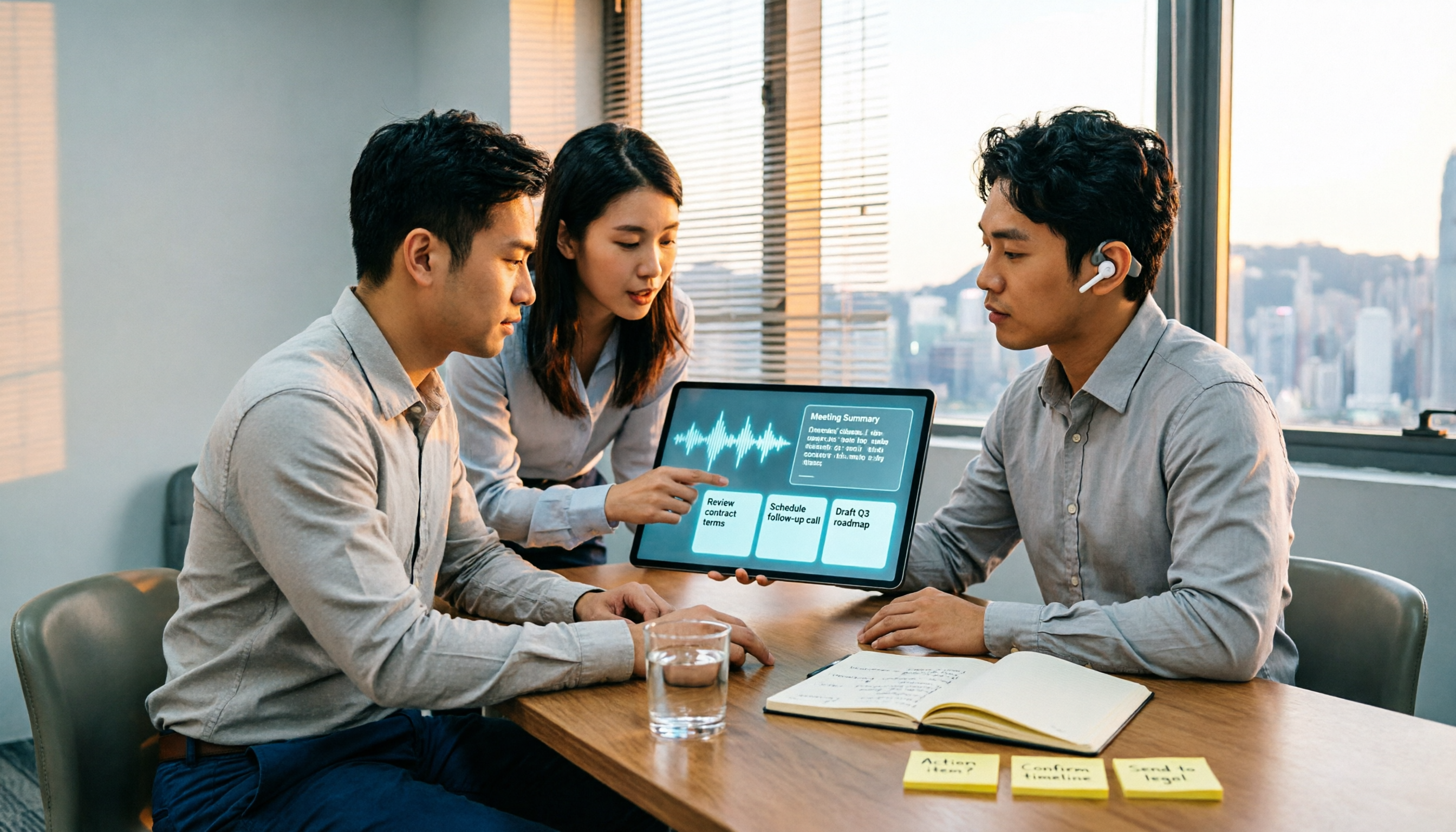
The meeting ends, but the real work begins. This article starts from the practical decision points Hong Kong office workers actually face, breaking down what recording-to-meeting-notes tools can do for you, what core capabilities they offer, and what to look for when choosing a tool. It uses Tinrec as a running example to demonstrate the complete workflow from recording to transcript, summary, action items, and team knowledge retention, while also explaining team plan roles and seat definitions.