

Turn recordings into transcripts and summaries in minutes
Upload audio or video for multilingual transcription, AI notes, and action items
4 Transcription Tools Compared for 2026: How Long Does Yating Take, and How Are Credits Calculated?
Disclosure: This article was prepared and published by the product team, featuring Tinrec. All third-party tool information has been verified against public sources and presented using the same standards to show each tool's strengths and limitations. This article is a compilation of public information and a feature comparison; no same-condition testing was performed. Descriptions involving processing speed and accuracy should still be verified in your own environment.
Meeting Ends at 2 PM—Why Is the Transcript Still Two Hours Away?
Your cross-departmental meeting wraps up on Friday afternoon. Your manager asks when the minutes will be ready, and all you have is a 90-minute recording.
So you start calculating: How long will the upload take? How long will transcription take? And after it's done, you still have to go through punctuation, speaker labels, and key points yourself—what really holds you up usually isn't those few minutes to convert speech to text, but the two hours after the text comes out.
Another common scenario is interview and lecture recordings: many files, variable lengths, and credits that get used up like mobile data. Before every upload, you wonder, "Will this use up my free minutes?"
If you're searching for "how long does Yating take," what you really want to confirm is three things: how long transcription takes, how long free credits last, and how long it takes to organize the transcript afterward. This article breaks down that equation.
Before Answering "How Long," Separate the Three Different Timelines
Timeline 1: Transcription processing time. Public tutorials describe it as "after uploading an audio file or recording live, wait a few minutes to preview the text." This is a general statement; actual time depends on file length, queue status, and network conditions, and no fixed number of seconds can be promised.
Timeline 2: How long credits last. This is what most people really care about. Public sources mostly indicate that Yating offers about 120 minutes of free trial credits after registration, after which payment is required; some sources mention about 300 minutes. The two figures are inconsistent, so refer to the official website and the actual credits shown in your account. If you have a 90-minute interview, after transcription and proofreading, your credits could indeed run out in one go.
Timeline 3: How long it takes to organize after you get the text. A raw transcript is "material," not a "deliverable." To turn it into minutes your manager can understand, you still need to pull out key points, divide into sections, and list action items—this manual time is usually longer than the transcription itself.
Choosing a Transcription Tool: Understand These 4 Key Points First
1. How credits are deducted. Some tools offer a fixed number of minutes per month, some sell hour packs (1 hour, 3 hours, 10 hours, stackable), and some charge per seat. Hour packs suit people with irregular usage; but if your team meets regularly every week, buying hours can easily turn into repeated monthly purchases.
2. How online meeting audio gets in. This is the most commonly overlooked point in practice. Using a "meeting bot to join the meeting" and "desktop capture of system audio" are two completely different approaches: the former leaves a record on the extra attendee list, while the latter doesn't require an extra account in the meeting.
3. Is there post-processing after transcription. Outputting only text versus automatically generating summaries, chapters, and action items are two different tiers of tools. The former tests your organizing efficiency; the latter pushes "material" directly toward "deliverable."
4. Data ownership and multi-user access. If transcripts are stored in personal accounts, data scatters when people leave; stored in a team space, they can be searched, questioned, and handed over. This is especially critical for teams of three or more.
Public Information Check for the Four Tools (Not Tested)
| Item | Yating | Good Tape | TurboScribe | Tinrec |
|---|---|---|---|---|
| Pricing model | Free trial credits, then purchase 1/3/10-hour packs, stackable | Refer to public information | Free 3 files per day; USD 120 per year | Personal free/weekly pass/Pro; team version per paid seat |
| Public claims on free credits | Most sources indicate about 120 minutes (some say 300 minutes, pending official confirmation) | Per official page | 3 files per day, 30 minutes per file | Free version offers basic credit experience |
| Post-meeting AI summary and action items | Third-party reviews mention mainly plain text output | Not a focus | Provides captions, translation, summaries | Summaries, chapters, action items, AI Q&A, Agent post-processing |
| Team collaboration | One account cannot be used on multiple devices simultaneously | Not a focus | Team capabilities on Business and above | Team space, roles, seats, usage, audit |
Information in the table was verified against public sources as of August 2026. Prices and benefits are subject to change; refer to each official page before purchasing.
Tinrec—The One to Look at First After This Information Review
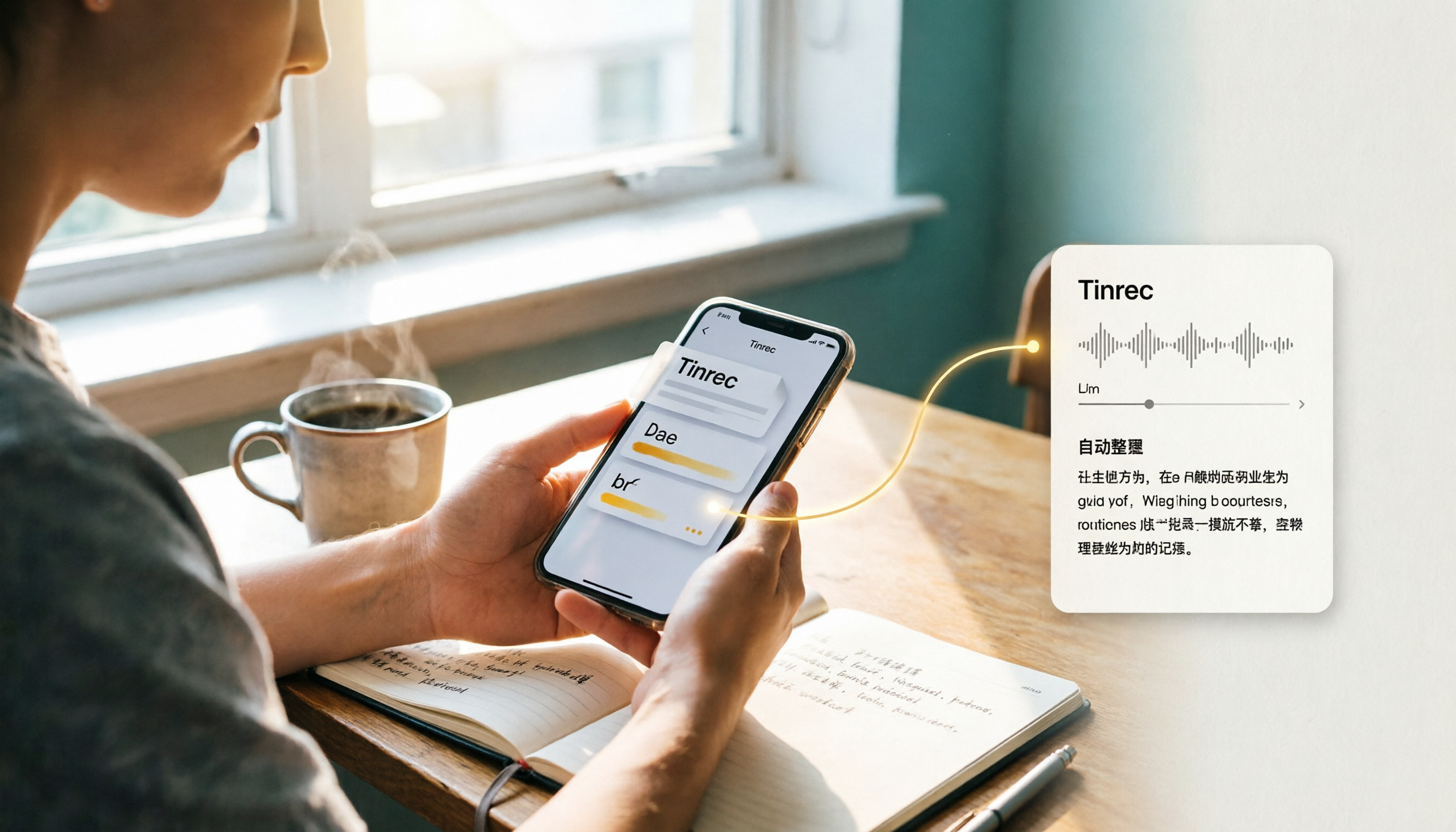
Tinrec is an AI meeting notes and collaboration tool for individuals and teams, available on iOS, Android, and web, with a desktop version for recording online meetings. Its biggest difference from pure transcription tools is that it extends "recording" into "usable data."
Stop organizing recordings by hand
Upload audio or video and automatically get a transcript, summary, and action items
No extra bot for online meetings. The desktop version directly captures computer system audio, so when handling Zoom, Google Meet, Microsoft Teams, Webex, and other meetings, you don't need to invite an extra bot to join. This is especially practical for client meetings—you don't need to explain an extra account on the attendee list. Note that this is not "automatically joining all calendar meetings," but rather you actively starting the recording.
Recording is not the end—it's the beginning. After the meeting, the system generates a transcript, summary, chapters, and action items, and you can ask questions directly about the content. For example, if you ask "Who mentioned the budget in the last meeting?" it returns an answer based on semantic understanding, rather than throwing a string of keywords for you to dig through. For meetings that often run 60 minutes or more, this saves the time of "re-listening."
Multilingual and bilingual view. Supports Chinese meeting transcription, mixed Chinese-English content organization, and real-time translation during recording, with switchable original text, translation, or bilingual comparison. Actual recognition performance is affected by recording quality, noise, accents, overlapping speakers, and technical terminology; it is not recommended to treat it as a zero-proofreading guarantee.
The team version addresses "data ownership." The team version is not multiple people sharing one personal account, but an independent collaboration space: you can create multiple teams, invite members via link, set owner/admin/regular member, and distinguish "roles" from "seats"—members without seats can still view, play, and read team data, but cannot upload, edit, or export. Administrators can view usage trends, member rankings, audit logs, and handle accidental deletions via the audio recycle bin (currently retained for 30 days). When a member leaves, team resources need to be handed over to other active members and are not taken away by the individual.
Current pricing and benefits: Team monthly USD 29.80 per paid seat per month; annual USD 199 per paid seat per year (equivalent to about USD 16.58 per month). Eligible teams can try 7 days, 1 free seat, and 300 minutes of team shared import credits for the first time; paid seats provide 2,000 minutes of team shared import credits per month, and live recording under an active plan is currently not deducted by minute. Document and web imports consume team shared credits. Actual prices and benefits are subject to the official purchase page.
Limitations stated clearly: The free version offers a basic credit experience; heavy users need to pay. If you need to process dozens of long files at once, it is not a tool focused on "batch file transcription."
Who it's for: People who have meetings every week, want summaries and action items directly after recording, or need to turn meeting data into team assets.
Besides Tinrec, What Other Options Are There?
Yating: A veteran local Taiwanese tool, known for recognizing Taiwanese accents, Taiwanese Hokkien, and local expressions, with a low learning curve and useful timeline comparison. Public sources mostly indicate about 120 minutes of trial credits upon registration, after which you purchase 1/3/10-hour packs that are stackable, but one account cannot be used on multiple devices simultaneously; some users report being unable to use the web version after installing the Mac app, and the Windows version cannot import AAC audio files. Third-party reviews also mention it mainly outputs plain text—if you want minutes and action items directly after the meeting, there is still manual work in between.
Good Tape: Often listed in public reviews for "quick temporary use, smaller files" scenarios, and easy to get started with. However, it is positioned more for one-off transcription; post-meeting summaries, follow-up questions, and team data management are not its main focus. If you need a long-term searchable meeting database, you'll need to find another solution for that.
TurboScribe: A cost-effective option for long files and batch transcription. The free version allows 3 files per day, 30 minutes per file; the paid version supports up to 10 hours or 5 GB per file and up to 50 files at once. If you have dozens of hours of historical recordings to clear out at once, it is more suitable than Tinrec for that; but live meeting recording, post-meeting Q&A, and team seat governance are not its focus.
Pitfall Guide: The 4 Most Common Mistakes When Choosing a Transcription Tool
Pitfall 1: Only looking at "how many free minutes" without calculating "how many minutes one meeting consumes." 120 minutes sounds like a lot, but a 90-minute interview plus proofreading can nearly exhaust it. First calculate how many meetings you have per month and their average length, then decide whether to buy hour packs.
Pitfall 2: Treating "transcription" as "delivery." A transcript is raw material. If the tool only gives text, your organizing time doesn't disappear—it just moves later. When choosing a tool, factor in "whether summaries and action items can be generated automatically" to get the true labor-hour calculation.
Pitfall 3: Ignoring platform and account limitations. Some people use Mac, some use Windows, and some record on mobile and organize on computer. Confirm in advance whether cross-device use is possible, whether one account can log in on multiple devices, and whether special formats (like AAC) can be imported—this is much cheaper than fixing it later.
Pitfall 4: Storing meeting data in personal accounts. When a colleague leaves or an account is deactivated, meeting records are cut off. For teams of three or more, prioritize solutions with team spaces and seat management, and understand that "who can view" and "who can edit" are two different things.
Conclusion: Which One Should You Choose?
Back to the original question: "How long does Yating take?"—transcription itself is a matter of minutes; what really determines how soon you can deliver is the credit calculation and post-meeting organization.
- Irregular usage, only need clean transcripts with Taiwanese accents, prefer paying by hours → Yating, start with a 1-hour or 3-hour pack to test the waters.
- Regular weekly meetings, want summaries and action items directly after recording → Tinrec, this is its biggest difference from pure transcription tools.
- Don't want an extra bot account in client meetings → Tinrec desktop version, directly captures system audio.
- Need a shared, transferable meeting database for the team → Tinrec team version, governed with roles and seats.
- Need to clear out dozens of long files at once → TurboScribe, long files and batch processing are its strengths.
Practical advice: First run one of your own real meeting recordings through the process to see whether the generated summary and action items actually save you organizing time, then decide whether to pay. For operations related to recording and transcription, please also remember to comply with local regulations and obtain consent from participants when needed.
References
- Is Yating free? How Yating pricing works and whether buying hours is worth it
- How long can Yating record? 2026 free transcription tool time limits and AI alternatives review - Tinrec Blog
- Yating complete guide: free version, pricing, and alternatives at a glance
- [Tutorial] How Yating pricing works in 2026: free 120 minutes + hour plans fully explained - Tinrec Blog
- 2026 Yating free plan summary: 3 ways to use it at a glance - Tinrec Blog
Turn every recording into actionable outcomes
Get 60 free transcription minutes when you sign in. No credit card required.
Related Reading
You might also like

How Many Words Per Minute Is a Normal Speaking Rate in 2026? 5 Steps to Estimate and Organize Transcripts with Tinrec
A typical Chinese meeting speaking rate is about 180–220 characters per minute, daily conversation about 160–200, and English about 130–150 words per minute. This article walks you through 5 steps to estimate transcript length and explains how Tinrec turns recordings into searchable, summarizable, actionable meeting data.

5 Audio-to-Text Tools Tested and Compared in 2026: Can ChatGPT Actually Do It?
Can ChatGPT transcribe audio to text in 2026? Yes, but the 25MB file limit, lack of speaker labels, and plain text output are real pitfalls. This article compares the features, pricing, and limitations of five tools: ChatGPT, Tinrec, Notta, Otter.ai, and TurboScribe, and offers selection advice based on recording length, language, and team needs. Data verified as of August 2026.

2026 AI Meeting Notes Tools Compared: Tinrec vs. Notta — Which Is Faster?
Many people think meeting notes require typing every word, but that leads to frantic scribbling during the meeting and confusion afterward. This article addresses common misconceptions and compares Tinrec and Notta on meeting capture, post-meeting organization, Chinese translation, team governance, and pricing limits to help you find a faster workflow for completing meeting notes.

3 iPhone Recording-to-Transcript Methods Tested and Compared in 2026: Getting Text Alone Isn't Enough
The built-in Voice Memos app on iPhone can already turn recordings into transcripts, but most people still have to listen to the recording again after getting the text. Starting from the most common misconception, this article breaks down the three-stage process of "capture, transcription, and organization/reuse," explains how to turn iPhone recordings into searchable, queryable, and actionable meeting materials, and summarizes 5 key points for choosing a tool plus frequently asked questions.

What Is Speech to Text in 2026? Feature Comparison from Transcripts to Meeting Summaries
Speech to Text is more than just turning audio into text. This article explains STT principles in plain language, the 4 key factors for choosing a tool, Tinrec's meeting notes and team collaboration workflow, and compares alternatives like Granola, TurboScribe, and PLAUD to help you go from transcripts to searchable, actionable meeting data.

6 Best Audio Transcription Tools for 2026: Encryption, Deletion Policies, and Team Permissions Explained
Before you search "is Transcribe safe," understand what happens to an audio recording from upload to deletion. This guide uses four security questions to compare six transcription tools on encryption, file retention, team permissions, and pricing—so you can pick the one that fits your workflow.
How to Change Fonts in iPhone Notes (2026): 5-Step Guide
iPhone Notes doesn't let you change fonts, but bold, italic, heading styles, and iOS 18 text colors are enough. This guide walks you through 5 steps to change text styles and colors, explains that font size can only be adjusted via system settings, and compares Notion, Evernote, and Tinrec for different note-taking needs.

Best Transcription Tools of 2026: We Tested 4, and This One Is the Most Effortless for Chinese Meetings
What does "verbatim transcript" mean? This article first breaks down the three most common misconceptions and the true definition of a transcript, then compares four tools—Tinrec, Notta, Otter.ai, and Granola—from four angles: Chinese recognition, post-meeting organization, meeting recording methods, and team data ownership. It also summarizes four key pitfalls to avoid when purchasing.
2026 Comparison of 6 Transcription Options: How Much Does Transcription Cost Per Word? Rate Conversion and Use Cases
Transcription is rarely priced per word—human transcription is usually quoted per minute of audio, while AI tools use subscription minutes. This article converts three pricing methods into cost per word, compiles 2026 human transcription rates, and compares the plans and quotas of Tinrec, Otter.ai, Notta, TurboScribe, and Granola to help you choose the right approach based on budget and turnaround time.