
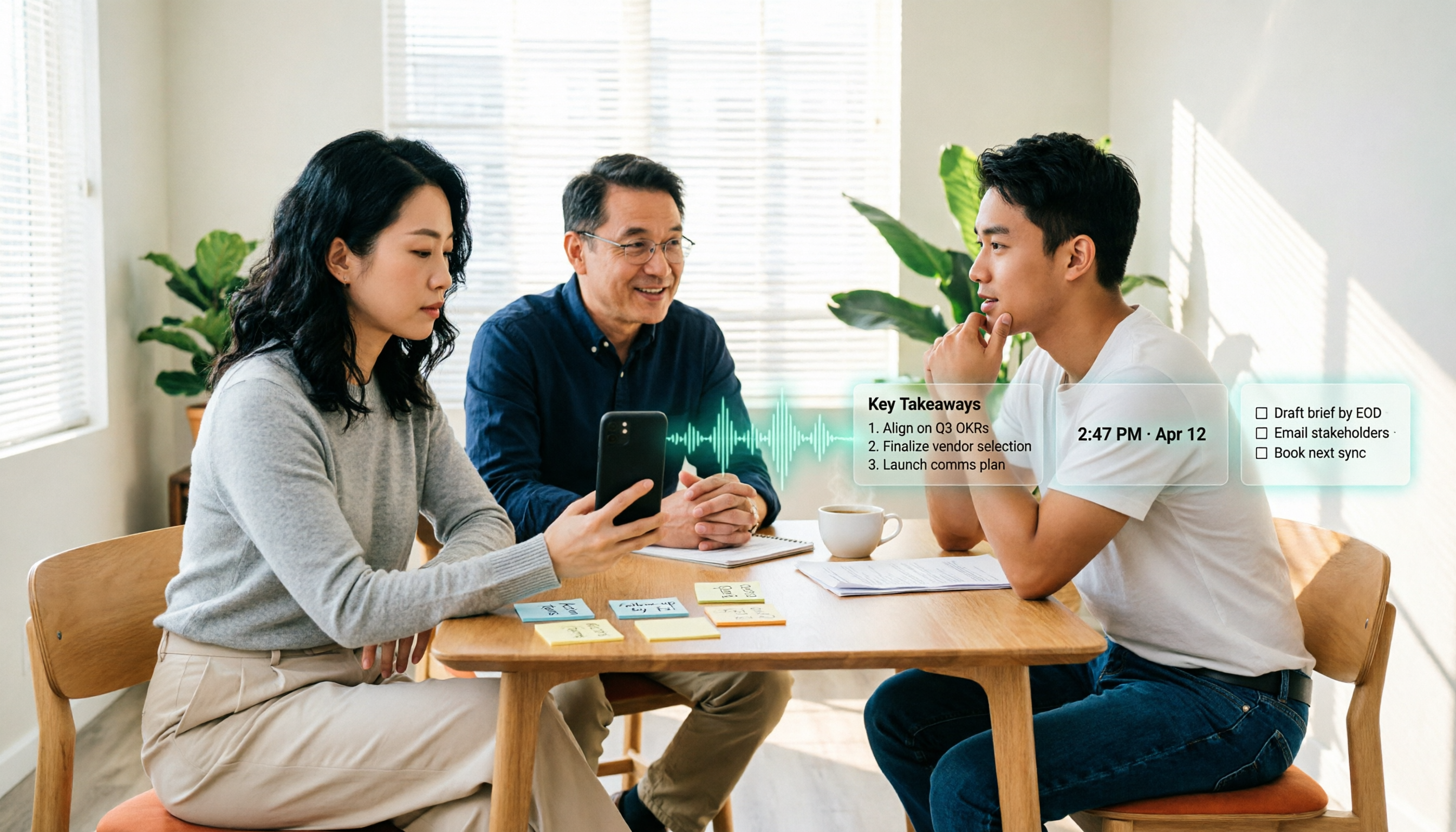
Turn recordings into transcripts and summaries in minutes
Upload audio or video for multilingual transcription, AI notes, and action items
3 Free Note-Taking Recording Tools in 2026: Free Quotas and Meeting Notes Comparison
Can Notes Record Audio? Yes, but Recording Only Solves Half the Problem
Bottom line first: yes. The built-in Notes app on iPhone, iPad, and Mac can record audio directly inside a note, and newer system versions can transcribe recordings into text; on supported devices, it can also generate summaries. So the answer to "can Notes record audio" is a definite yes.
But what really drives people crazy usually isn't the recording step—it's what happens after.
- A two-hour meeting means two hours of re-listening. The recording sits quietly in Notes. You have a transcript, but you still have to pull out the key points and write the to-dos yourself.
- Mixed Chinese-English discussions turn transcripts into patchwork. Names, product codes, and budget figures don't line up, and you have to click back and listen section by section.
- Data gets stuck on one device. Record on your phone today, organize on your computer tomorrow. When a colleague wants to check last meeting's conclusions, it's back to square one.
This article tackles that second part: after recording, how do you turn audio into data you can actually use? Below we compare 3 free approaches you can get started with, and explain why I put Tinrec first. Information in this article was verified as of August 2026; quotas and pricing for each option may change, so refer to official pages for the latest.
Before Choosing a Recording Notes Tool, Understand These 4 Key Points
1. What comes after the transcript. Many tools can do "audio to text," but the value of meeting notes lies in organization: summaries, chapters, to-dos, and whether you can ask follow-up questions about the content. A transcript alone is just a 30-page pile of raw material.
2. Recognition performance for Chinese and mixed Chinese-English. Meetings in Taiwan offices are rarely pure Chinese or pure English—more often it's "let's confirm this campaign's budget next week." Sentences like this are the toughest test for tools, and they're also the easiest to hide behind official accuracy claims. Real-world performance depends on recording quality, accents, background noise, and people talking over each other—don't just look at ads.
3. How to record online meetings. One way is to send a meeting bot into the room; the other is to capture system audio directly on the desktop. With the former, participants see an unfamiliar account; with the latter, no extra guest is needed. There's no absolute right or wrong here, but it affects how you look in client meetings.
4. The real boundaries of free quotas. Free plans often hide two limits: total minutes per month and maximum length per file. "120 minutes per month" sounds great, but if each recording can only be 3 minutes, you'll never finish a normal meeting.
Tinrec — Recording Is Just the Starting Point; Post-Meeting Organization Is the Core
Tinrec is an AI meeting-notes and collaboration tool for individuals and teams, available on iOS, Android, desktop, and web. Its biggest difference from a "recording app" is that it focuses on the workflow after recording.
No bot needed for online meetings. When you open Zoom, Google Meet, Microsoft Teams, or Webex, the Tinrec desktop app captures your computer's system audio directly—no extra bot joins the meeting—and generates a transcript while you meet. Note that this is you actively starting a recording, not automatically joining every meeting on your calendar.
Summaries, chapters, and to-dos in one go. When the meeting ends, the AI summary, chapters, and action items are already organized—who's responsible for what and when it's due, pulled straight from the discussion. When you need to deliver externally, you can also use Agent post-processing to generate a report, table, or document draft from the same meeting, so you don't start from scratch.
Ask questions directly about the meeting content. After recording, you can ask "who mentioned the budget in the last meeting" or "what were the client's concerns about the delivery date," and it gives answers based on understanding the content—not a pile of keywords for you to dig through the transcript yourself. This is currently the most noticeable gap between it and similar tools. During recording, you can also switch between original text, translation, or bilingual view, so cross-language meetings don't require a separate translator.
Three practical advantages:
Stop organizing recordings by hand
Upload audio or video and automatically get a transcript, summary, and action items
- Organizing Chinese meetings is its home turf. It handles Chinese, Traditional Chinese, and mixed Chinese-English content, and you can maintain company-internal product codes and proper nouns with team hotwords, reducing the hassle of manual corrections every time.
- Audio is retained, so you can go back and verify the transcript. When you're unsure about an important number or name, jump back to the corresponding timestamp and re-listen—no need to rerun the whole thing. This is especially practical in meetings where accountability matters.
- The same workflow scales from individual to team. The team version provides a separate team space where meeting data belongs to the team, with management of roles, seats, sharing rights, usage analytics, and audit logs; when a member leaves, resources are handed over to other active members instead of disappearing with the person.
Two limitations to be honest about:
- The free version offers a basic quota—enough to try a few meetings and get a feel for it—but long-term heavy use still requires an upgrade (weekly card, Pro monthly, or annual, depending on your usage rhythm).
- It's not a batch transcription tool for "dumping dozens of long files at once"—there are better-matched products for that need. Also, the team version currently focuses on team-level sharing; role control governs governance and seat control governs usage eligibility, not fine-grained file-level permissions.
Who it's for: People who frequently hold online meetings, need Chinese transcripts and post-meeting minutes, want to use AI to find key points right after recording, and don't want an extra bot account hanging around the meeting room. Team purchases can start with the first qualifying 7-day trial (1 free seat, 300 minutes of team-shared onboarding quota); team monthly is USD 29.80 per paid seat per month, annual is USD 199 per paid seat per year (about USD 16.58 per month), paid seats include 2,000 minutes of team-shared onboarding quota per month, and real-time recording currently does not deduct minutes under an active plan and seat.
Besides Tinrec, What Other Options Are There?
Apple built-in Notes: Free, no installation needed. iPhone, iPad, and Mac can all record inside Notes and transcribe; transcripts are searchable, you can tap text to replay the corresponding segment, and you can add the text to the note. Good for jotting down ideas and one-on-one interviews. The limitation is that it's tied to the Apple ecosystem—cross-device and team sharing depend on iCloud account settings—and deleting a recording also deletes the transcript. It also can't do AI Q&A around meeting content—which is exactly Tinrec's differentiator.
Notta: A veteran choice for multilingual transcription and translation. The free version offers 120 minutes per month with a maximum of 3 minutes per item; Pro annual works out to about USD 8.17 per month with 1,800 minutes per month. Suitable for users focused on file transcription, subtitles, and translation. But if what you want is to ask follow-up questions after a meeting and generate reports or tables directly from conclusions, Tinrec's AI Q&A and Agent post-processing are the better-matched pieces.
Otter.ai: A mature choice for English meetings. The free Basic plan offers 300 minutes per month—quite generous. If 90% of your meetings are in English, it's a great deal. But Chinese and mixed Chinese-English organization isn't its home turf, and Tinrec retains audio, offers bilingual view, and accumulates team data—more practical for Taiwan teams that need to go back and verify the original text.
Pitfall Guide: The 4 Most Common Mistakes When Choosing a Recording Notes Tool
Pitfall 1: Assuming "having a recording" equals "having minutes." Recordings and transcripts are just raw materials; the value of meeting notes lies in summaries and to-dos. When choosing a tool, ask directly: after this meeting ends, what will it give me that I can send out as-is?
Pitfall 2: Looking only at monthly minutes, not the per-recording limit. Free plans often have a "large monthly quota, very short per-recording limit" design—a 50-minute meeting blows past it on the spot. When trialing, test with your longest typical meeting.
Pitfall 3: Ignoring how online meetings are recorded. If a meeting bot joins a client meeting, the other side may ask "who is this?" Capturing system audio on the desktop doesn't require an extra participant, but remember: you should inform participants and obtain consent before recording, and comply with local regulations.
Pitfall 4: Treating "can view" as "can edit." This is the easiest misunderstanding during team rollout. Take Tinrec's team version as an example: active members can view, play, and read team data even without a seat, but recording, uploading, editing, and importing/exporting require a seat. Before purchasing, confirm how many people "actually need to do hands-on work."
Conclusion: Which One Should You Actually Choose?
To circle back in one sentence: Notes can record audio—that was never the problem; the problem is how much time you'll spend cleaning up after recording.
- Want Chinese transcripts + post-meeting minutes + to-dos → Tinrec, with summaries, chapters, to-dos, and Q&A in one workflow.
- Want to ask questions directly about past meetings → Tinrec, the clearest dividing line between it and most transcription tools.
- Don't want an extra bot account in online meetings → Tinrec desktop captures system audio, no extra participant needed.
- Want cross-device sharing across phone and computer, or even the whole team → Tinrec team version, managing seats, usage, and audit in one place.
- Just casually recording inspiration, all on Apple devices → Built-in Notes is enough, zero cost.
- 90% of meetings are in English → Otter.ai's free 300 minutes is a great deal—the rare exception recommendation in this article.
Practical advice: don't rush to pay. Take the recording of your hardest-to-organize meeting, run it through Tinrec's free version once, and see how it handles mixed Chinese-English and whether the AI-captured to-dos hit the mark. Upgrade if it fits—that's more accurate than any review.
References
- Record and transcribe audio in Notes on Mac - Apple Support (Taiwan)
- Record and transcribe audio in Notes on iPhone - Apple Support (Taiwan)
- 2026 Comparison of 4 Audio-to-Text Apps: Tinrec Makes Chinese Meeting Minutes Painless - Tinrec Blog
- Record audio in Voice Memos on iPhone - Apple Support (Taiwan)
- How to Use iPad Notes Recording: Transcript and Summary Tutorial | PingGO
Turn every recording into actionable outcomes
Get 60 free transcription minutes when you sign in. No credit card required.
Related Reading
You might also like

2026 Vocal AI Comparison: 4 Tools Tested for Meeting Transcription vs. Vocal Separation
When you search "Is vocal AI good?" first clarify whether you need music vocal processing or meeting transcription. This article focuses on meeting notes, comparing Tinrec, Otter.ai, Notta, and TurboScribe—their differences, pricing, and use cases—plus buying criteria and pitfalls to avoid.

ChatGPT Audio Recording Guide 2026: Upload Limits and Better Alternatives
Can ChatGPT read recordings? This guide breaks down ChatGPT's recording mode and the real limits of audio uploads, including plan requirements, the 512MB cap, and format issues. It also explains why meeting notes need a more complete workflow. Using Tinrec as an example, it covers bot-free online meeting recording, real-time transcription, summary and action items, and team sharing—so you can see how to choose and use the right tool.

3 AI Meeting Recording Tools Tested for 2026: How Long Can ChatGPT Record, and What Tinrec Adds
Many people search for "how long can ChatGPT record," but the real limits are usually plan permissions, consent requirements, and what happens to the data after recording. This article addresses common misconceptions, explains the official stance and practical limits of ChatGPT's recording mode, and compares Tinrec on bot-free recording, Chinese transcription, AI Q&A, and team data retention to help you decide which is better for long-term meeting records.

2026 Comparison of 4 Audio-to-Text Tools: Google Docs Can't Transcribe Audio Files—Which One Saves Time?
Google Docs cannot upload audio files for transcription; it only captures live microphone input. This article first clarifies the real limitations of Google Docs, Gemini, and Gemini Notebook, then from the perspective of a mid-level manager's post-meeting organization needs, tests and compares tools like Tinrec, Notta, and Otter.ai, summarizing key purchasing factors, pitfalls to avoid, and recommendations for different scenarios.

3 Ways to Get iPhone Recording Transcripts in 2026: Built-in Features and How Tinrec Fills the Gaps
Since iPhone 12, the Voice Memos app has a built-in transcription feature, but the button isn't obvious and many people can't find it—or they're blocked by device model, iOS version, or language settings. This article first shows you the 3 places to find iPhone recording transcripts, then discusses the limits of the built-in feature and how Tinrec fills in the gaps with summaries, action items, AI Q&A, and team collaboration.

5 Mobile Voice-to-Text Tools Compared (2026): Built-in Dictation, AI Meeting Assistants, and Recording Hardware
Mobile voice-to-text actually covers two very different scenarios: real-time dictation and converting recordings into transcripts. Choosing the wrong tool wastes your time. This guide starts from real-world use cases and compares iPhone and Android built-in dictation, Tinrec, Notta, PLAUD recording hardware, and Otter.ai—covering their differences, limitations, and pricing. It also highlights four common pitfalls to help you choose the right tool in one go.

4 Transcription Tools Tested for 2026: What Is Yating Transcription? Which Saves the Most Time?
What is Yating Transcription? This article first explains the positioning, features, and pricing of this Taiwan-based AI speech-to-text service, then compares Tinrec, Otter.ai, and Notta across four dimensions: accuracy assessment, post-meeting organization, meeting capture methods, and team collaboration. It concludes with buying criteria and pitfalls for Hong Kong office workers choosing a transcription tool.
The Complete Guide to Phone Recording in 2026: iPhone Recording, Call Recording, and Transcription Made Simple
From step-by-step Voice Memos on iPhone and the requirements for call recording in iOS 18.1, to turning recordings into transcripts, summaries, and action items with Tinrec. A student's perspective on free tiers, pricing, and key factors for choosing a tool—avoiding the common misconception that 'having a recording means having notes.'

2026 Audio-to-Transcript Tools Tested: Is Gemini Good Enough?
Can Gemini really turn audio files into transcripts? I tested 5 audio-to-transcript tools in real student scenarios, comparing Chinese recognition, AI follow-up questions, free tiers, and pricing. I also share how to choose the right tool for class recordings, group discussions, and final exam review without wasting time.