
Turn recordings into transcripts and summaries in minutes
Upload audio or video for multilingual transcription, AI notes, and action items
With the explosive growth of video content, YouTube has become a crucial channel for acquiring knowledge, learning skills, and even conducting market research. However, facing hours of video content, quickly extracting key points, making notes, or converting them into text articles has become a pain point for many students, content creators, and professionals. From 2024 to 2025, the leap in AI technology has made "video-to-text" no longer a time-consuming chore. This article will provide an in-depth look at current market solutions and recommend a highly integrated powerful tool.
Why Do You Need a YouTube Video-to-Text Tool?
In the 2025 digital work environment, "efficiency" is key. Converting YouTube videos to text files offers the following notable advantages:
- Faster Information Absorption: Reading text is much faster than watching videos. With transcripts or AI summaries, you can grasp the core content of a 1-hour video in 10 minutes.
- Content Repurposing: Creators can easily transform video content into blog posts, social media posts, or ebooks, achieving "create once, publish everywhere."
- Aid Learning and Note-Taking: For online courses or lectures, accurate transcripts greatly enhance review efficiency, ensuring no key details are missed.
- SEO Optimization: Search engines cannot directly "read" videos but can index text. Converting video content into text helps improve content visibility in search results.
2025 Market Trends: From Simple Transcription to AI-Powered Summaries
Looking at popular search results from 2024 and early 2025, we can see that user needs for "YouTube video-to-text" have evolved. Early tools were mostly basic speech recognition (ASR) with inconsistent accuracy. Now, mainstream tools (like NoteGPT, Glasp, Vizard.ai, etc.) are integrating generative AI (GenAI).
The current market trends mainly fall into two categories:
- Browser Extension Type: Suitable for light users, generating summaries directly in a sidebar on the webpage, but usually limited in features and dependent on video caption sources (CC subtitles).
- Professional Software/Platform Type: Supports multiple file formats (MP3, MP4, link import), offers higher speech recognition accuracy, and provides speaker diarization, multilingual translation, and in-depth AI analysis. These tools are better suited for professional workers and heavy users.
Stop organizing recordings by hand
Upload audio or video and automatically get a transcript, summary, and action items
Professional Recommendation: TinRec (formerly 秒聽錄音) — The All-in-One AI Voice Assistant
Among the many tools, if you are looking for a comprehensive solution that not only handles YouTube videos but also manages call recordings and meeting notes, then TinRec (formerly 秒聽錄音) is an absolute must-try in 2025.
TinRec is more than just a transcription tool; it's like a smart secretary. It solves the problem of traditional tools that "can only transcribe, cannot understand" by using advanced AI algorithms that comprehend content and highlight key points for you.
Here are the product details:
Product Name: TinRec (formerly 秒聽錄音)
Website: https://tinrec.com/
Core Features: Call recording to text, MP3 to text, AI meeting summary, meeting notes AI, YouTube subtitle generation.
Core Advantages of TinRec
- Multiple Source Support: Whether you paste a YouTube video link or upload a recording file or MP3 audio from your phone, TinRec handles it with ease.
- AI Smart Summaries: This is one of TinRec's most powerful features. It doesn't just give you a plain word-for-word transcript; it automatically generates "meeting minutes" and "key takeaways." For watching lengthy YouTube interviews or tutorial videos, this feature instantly extracts the speaker's logic and key conclusions.
- High Accuracy and Multilingual Support: It is optimized for Chinese (including Traditional Chinese) semantic recognition, accurately capturing even technical content mixed with English.
- Call Recording Integration: In addition to processing existing videos, TinRec is favored by business professionals, supporting call recording transcription so you don't have to rely on memory to write meeting notes after a conference call.
How to Use TinRec to Boost Your Workflow
Using TinRec to convert YouTube videos to text is very intuitive, requiring just three simple steps:
- Import Audio/Link: Log in to the TinRec platform and select the import function. You can paste a YouTube video link directly or upload a downloaded audio file.
- AI Fast Transcription: The system processes in the cloud at high speed. Based on tests, a one-hour audio file usually takes just a few minutes to transcribe.
- Get Results and Summaries: After transcription, you will receive not only an accurate timestamped transcript but also a structured summary generated by AI. You can copy this content directly into note-taking apps (like Notion, Evernote) or publish it on a blog.
Conclusion: Use the Right Tool, Spend Time Where It Counts
In this era of information anxiety, we don't lack content; we lack the time to organize it. Instead of spending hours manually transcribing YouTube video subtitles, let AI handle this repetitive task.
TinRec (formerly 秒聽錄音), with its powerful integration, excellent Chinese recognition capabilities, and intelligent AI summaries, has become the best companion for handling video-to-text tasks in 2025. Whether you are a project manager needing to organize meeting minutes or a student needing to quickly digest large amounts of video information, TinRec can help you.
Ready to experience doubled efficiency?
👉 Try It for Free: https://tinrec.com/
Turn every recording into actionable outcomes
Get 60 free transcription minutes when you sign in. No credit card required.
Related Reading
You might also like
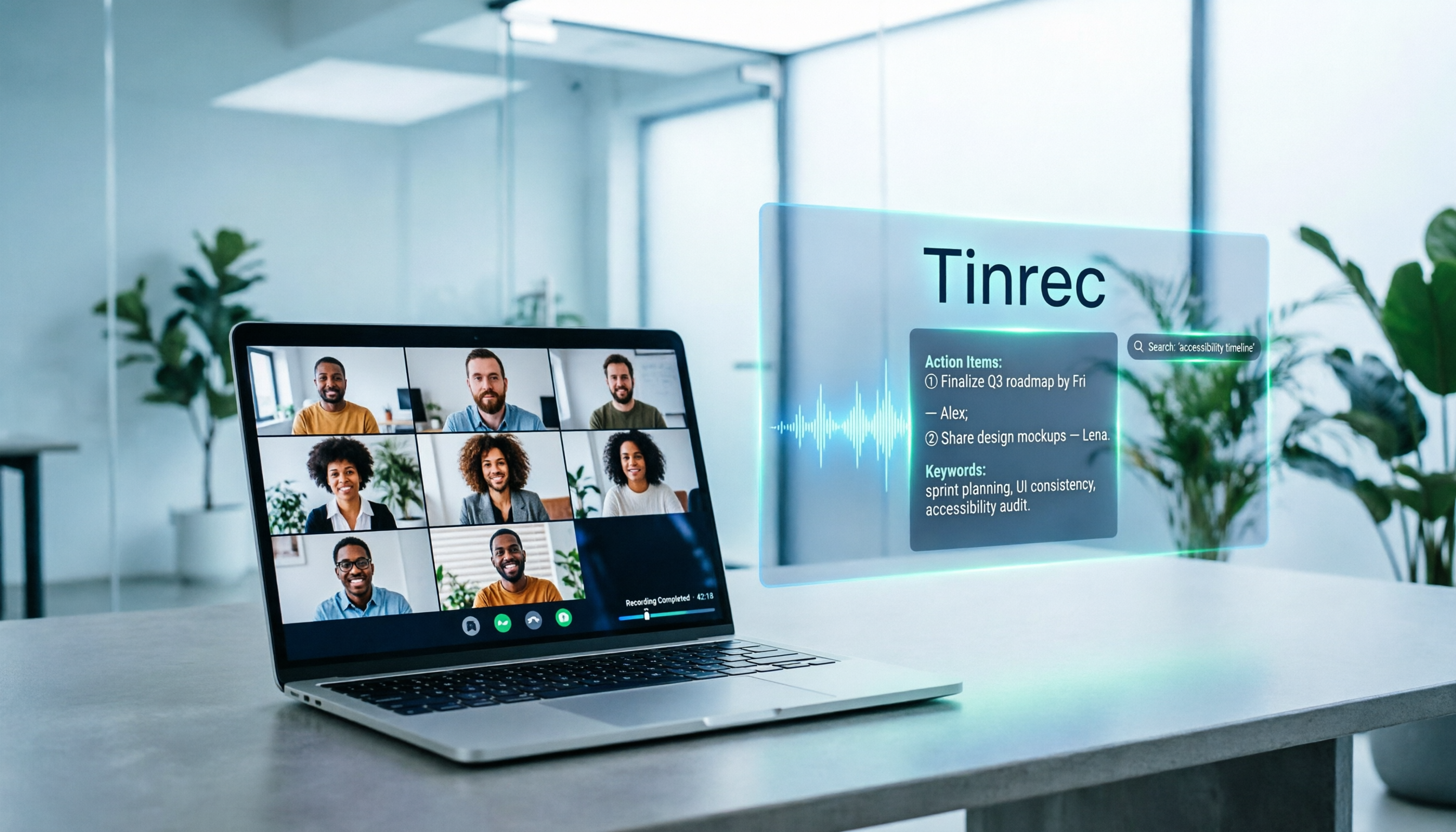
5 Google Meet Note-Taking Tools Tested and Compared for 2026: How to Keep Meeting Records After Downloading
Downloading Google Meet takes only 30 seconds, but the real challenge is keeping meeting content after the download. This article covers three ways to download Google Meet on Android, iOS, and computer, then compares 5 tools that turn meetings into usable data, including Tinrec with bot-free recording and AI chat queries, Google Meet built-in transcription, Otter.ai, Notta, Granola, and TurboScribe. Finally, it provides clear recommendations based on budget and use cases.

Google Meet India Pricing in 2026: 4 Plans Compared — Costs, Limits, and How to Choose Meeting Notes
Google Meet in India isn't a standalone subscription — it comes with Google Workspace plans. This article breaks down the price differences, participant limits, and meeting notes restrictions across Free, Base, Starter, Standard, and Enterprise, and explains how Tinrec fills the gap for post-meeting transcripts, summaries, action items, and team knowledge retention.

Tinrec Download Review 2026: 3 AI Meeting Recorders Compared — Which One Is Worth Installing?
Many people search for "tenrec download" but end up finding recommendation system datasets and animation models. This article first clarifies the difference between Tenrec and Tinrec, then compares Tinrec, Otter.ai, Notta, and Granola in terms of recording methods, post-meeting organization, Chinese language support, and team collaboration, with a guide to avoiding pitfalls and purchasing advice.

2026 Google Meet Note-Taking Tools Compared: Is the Free Version Enough?
Google Meet's free version and Google Workspace paid plans each have trade-offs, but what most people really lack is post-meeting organization. This article first breaks down 4 key points to understand before buying a Google Meet plan, then compares four note-taking tools: Tinrec, Otter.ai, Granola, and Notta, to help you decide whether to pay and who to pay.

4 Google Meet Call Recording Tools Tested for 2026: Tinrec's Bot-Free Recording Saves the Most Time
How do you find recent Google Meet calls? This article covers practical methods for personal accounts, Workspace, admin console, and Tinrec, helping you understand call history entry points, limitations, and post-meeting workflows so your Google Meet meetings aren't just timestamps—they're searchable, summarized, queryable, and shareable with your team.

2026 Google Meet Note-Taking Tools Compared: Tinrec Leads for Chinese Transcription
Google Meet can't be purchased separately; business use requires a Google Workspace subscription. This article breaks down the differences between Google Meet free and paid versions, and compares Tinrec, Otter.ai, and Notta to help you find the best post-meeting solution for Chinese meetings.

Google Meet 2026 Update Review: Built-in Notes vs. Tinrec — Which Saves More Time?
We break down Google Meet's 2026 updates and compare its built-in meeting notes with Tinrec's AI recorder across recording methods, Chinese transcription, post-meeting organization, export, and team collaboration to help you decide which fits your meeting workflow.

Tinrec vs Notta 2026: 5-Dimension Comparison for Chinese Meeting Notes
Searching for Tenrec App brings up unrelated results. The real comparison is between meeting transcription tools. This article uses Tinrec as an example to walk through 5 steps from recording to meeting minutes, and compares Tinrec and Notta across 5 dimensions to help you decide which is better for your Chinese meeting scenarios.

2026 Comparison of 4 Google Meet Meeting Note Solutions: How Tinrec Turns Transcripts into Actionable Data
Google has never separately disclosed Google Meet revenue; 2024 figures are hidden within Workspace subscriptions and cloud business. This article compiles verifiable revenue context and compares the practical differences among four types of meeting note solutions, explaining how Tinrec uses bot-free desktop recording to turn meeting content from Google Meet, Teams, and Zoom into searchable, actionable team data.