

Turn recordings into transcripts and summaries in minutes
Upload audio or video for multilingual transcription, AI notes, and action items
"Is the free version enough?" First figure out which problem you're trying to solve
The question I get asked most often is: "Is there a free meeting notes software?"
But I've found that people asking this actually have two completely different needs in mind.
The first is: I don't want to type notes while in a meeting anymore; I want to save typing time.
The second is: After the meeting, I want decisions to be findable, action items to be tracked, and a basis for review three months later.
For the first need, the free version is usually enough.
The second need isn't solved by the word "free"; it requires a workflow.
So this article doesn't write a free ranking.
I want to walk you through the 5 decision steps I use to choose meeting notes tools, and at each step tell you: where the free ceiling is and when to move up a level.
Before choosing meeting notes software, understand these 4 key points
1. How free quotas are limited is more important than how many minutes are given
Many tools advertise 120 free minutes per month, which sounds like plenty.
But you need to look at two things: Is there a length limit per recording? Can you import already-recorded audio files?
Notta's free plan is 120 minutes per month, with a maximum of 3 minutes per recording. A 40-minute weekly meeting won't even fit half of it.
So my order of judgment is: Can it import existing files, what's the per-recording limit, and only then look at total monthly minutes.
2. What it leaves you with: a transcript or a usable result
A transcript is just raw material.
What you'll actually reopen are summaries, chapters, key points, and action items.
If a tool only gives you thousands of words of transcript, you save typing time but trade it for reading time—the math doesn't really balance out.
3. Chinese and mixed Chinese-English is another threshold
Some international tools have very generous free quotas.
But they focus on English meetings. As soon as you speak Chinese, the effectiveness drops.
Meetings in Taiwan are rarely pure Chinese or pure English; they're usually sentences like "Let's review this campaign's KPI next week." With this kind of content, the differences between tools become obvious.
4. Will you use a second device or involve a second person?
Today you record on your phone, tomorrow you want to organize on your computer.
Or after recording, you need to hand it off to a colleague.
These two needs directly determine whether you should choose a personal tool or a team tool. I'll expand on this later.
Tinrec: My top choice after running through the entire process
Tinrec is an AI meeting notes and collaboration tool for individuals and teams, supporting iOS, Android, and web, with a desktop version for handling online meetings on your computer.
What I cared about most at first was how it handles online meetings.
It doesn't send a meeting bot into the meeting room. You open the desktop version, and it directly captures your computer's system audio to record Zoom, Google Meet, Microsoft Teams, Webex meetings, generating a transcript while recording. For participants, there's no unfamiliar account added to the meeting.
The second thing that impressed me was what happens after recording.
When the meeting ends, the summary, chapters, and action items are already organized. Who's responsible for what and when it's due are listed directly. You can continue to ask it questions, like "Who mentioned the budget in the last meeting?" It doesn't just throw you a string of keywords; it answers you directly.
My most common approach is to give it a prompt:
Based on the transcript of this meeting, please organize: 1. Three key conclusions; 2. Action items, owners, and deadlines; 3. Unresolved points of contention.
You can copy and use this prompt directly. The same method works on any tool that supports AI Q&A; the only difference is whether the data is complete enough.
The third is team scenarios.
When a department starts sharing meeting data, the question is no longer "how accurate is the transcription" but "who owns this data, who can edit it, and will it still exist after someone leaves?"
Stop organizing recordings by hand
Upload audio or video and automatically get a transcript, summary, and action items
Tinrec's team version breaks this down into three concepts: roles determine governance permissions, seats determine whether you can record and edit, and member relationships determine whether you can see team data. Members without a seat can still view, play, and read, but cannot upload or edit. Team resources belong to the team, and when a member leaves or loses their seat, data can be handed over to others.
The team version trial is 7 days, 1 free seat, 300 minutes of shared import quota. After payment, each seat gets 2,000 minutes of shared import quota per month, at USD 29.80/seat monthly or USD 199/seat annually (about USD 16.58/month). Live recording within the team plan currently doesn't deduct minutes; only imported files consume shared quota.
There are limitations. The personal free version is a basic quota, suitable for trying out one or two of your own meetings, not for daily heavy transcription. Also, no tool should be considered "always completely accurate"—recording quality, background noise, accents, and multiple people talking over each other all affect results. For important decisions, I still cross-check with the recording and transcript timestamps.
If you often hold meetings in Chinese, don't want an extra bot in the meeting, and want to ask about key points directly after recording, Tinrec is my most recommended starting point in this article.
Besides Tinrec, what other options are there?
Notta: Good multilingual transcription and supports meeting and file imports. The free version is 120 minutes per month with a maximum of 3 minutes per recording; fully recording a meeting usually requires paying. It's better suited for work that simply needs transcription and subtitles. For asking follow-up questions about meeting content and building a team space from data, Tinrec is more complete.
Otter.ai: A veteran choice for English meetings, with a generous free version of 300 minutes per month and mature speaker identification and synchronization features. But its main strength is English; its usefulness for Chinese meetings decreases. If your meetings are primarily in English, it's worth considering; if you need Chinese transcripts and mixed Chinese-English organization, Tinrec will be smoother.
PLAUD Note/NotePin: A representative of AI recording hardware, its value is in portable physical recording and long battery life, with devices starting at USD 159 and additional monthly fees for app membership. It's suitable for people who are often on-site and need a standalone recorder. But it adds a hardware cost, while online meeting processing and post-meeting team data management can be done with software like Tinrec.
Pitfall guide: 3 most common mistakes when choosing free meeting notes software
Pitfall 1: Only looking at "how many free minutes" and not "per-recording limit." A large free quota doesn't mean it's usable; if you can only record 3 minutes at a time, your 60-minute meeting still won't be fully recorded.
Pitfall 2: Treating the transcript as the end goal. Using the tool only for recording-to-text means you're only using one-third of its value. What really saves time are summaries, action items, and post-meeting questions.
Pitfall 3: Ignoring data ownership. Personal version data is tied to individual accounts. For teams to share meeting notes, they need a true team space, not multiple people sharing one set of credentials. Also, before recording and transcribing, ensure compliance with local regulations and obtain participant consent when necessary.
Summary: Back to your scenario, which one should you choose?
Need Chinese meeting transcription and mixed Chinese-English organization → Tinrec
Want to ask AI directly after recording "What was the conclusion of this meeting?" → Tinrec
Don't want an extra bot account in the meeting → Tinrec (desktop version captures system audio)
Need to use on phone, computer, and web → Tinrec
Team needs to share meeting data, manage seats and usage → Tinrec team version
Budget is zero, all meetings in English → Otter.ai free version
Prefer using a physical recorder for on-the-go notes → Hardware like PLAUD
Quick start: 6 steps to your first AI meeting notes
- First choose a 30-minute meeting with clear conclusions as a test sample.
- Record once with the free version, or import an existing recording.
- After getting the transcript, first check if the summary and chapters are correct, then look at the transcript.
- Paste the prompt from earlier and ask AI to organize conclusions, action items, and points of contention.
- Cross-check with the recording to confirm action item owners and deadlines are correct.
- Once the process feels smooth, decide whether to upgrade; if the team needs to share, start with a team space.
Tools will keep changing, but "what the meeting should leave behind" won't. Run through one of your meetings first, and you'll quickly know if your free quota is enough. Test step by step, and you'll gradually master this method.
References
- AI Meeting Notes Software Recommendations: 5 Major App Reviews, Automatic Transcription Makes Meetings Easy!
- No Time Limit! 3 Free AI Transcription Tools, Highly Recommended! AI Voice Notes Generate Meeting Minutes, Presentations, Mind Maps | 104 Career Power
- [AI Voice Notes] 5 Highly Recommended AI Transcription Tools! Generate Transcripts and Meeting Notes Highlights, Free vs Subscription, Pros and Cons Review | 104 Career Power
- r/ProductivityApps on Reddit: Does anyone know of a free or cheap app that will take meeting notes?
- 2026 Free AI Meeting Notes Tool Recommendations: 5 Practical Audio-to-Text Software Reviews and Selection Guide - Tinrec Blog
Turn every recording into actionable outcomes
Get 60 free transcription minutes when you sign in. No credit card required.
Related Reading
You might also like
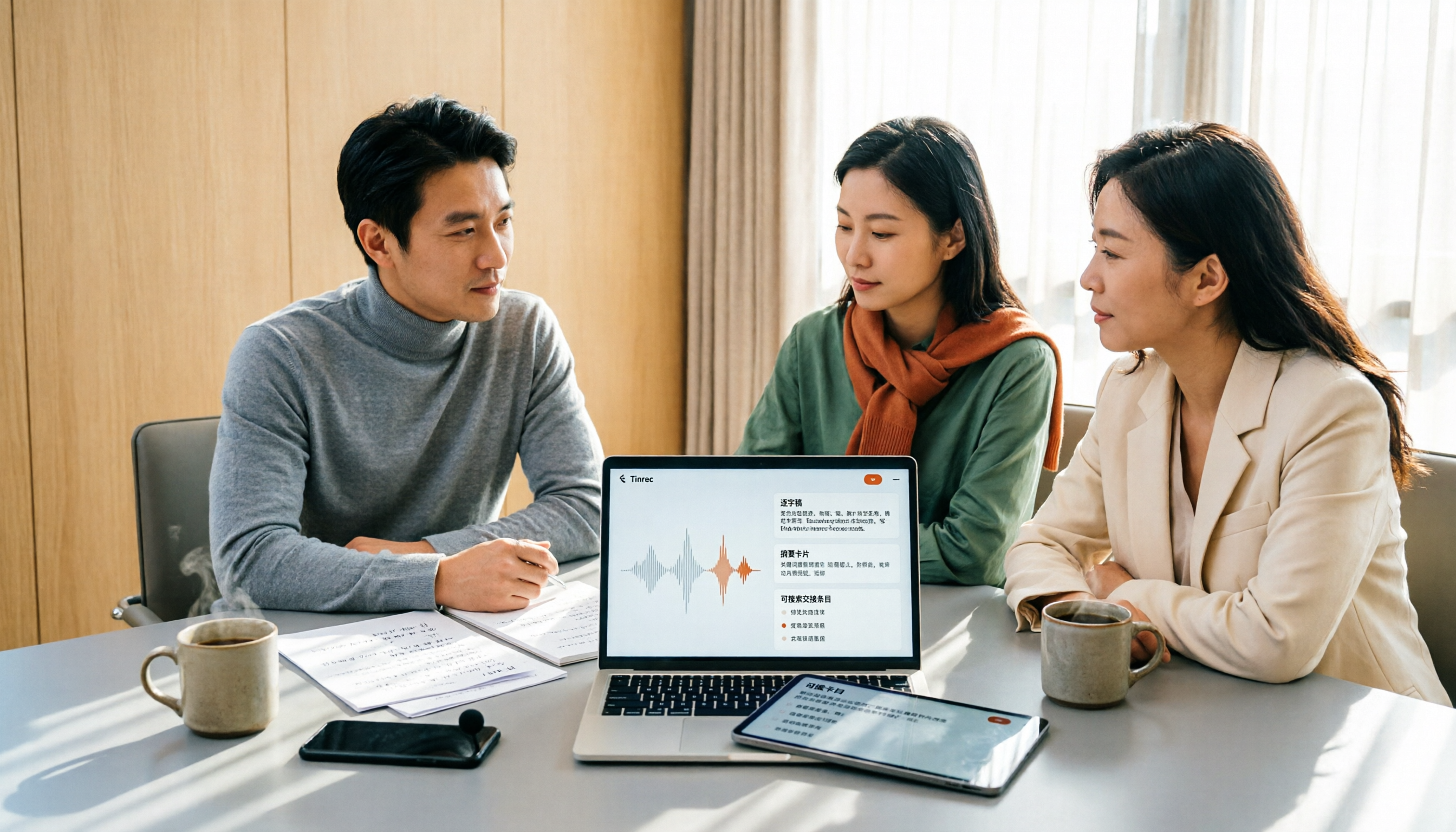
2026 Meeting Transcription Software Comparison: Which AI Tool Saves the Most Time for Chinese Meetings?
Two-hour meetings often mean two more hours writing notes—the real problem is what happens after the meeting. This article compares Tinrec, Otter.ai, Notta, and PLAUD Note across five key areas: language recognition, recording method, post-meeting output, data ownership, and pricing. It explains which tool best handles Chinese and mixed Chinese-English meetings, which lets you record without a bot joining, and how team plans turn every meeting into searchable, transferable data.

Tinrec vs PLAUD Note 2026: 5-Dimension Comparison, How to Write Meeting Minutes and Choose the Right Tool
Two-hour meeting, then another hour organizing minutes—the problem isn't typing speed, it's method and tools. This article first covers the three key elements of writing meeting minutes, then compares Tinrec and PLAUD Note across five dimensions, and adds suitable scenarios for Otter.ai and Granola, helping you pick a meeting minutes software that truly saves time.

Best Meeting Notes Software for Dev Teams in 2026: 3-Step Selection + Auto-Generated Action Items
Dev teams often struggle with meeting notes not because of missing tools, but because of the wrong approach. This guide covers 4 key factors for choosing meeting notes software, hands-on testing of Tinrec's bot-free recording, AI summaries and action items, AI Q&A, and team spaces, plus brief reviews of Otter.ai, Granola, and PLAUD. Includes pitfalls to avoid and copy-paste post-meeting prompts.

5 Best Free Meeting Transcription Software in 2026: Tinrec vs Notta Comparison
Compare 5 free meeting transcription tools in 2026, focusing on free limits, transcript export, and data ownership. Learn why Tinrec is ideal for Chinese meetings, bot-free recording, and post-meeting organization.

How to Choose Meeting Transcription Software in 2026: 5 Steps to Find the Best Fit
Which meeting transcription software is best? This guide starts from real-world scenarios, explains what meeting transcription software can do and its core capabilities, then walks you through 5 steps to judge if a tool fits you. Using Tinrec as an example, it covers live transcription, bot-free online meeting recording, AI summaries and action items, AI Q&A, export, and team spaces, with transparent free tier limits and team pricing.

How to Choose Meeting Minutes Software in 2026: Tinrec's Bot-Free Recording + AI Summaries & Action Items
With so many meeting minutes tools on the market, why do some people still go back to typing manually after buying one? This article starts with common misconceptions and compares Tinrec with hardware recorders like PLAUD in terms of capturing online meetings, post-meeting organization, Chinese language experience, and team collaboration. It also outlines personal and team plan details, purchasing considerations, and FAQs.

4 Best Meeting Transcription Software in 2026: Free Versions Compared
Tired of manually organizing meeting transcripts and notes after every call? We tested 4 meeting transcription tools in real meeting scenarios, comparing free tiers, post-transcription organization, cross-platform support, and team permissions. Plus, 4 key factors to consider before buying and common pitfalls to avoid—so you can find a free solution that actually works.

5 Best Free Meeting Transcription Software in 2026: Which Free Version Is Enough?
Which free meeting transcription software is actually usable? This article breaks down popular tools across four dimensions: free quota calculation, Chinese and Cantonese recognition, post-meeting organization, and cross-platform support. It compares the free version limitations and use cases of Tinrec, Otter.ai, Notta, and Granola, with a pitfalls guide and selection advice.

6 Best Meeting Transcription Software in 2026: Free Online Chinese Transcription Compared
We tested 6 popular meeting transcription software and apps, including free online Chinese transcription options and paid alternatives. We cover input sources, AI summaries and action items, free tiers, pricing, and team collaboration features, plus buying advice and 5 things to know before you start.