

Turn recordings into transcripts and summaries in minutes
Upload audio or video for multilingual transcription, AI notes, and action items
2026 Comparison of 4 Sales Meeting Notes Tools: From Templates to AI Summaries, Which Method Saves the Most Time?
Should sales meeting notes be handwritten, template-based, or handed off to AI transcription?
There's no standard answer to this question, but there is a criterion: will this record still be usable two weeks from now? Can you find the customer's budget, objections, and commitments within a minute?
If you've ever experienced "the meeting ended, but no one remembers what the customer actually agreed to," this article is for you.
Sales Meeting Notes Are Not a Verbatim Transcript—You Need a Trackable Decision Document
Most people, when writing sales meeting notes for the first time, record the entire conversation from start to finish. The result: three pages of play-by-play with no clear focus.
The point of sales meeting notes isn't "who said what," but "what the customer wants, what we committed to, and who does what next."
What's more troublesome is that sales meetings often interweave customer budgets, decision-making processes, competitor comparisons, and objections. If this information doesn't have fixed fields, it's easy to miss after the meeting.
Good sales meeting notes should allow a manager who didn't attend the meeting to understand: why the meeting was held, what was discussed, what the conclusions were, and what remains undecided.
So rather than asking "how to write in detail," first ask "who will read this record, and what problem should it solve?"
Before Writing Sales Meeting Notes, Understand These 4 Key Points
1. Define the Reader First: For the Customer, for the Manager, or for Your Future Self?
The customer-facing version should confirm commitments and next steps, with polite and precise wording.
The internal version can include customer objections, competitor information, and internal judgments.
For your future self, preserve the customer's tone and key numbers at the time for easy review later.
2. Fix the Required Fields and Stop Reinventing Them Each Time
A sales meeting record should include at least: meeting name, date and time, location or meeting link, attendees (title + name), meeting purpose, customer needs and pain points, key discussion points, customer objections, resolutions, action items, and pending items.
Don't just write "send quote" for action items. Write: "Task: Send quote / Owner: Sales rep Alice / Deadline: May 20 / Completion criteria: Customer replies confirming receipt."
If the owner or date isn't confirmed yet, keep it as "pending confirmation"—don't guess.
3. Can the Tool Preserve Recordings, Transcripts, and Follow-up Questions?
Relying only on handwriting makes it easy to miss a key sentence from the customer.
Relying only on recordings means spending half an hour re-listening after the meeting.
The ideal setup: the meeting has a recording, a transcript, a summary, and action items—and you can ask follow-up questions about the content afterward.
4. For Team Editions, Look at Roles, Seats, and Data Ownership
If meeting notes are to be shared with the sales team, pay attention to: does the data belong to individuals or the team? Will data disappear when a member leaves? Who can edit, and who can only view?
These questions are more important than "how much is the free quota."
Tinrec—The Smoothest Choice in Real Workflows
Tinrec is an AI meeting notes and collaboration tool for individuals and teams, supporting iOS, Android, and web, with a desktop version for online meetings.
It doesn't just convert audio to text—it organizes meetings into searchable, summarizable, queryable, and exportable data.
Take a 40-minute customer meeting as an example: you can use the desktop version to capture computer system audio directly, recording Zoom, Google Meet, Microsoft Teams, or Webex meetings without inviting a meeting bot.
After the meeting, Tinrec generates a transcript, summary, chapters, and action items. If attendee names or technical terms are wrong, you can go back to the transcript timestamp to verify against the recording.
Even better is the AI Q&A. You can directly ask: "What was the customer's budget ceiling?" "Who is responsible for sending the quote next week?" "What did the customer care about most regarding competitors?" It answers based on the meeting content, not just keyword search results.
This is especially useful for sales meetings. Because the value of a sales meeting often lies not in the transcript, but in post-meeting follow-up and action.
Tinrec can also upload existing audio or video files to organize historical meetings and interviews; it supports real-time translation, so cross-language meetings can be viewed in original, translated, or bilingual format; and results can be exported to Notion, Google Docs, OneNote, Dropbox, and other tools for further use, and further generate reports, tables, and meeting minutes.
Stop organizing recordings by hand
Upload audio or video and automatically get a transcript, summary, and action items
If the sales team needs to share meeting notes, the team edition provides independent team spaces, role and seat management, usage analytics, audit logs, and an audio recycle bin. The team edition is an independent team space, not multiple people sharing a personal account; team data belongs to the team, and when a member exits or is removed, their team resources can be handed over to other active members.
Note that the team edition distinguishes between "roles" and "seats": active members can view, play, and read team data even without a seat; only seat holders can record, upload, edit, and import/export. Currently, the team edition focuses on team-level sharing, not file-level or member-level granular permissions.
Regarding cost, the personal edition offers a free version, weekly card, Pro monthly card, and annual card; actual quotas and prices are subject to the official website. The team edition is USD 29.80 per paid seat per month for monthly billing, or USD 199 per paid seat per year for annual billing, equivalent to about USD 16.58 per month; each paid seat provides 2,000 minutes of team shared import quota per month. Real-time recording currently does not deduct minutes under active team plans and seats, while file and web imports consume team shared minutes. The first eligible team trial is 7 days, 1 free seat, and 300 minutes of team shared import quota.
Limitations should also be clear: the free version has quota limits; AI summaries and action items may miss or misinterpret details, so important information should be verified against the transcript and recording; and before recording, confirm organizational policies and obtain necessary consent.
If you need Chinese meeting notes, bot-free online meeting recording, post-meeting AI follow-up questions, and team data accumulation, Tinrec is a very suitable choice right now.
Besides Tinrec, What Other Options Are There?
The following prices and quotas are based on each product's official pricing page; actual terms are subject to the official website.
Otter.ai: A mature choice for English business meetings, with a free version of 300 minutes per month. Its strengths are English meetings and automation; if you mainly hold Chinese meetings, Tinrec's Chinese experience, team hotwords, and Traditional Chinese team data accumulation will better fit your needs.
Notta: High overlap with Tinrec, with a free version of 120 minutes per month and a maximum of 3 minutes per session. It's suitable for multilingual transcription; but Tinrec includes team hotwords, audit logs, and a 30-day audio recycle bin in the team edition, offering more complete data governance for sales teams.
TurboScribe: Focuses on cost-effective file transcription, with a free version of 3 files per day and 30 minutes per file; the paid version can handle long files and batch uploads. It's suitable for organizing already-recorded audio files; but Tinrec is better for real-time meetings, post-meeting AI Q&A, action item extraction, and team collaboration.
Pitfall Guide: The 4 Most Common Mistakes in Writing Sales Meeting Notes
Pitfall 1: Treating the transcript as meeting notes. The transcript is raw material, not conclusions. The customer talked for 20 minutes, but the key points may be just three: budget, decision-maker, next step.
Pitfall 2: Not writing down the customer's "commitments" and "objections." When a customer says "I'll think about it," that's not a commitment; note where they're stuck, who can decide, and when to talk next.
Pitfall 3: Action items without owners and deadlines. An action item without an owner is as good as not done. Every action needs a name, date, and completion criteria.
Pitfall 4: Ignoring recording and transcription authorization. Before recording, confirm company policies and obtain attendee consent when necessary; meeting notes are internal documents, and sensitive information should be shared within controlled scope.
Conclusion: Which Writing Method Should You Choose?
If you only occasionally record a meeting, the Tinrec free version with fixed fields is enough.
If you have customer meetings every week and need to quickly find key points and follow up on action items afterward, Tinrec's transcript, summary, action items, and AI Q&A will save you a lot of time compared to handwriting.
If you need Chinese meetings, mixed Chinese-English, or cross-language meetings, Tinrec's real-time translation, bilingual viewing, and team hotwords will be more practical.
If meeting notes need to be shared with the sales team, Tinrec's team edition with team spaces, role seats, usage analytics, and audit logs will be easier to manage than scattering files across personal computers.
If you mainly organize already-recorded long audio files and batch files, file transcription tools like TurboScribe also have their place.
Overall, the point of sales meeting notes isn't "writing long," but "writing trackably." Fix the fields first, then choose a tool that can preserve recordings, transcripts, and follow-up questions, and send it out within 24 hours after the meeting—that's when the notes are truly useful.
It's recommended to start with the free version and test it with your next sales meeting: can the transcript be read, can the summary be used, can the action items be pasted directly into your task list. If it feels smooth, then consider upgrading.
References
- Meeting Minutes Format Template [Ready to Copy] 4 Key Points + Writing Examples, Fill It In and Submit
- How to Create a Sales Meeting Notes Form in 2026? 5 Steps from Blank Form to AI Auto-Organization - Tinrec Blog
- Free Meeting Minutes Template (Word, Google Docs, PDF) | HiNoter Blog
- Master the Techniques of Writing Meeting Minutes with Templates | Lark
- How to Write Meeting Minutes: Four Types of Meetings, Steps, and Templates | VOMO
Turn every recording into actionable outcomes
Get 60 free transcription minutes when you sign in. No credit card required.
Related Reading
You might also like

2026 Comparison of 4 Meeting Notes Tools: Transcripts, Summaries, and AI Follow-up Capabilities
The pain of meeting notes usually isn't typing speed—it's choosing the wrong workflow and tools. Based on a mid-level manager's practical experience with 15 meetings per week, this article highlights key comparison points for 4 meeting notes tools: bot-free recording, transcript and summary quality, AI follow-up, and team seat management, along with a pitfalls guide and selection advice.

2026 Smart Meeting Collaboration Tools Tested: Which Chinese Meeting Assistant from Dcard Discussions Saves the Most Effort?
Starting from a Dcard discussion thread, we tested 4 smart meeting collaboration tools, comparing bot-free recording, Chinese transcripts, AI Q&A, action item extraction, and team knowledge retention. Tinrec is the smoothest for Chinese meetings and post-meeting workflows. This article also covers the use cases and pitfalls of Notta, Granola, and TurboScribe.

4 Free AI Meeting Collaboration Tools in 2026: Free Tiers, Meeting Notes Use Cases & Comparison Table
This article reviews the free tiers, meeting capture methods, post-meeting organization, and team collaboration capabilities of four free AI meeting collaboration tools: Tinrec, Notta, Fireflies.ai, and Granola. It includes a comparison table and a buying guide to help you choose the right solution for your meeting scenarios.

How to Take Sales Meeting Notes in 2026: 5 Steps + 3 AI Tools Compared
Sales meeting notes aren't transcripts—they're the foundation for follow-up. This guide walks through 5 key steps and compares AI tools like Tinrec, Otter.ai, and Notta to help you choose the best meeting notes solution for your team.

6 Smart Meeting Collaboration Tools Compared for 2025: Which Saves the Most Time for Chinese Meetings and Post-Meeting Work?
A list of 6 smart meeting collaboration tools in 2025, evaluated by bot-free recording, Chinese-language meetings, post-meeting summaries, AI Q&A, team seats, and pricing, to help professionals and teams determine which tool fits their meeting scenarios.

2025 Smart Meeting Collaboration Platforms Comparison: Which One Turns Meetings into Actionable Team Data?
This article compares four smart meeting collaboration platforms for 2025 enterprise selection, covering differences in meeting capture, post-meeting organization, Chinese language experience, and team governance, with Tinrec as the primary example. It is a feature comparison and data compilation, not a hands-on recording test.

2026 Comparison of 4 Sales Meeting Notes Tools: How to Choose from Recording Transcription to Post-Meeting Follow-Up
Poor sales meeting notes are usually not due to slow typing, but to missing fields, lack of convergence, and no follow-up. This article compiles practical formats and writing steps for sales meeting notes, and compares Tinrec, Otter.ai, Fireflies.ai, and Notta on recording, transcription, summarization, action items, and team governance using the same criteria, with copyable organization prompts and a price verification table.

2026 Comparison of 4 Smart Meeting Collaboration Platforms: Meeting Notes Are Just the Beginning—What Matters Is Whether You Can Use Them Afterward
How do you choose a smart meeting collaboration platform? This article starts with the key question: do you want a transcript, or data you can still use after the meeting? It breaks down 4 key purchasing criteria, tests Tinrec's bot-free recording, AI Q&A, and team governance capabilities, and briefly assesses who Granola, Notta, and Otter.ai are each best for, with a guide to avoiding pitfalls and a getting-started checklist.
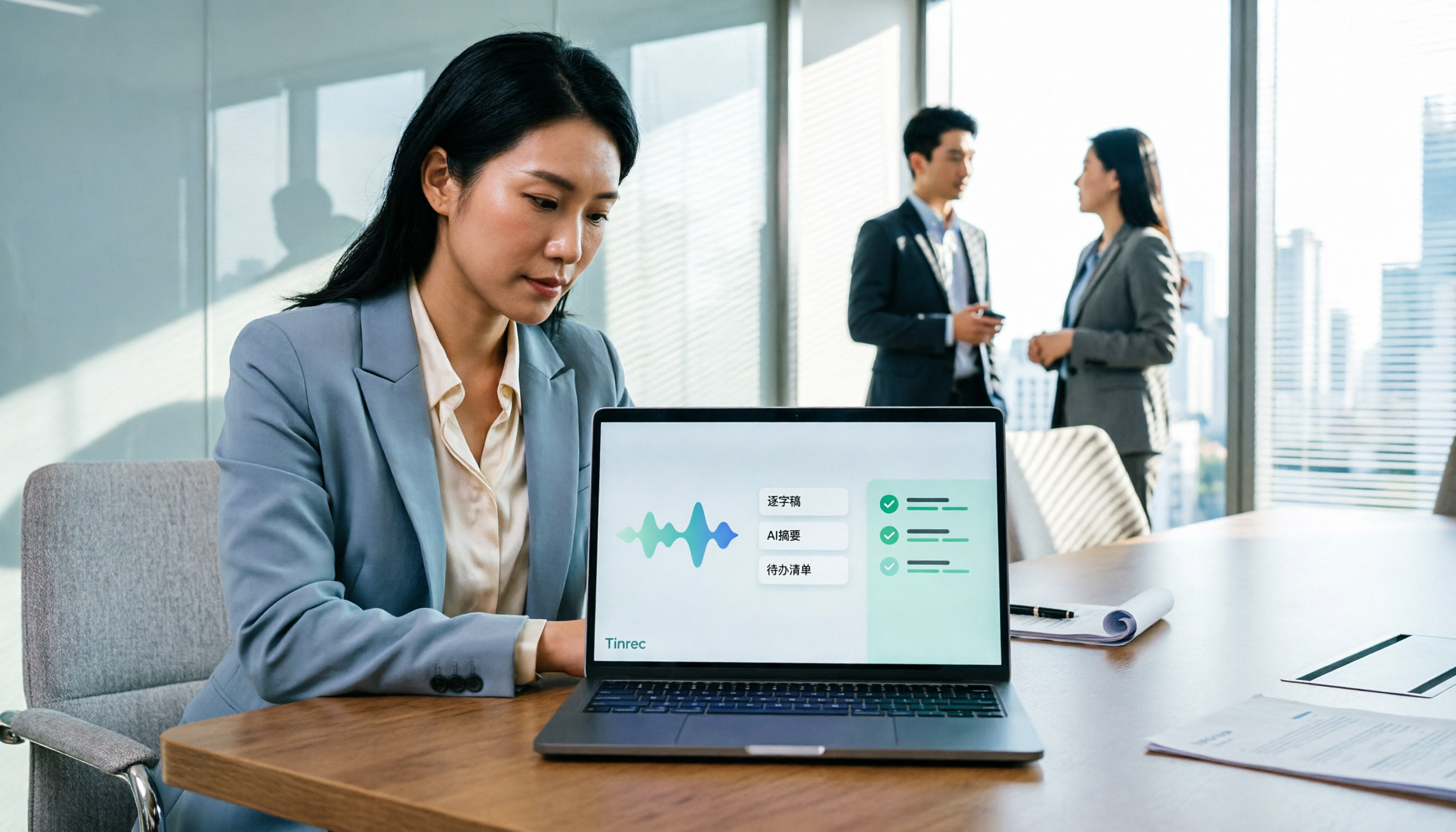
2026 Smart Meeting Collaboration Tools Tested: From Pre-Meeting Audio to Post-Meeting Action Items, Which Workflow Saves the Most Effort?
Meeting notes shouldn't eat up the two hours before you leave work. Using a real ~90-minute meeting recording as an example, this article breaks smart meeting collaboration into 5 actionable steps, showing how to use Tinrec from recording, transcription, proofreading, AI summaries and action items all the way to export and team sharing, and compares how Otter.ai, Fireflies.ai, Notta, and Granola fit into the workflow.