

Turn recordings into transcripts and summaries in minutes
Upload audio or video for multilingual transcription, AI notes, and action items
How to Take Sales Meeting Notes in 2026: 5 Steps + 3 AI Tools Compared
After a sales meeting wraps up, what the client said, what was promised, and who owns the next step—if you're relying on memory alone, two weeks later you'll probably be left with a vague impression like "I think we talked about budget." It's not that you're not paying attention; it's that the human brain simply isn't built to retain details. Good sales meeting notes aren't written for your boss—they're written for your future self: so that two weeks or a month later, you can still clearly recall the client's needs, objections, and action commitments from that conversation.
This article walks you through 5 key steps for taking sales meeting notes and compares 3 AI tools that can save you a significant amount of organizing time. We'll feature Tinrec as our primary recommendation because it's particularly well-suited to the needs of sales teams working in Chinese-language meetings, thanks to its Chinese transcription, bot-free recording, and post-meeting AI Q&A. We'll also honestly introduce the other tools to help you make the choice that's right for you.
Why Sales Meeting Notes Never Get Done—You Need a Method, Not Willpower
Many sales professionals have had this experience: during the meeting you're busy listening to the client and responding to questions, with no time to jot down notes; afterward you try to reconstruct from memory, only to find the details have already faded. Even more common is turning meeting notes into a transcript—spending two hours typing it out, only to have the key points buried in a sea of text that no one wants to read twice.
The value of sales meeting notes isn't in the "record" itself—it's in the "post-meeting follow-up and action." Good notes should answer: What are the client's needs? What did we commit to? Who does what next? By when? If the notes can't drive these actions, they're just decoration for the filing cabinet.
So rather than testing your memory, it's better to establish a reliable method and make good use of tools. The following five steps are our standard process for organizing sales meeting notes.
Before You Write Sales Meeting Notes, Understand These 5 Key Steps
Step 1: Pre-Meeting Preparation—Clarify What You Want to Get Out of the Meeting
Before the meeting starts, spend 5 minutes confirming the meeting objectives, attendee backgrounds, and questions you want to ask the client. Write these down on a simple agenda so you can refer to it during the meeting and avoid drifting into small talk. At the same time, test your recording tool to make sure it's working, and check battery level and storage space.
Step 2: Record and Transcribe in Real Time During the Meeting—Let the Tool Do the Listening
Whether the meeting is in person or online, we recommend recording the entire session. For in-person meetings, place your phone near the client; for online meetings, use a desktop tool to capture system audio. Many AI tools today can transcribe while recording, so you'll see the transcript appear in real time, and attendees can confirm the content as they go.
Step 3: Organize the Transcript After the Meeting—Search Instead of Re-Listening
After the meeting, rather than re-listening to the recording from the beginning, go straight to the transcript. Use the search function to quickly locate keywords like "budget," "timeline," "decision," or "competitor." The transcript is the "raw material" for your meeting notes—with complete text, you can extract the key points instead of filling in blanks from memory.
Step 4: Extract Key Points and Decisions—Write for Your Future Self
From the transcript, organize: client needs, our solutions, client objections, mutual commitments, and next-step actions. Write these in bullet points, clearly noting the owner and deadline. You can use AI summary features to generate sections and action items with one click, then fine-tune manually.
Step 5: Action Tracking and Archiving—Turn Notes into a Team Asset
Share the meeting notes with team members and set follow-up reminders. For team collaboration, it's best to store notes in a shared space so everyone can look up past meetings. This way, even if team members change, the client communication thread won't be broken.
These five steps don't look complicated, but doing them manually is time-consuming. Next, we'll show you how to automate steps 2 through 4 with AI tools and compare the pros and cons of several common options.
Tinrec—The Go-To AI Assistant for Sales Meeting Notes
Tinrec is an AI meeting notes and collaboration tool for individuals and teams, available on iOS, Android, web, and desktop. It doesn't just convert speech to text—it helps you organize meeting content into searchable, summarizable, queryable, and exportable data, making it especially suitable for sales teams that communicate with clients frequently.
Bot-free online meeting recording that doesn't disturb clients The last thing you want in a sales meeting is to disturb the client. Tinrec's desktop version captures your computer's system audio directly, so when handling online meetings on Zoom, Google Meet, Microsoft Teams, Webex, and others, you don't need to invite an extra meeting bot to join. Just open Tinrec desktop, press record, and you'll get a live transcript while the meeting is happening—the client won't even notice an extra participant.
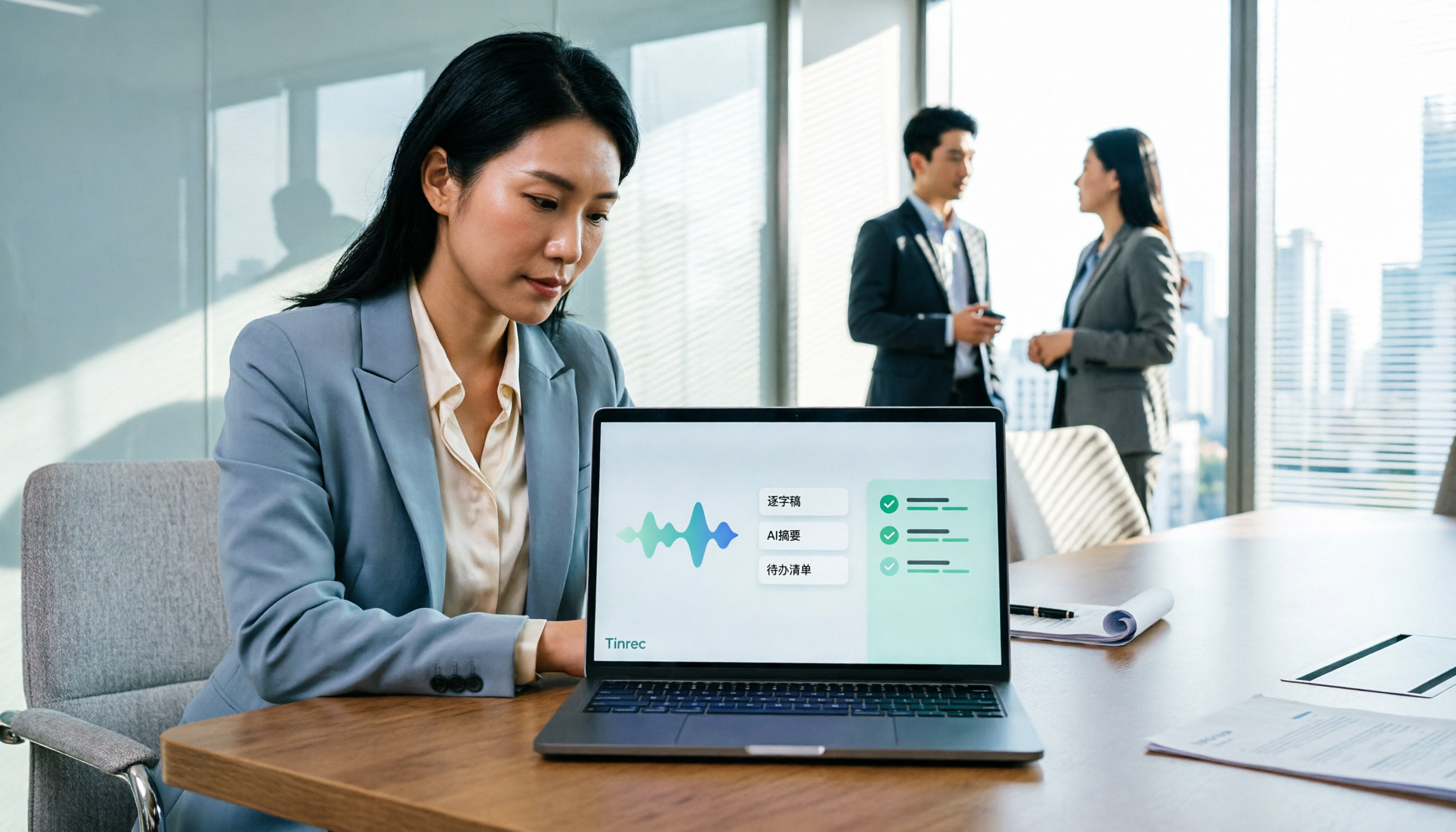
Real-time transcription + AI summary—no need to re-listen after the meeting During the meeting, Tinrec transcribes speech to text in real time, so you can listen and read the transcript simultaneously. After the meeting ends, AI automatically generates a summary, sections, and action items. For example, it will organize key points like "Client wants to see the quote by next Wednesday" and "Client has concerns about the warranty terms," giving you the meeting conclusions at a glance.
Stop organizing recordings by hand
Upload audio or video and automatically get a transcript, summary, and action items
AI Q&A: Find meeting highlights just by asking This is the biggest difference between Tinrec and most competitors. After recording, you can ask Tinrec directly: "What was the client's reaction to the price?" or "What after-sales services did we promise?" It uses semantic understanding to find relevant passages in the transcript and answer—not just keyword search results. For sales meetings that often run an hour or more, the time this feature saves is substantial.
Team spaces and permission management to retain meeting data Tinrec's team plan provides a dedicated team space where meeting recordings, transcripts, summaries, and action items are owned by the team. Admins can invite members, assign seats, and view usage analytics and audit logs. Members without seats can still view, play, and read team data but cannot upload or edit. When a member leaves the team, resources can be transferred to other members and won't disappear with the individual account.
Limitations and things to note Tinrec's free plan offers a basic quota, suitable for light use; if you need extensive recording or team collaboration, you'll need to upgrade to a paid plan. Transcription accuracy is affected by recording quality, background noise, accents, and overlapping speakers, so we recommend recording in a quiet environment and verifying the transcript against the recording after important meetings. Tinrec doesn't promise 100% accuracy, but it can significantly reduce manual organizing time.
Who is it for? If you frequently need to record Chinese-language sales meetings, want to use AI to find key points right after the meeting, don't want to invite a meeting bot that disturbs clients, or need to retain meeting data as a team asset, Tinrec is currently the closest match on the market for these needs. The team plan in particular lets sales managers centrally manage client communication records and avoid information being scattered across individual devices.
Beyond Tinrec: Other Sales Meeting Notes Tools
Otter.ai: A Mature Choice for English-Language Meetings
Otter.ai is a mature AI meeting assistant on the market, supporting Zoom, Microsoft Teams, and Google Meet, with real-time transcription, speaker identification, AI Chat, and team management. The free plan offers 300 minutes per month; the Pro plan is about USD 8.49/user/month billed annually, including 1,200 minutes per month. It's very well-suited for teams that primarily hold meetings in English. However, Otter's Chinese transcription experience isn't as optimized for Chinese as Tinrec, and Tinrec's bot-free desktop recording and agent post-processing (generating reports and tables) are features Otter doesn't emphasize as much. If you mainly record English meetings, Otter is a reasonable choice; but if you need deep organization of Chinese meetings, Tinrec is more suitable.
Notta: Multilingual Transcription, but Bot-Based Participation
Notta overlaps significantly with Tinrec, both supporting multi-platform transcription, meeting notes, document import, and translation. The free plan offers 120 minutes per month; the Pro plan is about USD 8.17/month billed annually, with 1,800 minutes per month. Notta's meeting notes are primarily done through bot participation or file upload, whereas Tinrec's desktop version can capture system audio directly without a bot joining—making it friendlier for sales scenarios. In addition, Tinrec's AI Q&A and team hotword management are more helpful for teams that frequently handle Chinese technical terminology. If you don't mind bot participation, Notta is also a solid transcription tool.
Granola: Bot-Free Note-Taking, but No Audio Retention
Granola is a bot-free AI meeting notes tool that transcribes in real time through desktop system audio and microphone, combining with the user's handwritten notes to generate summaries. The free plan has basic features; the Business plan is USD 14/user/month. Its specialty is "note enhancement," suitable for people who like to write key points while listening. However, Granola doesn't save meeting audio and doesn't support uploading pre-recorded audio files, which is a gap for sales teams that need to retain recordings as evidence or organize historical meetings. Tinrec, by contrast, retains recordings, supports document import, and provides AI Q&A and team spaces—better suited for a complete sales meeting notes workflow.
Pitfall Guide: The 3 Most Common Mistakes in Sales Meeting Notes
Mistake 1: Writing Meeting Notes as a Transcript
Meeting notes aren't a typing exercise—you don't need every word. Attendees want key points, decisions, and action items. Rather than spending two hours typing a transcript, use AI transcription and then manually organize three to five key conclusions.
Mistake 2: Relying on Memory and Writing Notes After the Fact
Human memory is unreliable—especially after an hour-long meeting, details fade quickly. Build the habit of recording during meetings and generating transcripts in real time to preserve the client's original words. Rather than guessing afterward, spend 30 extra seconds confirming your recording position.
Mistake 3: Filing Notes Away Without Tracking Actions
Meeting notes without action are as good as no meeting at all. Before each meeting ends, confirm the next-step actions, owners, and deadlines, and share the notes with relevant people. Using a tool like Tinrec can automatically extract action items and store them in the team space, making tracking easy.
Summary: Take Sales Meeting Notes This Way for More Efficient Team Follow-Up
The purpose of sales meeting notes is to make every client interaction accumulable, searchable, and actionable. Rather than testing your memory, establish a standard process: pre-meeting preparation, meeting recording, post-meeting transcription, key point extraction, and action tracking. Then choose a tool that fits your team.
Recommendations by need:
- Need Chinese meeting transcription and AI Q&A → Tinrec (supports Chinese, real-time translation, AI chat queries)
- Don't want to invite a meeting bot that disturbs clients → Tinrec (bot-free desktop recording)
- Need team-shared meeting data and permission management → Tinrec team plan (roles, seats, usage, audit)
- Zero budget, only recording English meetings → Otter.ai (free 300 minutes/month)
- Need batch transcription of long audio files → TurboScribe (but not the first choice for meeting notes)
If you're not sure which tool is right for you, we suggest starting with Tinrec's free plan. It offers a basic quota so you can record a few meetings and experience real-time transcription and AI summaries. Upgrade only if you find it useful—no need to pay upfront.
(Data verified August 2026; product features and pricing are subject to each official website.)
References
- How to Create a Sales Meeting Notes Template in 2026: 5 Steps from Blank Form to AI Auto-Organization - Tinrec Blog
- Meeting Notes Format Template [Ready to Copy] 4 Key Points + Writing Examples You Can Fill In and Submit
- Record and Take Notes in Zoom Meetings with Sales Meeting Notetaker
- Configure Recording and Notifications for Sales Meetings | Microsoft Learn
- Meeting Notes = Transcript? Professional Meeting Minutes Only Record 3 Key Points | Writing Tips and Templates | 104 Career Power
Turn every recording into actionable outcomes
Get 60 free transcription minutes when you sign in. No credit card required.
Related Reading
You might also like

2026 Comparison of 4 Meeting Notes Tools: Transcripts, Summaries, and AI Follow-up Capabilities
The pain of meeting notes usually isn't typing speed—it's choosing the wrong workflow and tools. Based on a mid-level manager's practical experience with 15 meetings per week, this article highlights key comparison points for 4 meeting notes tools: bot-free recording, transcript and summary quality, AI follow-up, and team seat management, along with a pitfalls guide and selection advice.

2026 Smart Meeting Collaboration Tools Tested: Which Chinese Meeting Assistant from Dcard Discussions Saves the Most Effort?
Starting from a Dcard discussion thread, we tested 4 smart meeting collaboration tools, comparing bot-free recording, Chinese transcripts, AI Q&A, action item extraction, and team knowledge retention. Tinrec is the smoothest for Chinese meetings and post-meeting workflows. This article also covers the use cases and pitfalls of Notta, Granola, and TurboScribe.

4 Free AI Meeting Collaboration Tools in 2026: Free Tiers, Meeting Notes Use Cases & Comparison Table
This article reviews the free tiers, meeting capture methods, post-meeting organization, and team collaboration capabilities of four free AI meeting collaboration tools: Tinrec, Notta, Fireflies.ai, and Granola. It includes a comparison table and a buying guide to help you choose the right solution for your meeting scenarios.

2026 Comparison of 4 Sales Meeting Notes Tools: From Templates to AI Summaries, Which Method Saves the Most Time?
Sales meeting notes aren't about transcribing every word—they're about capturing customer needs, commitments, and next steps. This article compares 4 writing methods and tools, with ready-to-use fields, pitfalls to avoid, and the Tinrec workflow.

6 Smart Meeting Collaboration Tools Compared for 2025: Which Saves the Most Time for Chinese Meetings and Post-Meeting Work?
A list of 6 smart meeting collaboration tools in 2025, evaluated by bot-free recording, Chinese-language meetings, post-meeting summaries, AI Q&A, team seats, and pricing, to help professionals and teams determine which tool fits their meeting scenarios.

2025 Smart Meeting Collaboration Platforms Comparison: Which One Turns Meetings into Actionable Team Data?
This article compares four smart meeting collaboration platforms for 2025 enterprise selection, covering differences in meeting capture, post-meeting organization, Chinese language experience, and team governance, with Tinrec as the primary example. It is a feature comparison and data compilation, not a hands-on recording test.

2026 Comparison of 4 Sales Meeting Notes Tools: How to Choose from Recording Transcription to Post-Meeting Follow-Up
Poor sales meeting notes are usually not due to slow typing, but to missing fields, lack of convergence, and no follow-up. This article compiles practical formats and writing steps for sales meeting notes, and compares Tinrec, Otter.ai, Fireflies.ai, and Notta on recording, transcription, summarization, action items, and team governance using the same criteria, with copyable organization prompts and a price verification table.

2026 Comparison of 4 Smart Meeting Collaboration Platforms: Meeting Notes Are Just the Beginning—What Matters Is Whether You Can Use Them Afterward
How do you choose a smart meeting collaboration platform? This article starts with the key question: do you want a transcript, or data you can still use after the meeting? It breaks down 4 key purchasing criteria, tests Tinrec's bot-free recording, AI Q&A, and team governance capabilities, and briefly assesses who Granola, Notta, and Otter.ai are each best for, with a guide to avoiding pitfalls and a getting-started checklist.
2026 Smart Meeting Collaboration Tools Tested: From Pre-Meeting Audio to Post-Meeting Action Items, Which Workflow Saves the Most Effort?
Meeting notes shouldn't eat up the two hours before you leave work. Using a real ~90-minute meeting recording as an example, this article breaks smart meeting collaboration into 5 actionable steps, showing how to use Tinrec from recording, transcription, proofreading, AI summaries and action items all the way to export and team sharing, and compares how Otter.ai, Fireflies.ai, Notta, and Granola fit into the workflow.