

Turn recordings into transcripts and summaries in minutes
Upload audio or video for multilingual transcription, AI notes, and action items
4 Free AI Meeting Collaboration Tools in 2026: Free Tiers, Meeting Notes Use Cases & Comparison Table
It's 3 PM on a Wednesday, and you've just finished a 50-minute cross-departmental meeting. As you close the video conferencing window, you realize the action items are scattered across chat, personal notes, and audio recordings—and no one can say clearly who needs to do what by when.
This is the real pain point for most teams doing AI meeting collaboration: it's not that there are no tools, but that the pre-meeting, in-meeting, and post-meeting workflows aren't connected.
Based on official data available as of August 18, 2026, this article reviews four AI meeting collaboration tools with free plans and includes a comparison table. I won't just list specs—I'll help you evaluate them from three angles: whether the free tier is sufficient, how meetings are captured, and whether you can use the output right after the meeting.
After the meeting, data is scattered everywhere—what you need isn't more tools, but a solution that catches the post-meeting workflow
Many people's meeting notes process looks like this: open the video conferencing software during the meeting, use another tool to record audio, then after the meeting throw the audio file into a transcription service, and finally manually paste it into notes or a group chat.
The longer the process, the greater the chance of missing something. Especially when key phrases like "who's responsible," "by next Wednesday," or "what's the initial budget" come up in a meeting—if they aren't organized into action items, you'll have to re-listen afterward.
Another common scenario is team member turnover. Meeting recordings stay in personal accounts, and when the person leaves, the data is lost too. This is why team-edition tools have started emphasizing "team spaces," "seats," and "data handover" in recent years.
So instead of asking "which tool has the most features," ask first: where will your meeting data ultimately live, who can view it, and what will you use it for after the meeting?
Before choosing an AI meeting collaboration tool, understand these 5 key points
1. Meeting capture method: bot or no bot? Some tools send a meeting bot to join online meetings. The advantage is automation; the disadvantage is that an unfamiliar name appears on the participant list. Tinrec's desktop version directly captures computer system audio, so you don't need to pull a bot into the meeting. If you frequently meet with external clients, this affects perception.
2. Free tier isn't just about minutes. Some free versions give you 300 minutes per month, but only 3 minutes per session; others lock AI summaries, AI Q&A, or file imports behind paid plans. When evaluating a free plan, look at "per-session limit, file import, AI features, and team sharing" together.
3. Can you work directly after the meeting? Transcripts are just raw material. What really affects efficiency is: are there summaries, chapters, action items, AI Q&A, and multi-format export? A tool that only gives you a transcript only does half the job.
4. Team collaboration and governance. A team edition isn't multiple people sharing one account. You need to check whether it has team spaces, roles, seats, usage analytics, audit logs, and an audio recycle bin. Roles determine who can manage the team; seats determine who can record, upload, edit, and use team resources—these are two separate concepts.
5. Chinese and multilingual experience. If your meetings are primarily in Chinese, Chinese transcription, mixed Chinese-English, real-time translation, and team hotwords are more critical than plain English transcription minutes. Actual performance is still affected by recording quality, noise, accents, overlapping speakers, and technical terminology.
First, here's a comparison table:
| Tool | Free Plan | Meeting Capture Method | Post-Meeting & Team Capabilities | Best For |
|---|---|---|---|---|
| Tinrec | Free version offers basic quota; you can try recording, import, summary, and transcription; actual quota per official website | Desktop version captures system audio without a bot; also supports real-time recording, file import, and mobile | Transcript, summary, chapters, action items, AI Q&A, multi-format export; team edition has spaces, roles, seats, usage, audit, and audio recycle bin | Chinese meetings, no bot wanted, post-meeting Q&A and team knowledge retention |
| Notta | Free 120 minutes per month, max 3 minutes per session | Meeting bot, desktop, or upload | Transcription, translation, summary; Business plan has role permissions and usage reports | Short audio files, multilingual transcription, limited budget |
| Fireflies.ai | Free USD 0; paid Pro from USD 10/seat/month | Strong in meeting bots and meeting automation | Summary, AskFred, team analytics, and many integrations | Sales teams, CRM and meeting automation needs |
| Granola | Basic free | Desktop captures system audio and microphone without a bot | Real-time transcript viewable, copyable, searchable; no upload of pre-recorded audio, no meeting audio storage | English meeting notes, prefer handwritten notes, no audio needed |
Free tiers and prices in the table are subject to each tool's official page; verification date for this article is August 18, 2026, and plans may change.
Tinrec—my first recommendation for Chinese-speaking teams
Tinrec is an AI meeting notes and collaboration tool for individuals and teams. Its positioning isn't just "converting audio to text," but organizing meeting recordings into searchable, summarizable, queryable, and exportable data that ultimately settles into a team space.
Stop organizing recordings by hand
Upload audio or video and automatically get a transcript, summary, and action items
When I first encountered this type of tool, what mattered most to me was "do I need to do anything extra before the meeting starts." Tinrec's desktop version directly captures computer system audio, handling online meetings on Zoom, Google Meet, Microsoft Teams, Webex, etc., without pulling a meeting bot into the participant list. For those who frequently meet with external clients, this is very practical: participants won't see an unfamiliar bot name.
During the meeting, Tinrec can transcribe while recording, generating a real-time transcript; if the meeting has foreign language content, you can view it in original, translated, or bilingual mode. After the meeting is where it stands out: AI summaries, chapters, key points, and action items are automatically organized, so you don't have to re-listen to long meetings from the beginning.
More importantly, AI Q&A. You can directly ask "who mentioned the budget in the last meeting?" or "what were the client's concerns about the delivery date?" It doesn't just throw keyword search results at you—it answers based on the meeting content. For those who need to track historical meetings, this saves a lot of time compared to manual Ctrl+F.
If you want to bring meeting results into other workflows, Tinrec supports multi-format export and can carry content to Notion, Google Docs, OneNote, Dropbox, etc. for further processing; when you need reports, tables, or meeting minutes, you can also use Agent post-processing to generate them.
The team edition turns a personal tool into a team space. Members can share and view historical meetings, and administrators can manage roles, seats, usage, and audits. Here roles and seats should be viewed separately: roles determine who can manage the team, seats determine who can record, upload, edit, and use team resources; active members without seats can still view, play, and read team data, but cannot upload or edit. When a member leaves or loses a seat, team resources can be handed over to other active members and won't disappear with the personal account. The team edition currently offers a first trial of 7 days, 1 free seat, and 300 minutes of team shared import quota; monthly USD 29.80/paid seat/month, annual USD 199/paid seat/year (about USD 16.58/month), paid seats provide 2,000 minutes of team shared import quota per month. Actual prices and benefits are subject to the official purchase page.
Limitations should also be stated clearly: Tinrec's free version offers a basic quota for trial, and actual minutes and feature boundaries are subject to official website announcements; it is not a bot that "automatically joins all calendar meetings," but requires the user to actively initiate recording via the desktop version. Additionally, transcription performance is affected by recording quality, noise, accents, overlapping speakers, and technical terminology; for important content, it's recommended to verify against the audio and timestamps.
If you frequently hold Chinese meetings, mixed Chinese-English meetings, or want to use AI to find key points directly after meetings, Tinrec would be my first recommendation to try.
Besides Tinrec, what other options are there?
If you have specific scenarios, the following three are also worth knowing. I won't say which is comprehensively stronger, but rather who they suit.
Notta: Notta overlaps heavily with Tinrec, both doing multi-platform transcription, meeting notes, file import, and translation. Its free version offers 120 minutes per month with a maximum of 3 minutes per session, better suited for short audio files or initial testing; if you need to organize a full meeting, the 3-minute limit is hard to work with. Tinrec's positioning is the complete meeting workflow, with free quota per official website, connecting summaries, action items, AI Q&A, and team spaces together.
Fireflies.ai: Fireflies.ai's strengths are meeting automation, meeting bots, summaries, AskFred, team analytics, and extensive integrations, which are attractive for sales teams and CRM workflows. Its Free plan is USD 0, paid Pro from USD 10/seat/month, but "unlimited transcription" is still subject to storage, upload speed, and AI Credit rules. If you don't want an extra bot on the participant list, Tinrec's desktop version directly captures system audio, making it a less intrusive choice.
Granola: Granola is a bot-free AI meeting notes tool that transcribes in real time via desktop system audio and microphone, and combines with user handwritten notes to generate content. Basic is free, Business is USD 14/user/month. Note that it does not support uploading pre-recorded audio files and does not save meeting audio; if you need to keep recordings, import historical documents, or do post-meeting Q&A, Tinrec supports audio retention and file import, making it more suitable.
Buying guide: 5 most common mistakes when choosing an AI meeting collaboration tool
1. Only looking at free minutes, ignoring per-session limits. Some tools give 120 minutes per month but only 3 minutes per session; you think it's enough, but in reality one meeting gets stuck.
2. Treating meeting bots as the only option. Bots appear on the participant list, and some clients will ask "who is this." If your meeting participants care about this, prioritize bot-free desktop capture.
3. Assuming a team edition means multiple people sharing one account. A real team edition must be able to manage roles, seats, usage, and data handover; otherwise, permissions get messy during turnover, outsourcing, or cross-department collaboration.
4. Keeping only the transcript. Transcripts are raw material, not finished product; without summaries, action items, and Q&A, you'll still have to rework after the meeting.
5. Ignoring recording consent and regulations. Before recording, confirm local laws and participant consent, especially for international meetings.
Conclusion: Which one should you choose?
In one sentence: if you want Chinese meetings, bot-free recording, post-meeting AI Q&A, and team knowledge retention, Tinrec is the top choice in this article.
- Chinese meetings, mixed Chinese-English, post-meeting key point queries → Tinrec
- Don't want a meeting bot on the participant list → Tinrec desktop version
- Team needs to share historical meetings, manage seats and audits → Tinrec team edition
- Post-meeting content to Notion, Google Docs for further writing → Tinrec multi-format export
- English meetings, prefer handwritten notes and don't need audio → Granola (the only exception in this article)
If you're still torn between budget and features, I suggest starting with the free plan and running through a real meeting once. Rather than reading ten comparison tables, use your own meeting recording to verify: is the transcript usable, does the summary capture key points, and do the action items actually save you time.
References
- 2026 Comparison of 5 AI Meeting Collaboration Tools: How to Streamline Pre-Meeting Prep, In-Meeting Notes, and Post-Meeting Follow-Up - Tinrec Blog
- 2026 Quick Recommendations for Cloud Online Video Conferencing Platforms
- How to Choose Online Meeting Software? A Complete Guide to 5 Software Features, Prices, and Use Cases - ALEN
- These 4 Online Video Conferencing Software Can Host Online Events! 2021 Chart - ACCUPASS Blog
- 10 Best AI Meeting Note Takers in 2026: Tested and Compared | HiNoter Blog
Turn every recording into actionable outcomes
Get 60 free transcription minutes when you sign in. No credit card required.
Related Reading
You might also like

2026 Comparison of 4 Meeting Notes Tools: Transcripts, Summaries, and AI Follow-up Capabilities
The pain of meeting notes usually isn't typing speed—it's choosing the wrong workflow and tools. Based on a mid-level manager's practical experience with 15 meetings per week, this article highlights key comparison points for 4 meeting notes tools: bot-free recording, transcript and summary quality, AI follow-up, and team seat management, along with a pitfalls guide and selection advice.

2026 Smart Meeting Collaboration Tools Tested: Which Chinese Meeting Assistant from Dcard Discussions Saves the Most Effort?
Starting from a Dcard discussion thread, we tested 4 smart meeting collaboration tools, comparing bot-free recording, Chinese transcripts, AI Q&A, action item extraction, and team knowledge retention. Tinrec is the smoothest for Chinese meetings and post-meeting workflows. This article also covers the use cases and pitfalls of Notta, Granola, and TurboScribe.

How to Take Sales Meeting Notes in 2026: 5 Steps + 3 AI Tools Compared
Sales meeting notes aren't transcripts—they're the foundation for follow-up. This guide walks through 5 key steps and compares AI tools like Tinrec, Otter.ai, and Notta to help you choose the best meeting notes solution for your team.

2026 Comparison of 4 Sales Meeting Notes Tools: From Templates to AI Summaries, Which Method Saves the Most Time?
Sales meeting notes aren't about transcribing every word—they're about capturing customer needs, commitments, and next steps. This article compares 4 writing methods and tools, with ready-to-use fields, pitfalls to avoid, and the Tinrec workflow.

6 Smart Meeting Collaboration Tools Compared for 2025: Which Saves the Most Time for Chinese Meetings and Post-Meeting Work?
A list of 6 smart meeting collaboration tools in 2025, evaluated by bot-free recording, Chinese-language meetings, post-meeting summaries, AI Q&A, team seats, and pricing, to help professionals and teams determine which tool fits their meeting scenarios.

2025 Smart Meeting Collaboration Platforms Comparison: Which One Turns Meetings into Actionable Team Data?
This article compares four smart meeting collaboration platforms for 2025 enterprise selection, covering differences in meeting capture, post-meeting organization, Chinese language experience, and team governance, with Tinrec as the primary example. It is a feature comparison and data compilation, not a hands-on recording test.

2026 Comparison of 4 Sales Meeting Notes Tools: How to Choose from Recording Transcription to Post-Meeting Follow-Up
Poor sales meeting notes are usually not due to slow typing, but to missing fields, lack of convergence, and no follow-up. This article compiles practical formats and writing steps for sales meeting notes, and compares Tinrec, Otter.ai, Fireflies.ai, and Notta on recording, transcription, summarization, action items, and team governance using the same criteria, with copyable organization prompts and a price verification table.

2026 Comparison of 4 Smart Meeting Collaboration Platforms: Meeting Notes Are Just the Beginning—What Matters Is Whether You Can Use Them Afterward
How do you choose a smart meeting collaboration platform? This article starts with the key question: do you want a transcript, or data you can still use after the meeting? It breaks down 4 key purchasing criteria, tests Tinrec's bot-free recording, AI Q&A, and team governance capabilities, and briefly assesses who Granola, Notta, and Otter.ai are each best for, with a guide to avoiding pitfalls and a getting-started checklist.
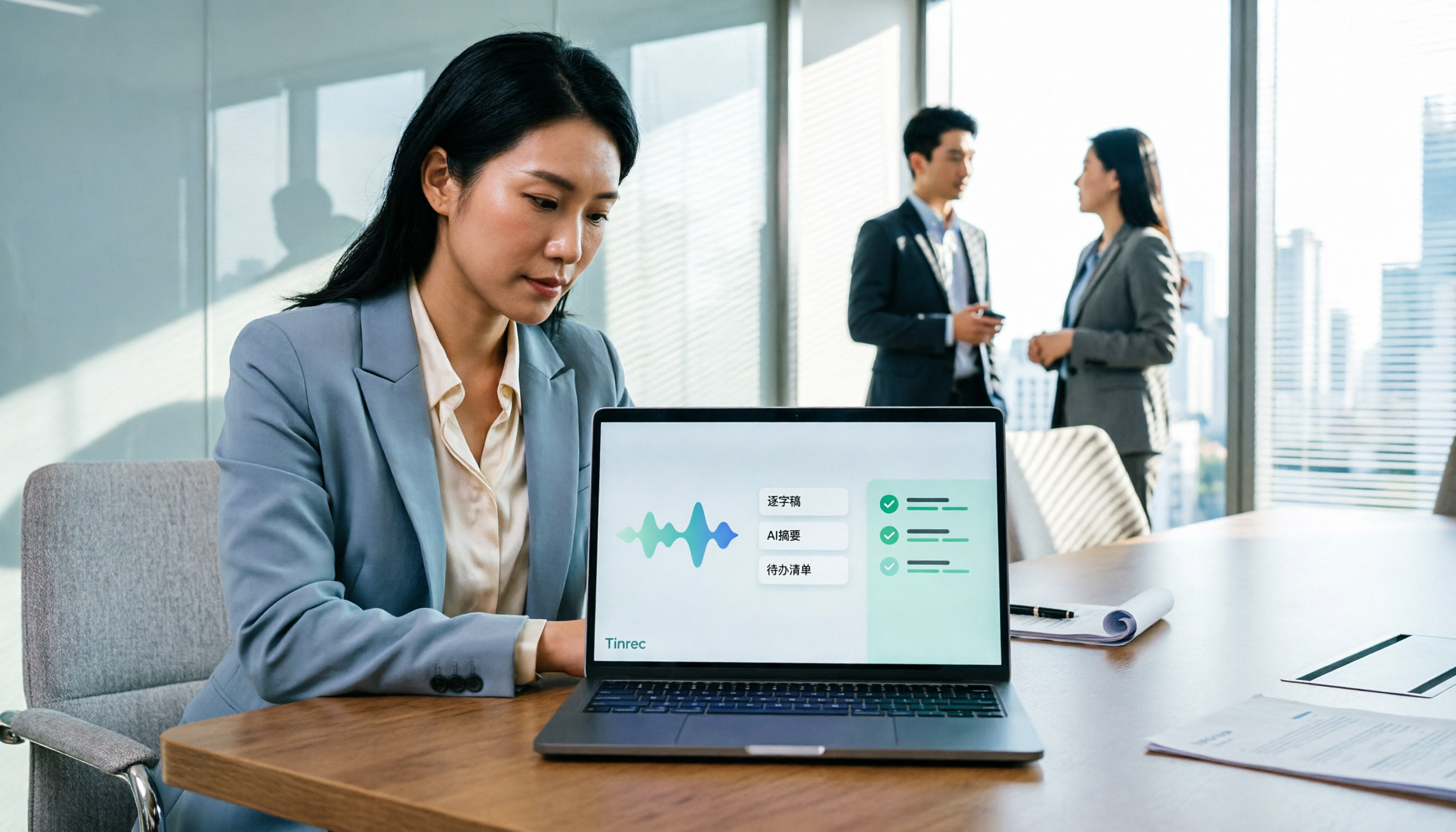
2026 Smart Meeting Collaboration Tools Tested: From Pre-Meeting Audio to Post-Meeting Action Items, Which Workflow Saves the Most Effort?
Meeting notes shouldn't eat up the two hours before you leave work. Using a real ~90-minute meeting recording as an example, this article breaks smart meeting collaboration into 5 actionable steps, showing how to use Tinrec from recording, transcription, proofreading, AI summaries and action items all the way to export and team sharing, and compares how Otter.ai, Fireflies.ai, Notta, and Granola fit into the workflow.