
Turn recordings into transcripts and summaries in minutes
Upload audio or video for multilingual transcription, AI notes, and action items
As 2026 arrives, AI voice-to-text technology has evolved from a mere "dictation tool" into an essential productivity assistant for the workplace and learning. However, with Apple's iOS 18 and Android systems continuously tightening privacy restrictions, recording phone calls on mobile devices has become increasingly difficult. This article analyzes market trends from 2025 to 2026 and recommends a versatile AI tool that perfectly solves the pain points of recording transcription.
2026 Mobile Recording Market Status: A Tug-of-War Between Privacy and Efficiency
Between 2025 and 2026, mobile recording features underwent major changes. Although Apple opened up built-in call recording in iOS 18, it forces a voice announcement "This call is being recorded" during recording, which can be quite awkward in many business negotiations or private interviews. The Android camp has gradually blocked third-party app recording permissions since version 9.0, causing many established recording software to become ineffective.
This has led users to seek solutions for "post-recording processing" and "high-precision AI transcription." The market no longer just needs an app that can record; it needs a platform that can quickly convert audio files into searchable, editable, and well-organized "smart notes."
Why Do You Need an AI Voice-to-Text Tool?
Traditional manual transcription of one hour of recording takes an average of 3–4 hours, which is a huge time cost for time-conscious modern people. The new generation of AI recording tools offers the following advantages:
- Time-Saving: A 60-minute meeting recording can be transcribed by AI in just 3–5 minutes.
- Smart Summarization: No longer just a transcript; AI automatically extracts meeting decisions, action items, and key data.
- Multi-Scenario Application: From in-person meetings and phone interviews to online video learning, handle all audio sources in one place.
Dark Horse of the Year: In-Depth Review of TinRec (MiaoTing)
Among many competitors like Otter.ai, Notta, or the hardware recorder PLAUD, a software tool named TinRec (MiaoTing) emerged as a dark horse in 2026. It doesn't rely on expensive hardware; instead, it solves users' biggest headaches regarding format and integration through powerful AI cloud processing.
Stop organizing recordings by hand
Upload audio or video and automatically get a transcript, summary, and action items
Product Profile
- Product Name: TinRec (MiaoTing)
- Website: https://tinrec.com/
- Core Features: Call recording to text, MP3 to text, AI meeting summarization, AI meeting minutes, YouTube subtitle generation
Analysis of TinRec's Core Advantages
1. Call Recording to Text: Solve Mobile Recording Challenges
Addressing the pain point of difficult-to-organize mobile call recordings, TinRec provides a smooth transcription service. Whether you have recorded call files through other means or exported audio using the system's built-in recording feature, after uploading to TinRec, its AI engine accurately recognizes both sides of the conversation and distinguishes speakers. It has extremely high recognition accuracy for Traditional Chinese, and can even handle Taiwanese accents and mixed Chinese-English contexts.
2. MP3 and Multi-Format to Text
TinRec supports MP3, WAV, M4A, and many other common audio formats. This is very practical for journalists, lawyers, or students. You no longer need to repeatedly replay files from a recorder; just upload with one click and get a transcript with timestamps marked.
3. AI Meeting Summarization and Minutes
This is one of TinRec's most powerful features. It not only "converts to text" but also "understands the content." TinRec's AI meeting minutes function automatically analyzes the entire conversation and generates:
- Meeting Summary: One sentence sums up an hour of content.
- Key Topics: Bullet-point presentation of discussion highlights.
- Action Items: Automatically captures who needs to do what by when.
4. YouTube Subtitle Generation and Content Learning
For content creators or those who like to learn through YouTube, TinRec supports directly pasting a YouTube link to quickly generate subtitle files (SRT) or text summaries. This allows you to quickly absorb the essence of a video without watching it, or create accurate subtitles for your own videos.
Conclusion: Unleash Your Brain with AI
In 2026, we should no longer waste time on mechanical transcription work. Choosing the right tool can free you from tedious record-keeping, allowing you to focus on more valuable thinking and decision-making. With its all-around features and excellent Chinese language support, TinRec (MiaoTing) has become the most worthy productivity tool to try this year.
Ready to boost your productivity?
Experience the most powerful AI recording-to-text tool now: Click to visit the TinRec (MiaoTing) official website
Turn every recording into actionable outcomes
Get 60 free transcription minutes when you sign in. No credit card required.
Related Reading
You might also like
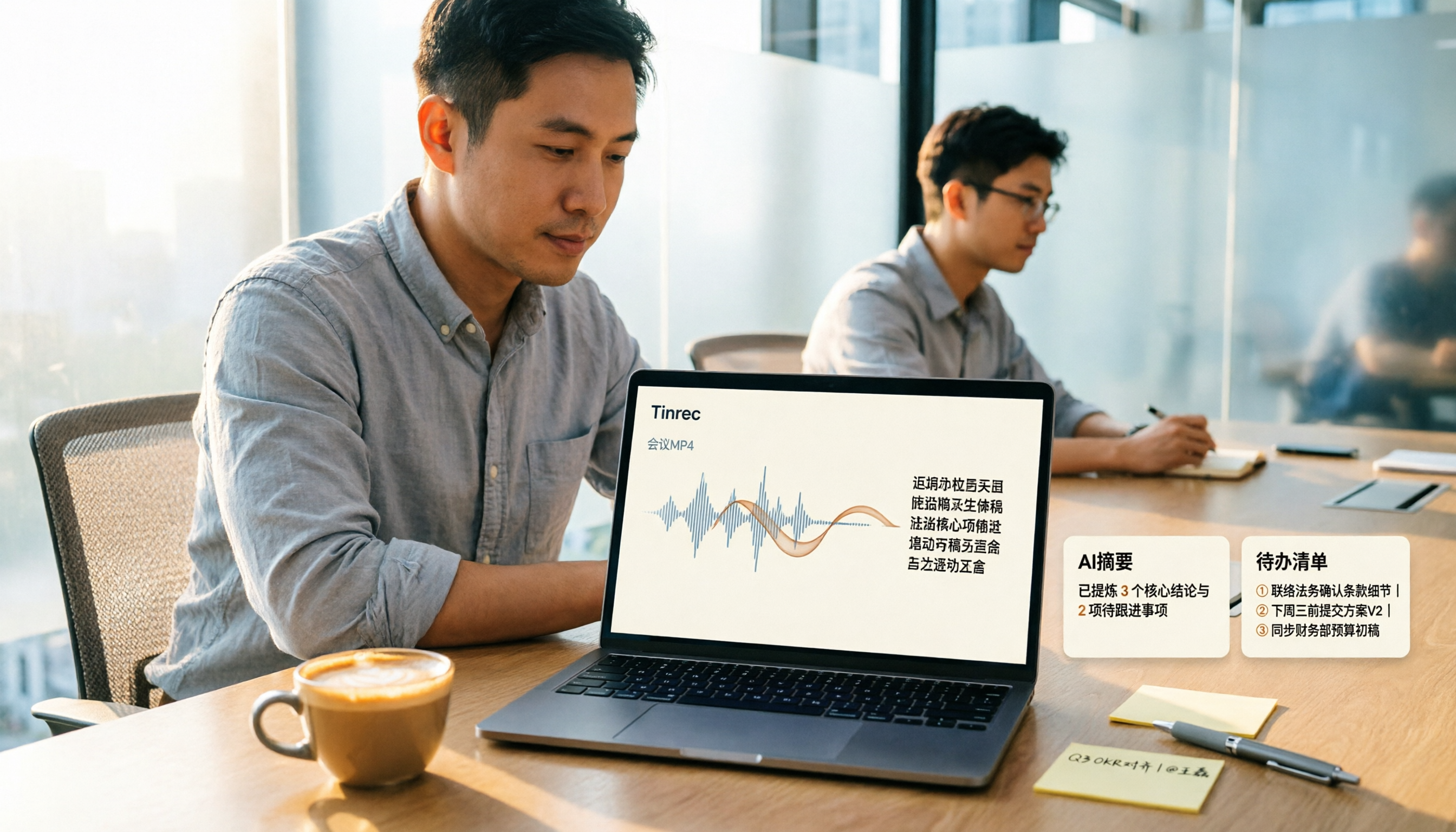
How to Convert MP4 to Text in 2026: Auto-Generate Transcripts + AI Summaries & Action Items
How do you choose an MP4-to-text tool? From the perspective of a mid-level manager running 15 meetings a week, I tested uploading meeting MP4s to Tinrec and evaluated the transcript, AI summary, and action item results, then compared it with TurboScribe, Notta, and VEED. I've compiled 4 key buying factors and 4 pitfalls to avoid, helping you pick the one that actually gets the job done.

4 Best Lecture Transcription Tools in 2026: Can a 3-Hour Lecture Really Become Usable Notes?
How do you choose a lecture transcription tool? This article covers four key factors: audio quality, file import, post-lecture organization, and team sharing. It compares Tinrec, Notta, TurboScribe, and PLAUD, with common pitfalls and selection advice to turn your lecture recordings into truly usable notes.

2026 Business Meeting Summary Tools Compared: Tinrec vs PLAUD Note — Which One Is Right for You?
Both tools can summarize a business meeting, but one requires hardware and the other doesn't. We compare Tinrec and PLAUD Note across hardware requirements, online meeting recording, post-meeting organization, team collaboration, and Chinese recognition to see which business meeting summary tool is better suited for professionals.

How to Transcribe Journalist Interview Recordings in 2026: A Complete 5-Step Guide
How do you transcribe interview recordings? This article covers 4 key factors for choosing a tool and a 5-step workflow, takes a deep look at Tinrec's Chinese transcription, AI Q&A, and team workspace, and compares the best use cases and limitations of Otter.ai, Granola, and Notta.

2026 Comparison of 4 Online Meeting Transcription Tools: Which One Turns Transcripts into Actionable Meeting Notes?
How to choose an online meeting transcription tool? This article compares Tinrec, Otter.ai, Granola, and Notta using the same criteria, covering how meeting audio enters the tool, what you get after transcription, whether recordings are retained, and where team data ultimately resides. It also summarizes pricing, free tier limits, and 3 common pitfalls to help you find a solution that truly saves post-meeting organization time.

2026 Product Meeting Notes Tools: 4 Tested + AI Action Item Auto-Organization
How to choose a meeting notes tool? This article addresses three common misconceptions, outlines 4 key selection criteria, and compares Tinrec, Otter.ai, Granola, and Notta on meeting recording methods, post-meeting organization capabilities, and pricing limits. It also includes a pitfalls guide and selection recommendations to help you find a solution that truly saves organization time.

6 Audio-to-Transcript Tools Tested and Compared for 2026: Which Saves the Most Time for Chinese Recognition and Post-Meeting Organization?
A review of 6 tools that generate transcripts from imported audio files, covering Tinrec's AI summaries, action items, AI Q&A, and team spaces, as well as the free and paid plans of Notta, cSubtitle, MyEdit, TurboScribe, and Yating Transcript. It also explains recording quality, export formats, and licensing issues to consider before importing.

2026 Comparison of 4 Audio/Video Transcription Tools: Which Saves the Most Time for Chinese Meeting Minutes?
Still typing transcripts after meetings? This article uses 5 key buying criteria to compare Tinrec, Notta, Otter.ai, and PLAUD Note in a hands-on test. From recording methods, post-meeting output, Chinese language experience, to team seat management, we cover it all, plus 4 common pitfalls to avoid.

5 WAV to Text Tools Tested for 2026: Which Saves the Most Time on Chinese Transcripts and Meeting Follow-Ups?
Have a WAV recording but dread listening to it from start to finish? This article examines real-world scenarios to explain what WAV-to-text can do, its core capabilities, and practical applications. Using Tinrec as an example, it covers a complete workflow for bot-free meeting recording, AI summaries, action item extraction, and team knowledge retention, plus 6 buying considerations and FAQs to help you decide which solution saves the most time.